We already had /tools/markdown-table-generator — a spreadsheet-style grid you build a table in by hand. It's one of our best-performing pages. But "build a table from scratch" and "I have a CSV and I need it in Markdown" are different jobs, and we were making the second group use a tool built for the first.
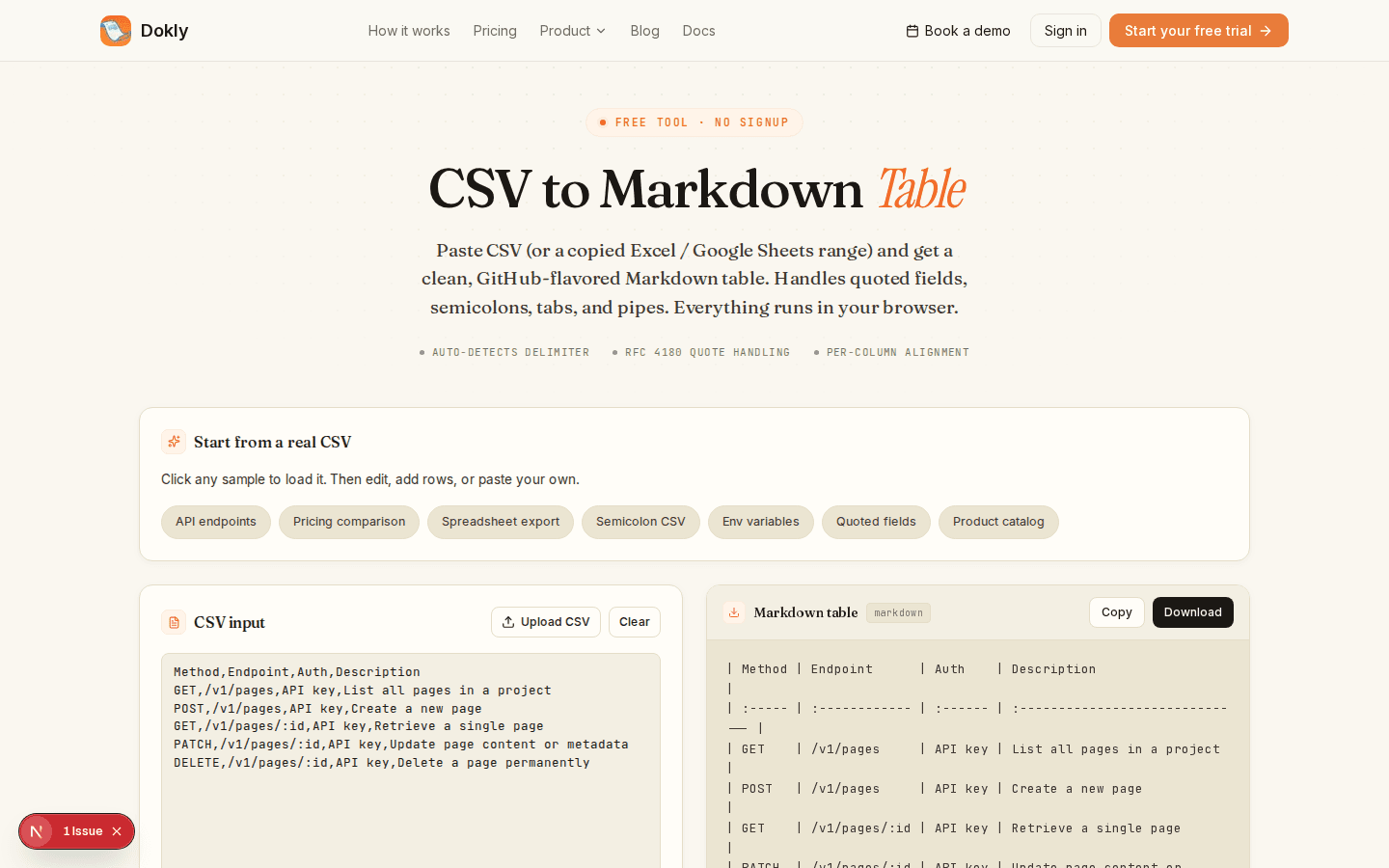
So we shipped a second tool: /tools/csv-to-markdown-table. Paste CSV in, get a GitHub-flavored Markdown table out. No grid to fill in by hand — you already have the data.
Why it's a separate tool, not a mode#
The two tools serve opposite starting points. The table generator is for someone with no data yet — they're drafting a comparison table from scratch and want a spreadsheet-like surface to type into. The CSV converter is for someone who already has the data somewhere else: a database export, an Excel range, a Google Sheets tab.
Cramming both into one page means one of the two groups has to fight the interface. Paste-first and build-first are different enough that it was simpler to ship a second page than to make one page do both jobs badly.
It handles the CSV edge cases that break naive converters#
The easy 80% of "turn CSV into a table" is splitting on commas. The hard 20% — the part that breaks most quick-and-dirty converters — is what happens when a field legitimately contains a comma, or a quote, or a newline.
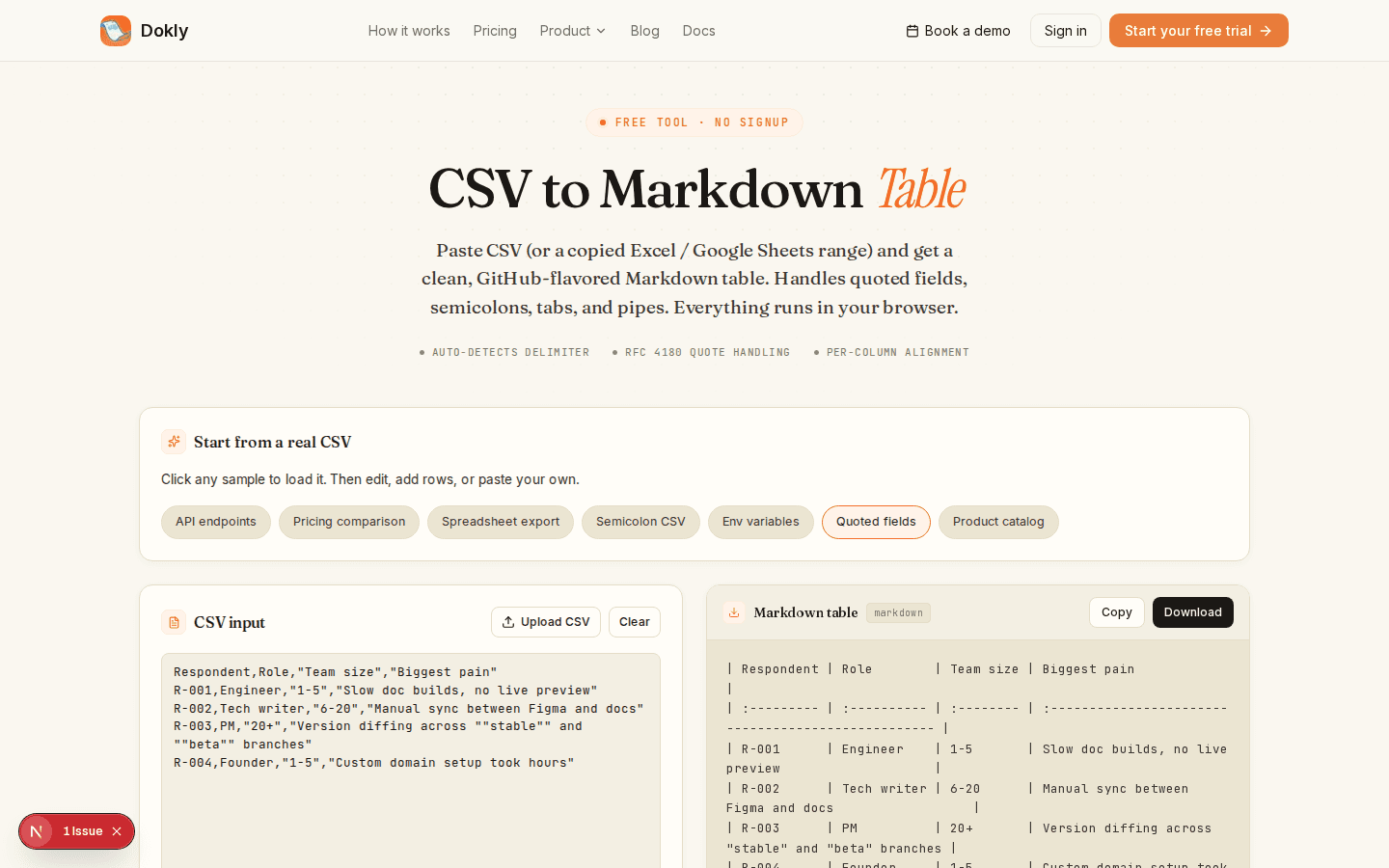
That screenshot is the "Quoted fields" sample. Look at the second source row: "Slow doc builds, no live preview" — a comma inside a quoted field — and the fourth row has ""stable"" and ""beta"" branches, which is CSV's way of escaping a literal double quote inside a quoted field. Both come out right: the embedded comma doesn't split the column, and the escaped quotes collapse back to "stable" and "beta" in the rendered text.
The parser follows RFC 4180 rather than a split(",") one-liner, which is the actual reason this exists as a 30-line hand-written parser instead of a dependency: most CSV libraries pull in 30+ KB to handle cases this tool needs to get right by default.
A few other things it does without being asked:
- Auto-detects the delimiter. Paste a European export that uses semicolons, or a database dump with pipes, and it picks the right one — you can override it from the dropdown if it guesses wrong.
- Paste straight from Excel or Sheets. Copying cells from a spreadsheet puts tab-separated values on the clipboard, not comma-separated. The converter treats tabs as a delimiter automatically, so there's no "export to CSV first" step.
- Escapes pipe characters. A literal
|inside a cell would otherwise split a Markdown table column; it gets escaped to\|so it renders as a pipe everywhere — GitHub, GitLab, npm, Reddit, Obsidian. - Pads ragged rows. Real-world CSV exports don't always have a consistent column count. Short rows get padded instead of breaking the table.
- Per-column alignment, set globally or per column, output as the
:---:/---:syntax every Markdown renderer understands.
What it deliberately does not do#
Nothing is uploaded. The CSV upload button reads the file in your browser and parses it client-side — it never touches a server. That's not a privacy feature we bolted on; it's simpler to build that way, and it means there's no file-size limit the tool imposes.
It doesn't validate your data's meaning. It validates CSV structure (delimiters, quoting, ragged rows) — it has no opinion on whether the markdown table makes sense. Garbage in, correctly-escaped garbage out.
No save, no account, no history. Like the rest of our free tools, this one has no state. Refresh and your last paste is gone. If you need the output again, paste the source again.
Try it#
/tools/csv-to-markdown-table — no signup. If you hit a CSV it mangles, that's a real bug and we want to know: use the contact page or reply to this post's newsletter and it reaches me directly.
Changelog entries#
CSV to Markdown table converter · Added · A new free tool at /tools/csv-to-markdown-table converts pasted or uploaded CSV into a GitHub-flavored Markdown table, with RFC 4180 quote handling, auto delimiter detection, and per-column alignment.