
Most advice on knowledge base platforms is backwards. People start with feature grids, AI buzzwords, and brand recognition. That's how teams end up buying a support suite when they really needed a docs tool, or forcing an internal wiki to act like a customer help center.
Start with the job. Are you trying to deflect support tickets, publish developer docs, or give your team one place to find approved answers? Those are different problems. They need different tools. If your goal really is ticket deflection, it's worth being blunt with yourself about what a help desk software is used for versus what a knowledge base does — because a lot of teams pay for the ticketing side before their content is actually doing any work.
That distinction matters because knowledge bases aren't a niche side project anymore. Market research cited in 2026 reports projects the knowledge base software market to grow from about USD 2.02 billion in 2025 to USD 2.34 billion in 2026, then reach nearly USD 7.68 billion by 2034. The same report says roughly 72% of organizations have adopted centralized knowledge-sharing systems, and about 68% are integrating AI-powered automation into knowledge workflows (knowledge base software market outlook). This category is now core infrastructure.
The question isn't which platform has the longest feature list. It's which platform creates the least operational drag after launch. A lot of teams ignore that and pay for it later with stale content, messy ownership, and support agents pasting answers from five different tabs.
Table of Contents#
- 1. Dokly
- 2. Zendesk Knowledge Base Guide
- 3. Intercom Knowledge Help Center + Knowledge
- 4. Help Scout Docs
- 5. Freshdesk Knowledge Base Freshworks
- 6. Zoho Desk Knowledge Base / Help Center
- 7. Document360
- 8. Helpjuice
- 9. Atlassian Confluence Cloud
- 10. Guru
- Top 10 Knowledge Base Platforms, Feature Comparison
- Final Thoughts
1. Dokly#
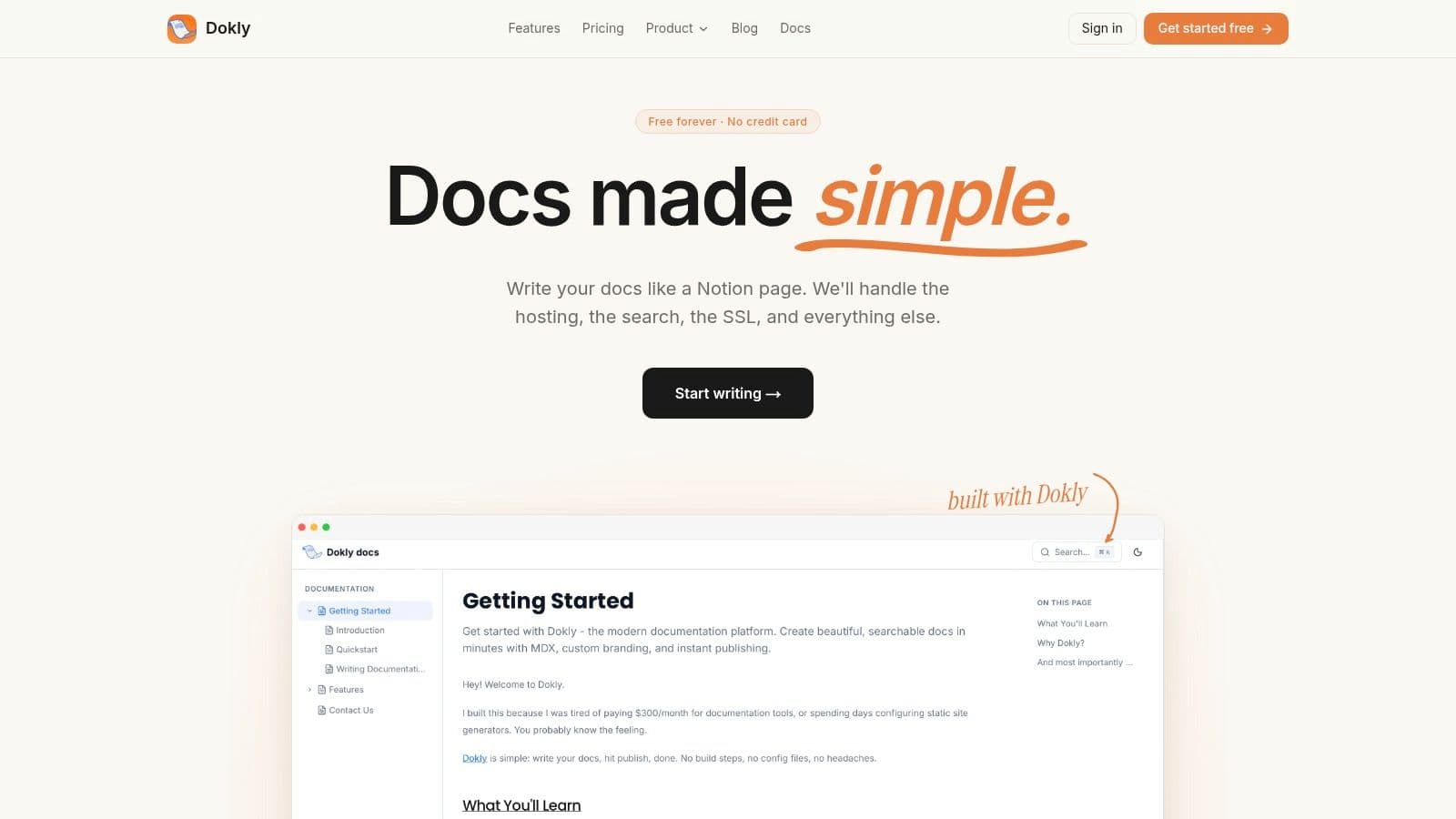
Dokly is the one I'd pick if you want public docs or a help center live fast and you don't want to babysit infrastructure. It cuts out the usual nonsense. No repo setup. No config spelunking. No “developer will fix the docs build next sprint” excuse.
You write in a visual editor that feels like Notion. Dokly outputs clean MDX, so you still get structured, reusable docs instead of a locked-in blob. That combination matters. Writer-friendly tools usually frustrate developers. Developer-first tools usually punish everyone else. Dokly sits in the middle and gets the balance right.
Why Dokly wins for lean teams#
Everything important is built in. Hosting, search, SSL on custom domains, theming, asset hosting, analytics, and fast server-side rendering are already there. You're not stitching together plugins just to publish a decent-looking knowledge base.
Its AI angle is also more practical than most competitors. Inline AI actions help you rewrite, expand, simplify, or clean up copy while you work. Dokly also auto-generates llms.txt so tools like ChatGPT, Claude, Cursor, and Perplexity can understand and cite your docs more reliably. That's not fluff. That's where knowledge base platforms are headed, and most buying guides still don't explain how to evaluate AI-readiness for machine retrieval in a serious way, even though the market has clearly shifted in that direction (AI-ready knowledge base trends).
If you run an API product, Dokly gets even more interesting. You can import OpenAPI specs and publish interactive API references and a playground inside the docs. That removes one more reason to bolt on a separate developer portal.
Practical rule: If your team wants polished docs without assigning a developer to maintain the docs stack, pick the tool that removes setup work first. Fancy feature lists come second.
A quick read on knowledge base management best practices makes the same point from another angle. The hard part isn't launching docs. It's keeping them useful without adding operational debt.
Best fit and trade-offs#
Dokly is best for solo founders, startups, product teams, and developer platforms that need a serious docs site without serious overhead.
- Best for speed: You can go from blank page to published docs in minutes.
- Best for predictable cost: Pricing is simple. Free, Starter at $19/month, Pro at $49/month, and Scale at $99/month.
- Best for AI visibility: llms.txt is generated automatically instead of left as an afterthought.
- Watch the limits: The free plan is tight, and teams that need deep enterprise controls or self-hosting may want a heavier system.
Compared with Mintlify or GitBook, Dokly is the cleaner choice for teams that care about output, not ceremony. Compared with Zendesk or Intercom, it's more focused. That focus is the point.
Visit Dokly.
2. Zendesk Knowledge Base Guide#
Zendesk Guide makes sense when your knowledge base is part of a full support operation, not a standalone docs project. If your team already runs Zendesk for tickets, chat, or voice, Guide is the obvious extension. It keeps agents and customers in the same system.
That said, this is suite logic. You buy Zendesk when you want the whole machine. If all you need is a clean knowledge base, Zendesk often feels heavier than necessary.
Where Zendesk is strong#
Guide handles public help centers, internal knowledge, and agent-only content well. It also benefits from Zendesk's broader workflow engine, so support teams can tie articles directly into ticket handling and self-service flows.
For larger support organizations, that integration matters more than elegant writing workflows. If your operation spans multiple brands or teams, Zendesk is built for that kind of complexity.
- Strong support fit: Best when ticketing and help center content live together.
- Good for scale: Mature permissions, multi-brand options, and a large integration ecosystem.
- Less good for focus: Admin overhead rises fast once you start layering suite features and add-ons.
A lot of buyers compare suite tools only on feature breadth. That's the wrong lens. The better question is whether you need a support suite at all. If not, a dedicated platform will usually be cheaper, simpler, and easier to maintain. If you do, Zendesk deserves a hard look, and it's useful to compare it against a more focused knowledge base software approach.
Zendesk is a support platform with a knowledge base attached. That's either exactly what you need or more software than you wanted.
Visit Zendesk Guide.
3. Intercom Knowledge Help Center + Knowledge#
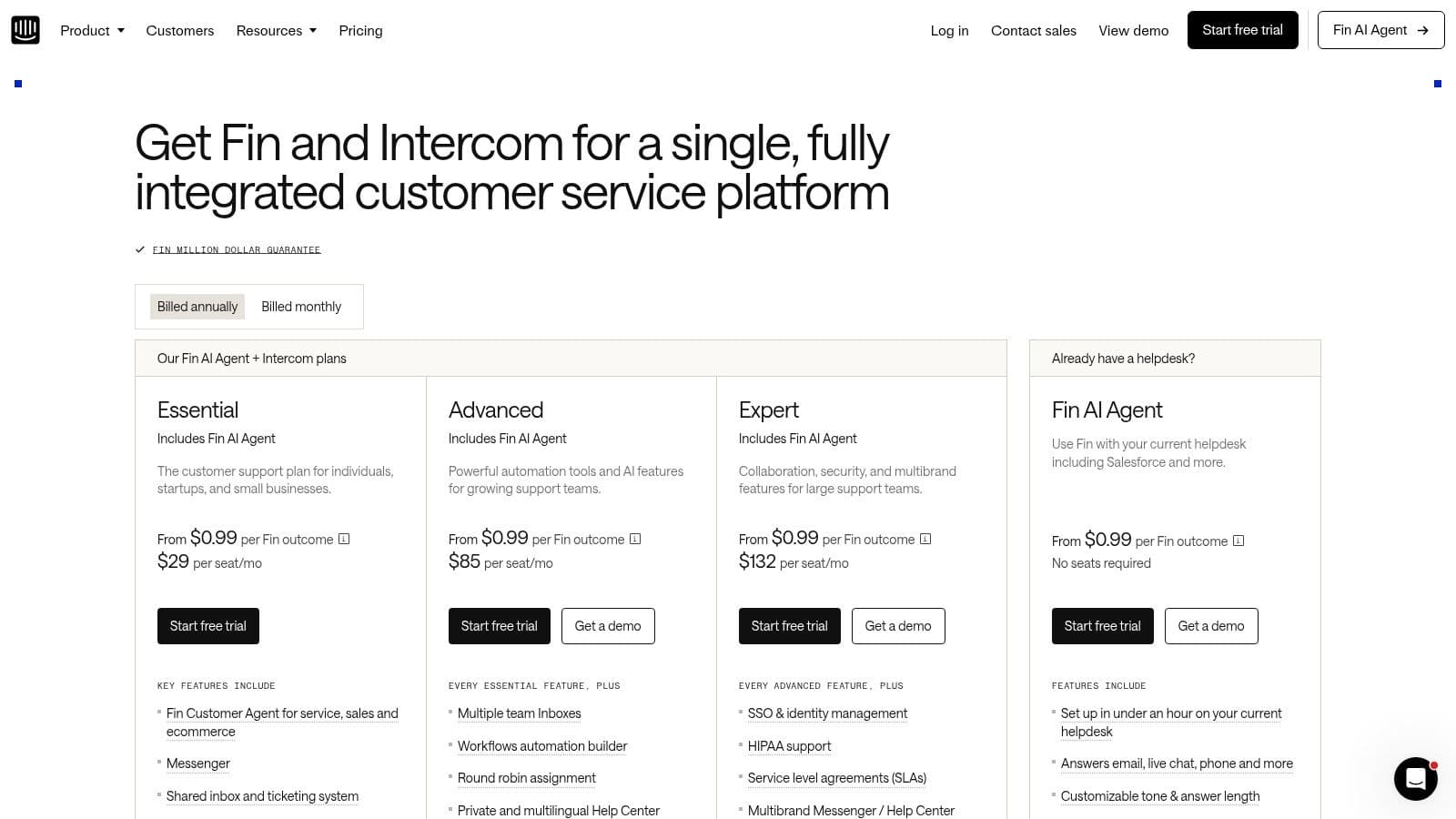
Intercom is strongest when support happens inside the product. If your company lives in chat, proactive messaging, and automation, Intercom's knowledge layer fits naturally. Articles don't sit off to the side. They feed the messenger and the AI agent.
That's the upside. The downside is the same thing. Intercom works best when you buy into Intercom's world.
Best for chat-led support#
The newer Knowledge workspace gives teams a central place to manage trusted content that powers both human and automated responses. That's useful if you want one source for help center articles, in-app support, and AI answers.
Intercom also does a good job surfacing knowledge proactively. Instead of making users hunt for docs, it can push likely answers into the flow. For SaaS products with lots of repeat questions, that's practical.
- Best use case: In-app support and product-led onboarding.
- Good advantage: Tight connection between chat, automation, and published knowledge.
- Main drawback: Pricing gets harder to predict because seats and usage can both affect cost.
Intercom is not the best standalone choice if your main goal is docs publishing. It is one of the better choices if support conversations are your main channel and documentation exists to strengthen that channel.
Visit Intercom pricing and product options.
4. Help Scout Docs#
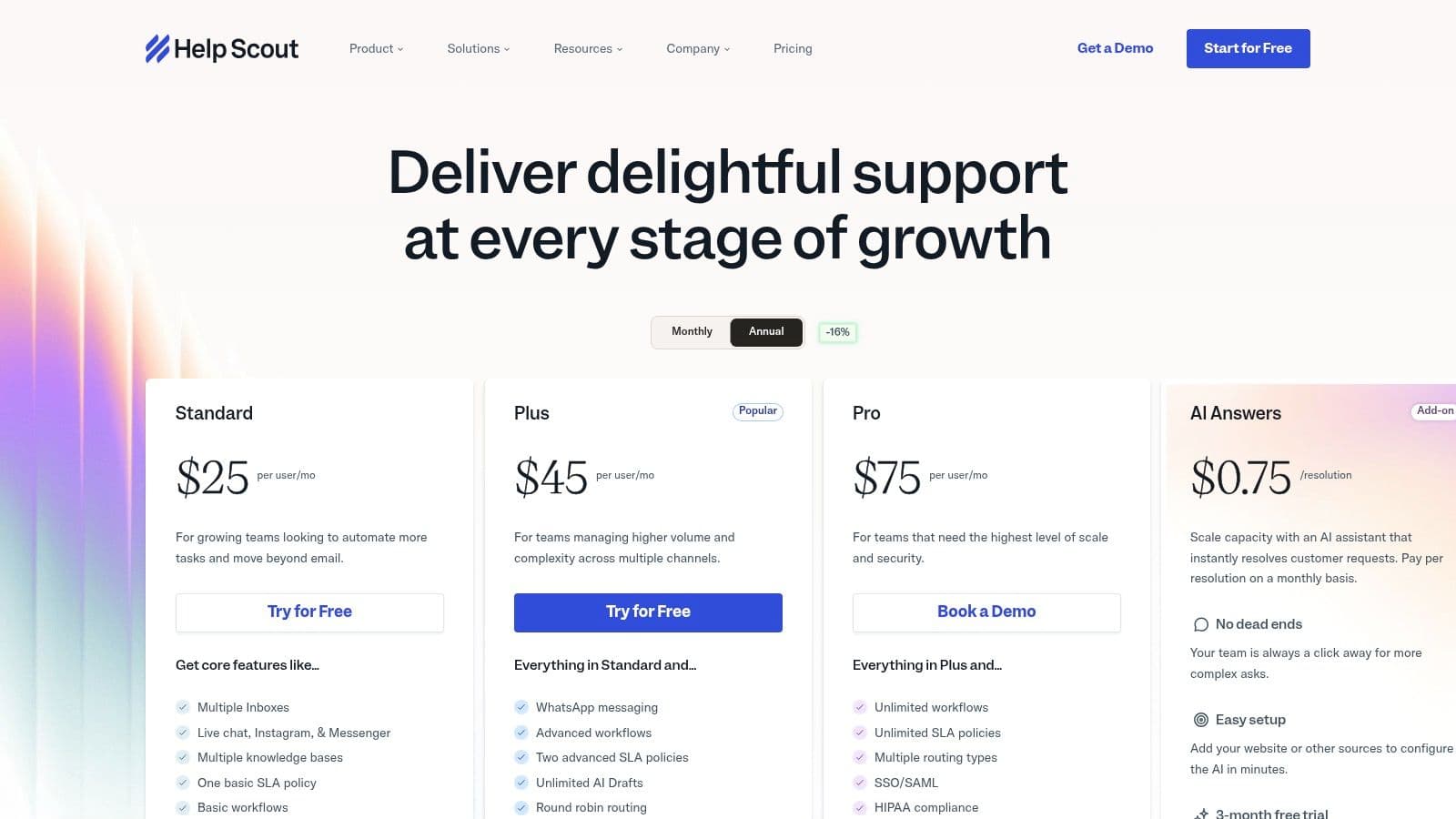
Help Scout Docs is what I recommend to small teams that want a calm, usable support stack. Not the most advanced. Not the most customizable. Just sane.
A lot of knowledge base platforms overcomplicate simple support needs. Help Scout usually doesn't. You can publish a help center, connect it to Beacon, and give customers a clear path to either self-serve or contact support.
Why smaller teams like it#
The UI is approachable. The writing flow is straightforward. Teams don't need a dedicated admin to keep the system running.
Beacon is the big practical advantage. It puts docs and contact options in the same widget, which is exactly what many startups need. Customers can try self-service first, then escalate without leaving the experience.
Operator note: Simpler tools often outperform “powerful” ones because the team actually keeps them updated.
Help Scout also fits the maintenance reality better than many vendors admit. Modern knowledge bases need ongoing content updates, analytics, and gap detection, not static article dumping. Industry guidance increasingly points to platforms that surface unanswered queries, low-confidence responses, and article gaps so teams can keep improving coverage over time (AI knowledge base maintenance trends).
The trade-off#
Help Scout is not the right pick for teams that need heavyweight governance, deep workflow automation, or enterprise-level controls. It's best for startups and SMBs that care more about usability than platform sprawl.
Visit Help Scout Docs and pricing.
5. Freshdesk Knowledge Base Freshworks#
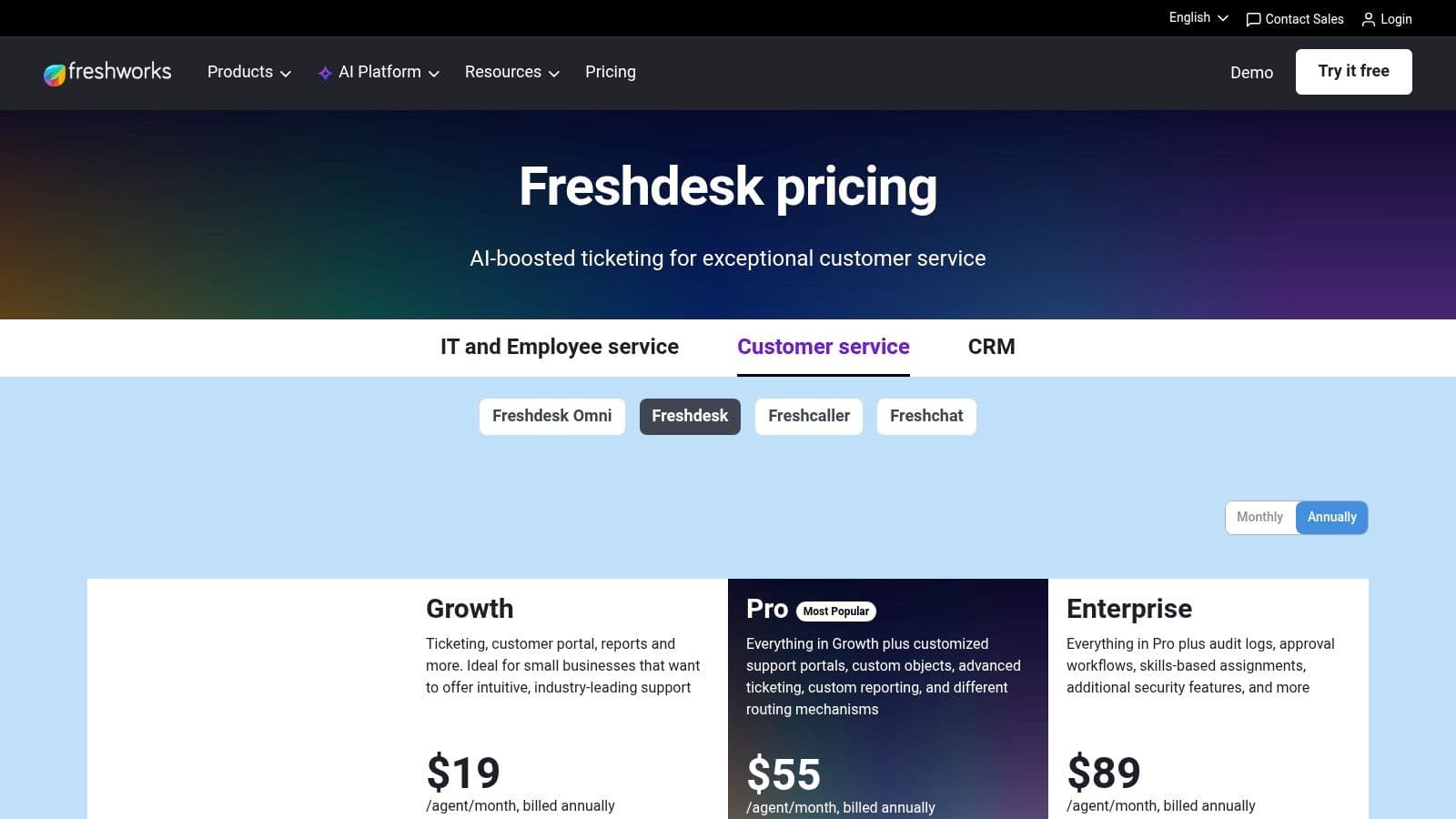
Freshdesk is the value play in the support-suite camp. It gives SMBs a lot of surface area without the immediate price jump that usually comes with bigger vendors.
Its knowledge base sits inside a broader customer support product, so you get article workflows, multilingual support, widgets, and automation tied to ticketing. That package is attractive if you're graduating from inbox chaos and want structure fast.
What Freshdesk gets right#
Freshdesk usually wins on breadth for the money. You can start simple, then add more channels and automation as your support operation matures.
For many teams, that's enough. They don't need the polish of Zendesk. They need a platform that handles the essentials and won't force a migration six months later.
- Good entry point: Broad support features for growing teams.
- Useful knowledge features: Approval workflows, embedded widgets, and automation support.
- Common complaint: Admin experience can feel clunky as complexity grows.
Freshdesk is a good practical choice. It's rarely the platform people rave about, but it often does the job. That matters.
Visit Freshdesk pricing.
6. Zoho Desk Knowledge Base / Help Center#
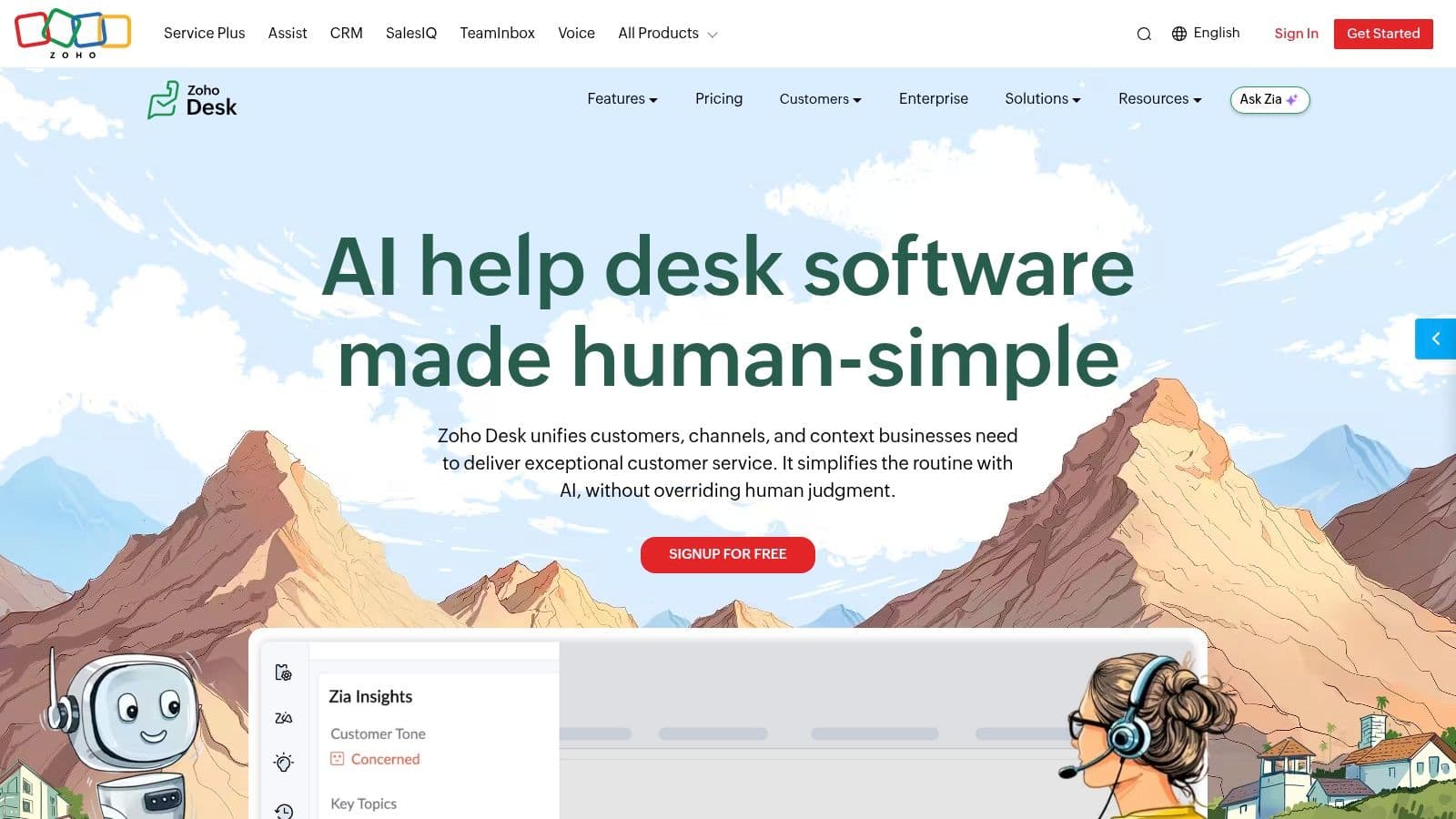
Zoho Desk is for teams that care about value and already use Zoho products. If that's your setup, it can be a sensible choice. If it's not, the appeal drops fast.
The knowledge base side covers the essentials well enough. Public help center, permissions, branding controls, import tools, and multi-brand support on higher tiers. No drama. No premium gloss either.
The honest read#
Zoho often wins procurement conversations because the bundle looks affordable and broad. That's fair. But product teams should be honest about the trade-off. The interface and overall experience aren't as polished as stronger specialists.
Still, for SMBs that already live in the Zoho ecosystem, that may not matter much. Integration convenience often beats elegance when budgets are tight.
- Good fit: Cost-sensitive teams already running Zoho apps.
- Useful strength: Flexible branding and access controls.
- Weak point: Less refined UX than premium competitors.
Zoho Desk is not exciting. That's fine. Sometimes boring software is the right software.
Visit Zoho Desk.
7. Document360#
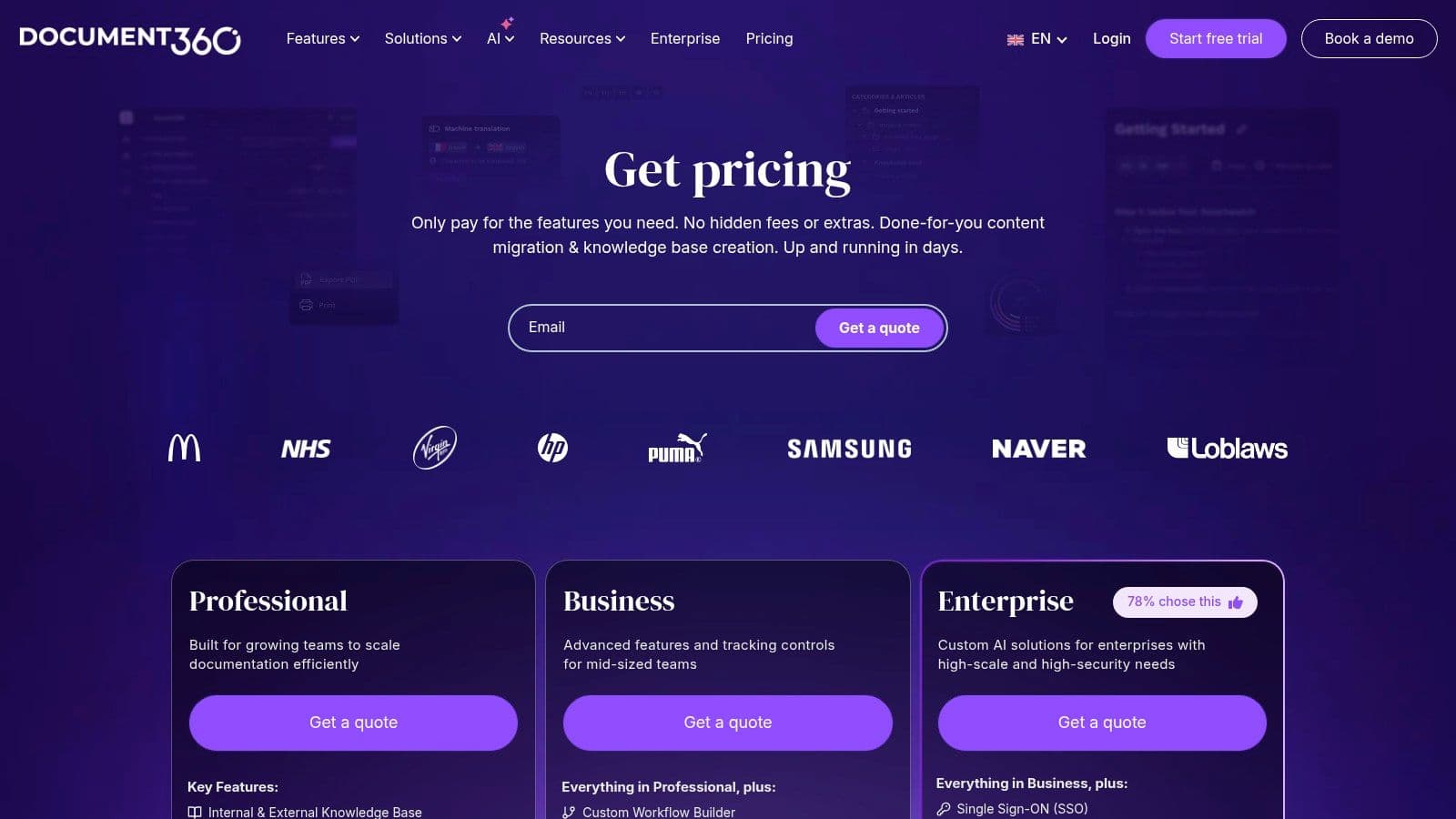
Many teams purchase bloated support suites when the underlying problem is simpler. They need a better place to write, organize, review, and publish knowledge. Document360 fits that job.
This is a dedicated knowledge base platform for teams that care about documentation as an operating system, not a side project. It works well for product docs, help centers, and internal knowledge with multiple contributors and clear publishing standards.
Best fit: teams that need process#
Document360 is strongest in writer-led environments. You get version history, review workflows, multilingual publishing, structured categories, and support for both public and private knowledge bases. That matters when documentation has owners, approvals, and a backlog.
It also sits in a useful middle ground in this list. A full support suite gives you tighter ticketing and chat integration, but you inherit more overhead. A zero-config doc tool like Dokly strips out setup friction and suits dev-led teams that want docs to stay close to the codebase. If your team needs more editorial control than that, AI-powered documentation workflows for fast-moving teams are worth examining, but Document360 is the stronger pick once governance starts to matter.
The trade-off is straightforward. Document360 gives you focus, structure, and better publishing discipline. It does not replace your support stack. If you need ticketing, live chat, and CRM in one place, buy a suite. If those systems already exist and the weak point is the knowledge layer, Document360 makes more sense.
Where it loses ground#
Small teams can find it heavy. If you just need a simple FAQ or a lightweight docs site, the workflow features can feel like extra ceremony.
That is the essential decision framework. Choose Document360 when knowledge management is the job to be done. Choose a suite when service operations are the bigger priority. Choose a doc-as-code tool when speed and low overhead matter more than editorial process.
Visit Document360 pricing.
8. Helpjuice#
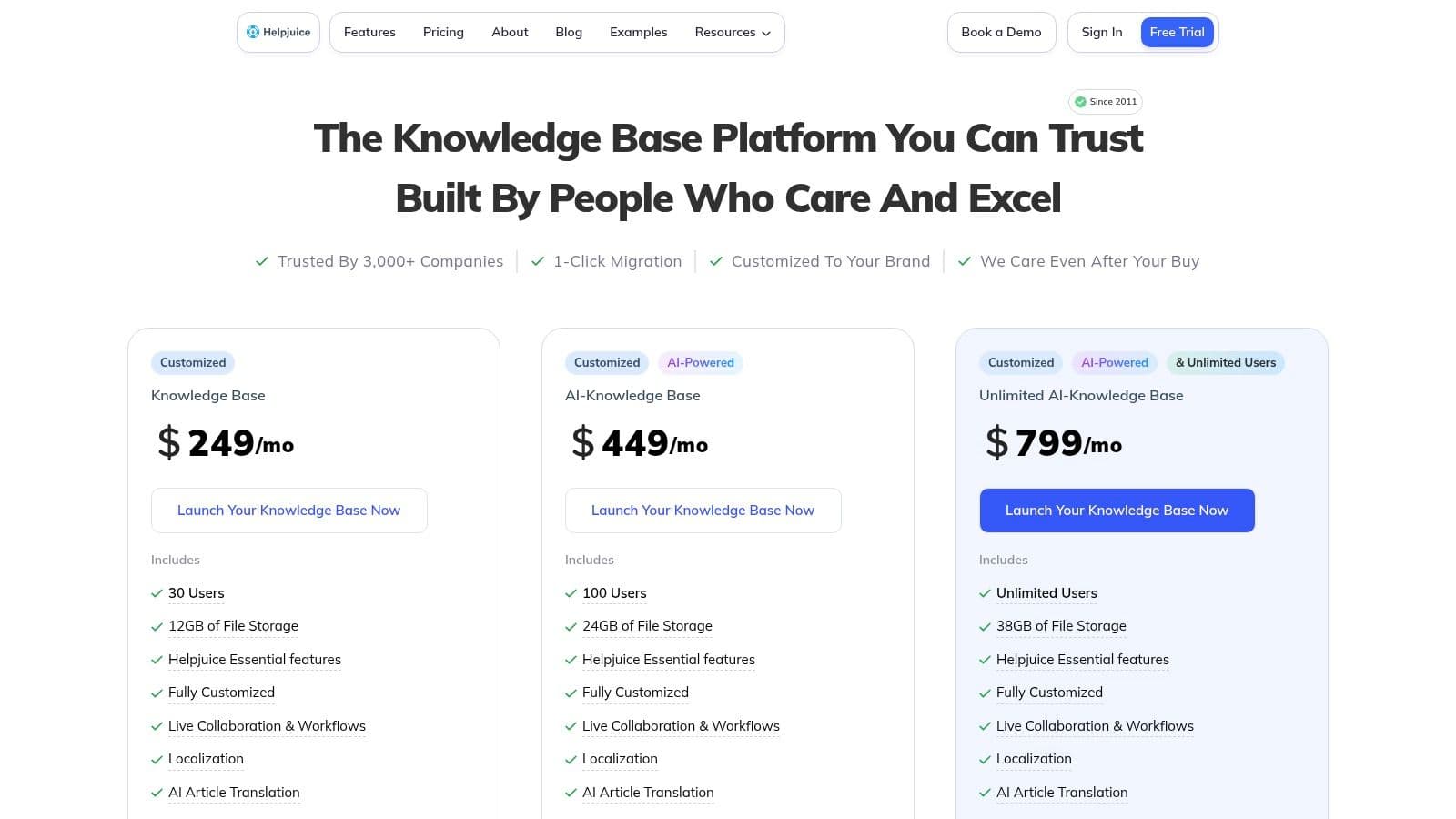
Helpjuice has been around long enough to know what serious knowledge base buyers care about. Search. Analytics. Customization. Support during migration. It's a premium hosted KB, and it acts like one.
I usually bring up Helpjuice when a team wants a focused knowledge base and is willing to pay for a more hands-on experience. That can be worth it if the documentation footprint is large and important.
Why teams still buy it#
Helpjuice leans into mature knowledge management needs. Collaborative editing, version history, access controls, and strong reporting are central to the product. It's not trying to dazzle you with a giant all-in-one promise.
It also appeals to teams that want more vendor support during setup and migration. That's underrated. Moving a large knowledge base is messy work, and some buyers want a vendor that will help.
- Strong fit: Teams with large knowledge libraries and real migration needs.
- Best aspect: Deep standalone KB capability.
- Main downside: It can feel overpriced if all you need is a basic FAQ or startup help center.
Helpjuice is not the first recommendation for lean teams. It's better for established organizations that want a focused platform and expect support from the vendor.
Visit Helpjuice pricing.
9. Atlassian Confluence Cloud#
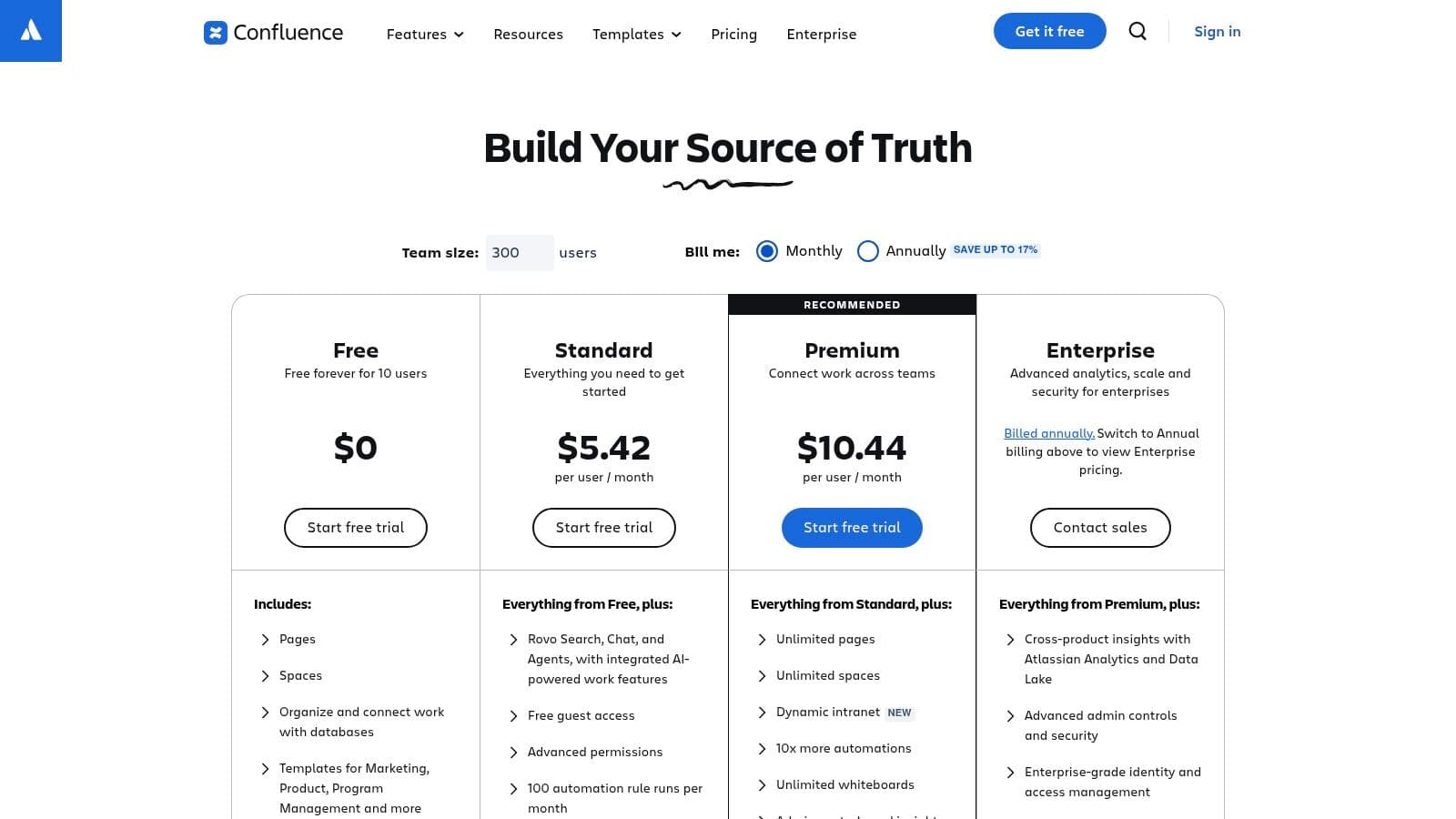
Confluence wins when the job is internal documentation at scale. It loses when teams expect a clean, low-overhead public knowledge base and try to force a wiki into that role.
That trade-off matters. This category is not just about features. It is about operating model. Confluence fits companies that already live in Atlassian, have cross-functional contributors, and need structure for specs, incident writeups, runbooks, meeting notes, and process docs. It is an internal wiki first, and that focus still makes sense.
Where Confluence fits#
Confluence works best for the Internal Wiki job-to-be-done. Spaces, templates, page trees, comments, and granular permissions give larger teams a practical way to organize messy company knowledge. If Jira is already part of your stack, adoption is easier because the workflow is familiar and the links between work and documentation are obvious.
This is the main reason teams choose it. Integration beats elegance for many internal use cases.
The catch is publishing. Confluence can expose documentation externally, but the result often feels like repurposed internal content unless you invest time in structure, theming, governance, and cleanup. That is overhead. If your priority is a customer-facing help center, a dedicated KB usually gives you a better outcome with less effort. If your priority is docs-as-code with minimal setup, tools built for that workflow are a better fit than a general wiki. If AI-facing docs matter, it's also worth thinking beyond classic wiki structure and reading more about AI-powered documentation.
Bottom line#
Choose Confluence if your main problem is internal sprawl and your team already works inside the Atlassian ecosystem.
Skip it if you want a focused public documentation product. You can make Confluence do that job. You will pay for it in complexity.
Visit Confluence Cloud pricing.
10. Guru#
Guru is for one job. Give employees the right answer inside the tools they already use.
That focus matters. Plenty of knowledge base platforms claim they can handle internal docs, customer help, AI search, and support operations in one place. In practice, that usually means more setup, more clutter, and weaker trust. Guru takes the opposite path. It is an Internal Wiki and enablement tool first, with strong retrieval and governance built in.
Where Guru fits#
Choose Guru if your bottleneck is answer quality inside the company. Support teams, sales teams, onboarding, and operations all run into the same problem. The information exists, but nobody trusts the latest version or knows where to find it fast enough. Guru fixes that better than a generic wiki.
Its core strength is verification. Content owners can confirm that an answer is still current, and users can see that signal before they reuse it. That sounds small. It is not. In internal knowledge systems, trust beats volume.
Guru also works well for companies that live in Slack, Teams, Salesforce, and Zendesk. Instead of forcing people back into a separate portal, it brings answers into the workflow. That cuts search time and reduces the usual “which doc is real?” mess that spreads across growing teams. As noted earlier, search friction and tool sprawl are common problems in knowledge management. Guru is one of the few products built around that specific pain.
- Best fit: Internal enablement, support ops, sales enablement, and enterprise search
- Real advantage: Verified answers, workflow integrations, and permission-aware retrieval
- Real limitation: You still need another product for a public help center or a full support suite
Here is the blunt recommendation. Pick Guru if your main job-to-be-done is trusted internal knowledge, not customer-facing documentation.
If you need external docs, a dedicated knowledge base is a better choice. If you need a full support stack, buy a support suite. If you want lightweight docs-as-code with almost no setup, use a focused tool like Dokly instead of forcing an internal enablement platform into that role.
Visit Guru pricing.
Top 10 Knowledge Base Platforms, Feature Comparison#
| Product | Key Features ✨ | UX & Performance ★ | Pricing & Value 💰 | Target Audience 👥 | USP / Why choose? 🏆 |
|---|---|---|---|---|---|
| Dokly 🏆 | ✨ Zero‑config MDX WYSIWYG, inline AI writing, OpenAPI import, CDN asset hosting | ★★★★★ SSR <100ms, built‑in search, clean editor | 💰 Free → Starter $19 / Pro $49 / Scale $99, no per‑seat surprises | 👥 Founders, startups, dev & product teams | 🏆 Zero‑config, AI‑ready docs + affordable Mintlify alternative |
| Zendesk Guide | ✨ AI article suggestions, multi‑brand, roles, deep analytics | ★★★★ Mature, scalable; more admin overhead | 💰 Per‑agent + add‑ons can be costly | 👥 Large support teams, enterprises | Integrated omnichannel support & marketplace integrations |
| Intercom Knowledge | ✨ Native editor, content sync, feeds Intercom AI & messenger | ★★★★ Excellent in‑app experience, proactive answers | 💰 Seats + usage model, can be unpredictable | 👥 Product teams using in‑app chat & automation | Tight chat ↔ KB integration for proactive CX |
| Help Scout Docs | ✨ Beacon widget, simple authoring, AI drafts/summarize | ★★★★ Very approachable UI, quick setup | 💰 Approachable pricing; add‑ons for AI | 👥 Small→mid SaaS teams, startups | Fast deploy, integrated inbox + KB + chat |
| Freshdesk Knowledge | ✨ Article approvals, multilingual, automation, widgets | ★★★ Mixed admin UX at scale | 💰 Free tier + competitive lower tiers | 👥 SMBs seeking omnichannel value | Budget‑friendly Zendesk alternative with free plan |
| Zoho Desk | ✨ Granular access, multi‑brand, imports, Zoho integrations | ★★★ UI less polished but functional | 💰 Budget plans incl. Free, strong price/value | 👥 SMBs using Zoho ecosystem | Cost‑effective, flexible branding & integrations |
| Document360 | ✨ Versioning, workflows, category nav, multilingual support | ★★★★ Focused KB UX, strong editorial tools | 💰 Pricing scales by plan/projects/features | 👥 Product & support teams needing standalone KB | Purpose‑built KB with robust authoring & reviews |
| Helpjuice | ✨ Powerful search relevance, analytics, SSO, migration help | ★★★★–★★★★★ Excellent search & support | 💰 Premium pricing for enterprise features | 👥 Teams with large KBs needing top search | High‑quality search, customization & concierge onboarding |
| Confluence (Cloud) | ✨ Spaces, templates, inline comments, app marketplace | ★★★★ Familiar wiki experience for internal use | 💰 Per‑user cloud pricing; governance costs scale | 👥 Cross‑functional/internal teams, Jira users | Extensible internal wiki with rich integrations |
| Guru | ✨ Verification workflows, AI search, 100+ integrations, governance | ★★★★ Enterprise‑grade accuracy & controls | 💰 Sales‑led pricing; enterprise focus | 👥 Large orgs needing verified, permissioned KB | Verified answers & permission‑aware AI for secure teams |
Final Thoughts#
Stop looking for the best knowledge base platform. Pick the tool that matches the job.
This category gets muddled because vendors pile every feature onto the page and call it strategy. That is how teams end up buying a bloated support suite for a simple help center, or forcing an internal wiki to act like product documentation. The essential decision is simpler. Choose between a support suite, a dedicated knowledge base, or an internal knowledge tool. Then decide how much setup, governance, and maintenance your team can effectively carry.
Support suites make sense when docs live inside support operations. Zendesk, Intercom, Freshdesk, Help Scout, and Zoho Desk all fit that model. You get ticketing, automation, and customer context in one place. You also get more admin work, more pricing complexity, and more system weight.
Dedicated knowledge base tools fit teams that care about publishing quality. Document360 and Helpjuice are the clear examples here. They give you stronger authoring, structure, and review workflows than suite add-ons usually do. The cost is fragmentation. You may need separate tools for support, analytics, or collaboration.
Internal tools solve a different problem. Confluence is better for broad team documentation and ongoing collaboration. Guru is better for verified answers, permissions, and controlled distribution inside daily workflows. Pick based on how your company shares knowledge. Long-form, cross-functional docs point to Confluence. Short, trusted answers inside the flow of work point to Guru.
As noted earlier, demand for knowledge management software keeps rising for a simple reason. Bad documentation creates real operational drag. It slows support, weakens onboarding, creates duplicate work, and gives AI systems poor source material.
That is why feature checklists are a weak buying method. Branding controls, AI chat, and integration counts matter later. Start with overhead. Who writes the docs? Who updates them after every product change? How many people need access? How much tooling can your team maintain without turning documentation into another side project?
Dokly is a good example of a different path. It sits between doc-as-code complexity and heavyweight suite software. Teams get a visual editor, MDX support, API access, and fast publishing without taking on repo maintenance or a big admin layer.
My advice is simple. Buy the least system that solves the actual job. If you need a support operation, get a suite. If you need polished external docs, get a dedicated knowledge base. If you need internal knowledge sharing, buy for governance and workflow fit. If you want fast docs with very low setup overhead, a zero-config tool like Dokly is the smarter choice.