Teams continue to buy knowledge base software as if the reader is a tired human searching a help center at 4:47 PM. In practice, the first reader in 2026 is often an AI system trying to retrieve, chunk, rank, and cite your documentation before a human ever lands on the page.
That sounds dramatic until you look at where the category is headed. The global knowledge base software market is projected to grow from about USD 2.02 billion in 2025 to roughly USD 7.68 billion by 2034, and 72% of organizations have already adopted centralized knowledge-sharing systems, according to Business Research Insights on the knowledge base software market. This isn't a side tool anymore. It's core infrastructure.
The problem is that most buying guides are still grading platforms like it's 2019. They focus on article editors, themes, and search bars, then treat AI as a bolt-on checkbox. That misses the fundamental question. Can your docs be reliably understood by both people and machines, or are they just pretty pages with hidden structural debt?
Table of Contents#
- Your Knowledge Base Is Already Obsolete
- What Is Knowledge Base Software Really For
- Core Features and Their Surprising Benefits
- Calculating the ROI of a Well-Managed Knowledge Base
- The Critical Buying Criterion Most Guides Miss
- How to Structure and Implement Your Knowledge Base
- Conclusion From Dead Link to Active Asset
Your Knowledge Base Is Already Obsolete#
A knowledge base can be obsolete even when the content is technically up to date.
If your platform publishes pages that look fine to humans but are hard for AI systems to parse, your documentation is already behind. Buyers now ask ChatGPT, Claude, Perplexity, internal copilots, and support agents powered by retrieval systems for answers before they browse your navigation. If those systems can't reliably extract clean structure, permissions, and meaning from your docs, your knowledge base stops being a source of truth and becomes a decorative archive.
That shift also changes how teams should think about discoverability. Traditional SEO still matters, but it's no longer the full game. A useful read on the future of SEO visibility makes the larger point well. Visibility increasingly depends on whether your content can be consumed and cited by answer engines, not just indexed by search engines.
Obsolete doesn't mean old#
I've seen teams blame “legacy docs” when the actual issue was architecture, not age. A new help center built on opaque blocks, weak metadata, and sloppy versioning can age faster than a ten-year-old docs set with clean structure and disciplined ownership.
A few common signs show up fast:
- Rendered pages without semantic structure. Headings look organized visually, but the underlying content is messy.
- Permissions that break retrieval. Teams can't safely expose internal and external content from one governed system.
- No clean migration path. Old docs get copied over with all the clutter intact, which is why a plan for migrating legacy documentation matters more than a fresh coat of UI paint.
Your docs don't fail when someone can't publish. They fail when nobody trusts what they find.
The category has changed#
Knowledge base software used to sit in the “nice to have” bucket with internal wikis and FAQ builders. That's over. Teams now expect it to support support operations, onboarding, internal process execution, product education, and AI retrieval from the same content base.
The old evaluation model was simple. Can it host articles? Can it search? Can it look on-brand?
The current one is harsher. Can it serve humans well, stay governed at scale, and provide content that AI systems can reliably use without hallucinating around your gaps?
What Is Knowledge Base Software Really For#
Most definitions undersell the category. Knowledge base software isn't just a place to store articles. It's the operating layer where a company turns scattered answers into usable decisions.
Three jobs that matter#
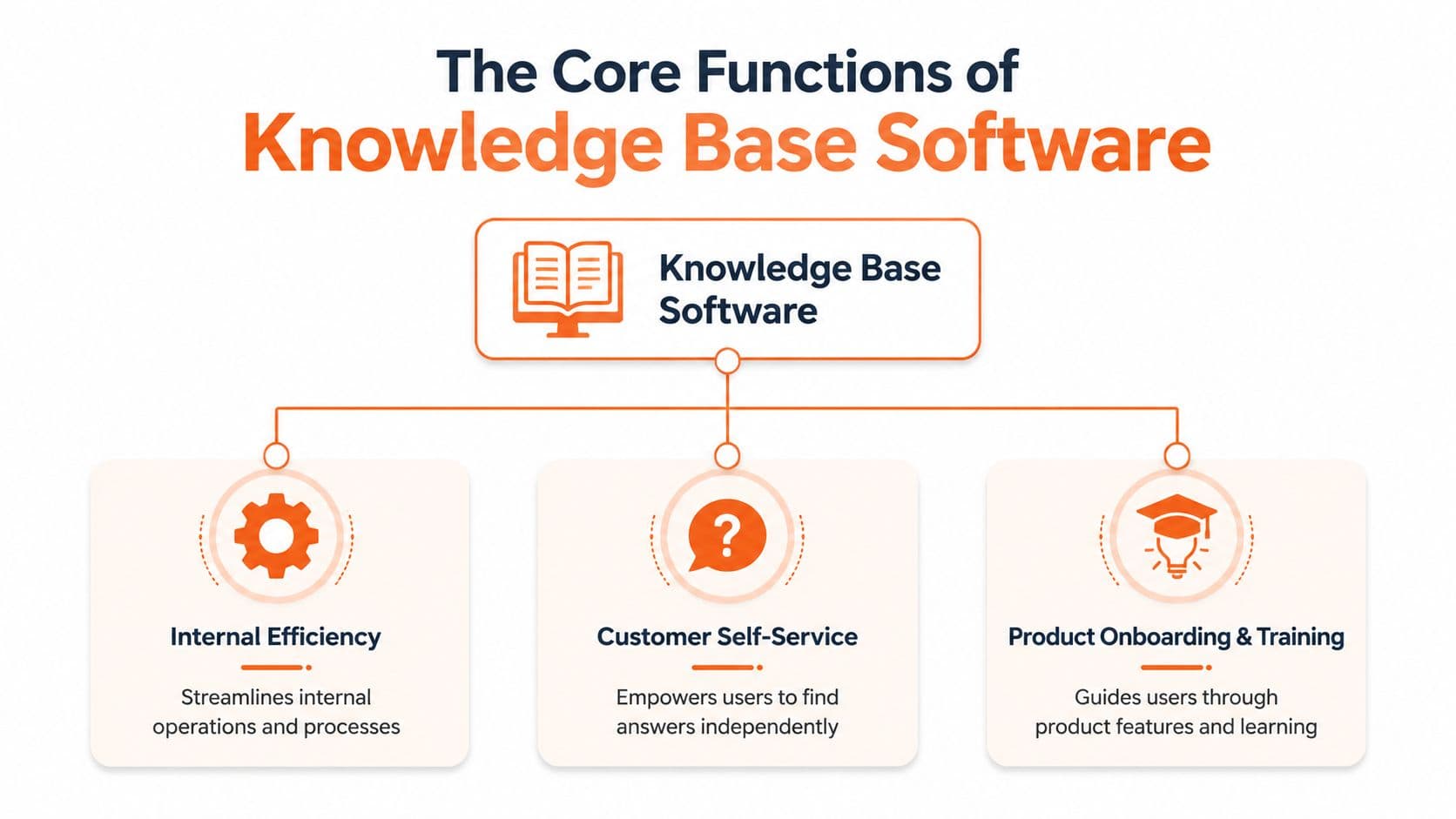
The simplest way to evaluate knowledge base software is to ask whether it does three jobs well.
First, it should improve internal efficiency. That means SOPs, escalation playbooks, onboarding guides, policy docs, and the ugly but important operational knowledge that usually lives in chat threads, random docs, and someone's memory.
Second, it should support customer self-service. Not in the shallow sense of publishing a FAQ page, but in the practical sense of helping users solve common problems without opening a ticket.
Third, it should act as a system of record. Product teams, support teams, HR, and operations all need a shared place where the current answer lives and old answers don't linger as landmines.
If you care about answer engines, that third job matters even more. Good guidance on optimizing for AI visibility reinforces the point that structured, accessible answers outperform generic content dumps.
Why the company brain analogy mostly works#
People call the knowledge base the “company brain.” That's useful, but only if you add one caveat. A real brain is messy. A useful knowledge base can't be.
It needs explicit structure. It needs ownership. It needs a publishing process. Otherwise it behaves less like a brain and more like a shared junk drawer.
Here's how the three functions usually play out across teams:
| Function | What teams put in it | What goes wrong without it |
|---|---|---|
| Internal efficiency | SOPs, workflows, approvals, handoff rules | Work gets reinvented and escalations drift |
| Customer self-service | Troubleshooting, setup, billing, product use cases | Support gets flooded with repeat questions |
| System of record | Policies, product truths, canonical procedures | Different teams give different answers |
Practical rule: If the same question gets answered in Slack more than once, it belongs in the knowledge base.
A static FAQ only handles the easiest part of the job. Real knowledge base software should support the full loop. Capture knowledge, organize it, control who can see it, improve it over time, and push it into the workflows where people already work.
That's why the best systems are cross-functional by design. Customer support uses them to deflect repetitive issues. HR uses them to standardize onboarding. Ops uses them to make process compliance less dependent on memory. Product teams use them to keep release reality aligned with what support and customers are told.
Core Features and Their Surprising Benefits#
The wrong feature can look impressive in a demo and still fail in production. Knowledge base software earns its keep when it reduces bad answers, duplicate work, and AI confusion.
That last point matters more than many buyers realize. In 2026, your primary reader is not just a customer or employee. It is also an AI assistant, internal copilot, support bot, or retrieval system trying to turn your documentation into an answer. Features should be judged by whether they produce clean, governed, machine-readable knowledge, not just polished pages for humans.
Pylon argues in its guide to AI-powered B2B knowledge base platforms that ticket reduction happens when AI and documentation work together. That matches what I have seen. A weak knowledge base does not become useful because AI sits on top of it. It becomes faster at spreading outdated or ambiguous information.
Features that reduce failure, not just friction#
Editors matter because experts will not fight formatting tools for long. If publishing takes too much effort, the people with the best knowledge keep answering questions in Slack, email, and side conversations. The official article then lags behind reality.
Search quality does more than help people find pages. It reveals whether your structure is doing its job. If articles only appear for exact keyword matches, the problem is rarely "search." The problem is weak taxonomy, vague titles, poor metadata, or content that buries the answer under company-speak.
Version history looks boring until something changes fast. Product limits shift. A policy gets rewritten. A regulated workflow needs proof of who approved what. At that point, version control stops being an admin feature and becomes operating protection.
A few capabilities consistently carry more weight than their labels suggest:
- Access controls keep sensitive internal guidance separate from public help content, while still letting one system serve both. They also help AI tools pull from the right source set instead of mixing customer answers with internal exception paths.
- Analytics show failed searches, low-confidence queries, dead-end articles, and content nobody trusts enough to reuse. Good teams use those signals to decide what to fix next. They do not guess. A practical starting point is tracking documentation analytics and metrics that show search failures and content gaps.
- Integrations decide whether the knowledge base shows up inside support, onboarding, product ops, and internal help flows, or becomes another abandoned tab. This is also what makes content usable by AI systems connected to your workspace and support stack.
- Structured content models matter more now than flashy templates. Reusable blocks, clear article types, metadata, and consistent fields make content easier to maintain and much easier for AI retrieval systems to interpret correctly.
Governance does more work than any single feature#
The best platforms make it easy to draft, review, approve, archive, and replace content. That sounds mundane. It is the difference between a knowledge base that gets trusted and one that slowly turns into digital sediment.
I have seen teams buy for editor polish and regret it later. The actual cost showed up six months in. Duplicate articles. Contradictory process docs. Public help pages that said one thing while support macros said another. AI layers made the problem more visible because they surfaced whatever content was available, not whatever content should have been used.
A large share of documentation problems start as ownership and workflow problems, not writing problems.
So yes, look at search, authoring, permissions, and integrations. But test them under real operating conditions. Can an owner deprecate outdated guidance without breaking links? Can reviewers enforce a schema that keeps content readable by both humans and AI? Can analytics show where the system failed before a ticket, escalation, or bad answer spreads?
"Easy to publish" is table stakes. "Hard to corrupt, hard to duplicate, and easy to trust at scale" is what matters.
Calculating the ROI of a Well-Managed Knowledge Base#
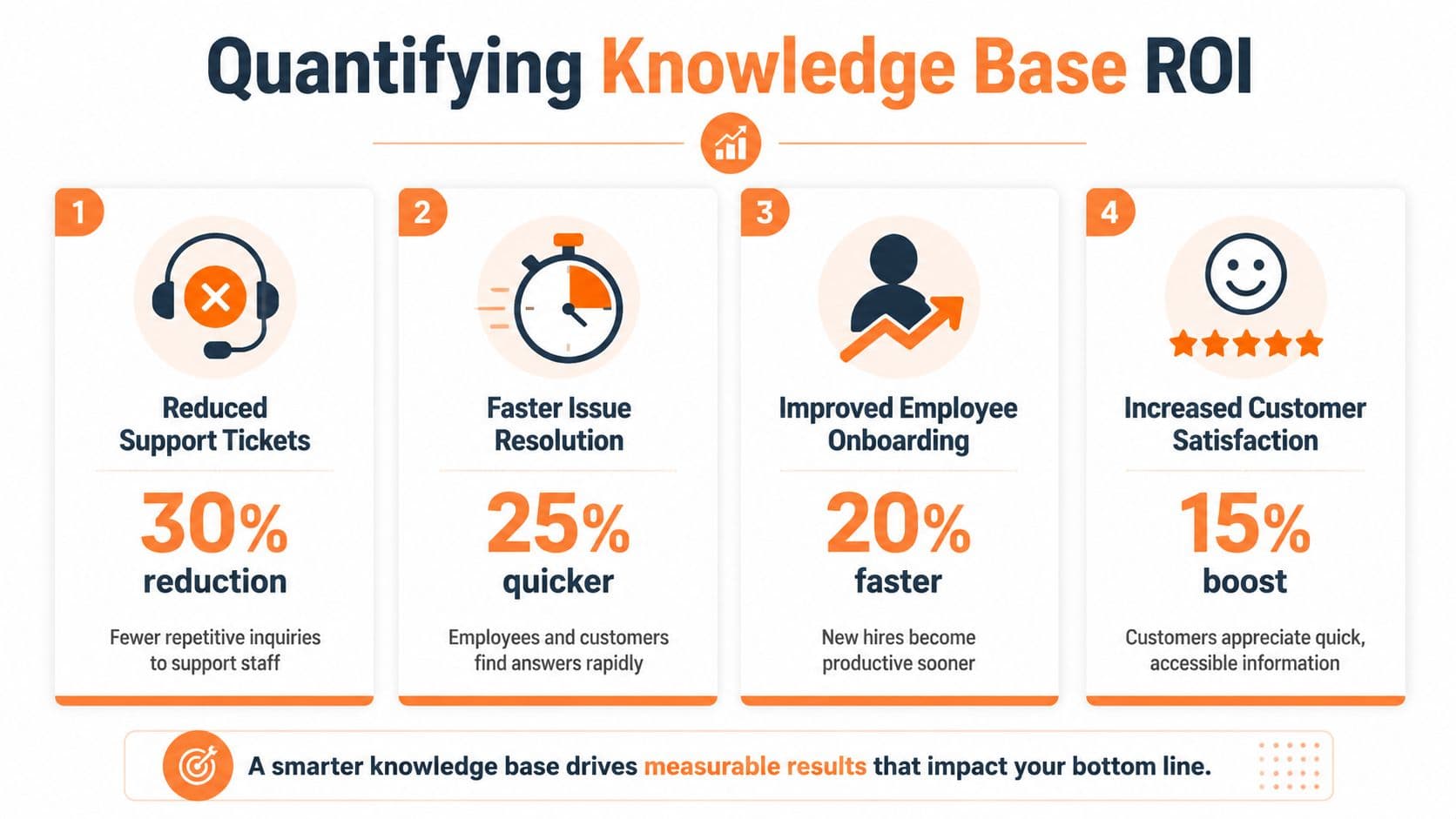
Most business cases for knowledge base software are too vague to survive a budget review. “It saves time” is true, but weak. You need an operating model tied to measurable outcomes.
Measure outcomes not publishing activity#
A healthy knowledge base is not the one with the most articles. It's the one that reduces wasted effort.
That's why I prefer operational metrics over vanity metrics. Slite's guidance on what a knowledge base is and how to measure it gets this right. Effective knowledge bases should be measured by search success and support deflection, not just traffic. The point is to reduce repetitive inquiries and the time people spend hunting for information.
A practical dashboard usually includes:
- Search success. Are users finding an answer without reformulating the query?
- Deflection signals. Did the article resolve the issue before a ticket or internal escalation happened?
- Article usefulness in workflow. Are agents, managers, and onboarding leads using the content in replies and handoffs?
- Content freshness. How old is the last update on high-value articles?
If you want a deeper framework for documentation analytics and metrics, start with these operational indicators before you get fancy.
A practical ROI model#
You don't need invented benchmarks to build a solid business case. You need a simple chain of reasoning.
Start with support. Repetitive questions consume paid team time. If your knowledge base resolves more of those questions through self-service or faster internal lookup, the support team can focus on complex work instead of repeating known answers.
Then look at onboarding. New hires lose time when every process lives in a different tool or in someone's head. A governed knowledge base shortens that confusion window, even if you measure it qualitatively at first.
Next, include consistency. This one is harder to model in a spreadsheet, but easy to recognize operationally. A shared knowledge base reduces contradictory answers across support, product, HR, and ops.
I usually ask four blunt questions:
- Where are teams repeating the same answer manually?
- Which processes break when one experienced person is out?
- What do users search for and fail to find?
- Which high-risk articles haven't been updated recently?
If you can't connect the knowledge base to fewer repeat questions, faster answers, or better consistency, you don't have a measurement problem. You have a product discipline problem.
The returns show up in reduced support load, faster internal execution, better onboarding reliability, and fewer avoidable mistakes. That's a stronger business case than “we published a lot of content this quarter.”
The Critical Buying Criterion Most Guides Miss#
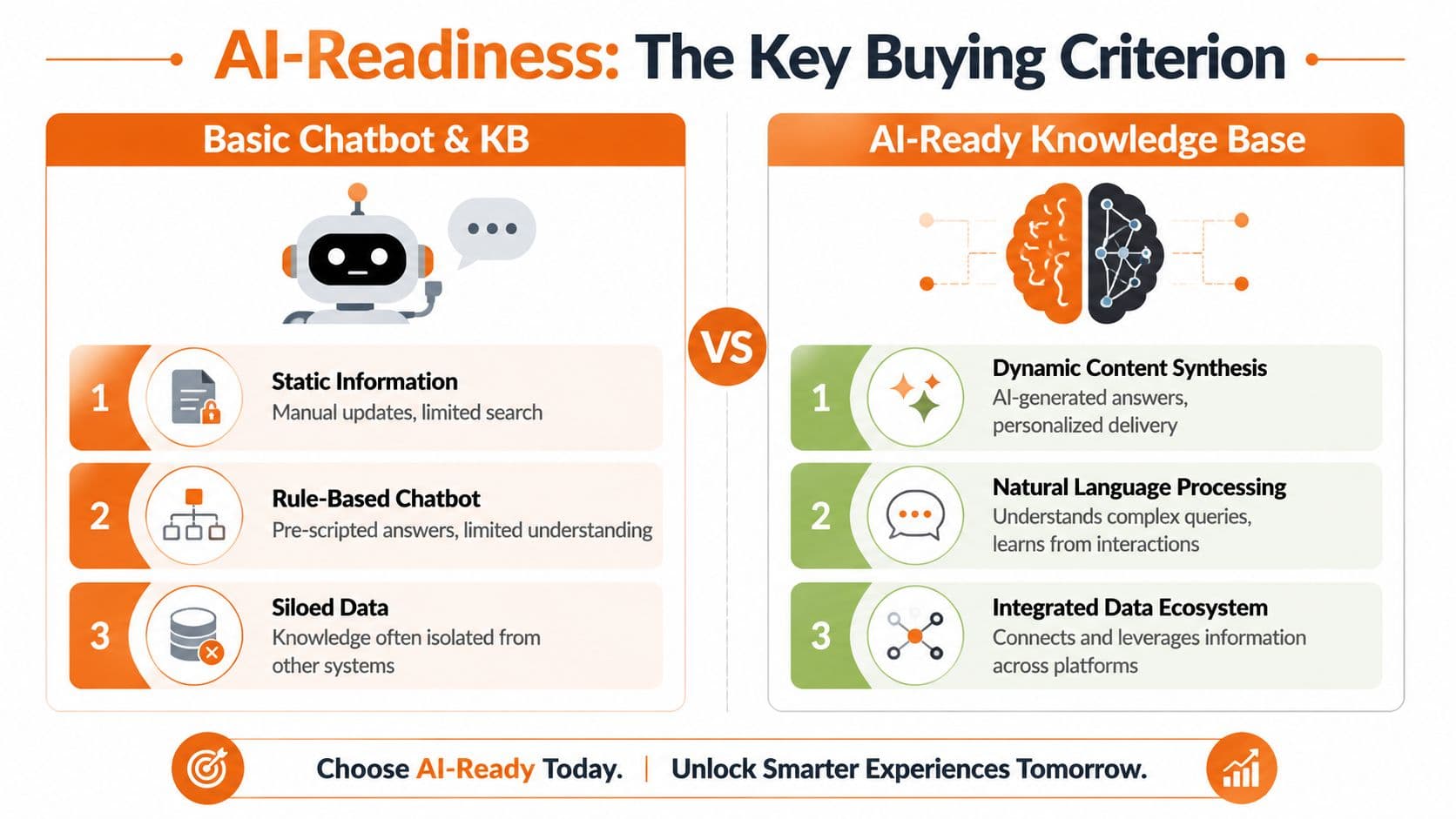
The most important buying criterion in 2026 isn't whether the platform has AI writing assistance. It's whether the underlying content is usable by AI systems at all.
AI search is not AI readiness#
A lot of vendors are selling “AI-powered” knowledge base software when they really mean one of three things. They added a chatbot, a summarizer, or semantic search.
Those can be useful. None of them answer the structural question.
True AI-readiness requires content to be structured and parsable for LLMs and RAG systems, which is a deeper requirement than adding an AI search feature, as noted in eGain's guide to knowledge base software in 2026. That's the distinction most buyers miss.
An AI-ready knowledge base should make it easy for machines to identify:
- Clear document hierarchy
- Stable headings and section boundaries
- Clean metadata
- Permission-aware retrieval
- Versioned source truth
- Parsable code blocks, tables, and references
If those layers are weak, the interface polish doesn't matter much.
How common platforms differ in practice#
At this point, trade-offs get real.
Confluence is familiar and widely deployed, but it often becomes a sprawl machine. It's decent for internal collaboration and rough drafting. It's much worse as a clean public knowledge layer unless a team puts serious governance around it.
Docusaurus is powerful if you have developer support and can live in a repo-based workflow. Teams that want full control often like it. The cost is setup, maintenance, and content operations overhead.
Mintlify is much cleaner out of the box for modern product docs. It works well for teams that prioritize polished developer-facing documentation, though some non-technical operators still find the workflow more tooling-heavy than they want.
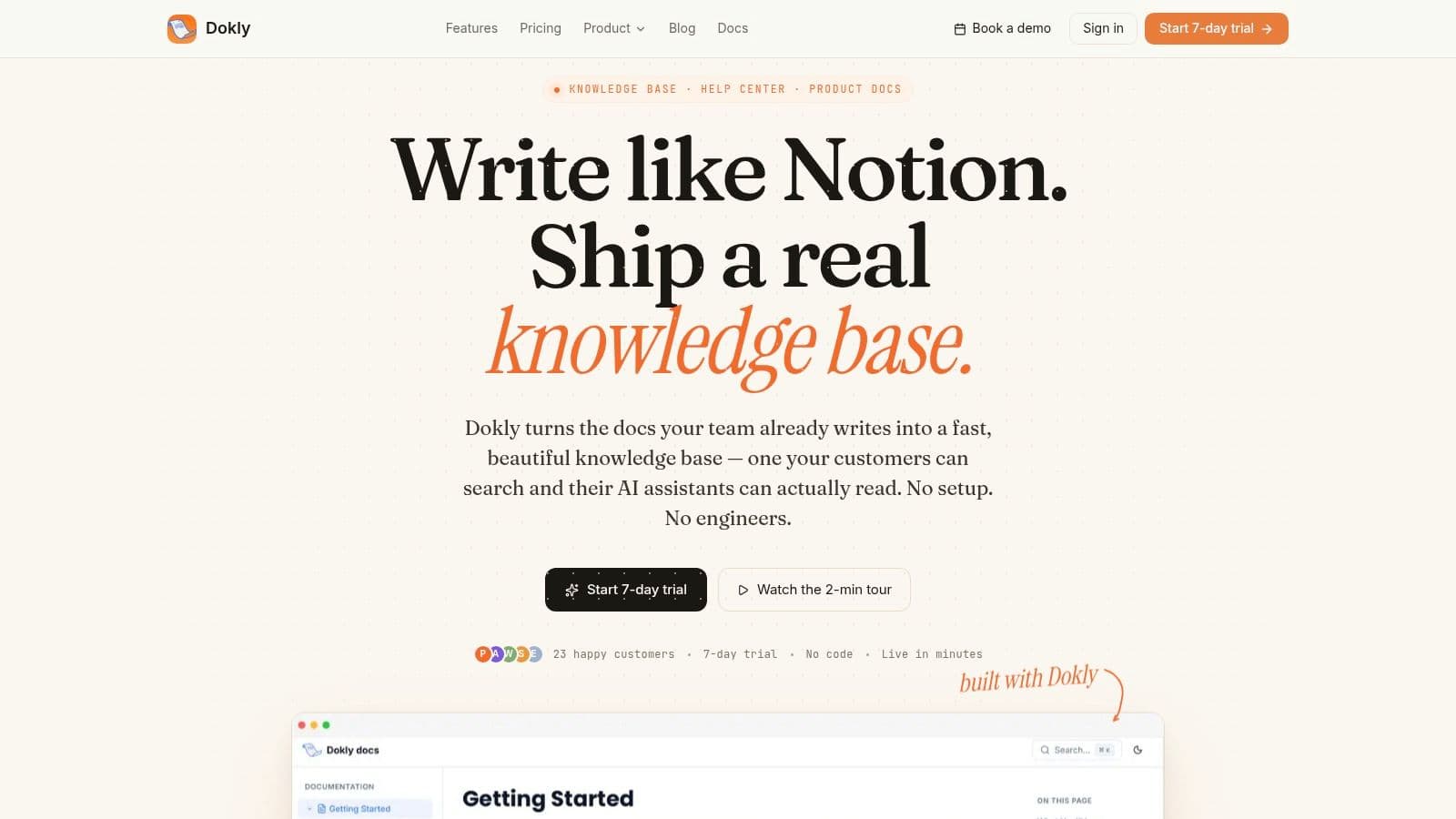
Then there are newer tools built around AI retrieval as a first-class requirement. For teams that want a visual workflow rather than repo setup, making your docs discoverable by AI agents should be part of the buying discussion. One example is Dokly, which publishes semantic MDX, generates llms.txt files, and keeps the authoring experience visual instead of code-first.
The practical question isn't “Which tool has AI?” They all say that now.
The better question is this:
| Buying question | Weak answer | Strong answer |
|---|---|---|
| Can AI systems reliably parse the content? | “We have a chatbot” | “The content is structured for retrieval” |
| Can non-technical teams maintain it? | “Engineering can help” | “Business teams can update it directly” |
| Can it support governed scale? | “You can create lots of pages” | “You can control versions, roles, and change history” |
If your docs are going to power support agents, copilots, search assistants, and external answer engines, AI-readiness is not an advanced requirement. It's table stakes.
How to Structure and Implement Your Knowledge Base#
A bad rollout can ruin a good knowledge base tool.
The failure usually happens early. Teams dump old content into a new system, preserve years of messy naming, and call it implementation. What they built is a larger archive with a better UI. In 2026, that is not enough. Your knowledge base has to work for readers and for the AI systems that now summarize, retrieve, and act on your documentation.
The rollout should start with operating rules, not imports. Set up content creation, organization, permissions, analytics, and version history before the library grows. If those controls come later, the cleanup work gets expensive fast.
Start with structure, not migration#
Decide how information should be grouped before you move a single page.
Use categories that match real jobs people need to get done. "Billing," "Account setup," "HR policies," and "Incident response" work well because they reflect intent. Categories based on team names or internal org charts age badly, especially after a reorg, acquisition, or product split.
Then define the article lifecycle. Keep it simple and enforce it.
- Draft. A subject matter expert writes or updates the content.
- Review. An owner checks accuracy, clarity, and permissions.
- Publish. The article becomes the approved answer.
- Archive. The content leaves active discovery but stays available for audit and reference.
For public documentation, structure also affects search visibility. Understanding how structured data drives rich results helps because the same discipline that improves SEO also improves machine interpretation.
Write so people can scan it and AI can retrieve it#
Good knowledge base writing is plain, specific, and chunked cleanly.
That means short sections, literal headings, and predictable formatting. "Reset your password" is better than "Access issues." A support rep can find it faster. An AI retriever is also less likely to confuse it with login policy, SSO setup, or account lockout rules.
A few writing standards matter more than teams expect:
- Use direct headings that describe the exact task or policy.
- Keep paragraphs short because people read docs under time pressure.
- Use lists and tables for steps, requirements, and exceptions so the content breaks into reliable chunks.
- Separate official policy from temporary workaround so retrieval systems do not blend them into one answer.
- Assign an owner and review trigger so stale operational content has a clear maintenance path.
A visual editor helps non-technical teams contribute. The real test is whether it produces clean underlying structure, stable URLs, and reusable content blocks instead of a wall of formatted text. That trade-off matters more now because AI systems consume the output, not the authoring experience.
Here's the tutorial link mentioned in the embedded video:
| Video Title | URL |
|---|---|
| Dokly YouTube Tutorial | Watch on YouTube |
A quick setup walkthrough helps make the workflow concrete:
A rollout model that holds up#
Start small. Start where the cost of bad answers is high.
I usually recommend one internal workflow and one external workflow first. Internal onboarding SOPs are a good candidate because gaps show up quickly. External support content also works because search failures are easy to spot and measure. That gives the team fast feedback without turning the project into a long migration program.
Ownership needs to be explicit:
- Content owner for each category
- Reviewer for product, legal, or policy accuracy
- Operator who monitors search failures, usage patterns, and stale content
- Escalation path for disputed, missing, or blocked answers
Publish fewer articles with clear ownership before you publish a giant library nobody maintains.
Once the first workflows are stable, expand carefully. Add categories only when the team can keep them current. Connect analytics and support signals. Remove duplicated pages. Fix naming collisions. The goal is not a bigger knowledge base. The goal is a system that keeps producing trusted answers for humans and for AI retrieval over time.
Conclusion From Dead Link to Active Asset#
A modern knowledge base isn't a help center theme with a search box. It's an operational system. It reduces repeated work, aligns teams around current answers, and increasingly determines whether AI systems can retrieve and trust what your company knows.
That's the shift most buying guides still miss. They evaluate publishing features while ignoring retrieval structure. They compare templates while overlooking governance. They talk about AI assistants without asking whether the source content is machine-readable enough to support them.
The practical standard is higher now. Good knowledge base software needs to help humans find answers fast, help teams keep those answers current, and help AI systems parse the same content reliably. If one of those breaks, the whole stack gets weaker.
I'd also be blunt about tool choice. Confluence can work if you enforce discipline. Docusaurus can work if you want developer-owned docs. Mintlify can work if your workflow fits its model. But if you believe documentation should be readable by both operators and AI systems from the start, you should weigh platforms based on structure and maintainability, not just appearance.
The teams that get this right won't treat docs as a publishing task. They'll treat them as product infrastructure.
If your docs still behave like a dead link, it's worth trying Dokly. It gives teams a low-friction way to publish structured documentation with a visual editor, AI-ready outputs, and useful extras like tools at Dokly Tools without turning documentation into an engineering project.