In a crowded API landscape, great documentation is more than a reference-it's a competitive advantage. It’s the silent onboarding specialist that turns curious developers into power users. But what elevates a simple API reference into an experience that developers love? It's not just about listing endpoints; it's about providing a clear path from a first call to production-ready code.
This article dissects seven excellent api documentation examples, revealing the specific strategies, design patterns, and tactical details that make them so effective. We are moving beyond surface-level praise to extract replicable lessons you can apply directly to your own projects. You will learn how to create a developer experience that accelerates adoption and reduces support tickets.
Each example includes screenshots, direct links, and a breakdown of what makes it work. We will analyze everything from interactive API explorers and language-specific SDK guides to exceptional error handling. We'll also explore how modern tools can help you implement these patterns in minutes, not months. You will leave with a clear playbook for building API documentation that developers actually want to use.
1. Dokly#
Dokly establishes itself as a premier choice for generating modern, discoverable, and user-centric api documentation examples. It's a developer-first platform built to convert various source files, including OpenAPI specifications, READMEs, or even plain text, into a polished and fully functional documentation site in minutes. This rapid deployment capability makes it a standout option for teams who need to publish high-quality docs without a complex setup process.
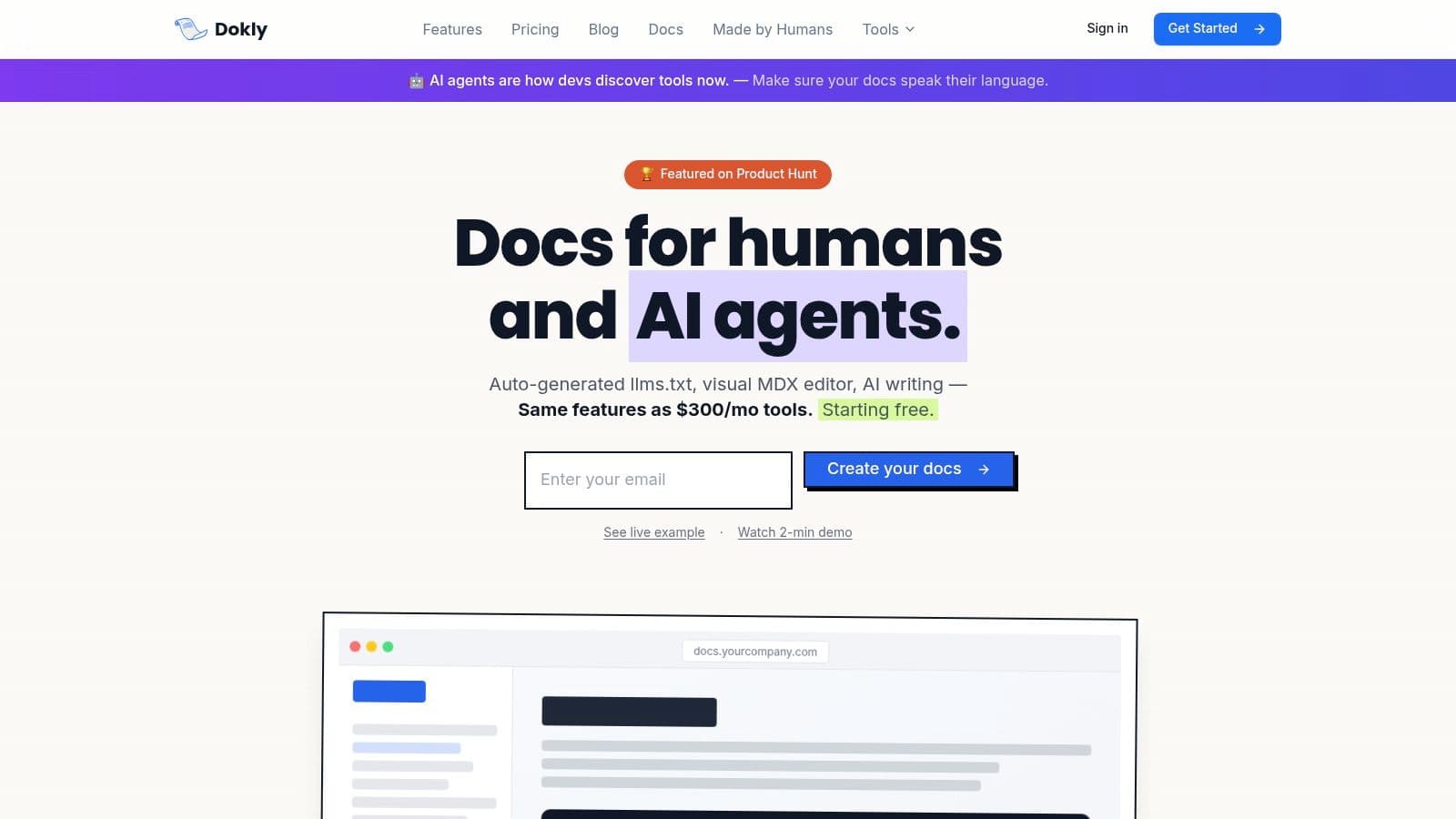
What truly sets Dokly apart is its deep integration with AI, not just for content creation but for API discovery. It automatically generates an llms.txt file, a unique feature that acts as a sitemap for AI agents like ChatGPT and Claude. This ensures that when developers ask these models for solutions, your API is more likely to be found and recommended, directly boosting adoption.
Key Strengths & Strategic Advantages#
Dokly’s architecture is focused on speed, discoverability, and cost-efficiency. It removes common barriers associated with traditional documentation tools, offering a robust feature set that competes with much more expensive alternatives.
- Effortless Publishing Workflow: Go from an OpenAPI spec to a live, production-ready documentation site in about five minutes. The platform bypasses the need for a Git-based workflow, offering a visual MDX editor that allows technical writers and developers to create and update content directly.
- AI-Powered Content & Discovery: Beyond the
llms.txtfile, Dokly offers "AI Doc Generation," which can produce quickstarts and reference guides from a simple README paste. The AI writing assistant is metered in monthly credits included with every plan (15 on Free, 1,500 on Team, 6,000 on Business), so there is no separate AI add-on to buy. - Performance and User Experience: Sites are hosted on an edge network, delivering sub-100ms load times for a superior end-user experience. Features like
Cmd+Kfull-text search, reusable components (callouts, tabs), and custom branding ensure the final product is both professional and easy to navigate.
Strategic Takeaway: Dokly's
llms.txtfeature is a forward-thinking approach to API marketing. By making your API programmatically discoverable by AI assistants, you tap into a powerful new channel for developer acquisition before your competitors do.
Pricing and Access#
Dokly’s pricing model is designed to be accessible for startups and open-source projects while still scaling for larger teams.
- Free Plan: Includes 1 project with unlimited pages on a Dokly subdomain, no card required, making it suitable for small projects or for evaluating the platform.
- Team Plan: Priced at $99/month, this plan unlocks custom domains, the API playground, analytics, 1,500 AI credits a month, and 5 projects. Business ($199/month) raises that to 25 projects and 6,000 credits.
- Trial: Team and Business each come with a 7-day trial. A card is collected upfront, and you pay nothing if you cancel before day 7.
While Dokly delivers impressive value, teams at large enterprises should note that features like SSO and advanced compliance are still in development. It is a strong contender in the broader landscape of modern software documentation tools.
Website: https://dokly.co
2. Stripe#
Stripe's documentation is frequently cited as the gold standard for developer-first experiences, and for good reason. It masters the art of guiding developers from initial curiosity to successful production integration with remarkable efficiency. Its strength lies in a three-panel layout that presents conceptual explanations, code samples, and interactive API responses simultaneously, minimizing context switching.
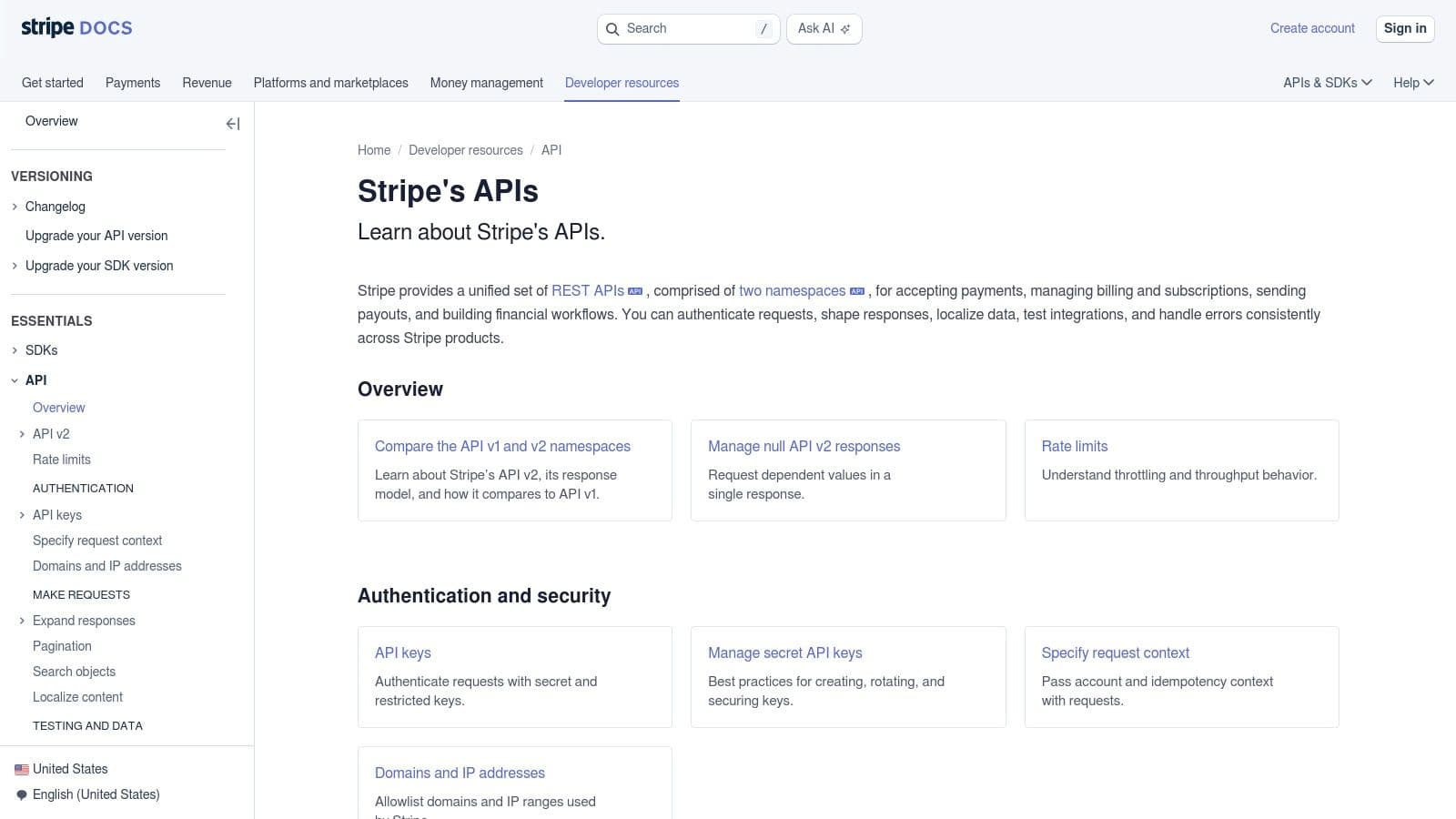
The platform is renowned for its interactive examples. Developers can execute API calls directly from the documentation using their own test keys, and the response objects shown are not static JSON but live data from their test account. This immediacy provides instant feedback and validation, drastically reducing the time it takes to understand API behavior.
Strategic Analysis#
Stripe’s documentation excels by treating its API as a product and its documentation as the primary user interface. Every detail is meticulously crafted for developer productivity.
Key Insight: By providing live, interactive API responses tied to a user's test account, Stripe removes the friction of setting up a local environment for initial exploration. This turns documentation from a passive reference into an active development tool.
- Consistency is Key: The design patterns and information architecture remain consistent across all APIs, from Payments to Identity. This significantly lowers the cognitive load for developers using multiple Stripe products.
- Actionable Error Handling: Instead of just listing error codes, Stripe provides clear explanations for why an error occurred and suggests specific resolutions.
- Rigorous Versioning: The API changelog is detailed and transparent, with clear callouts for breaking changes and comprehensive upgrade guides. This builds trust and makes maintenance predictable. If you're building the same discipline into your own docs, our release notes template has a Keep-a-Changelog-based developer format that hits the same shape Stripe uses.
Actionable Takeaways#
Stripe provides a powerful blueprint for creating documentation that accelerates adoption. Its approach is a key part of why it's a top choice for api documentation examples. While the sheer breadth of its product suite can feel imposing at first, its excellent search functionality and logical structure help users find what they need quickly. To build a similar foundation for your own project, explore our guide on how to write great API documentation.
Website: https://docs.stripe.com/apis
3. Twilio#
Twilio's documentation is a masterclass in task-oriented design, focusing on what developers want to achieve rather than just what the API can do. Covering a broad portfolio from Messaging and Voice to Verify and Email, it excels at providing practical, production-ready guidance that helps teams move swiftly from a prototype to a scalable application.
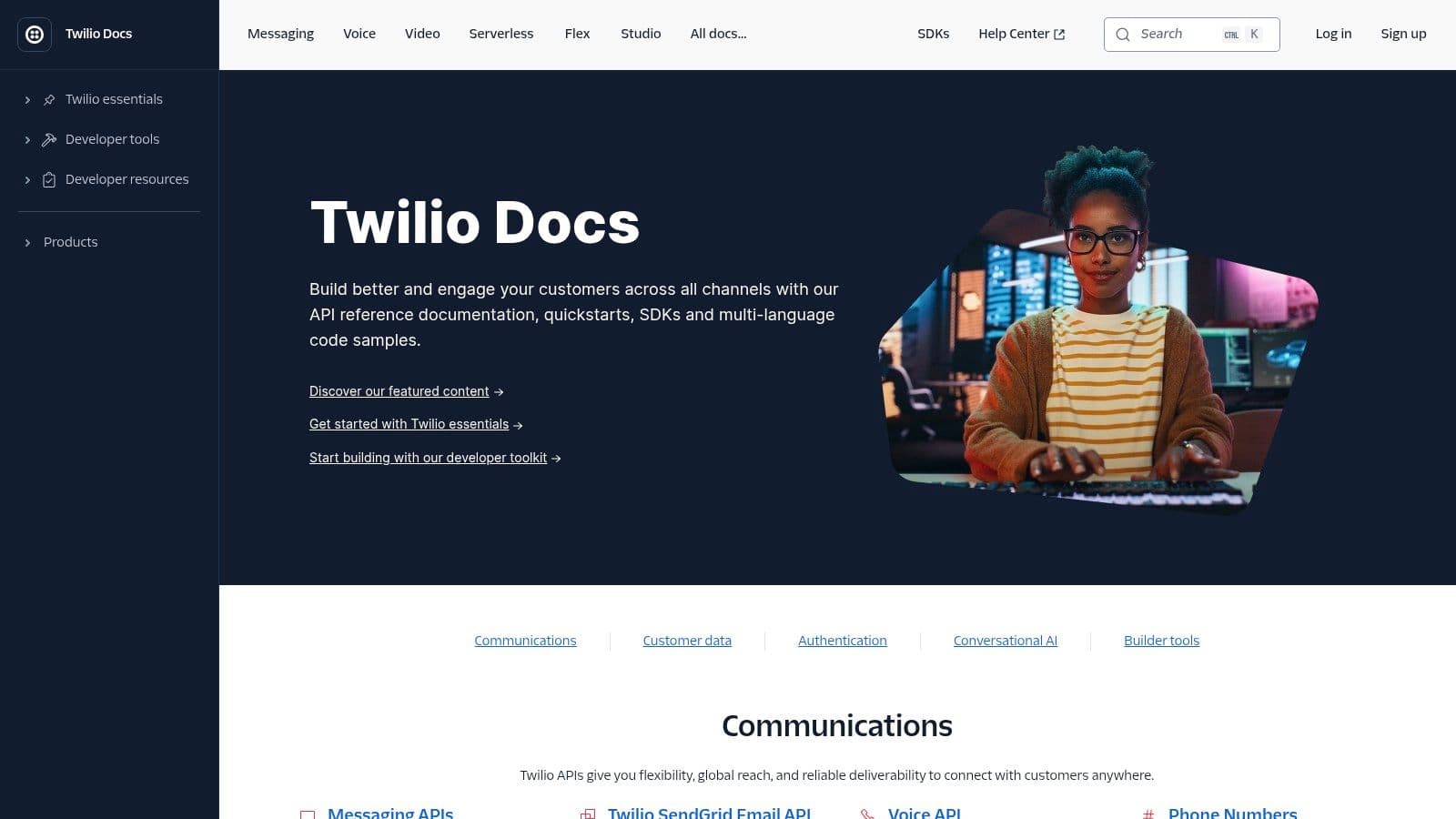
The platform organizes its content around common use cases, offering quickstarts and tutorials that get developers running code in minutes. A standout feature is the "Code Exchange," a library of complete, runnable sample applications. This goes beyond simple snippets, giving developers a full-stack starting point for projects like appointment reminders or two-factor authentication, significantly reducing initial setup time.
Strategic Analysis#
Twilio's strategy centers on developer empowerment through practical, goal-driven resources. It anticipates common developer jobs-to-be-done and builds clear paths to accomplish them, making it one of the most effective api documentation examples for complex products.
Key Insight: By providing full, runnable applications in its Code Exchange, Twilio moves beyond documentation into a "developer enablement" platform. This allows users to see not just an API call, but the entire context of a real-world implementation.
- Task-Oriented Onboarding: Guides are structured around actions like "Send your first SMS" or "Make your first call," providing copy-paste snippets that work immediately.
- Integrated Tooling: Twilio actively promotes tooling with first-class support for its CLI, serverless Functions, and OpenAPI specifications. This encourages fast, local prototyping without heavy server-side setup.
- Community and Support Integration: The documentation hub is not an isolated island. It links directly to community forums, support articles, and a status page, creating a unified resource center.
Actionable Takeaways#
Twilio demonstrates how to support developers at every stage of their journey, from initial exploration to production deployment. While its complex pricing can be a hurdle to estimate total costs, the strength of its use-case-driven documentation is undeniable. For a closer look at how Twilio and others build trust with real-time feedback, explore these other interactive documentation examples.
Website: https://www.twilio.com/docs
4. Slack Platform#
Slack's documentation succeeds by organizing a vast and multifaceted platform into logical, discoverable components. It effectively separates high-level platform concepts like apps and workflows from the granular details of its Web API, Events API, and various SDKs. This layered approach allows developers to understand the "why" before diving into the "how," preventing them from getting lost in a sea of API methods.
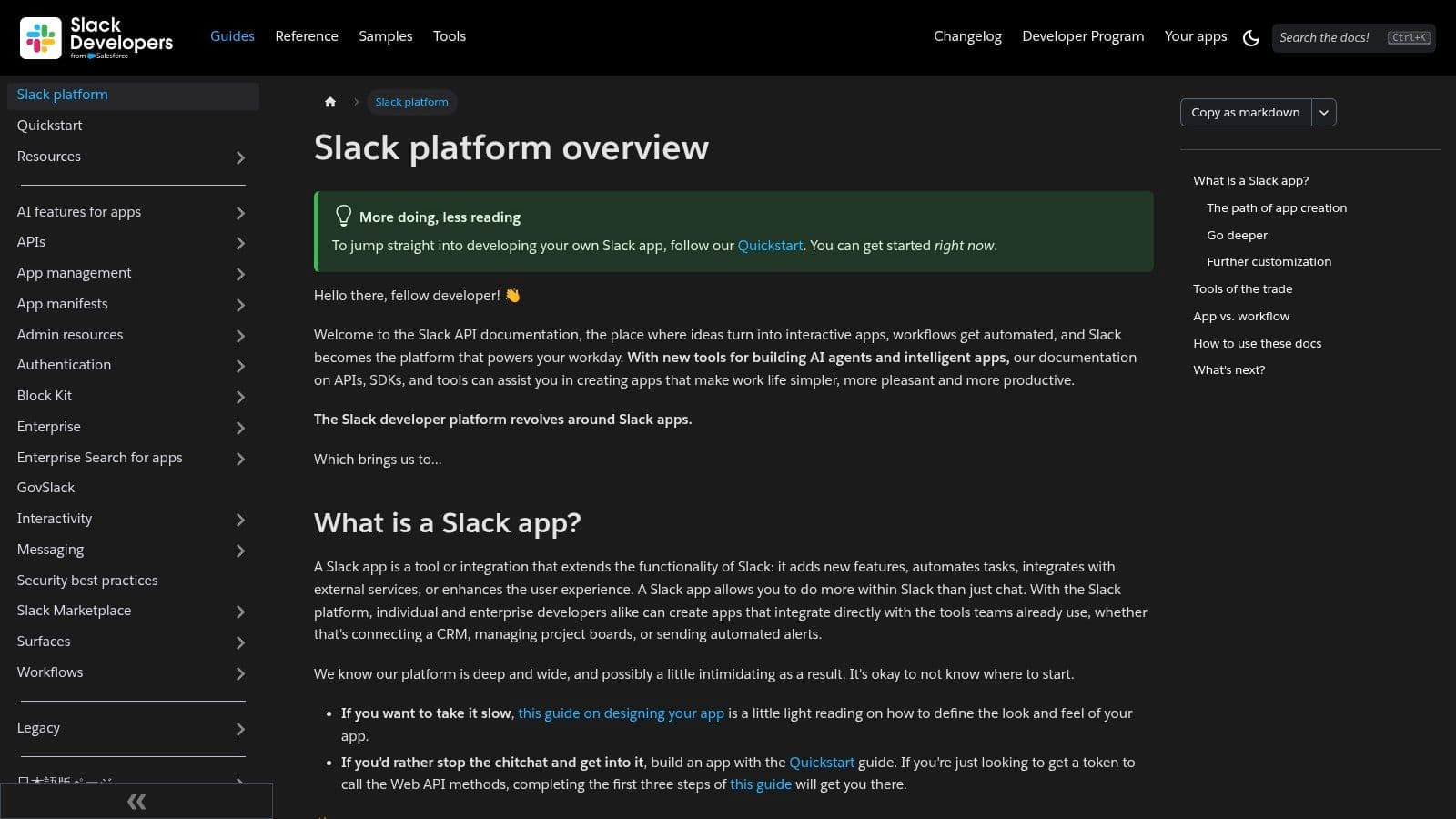
The Web API reference is a standout feature, providing consistent and predictable information for every method. Each endpoint page details required permissions (token scopes), method arguments, and expected JSON responses for both success and error states. This consistency is a major asset for developers building complex integrations that touch many parts of the Slack API, making it a strong contender among api documentation examples.
Strategic Analysis#
Slack’s documentation strategy is built on clear information architecture that caters to different developer needs. It recognizes that a developer might be a beginner needing a tutorial on slash commands or an expert looking up a specific error code for a niche API method.
Key Insight: By clearly delineating between conceptual guides, tutorials, and raw API references, Slack allows developers to self-select their learning path. This structure reduces cognitive overhead and makes a large API surface area feel manageable.
- Explicit Scope and Permissions: Each API method clearly lists the OAuth scopes required for it to function. This transparency is critical for security and helps developers build apps that request only the necessary permissions, a key factor in user trust.
- Lifecycle Visibility: The documentation hub prominently features product updates, changelogs, and deprecation timelines. This proactive communication helps development teams plan their roadmaps and avoid being caught off guard by breaking changes.
- Practical Examples: Instead of generic "hello world" snippets, Slack provides practical JSON examples for common use cases, such as posting messages with complex block kit layouts. This helps developers achieve real-world results faster.
Actionable Takeaways#
Slack demonstrates how to document a complex platform API without overwhelming users. The key is a strong, hierarchical structure and a commitment to consistency. While the existence of multiple documentation sites can sometimes cause navigation friction, the core API reference is a model of clarity. To foster a similar environment around your product, consider how documentation can be a cornerstone for building developer communities through documentation.
Website: https://api.slack.com/
5. GitHub API (GraphQL and REST)#
GitHub’s documentation is a masterclass in supporting complex, dual-stack APIs (REST and GraphQL) while providing developers with the tools to use them efficiently. It excels by not just documenting endpoints but by actively teaching developers how to optimize their interactions, especially with its powerful GraphQL API. The inclusion of an in-browser GraphQL Explorer is a standout feature, allowing for live, authenticated query building.
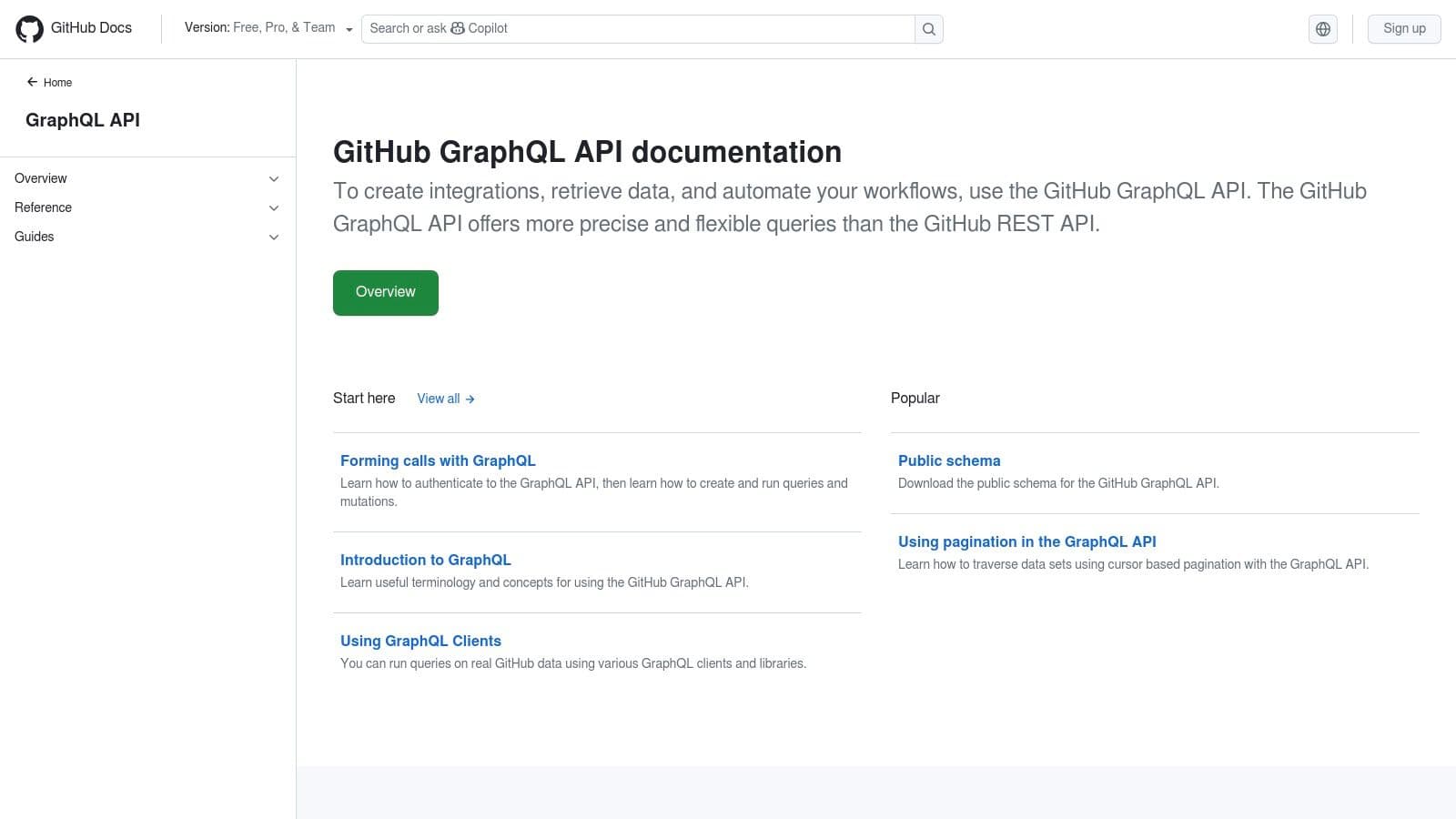
The platform provides a complete environment for learning and execution. Developers can move from reading about a query structure to running it against their own repositories in seconds, using the Explorer that features syntax highlighting and real-time responses. This direct interaction removes ambiguity and accelerates the learning curve for a technology like GraphQL, which can be difficult for newcomers.
Strategic Analysis#
GitHub treats its documentation as an educational resource, focusing on best practices as much as on reference material. It anticipates developer questions around performance, limits, and migration, addressing them proactively.
Key Insight: By integrating a live GraphQL Explorer directly into the documentation, GitHub transforms passive reading into an active, hands-on learning experience. This is crucial for a complex API, as it allows developers to understand query costs and data structures before writing a single line of code in their own application.
- Proactive Optimization Guidance: The docs don't just list rate limits; they provide detailed articles explaining the query cost calculation for GraphQL and best practices for staying within limits. This empowers developers to build responsible, efficient applications from the start.
- Clear API Parity: Strong cross-linking and clear guides help developers understand the differences and similarities between the REST and GraphQL APIs, assisting them in choosing the right tool for the job or migrating between them.
- Transparent and Actionable Versioning: The detailed API changelog and clear breaking-change notices build developer trust. This transparency is a key reason it is a top choice among api documentation examples for large, evolving platforms.
Actionable Takeaways#
GitHub's approach demonstrates how to document a sophisticated API by combining reference material with interactive tooling and performance education. While its depth can be intimidating for beginners, the focus on practical application makes it incredibly powerful. The clear documentation of its API is a great example of the value of applying open-source documentation best practices to a project.
Website: https://docs.github.com/v4
6. Algolia#
Algolia’s documentation is a masterclass in information architecture, showcasing how to serve different user journeys without sacrificing clarity. As a company focused on search, it’s no surprise their own documentation search is world-class, but the real strength lies in the clear separation between conceptual guides, API references, and tooling support. This structure effectively caters to both developers looking for a quick start and experienced users needing deep technical details.
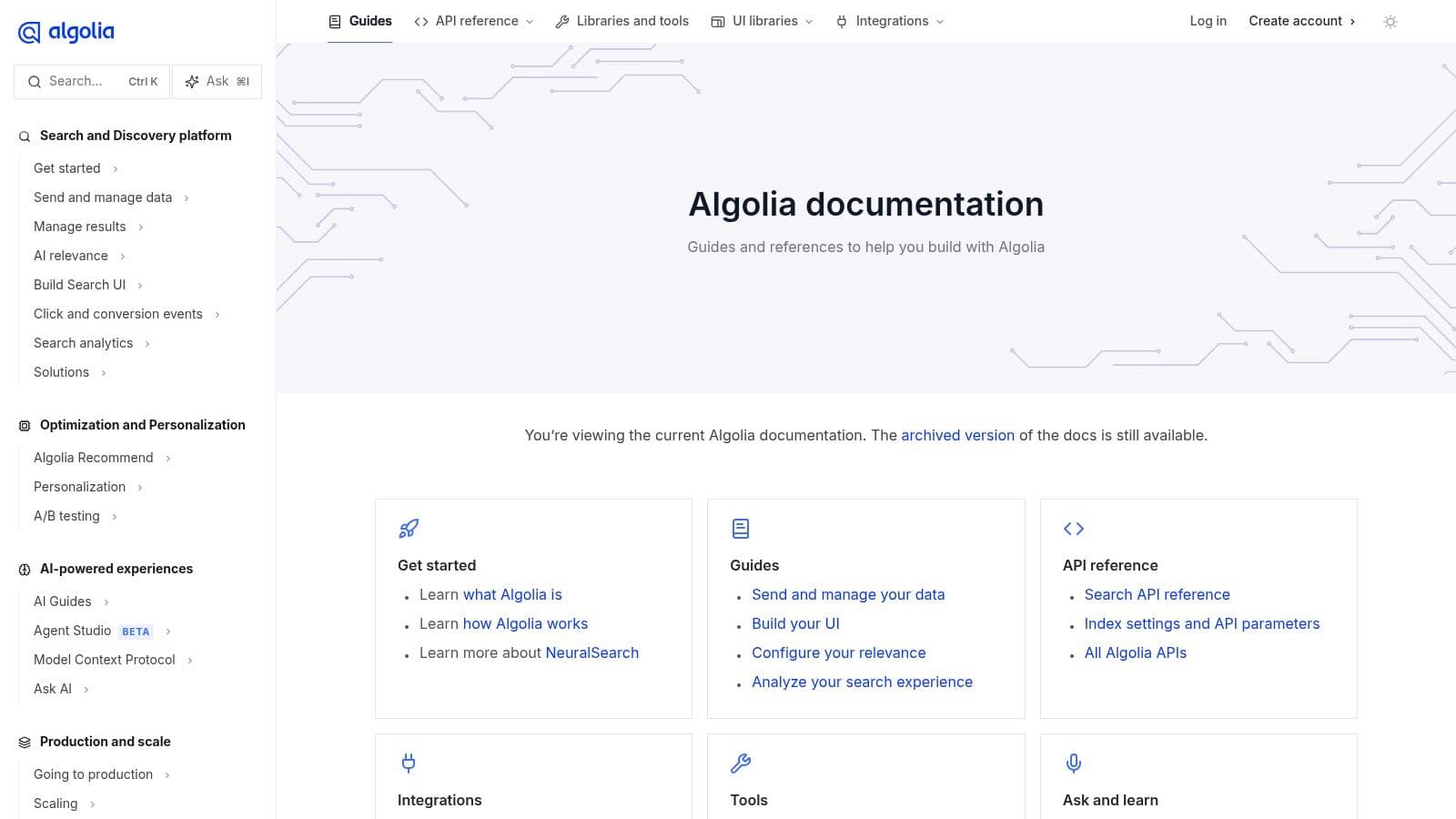
The platform presents distinct pathways for “Get started,” “Guides,” and “API reference,” which helps developers self-select their learning path. Code examples are provided for every major programming language and framework Algolia supports, complete with dedicated sections for official clients, UI libraries, and the CLI. This practical, multi-tool approach ensures developers can find implementation details relevant to their specific stack.
Strategic Analysis#
Algolia’s documentation succeeds by organizing content around developer intent rather than just API endpoints. They understand that a developer might be exploring a concept, implementing a feature, or troubleshooting a specific parameter, and the site structure reflects this reality.
Key Insight: The deliberate separation of conceptual “Guides” from technical “API References” allows Algolia to teach the why before detailing the how. This prevents cognitive overload and makes complex topics like search relevance and indexing strategies more approachable.
- Powerful Internal Linking: The documentation excels at cross-linking. A conceptual guide about indexing will link directly to the relevant API parameters in the reference section, creating a cohesive learning experience.
- Language-Specific Tooling: By providing examples and dedicated pages for official clients and UI libraries, Algolia reduces friction for developers working within a specific ecosystem like React, Vue, or vanilla JavaScript.
- Search as a Core Feature: Algolia practices what it preaches. Its own documentation search is incredibly fast and accurate, serving as a powerful demonstration of its product's value. This is a brilliant example of using documentation as a marketing and product validation tool.
Actionable Takeaways#
Algolia offers a superb model for documenting a product with multiple facets and a broad developer audience. While the number of features can initially seem daunting, the site's clear organization and excellent search make discovery manageable. Its approach is a strong contender among top api documentation examples for projects that need to balance high-level concepts with low-level technical specifics.
Website: https://www.algolia.com/doc/
7. Plaid#
Plaid’s API documentation provides a masterclass in building trust for a compliance-heavy industry. It excels by clearly delineating environments, security protocols, and data flows, which is critical when handling sensitive financial information. The documentation guides developers through distinct stages, from a sandboxed environment for initial testing to a full production go-live, with checklists and explicit requirements at each step.
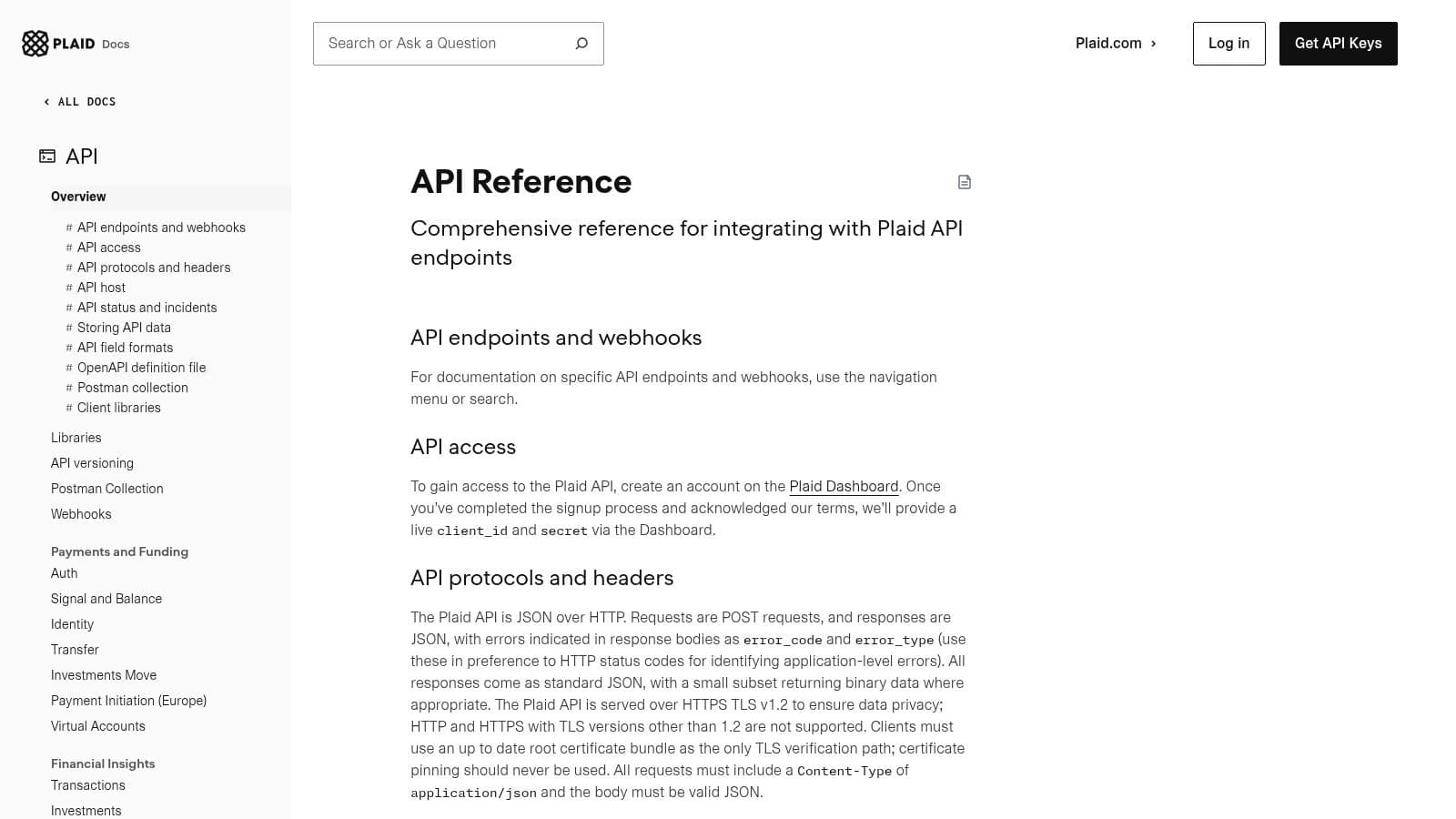
The structure is highly organized, with detailed endpoint and webhook references that include complete request/response schemas. This clarity is further supported by dedicated sections on authentication, error handling, and security best practices. Plaid also embraces modern tooling by providing an OpenAPI specification, a Postman collection, and even AI-readability assets to support developers using LLM-based assistants.
Strategic Analysis#
Plaid's documentation strategy prioritizes clarity and risk reduction, which is essential for its fintech audience. It anticipates the complexities of financial data aggregation and preemptively answers questions about security, compliance, and environment management.
Key Insight: By separating documentation into distinct environments (Sandbox, Limited Production, Production) with clear go-live checklists, Plaid turns a potentially daunting integration process into a structured, manageable path. This reduces uncertainty and builds developer confidence.
- Upfront Security and Standards: Critical information on authentication, TLS requirements, and error conventions is presented early. This ensures developers build on a secure and correct foundation from the start.
- Webhook and Idempotency Guidance: The documentation offers strong examples for asynchronous operations like webhooks and idempotent requests, which are vital for building resilient financial applications.
- Developer Tooling Support: Providing an OpenAPI spec, Postman collection, and files for AI tools shows an understanding of the modern developer's workflow, making it one of the better api documentation examples for broad toolchain compatibility.
Actionable Takeaways#
Plaid demonstrates how to structure documentation for APIs that operate in regulated or high-stakes environments. The main drawback is that pricing details are gated behind sales inquiries, which can slow down initial evaluation. To learn from Plaid's approach, focus on creating clear, stage-based integration paths and being transparent about all technical and security requirements.
Website: https://plaid.com/docs/api/
7 API Documentation Examples Compared#
| Product | Implementation Complexity 🔄 | Resource Requirements ⚡ | Expected Outcomes 📊⭐ | Ideal Use Cases 💡 | Key Advantages ⭐ |
|---|---|---|---|---|---|
| Dokly | Low 🔄 — visual MDX editor; no Git workflow | Low–Medium ⚡ — free tier; Team $99/mo; AI credits included | High ⭐⭐📊 — rapid launch (OpenAPI→live ~5 min); improved discoverability | Developer teams, startups, OSS projects, small docs teams 💡 | Fast setup, AI‑ready (llms.txt), cost‑effective |
| Stripe | Medium–High 🔄🔄 — extensive surfaces, versioning | Medium ⚡ — integration effort; follow changelogs | Very High ⭐⭐⭐📊 — reliable, production‑grade payment integrations | Payments, billing, commerce platforms 💡 | Deep examples, language tabs, strong changelog |
| Twilio | Medium 🔄🔄 — multi‑channel flows and products | Medium–High ⚡ — per‑channel testing; pricing complexity | High ⭐⭐📊 — production‑ready snippets and runnable samples | Messaging/voice/email integrations; rapid prototyping 💡 | Runnable Code Exchange; operations guidance |
| Slack Platform | Medium 🔄 — SDKs + Web API across surfaces | Medium ⚡ — auth/scopes and lifecycle management | High ⭐⭐📊 — consistent app patterns; clear token model | Building Slack apps, workflows, evented integrations 💡 | Method‑level examples; clear auth and scopes |
| GitHub API (GraphQL & REST) | High 🔄🔄🔄 — dual APIs, pagination, rate models | High ⚡ — learning curve for GraphQL/query cost | Very High ⭐⭐⭐📊 — powerful tooling; optimization best practices | Complex integrations, analytics, tooling that need live queries 💡 | GraphQL Explorer, live queries, thorough rate‑limit docs |
| Algolia | Low–Medium 🔄 — clean IA and SDKs | Medium ⚡ — client implementations; search tuning | High ⭐⭐📊 — excellent discoverability and integration speed | Search features, multi‑language SDKs, UI libraries 💡 | Strong docs search, cross‑linking, per‑language examples |
| Plaid | Medium–High 🔄🔄 — compliance and environment separation | High ⚡ — sandbox/production testing; gated pricing | High ⭐⭐📊 — secure, compliant financial integrations | Fintech, bank data flows, webhook‑driven integrations 💡 | Clear envs, security/TLS guidance, webhook examples |
From Examples to Execution: Your Next Steps#
We've journeyed through some of the industry's most effective api documentation examples, dissecting the specific strategies that set them apart. From Stripe's impeccable three-panel layout and intuitive information architecture to GitHub's powerful interactive GraphQL explorer, a clear pattern emerges. The best documentation is not merely a reference; it's a product designed to accelerate developer success.
This success is built on a foundation of empathy for the developer's journey. These standout examples prioritize immediate utility by providing copyable code, task-oriented quickstart guides, and interactive environments that shorten the path from discovery to a successful API call. They understand that developers arrive with a specific problem to solve, and they clear the way for a solution.
Core Principles for Superior Documentation#
Distilling the insights from Plaid, Twilio, and others reveals a repeatable framework. Your team can apply these core principles to significantly improve your own developer portal, regardless of its current state.
- Task-Based Over Format-Based: Developers think in terms of goals ("How do I create a payment intent?") not formats ("Where is the POST /v1/payment_intents endpoint?"). Structure your primary guides around solving these real-world problems, just as Algolia does with its search-centric recipes.
- Interactivity is King: Static code blocks are good, but interactive API explorers are better. Allowing developers to make live API calls directly within the documentation, as seen with the Slack and GitHub examples, builds confidence and provides instant feedback. This is a critical factor in reducing initial friction.
- The Power of the Three-Panel Layout: Stripe popularized it for a reason: it works. Presenting conceptual explanations, code samples, and the API request/response in a single, synchronized view keeps developers in context and minimizes the cognitive load of switching between windows or tabs.
Creating Your Action Plan#
Seeing these polished api documentation examples can feel daunting, but achieving this level of quality is more accessible than ever. You don't need a massive, dedicated documentation team like Stripe or Google to create a world-class experience. The key is to start small and be strategic.
Begin by auditing your current documentation against the examples we've explored. Identify the single biggest point of friction for your developers.
- Is your API reference confusing? Focus on implementing a clean, three-panel layout with clear endpoint descriptions and copyable requests.
- Do developers struggle to make their first API call? Create a single, high-quality quickstart guide for your most common use case.
- Are your SDKs underutilized? Add language-specific tabs to your code examples to demonstrate implementation in popular languages.
By focusing on one high-impact area, you can deliver a noticeable improvement that builds momentum for future enhancements. The goal is iterative progress, not an overnight rewrite. The investment you make in your documentation is a direct investment in developer adoption, satisfaction, and long-term retention.
Ready to move from inspiration to implementation? Dokly provides the tools to build world-class documentation inspired by these very examples, but without the months of engineering effort. It offers a beautiful, three-panel layout, OpenAPI and Postman compatibility, and built-in search right out of the box, helping you create your own standout api documentation examples. Learn more and start your project today at Dokly.
Produced via the Outrank app