Staring at a jumble of READMEs, OpenAPI specs, and random code snippets? We've all been there. It's a classic bottleneck that slows everyone down. But what if you could turn that chaos into a clear, polished set of developer docs in minutes, not weeks? Let's walk through exactly how to do that.
If you'd rather watch than read, here's the same process in a 60-second tutorial:
Moving From Documentation Chaos To Clarity#
Let’s be honest: disorganized developer documentation is more than just a minor annoyance. It’s a serious drag on productivity and a killer for user adoption. When your developers are forced to piece together information from disconnected files, outdated wikis, and conflicting code examples, the friction adds up quickly. This kind of chaos has real-world costs that most teams don't even track.
The problem runs deeper than just messy files. It creates a domino effect across the business:
- Sky-high Support Load: Vague or incorrect documentation is often the number one reason for support tickets.
- Painful Onboarding: New developers can't get up to speed when there's no single source of truth to rely on.
- Low User Adoption: If your API or product is a puzzle to figure out, potential users will just move on to a competitor.
This challenge is only getting bigger as data volumes explode. The market for dataset documentation tools was already valued at $1.43 billion in 2023 and is expected to rocket to $3.91 billion by 2030. Why the massive growth? Because a staggering 70-80% of support tickets for data-heavy products stem from poor docs. The good news is that platforms designed to automate documentation can slash resolution time by 50% and have been shown to boost adoption by 30-40%.
A modern platform like Dokly gives you a central command center, bringing all your documentation assets together in one clean dashboard.
This kind of unified view instantly clarifies where everything is, which is the first real step toward creating a great developer experience. If you're currently buried under a mountain of existing files, our guide on migrating legacy documentation has some practical tips to get you started.
The real problem is that traditional documentation workflows were never designed for the speed and scale of modern software development. They’re manual, prone to error, and completely disconnected from the actual product.
Let's break down just how different the old way of doing things is from a modern, platform-based approach.
Traditional vs. Modern Documentation Workflows#
The table below contrasts the frustrating, time-consuming process many teams are stuck with against the more efficient workflow a platform enables.
| Feature | Traditional Method (e.g., Static Site Generator) | Modern Platform (e.g., Dokly) |
|---|---|---|
| Setup & Maintenance | Requires significant engineering time for setup, configuration, and maintenance. | Near-instant setup with a user-friendly interface; no server management needed. |
| Content Updates | Manual process: edit files, run build commands, and redeploy the entire site. | Real-time updates via a rich editor or automated syncs with your code repository. |
| API Reference Sync | Requires custom scripts or manual updates to keep in sync with OpenAPI/Swagger. | Automatic ingestion and beautiful rendering of OpenAPI/Swagger specs. |
| Collaboration | Clunky and siloed; often relies on pull requests for simple text changes. | Seamless team collaboration with roles, permissions, and in-app commenting. |
| Time to Publish | Days or weeks, depending on engineering resources and complexity. | Minutes. You can import content, customize the look, and go live in one session. |
| Developer Experience | Often results in slow, hard-to-navigate, and visually inconsistent documentation. | Delivers a fast, searchable, and interactive experience optimized for developers. |
The difference is stark. Instead of wrestling with a static site generator and tedious manual updates, you get an automated system that pulls in your existing content and presents it in a polished, searchable format right out of the box. This is the foundation we’ll build on in this guide.
Get Your Content In and Organized in Minutes#
Let's get practical. Moving from a jumble of scattered files to a polished, professional documentation site shouldn't be a monumental effort. In fact, with the right approach, you can get your existing content imported and structured into a navigable site in less time than it takes to brew a fresh pot of coffee.
The whole process kicks off by simply pointing the platform at your source files. Whether you're working with a detailed OpenAPI specification for your API reference or just a basic README.md to get a quickstart guide up, the import is built for speed. Dokly automatically parses these files, makes sense of their structure, and instantly arranges everything into a logical hierarchy for your new site.
This is the difference between documentation chaos and streamlined clarity.
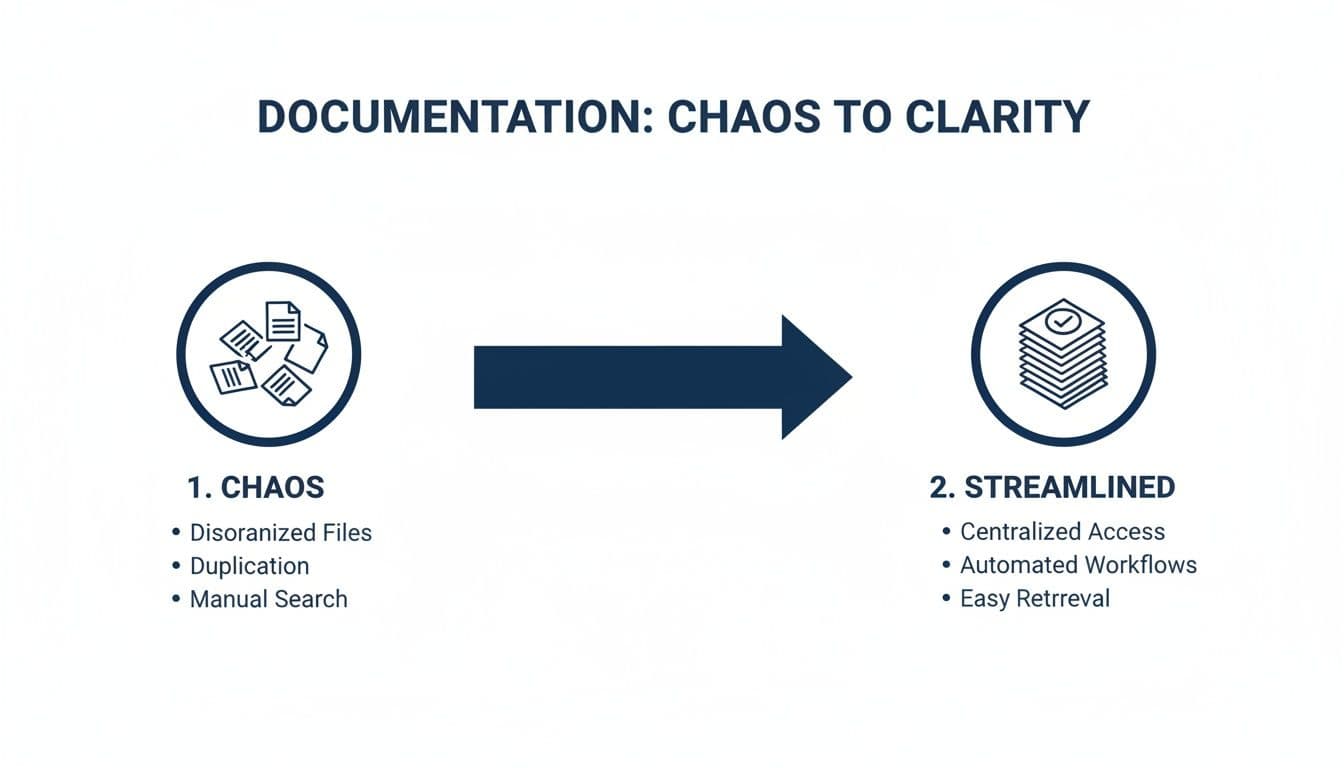
As you can see, a modern documentation platform takes all those disconnected documents and brings them into a single, organized home, getting rid of the headaches that come with manual workflows.
Prep Your Content for a Perfect Import#
To make sure the import goes off without a hitch, a little bit of prep work can make a world of difference. Think of it as mise en place for your docs—organizing your ingredients before you start cooking makes the entire process faster and more predictable.
For instance, if you're importing an OpenAPI spec, take a moment to ensure it’s validated. Pay special attention to the summary and description fields for each endpoint. These are what Dokly uses to populate the user-facing text, so well-written descriptions here will immediately level up your API reference.
The same goes for Markdown files. Sticking to standard syntax for headings and code blocks helps the parser build a clean navigation tree right out of the box. While platforms like Dokly are pretty forgiving, starting with good source material always produces a better final product. For those wanting to push the boundaries, you can learn more about using MDX for interactive documentation.
From Import to Instant Structure#
This ability to get set up quickly is more important than ever. The document management system (DMS) market is on track to hit $29.78 billion by 2034, and a big reason for that growth is the fact that 90% of companies run into project delays because of friction related to documentation. A great step-by-step guide can slash that friction by 40%, and tools with fast onboarding can lead to up to 80% faster developer onboarding.
The real magic isn't just pulling the content in; it's what the platform does with it. It doesn't just display your file—it builds a fully-featured, interactive documentation site from it.
As soon as your content is imported, it’s instantly live in a user-friendly, navigable format.
- API Specs: These are transformed into an interactive, three-panel API reference complete with auto-generated code examples.
- Markdown Files: Your
.mdfiles become cleanly organized guide pages, with headings automatically turning into sidebar navigation links. - Code Repositories: Dokly can scan your repo for Markdown files and arrange them into a site structure that perfectly mirrors your repository's layout.
This automated structuring takes the mystery out of setting up great docs. It proves that you don’t need a massive, time-consuming project to create a professional, user-friendly resource for your developers.
Crafting a World-Class User Experience#
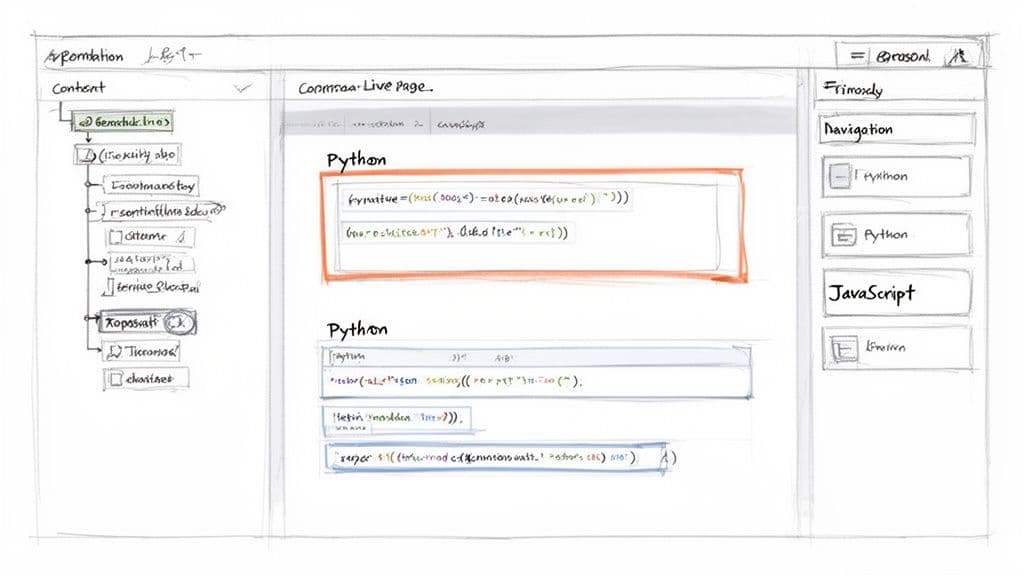
Great documentation is more than just a data dump; it’s a guided experience. Once you’ve imported your content, the real fun begins. This is your chance to turn a basic site into an environment that actively helps your developers succeed. It's the difference between handing someone a map and giving them a personalized tour.
With a visual editor, you can transform flat text into an engaging, interactive resource without writing a single line of code. You’re essentially adding signposts, highlights, and shortcuts that lead developers straight to the answers they need. This part of the process is what elevates your docs from functional to truly polished and helpful.
Bring Your Content to Life with Interactive Components#
The clarity of your documentation often comes down to how you present complex information. Instead of forcing users to read through a wall of text, you can use interactive components to break down content into scannable, context-rich blocks.
Let’s say you’re explaining a critical security note for an API endpoint. Buried in a paragraph, it’s easy to miss. But if you place it inside a callout component, that warning becomes impossible to ignore.
A well-placed callout or interactive element can be the difference between a user succeeding on their first try and them opening a support ticket. Good design anticipates where users might get stuck and provides clarity right at that moment.
Components are also fantastic for organizing information intuitively. If you have code examples in Python, JavaScript, and Go, don't make users scroll endlessly. Just nest them in a tabs component. This simple trick cleans up the page and lets developers instantly click to their language of choice.
Structuring for Real-World Scenarios#
A solid step-by-step guide is built with the user's journey in mind. It's not about listing features; it's about showing someone how to solve their problem from start to finish.
Here are a few practical ways to structure your content for a much better user experience:
- Enrich API References: Your OpenAPI import gives you the technical skeleton. Now, add the flesh. Add detailed descriptions for each parameter, explaining what an "accepted value" actually means in a real-world scenario.
- Embed Tutorial Videos: Got a great YouTube video showing how to set up your SDK? Don't just link to it—embed it directly in your quickstart guide. This gives users a visual walkthrough right next to the written steps.
- Build Navigation Hubs: For docs covering multiple products, use cards to build a clean, visual homepage. Each card can act as a gateway to a major section like "Getting Started," "API Reference," or "Advanced Guides."
Taking this approach helps you build a resource that feels less like a dry textbook and more like a helpful partner. Investing in a great developer experience in your documentation is one of the best things you can do for user adoption. It's all about building a polished resource that gets developers to their "aha!" moment faster.
Let AI Do the Heavy Lifting for You#
Even the best technical writers get stuck sometimes. We’ve all been there—staring at a blank page or trying to figure out how to explain a complex concept without sounding like a textbook. That kind of writer's block can bring your documentation process to a halt.
This is where a good AI Writing Assistant comes in. Think of it less as a replacement for your own skills and more as a very capable partner. Inside Dokly, AI writing is built right into your editor, with monthly credits included in every plan (15 on Free, 1,500 on Team). This keeps your costs low and transparent, since there's no separate AI add-on to buy.
This isn't just a gimmick; it’s a massive time-saver. Enterprises globally deal with 2.5 quintillion bytes of data every day. And with a staggering 75% of developers admitting they've ditched a tool because of poor documentation, getting it right is critical. Our own data shows that using an AI assistant can lead to 60% time savings for dev teams by making content creation so much faster. For more on this, you can check out the latest content service platform reports.
Putting the AI Assistant to Work#
So, how does this actually work in practice? The real magic happens when you use the AI to solve common documentation headaches. It’s perfect for turning your rough notes and technical brain-dumps into clear, polished content.
As you can see below, the AI Assistant gives you several one-click options to instantly improve any text you highlight.
This simple menu is a huge shortcut. It lets you stay focused on the core message while the AI handles the tedious parts of writing.
Let's say you've just written a paragraph explaining an authentication flow. It's technically correct, but it’s dense and probably a bit intimidating for a developer who's new to your API. Instead of spending 20 minutes rewriting it, you can just highlight the text and click 'Simplify'. The AI will rephrase it in simpler terms without sacrificing the critical details.
The goal is always to reduce the reader's cognitive load. If you make a complex idea feel easy to understand, you've massively improved the user experience and made it more likely they'll stick with your tool.
Here are a few other ways I use it all the time:
- Fleshing out ideas: I'll often start with a simple bullet point like "Configure environment variables." I can highlight that, click 'Expand,' and the AI will generate a complete, step-by-step section. From there, I just need to review and make a few quick edits.
- The final polish: Before I hit publish, I always run a 'Fix Grammar & Spelling' check on my content. It's a fantastic final proofreader that catches those small typos and grammatical mistakes that are so easy to overlook.
This whole process is designed to make every developer a better, faster writer. It’s a key part of our philosophy on AI-powered documentation and an essential tool for creating excellent guides efficiently.
Deploying and Optimizing Your Live Documentation#
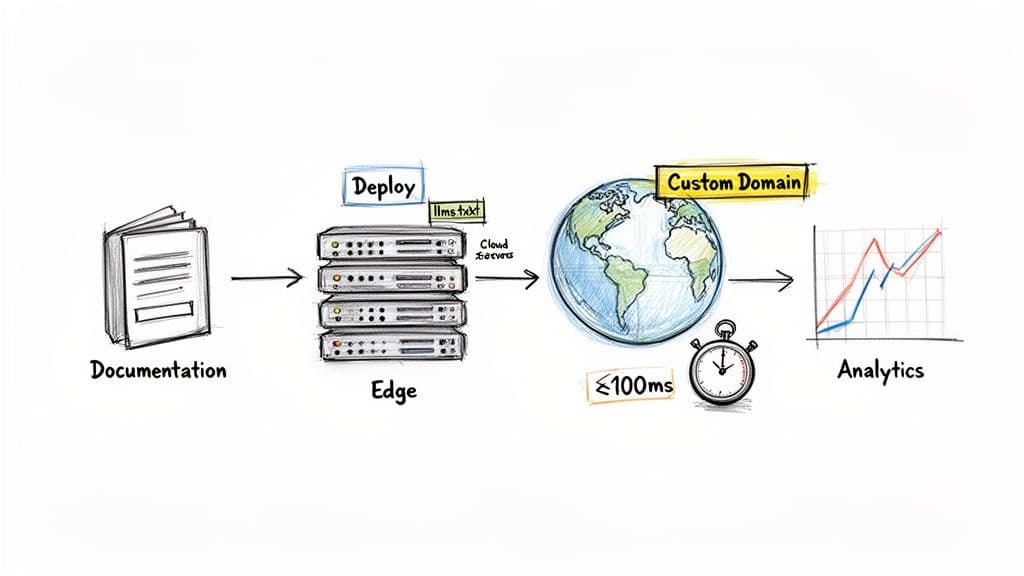
You've written, polished, and perfected your documentation. Now comes the most rewarding part: sharing it with the world. But going live is much more than just flipping a switch. It’s about making sure all your hard work translates into an experience that’s fast, findable, and constantly getting better.
The first move toward professionalizing your docs is connecting a custom domain. This lets you serve everything from a URL like docs.yourbrand.com instead of a generic one. It's a small change, but it has a huge impact on reinforcing your brand and building trust from the moment a developer lands on your page. Dokly makes setting this up a breeze, giving your docs a permanent, credible home.
Once you hit publish, your site isn't just thrown onto a single server. It's pushed out to a global edge network. This isn't just a minor technical detail—it's the secret to world-class performance.
Achieve Sub-100ms Load Times#
For developers, speed is everything. We’ve all been there—staring at a loading spinner when all you need is one piece of information to get unblocked. Every millisecond counts. By deploying your docs to edge servers scattered across the globe, you can practically guarantee sub-100ms load times for every user.
This means a developer in Tokyo gets the same instant, snappy experience as someone in Berlin. The content is served from a server that's physically close to them, cutting out the frustrating lag you get with old-school hosting. It keeps developers in the flow, not waiting for your page to load.
Make Your Docs Discoverable by AI#
Here's where things get really forward-thinking. One of the biggest challenges right now is making sure your public documentation can be understood and used by AI models. To tackle this head-on, Dokly automatically creates and deploys an llms.txt file alongside your site.
Think of
llms.txtlike arobots.txt, but specifically for Large Language Models. It’s a clean, machine-readable roadmap of your documentation. It signals to AI agents from tools like ChatGPT and Cursor that your content is the official, trusted source for answering questions about your product.
This one simple file is a game-changer. It enables AI assistants to reliably find, understand, and cite your API references and guides, essentially turning your docs into a high-quality training dataset for the very tools your developers are already using every day.
Improve Continuously with Built-in Analytics#
Publishing isn't the finish line; it’s the start of a powerful feedback loop. How do you know which guides are actually helping, or where developers are getting stuck? Instead of flying blind, you can use built-in analytics to get real answers.
Dokly puts key insights right on your dashboard, showing you what users are searching for and which pages are getting the most traffic. This data is pure gold for making smart decisions about what to work on next.
- Seeing a high search volume for a feature you haven't documented? That’s your next article, gift-wrapped.
- Noticing a short time-on-page for a critical tutorial? It's probably too complex or confusing and could use a rewrite.
This data-driven mindset lets you iterate on your content based on actual user behavior, all without ever needing to touch a Git repository. To dig deeper into this, check out our post on documentation analytics and metrics. By combining fast deployment, AI discoverability, and sharp analytics, you transform your docs from a static document into a living resource that gets better with every user visit.
Common Questions Answered#
When you're deep in the weeds of creating developer docs, a few common questions always seem to pop up. Let's tackle some of the most frequent ones I hear from teams building out their documentation.
How Should I Handle API Versioning?#
Managing different versions of your API documentation can be a real headache, but modern platforms make it surprisingly simple. In a tool like Dokly, you get versioning right out of the box.
You can tie different documentation versions to specific Git branches or just upload separate OpenAPI files for each one. This gives your users a simple dropdown to switch between, say, v1.0 and v2.0 of your API. It's clean, intuitive, and saves everyone a lot of confusion.
Can I Integrate My Own Analytics Tools?#
Absolutely. While built-in analytics are useful, many teams rely on their own established tools. You can easily inject custom scripts into your documentation site.
This means you can drop in your tracking snippets from Google Analytics or Mixpanel without any fuss. It’s the best way to get a complete picture of user engagement by combining platform-specific data with your own trusted analytics.
What Is the Best Way to Structure a Quickstart Guide?#
The golden rule for a quickstart guide is to get the developer to their first successful outcome as fast as humanly possible. Think of it as their "hello world" moment with your product. This is a crucial part of any good step by step guide.
A great quickstart guide should always include:
- A short, clear list of prerequisites.
- The absolute minimum setup instructions.
- A "copy-paste-ready" code block for a basic example.
- A clear description of what success looks like.
The goal is to build momentum, not to overwhelm. A solid quickstart gives new users a quick win, boosting their confidence and making them eager to dig into the more powerful features.
Ready to see this in action? You can go from a folder of scattered files to a polished, high-performance documentation site in minutes. Try Dokly and see how simple creating beautiful developer docs can be. Get started for free.