
Most advice about an api playground is outdated. It treats the playground like a nice add-on for docs after the primary work is done. That's backward.
For most API products, the playground is the product trial. A developer doesn't decide based on your homepage copy, your feature grid, or your “developer-first” branding. They decide when they can make one successful request, understand the response, and see how the API fits their use case without opening five tabs and guessing at auth. If that experience is clumsy, the sale is already slipping.
That matters more now because API tooling isn't a side market anymore. The global API management market reached $5.2 billion in 2024, growing at a 42% CAGR since 2019, driven by demand for better developer experience and integrated tooling like playgrounds, according to the Statista API Economy Report. You don't need to be a giant platform company to feel that pressure. Solo founders and small teams feel it first because they can't afford slow activation.
A weak api playground creates hidden costs fast. Engineers answer avoidable support questions. Prospects stall before first call. PMs think the problem is pricing or positioning when the core problem is that the docs don't help anyone succeed.
A strong playground does something simpler and more valuable. It removes doubt.
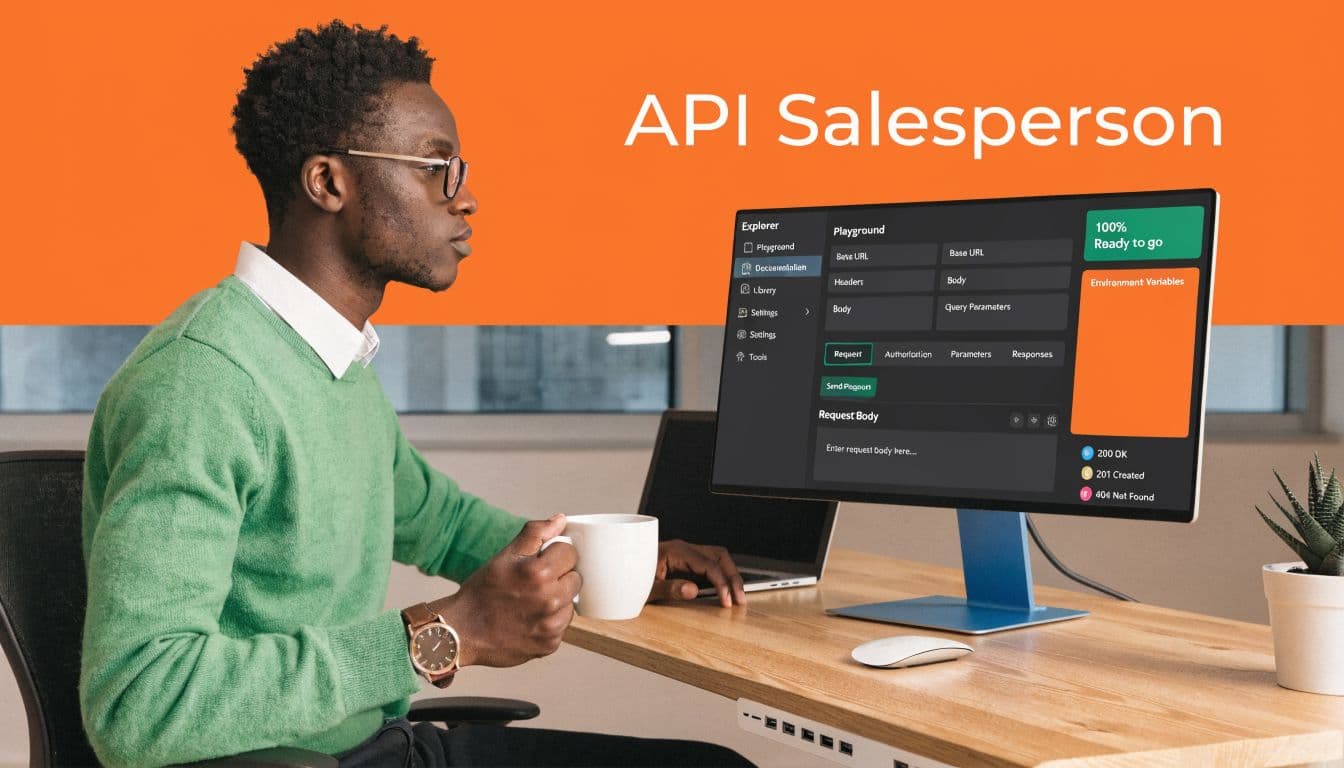
A good playground doesn't “show” your API. It lets a developer prove to themselves that integration will work.
That's why teams should stop treating interactive docs as polish. For API products, the playground is your best salesperson, your fastest onboarding path, and often the clearest signal of whether your developer experience is serious or just marketed well.
Table of Contents#
- Introduction Why Your API Playground is Your Best Salesperson
- Beyond Try It Now The Real Business Impact
- The Three Paths to an API Playground Build Adopt or Embed
- Common Playground Pitfalls and How to Avoid Them
- Launch Your API Playground in Minutes with Dokly
Introduction Why Your API Playground is Your Best Salesperson#
The teams that win with APIs don't just publish reference docs. They make evaluation easy.
A developer landing on your docs is asking a short list of questions. Can I authenticate without friction? Can I see a real request? Can I change parameters and understand the response? Can I trust that what I'm seeing matches production behavior? An api playground answers all four in one place.
That's why the old model of “read docs, then open Postman, then write curl, then ask support” doesn't hold up anymore. It creates too much delay between interest and proof. Delay is where most API adoption dies, especially for startups selling to busy engineers who are evaluating several tools at once.
What must be on screen#
A world-class playground works like a clean dashboard. Everything important is visible, and nothing important is hidden behind a setup tax.
The baseline layout usually includes three panes:
- Navigation pane: Endpoints, groups, methods, and a clear way to move across the API surface.
- Request pane: Parameters, headers, body editors, auth controls, and the exact request being sent.
- Response pane: Status code, headers, payload, and formatting that makes the result readable.
If one of these is missing, the user starts guessing. Guessing is where docs stop being useful.
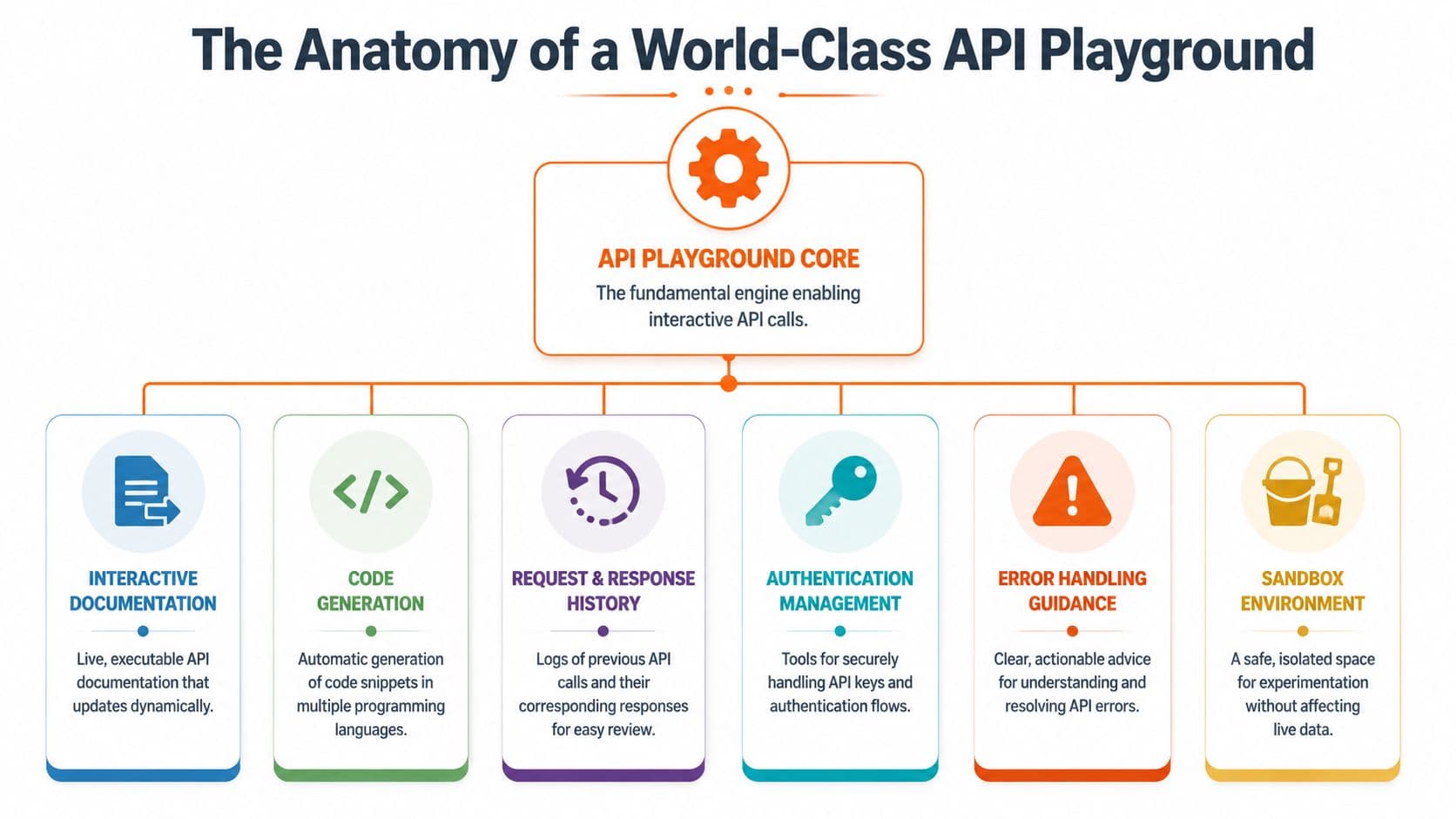
A solid playground also handles authentication without making the user decode your security model first. API key auth should be obvious. OAuth flows should be guided. Custom header requirements should be visible next to the endpoint, not buried in a separate auth page.
What separates usable from impressive#
The difference between a decent api playground and a memorable one usually comes down to execution details.
Here's what matters:
- Dynamic request building: Users should be able to fill parameters and body fields without fighting raw JSON unless raw JSON is the point.
- Response clarity: Syntax highlighting, status codes, and readable error bodies turn debugging into learning.
- Code snippet generation: Good snippets help users leave the playground and implement quickly in their own stack.
- History and persistence: Teams often retry variations of the same request. Losing that context is annoying and avoidable.
- Error guidance: “400 Bad Request” isn't guidance. “Missing
customer_idin request body” is.
Practical rule: If a developer has to open browser dev tools to understand your playground, the playground isn't finished.
There's also a product design layer that many teams miss. The best playgrounds don't just execute requests. They teach the API model while the user is testing it. That's one reason richer experiences tend to perform better. People Data Labs reported 93% user satisfaction with its playground by speeding up product selection and data visualization, as described in the People Data Labs playground overview. Rich visualization isn't fluff when the API returns complex data. It shortens understanding.
The workbench analogy fits. A professional's bench doesn't impress because it has more tools. It works because every tool is exactly where it should be, ready when needed, and built for repetition.
Beyond Try It Now The Real Business Impact#
The value of an api playground isn't “engagement.” That word hides the actual outcome. The outcome is faster activation.
For API-first companies, integrating an OpenAPI spec directly into an interactive playground can reduce developer onboarding time by as much as 70%, based on benchmarks from the OpenAPI Initiative. That's not a docs vanity metric. That's fewer stalled evaluations, fewer setup calls, and fewer engineers explaining basic request formatting in Slack.
Why activation improves#
A playground cuts out two expensive forms of friction.
First, it removes environment setup from the first interaction. A developer can test before they commit time to SDK installation, local clients, or account plumbing. Second, it collapses the gap between documentation and execution. The docs stop being descriptive and start being operational.
That changes behavior. Prospects move from “this looks promising” to “this worked.” Existing customers move from “I think I know the endpoint shape” to “I just verified it.”
If you want a sense of what good interactive docs look like in practice, these interactive documentation examples are a useful benchmark because they show how execution and explanation can live together instead of competing for space.
Where the ROI actually shows up#
The impact usually appears in places teams don't measure well at first:
- Support load drops: Fewer repetitive questions about auth headers, required fields, and payload shape.
- Sales cycles get cleaner: Technical evaluators can self-qualify faster.
- Product feedback improves: Users report real issues with endpoint behavior instead of confusion caused by docs gaps.
- Implementation confidence rises: Developers can test edge cases before writing integration code.
Teams often think they need more examples. What they usually need is one executable example that works immediately.
There's also an internal payoff. Engineers stop treating docs work as disconnected from shipping because the playground becomes part of the product surface. Product managers get a clearer view of where adoption stalls. Support gets fewer tickets that should have been solved by the docs in the first place.
A weak playground creates noise. A strong one creates momentum. That's why the business case is straightforward. If your API is a product, then the first successful request is a conversion event, not a documentation detail.
The Three Paths to an API Playground Build Adopt or Embed#
There are three real ways to ship an api playground. You can build it yourself, adopt an existing docs stack and wire a playground into it, or embed a managed solution.
Many organizations discuss this as a matter of tooling preference. It is typically a staffing decision.
Build gives control and creates drag#
Building your own playground makes sense when the API experience is itself a product differentiator and you have engineers who can own it long-term. You get complete control over request orchestration, auth flows, UI behavior, logging, and odd protocol support.
You also inherit everything.
You own rendering bugs, auth edge cases, schema drift, code snippet generation, browser quirks, accessibility, styling consistency, request history, and every future enhancement your users now expect because they've seen it elsewhere. For a startup, this often turns into a quiet tax on the frontend team.
Adopt works until the edge cases arrive#
The second path is adopting a docs system plus playground plugins or built-in “try it” components. This includes approaches around Docusaurus, ReadMe, Stoplight, and Mintlify.
This path can work well if your API is clean OpenAPI/REST, your repo workflow is already mature, and somebody on the team is comfortable wrangling config. The problem is that many APIs aren't that tidy. A major friction point for 45% of developers is that most playgrounds only handle OpenAPI/REST well, leaving teams using GraphQL, gRPC, or custom JWT auth with complex integration challenges, as noted in the DeveloperHub try-it-out documentation.
That's where “we'll just use the built-in docs stack” starts to break down. Tools that feel simple in the demo can become stubborn in practice once auth is custom, specs are inconsistent, or the docs workflow depends on engineers editing config files instead of subject matter experts editing content.
A lot of founders underestimate this because the pain doesn't show up on day one. It shows up in maintenance.
| Approach | Setup Cost (Time) | Maintenance | Flexibility | Best For |
|---|---|---|---|---|
| Build | High | High | Very high | Teams with dedicated frontend and platform capacity |
| Adopt | Medium | Medium to high | Medium | Teams already committed to repo-based docs workflows |
| Embed | Low | Low | Focused flexibility | Startups and solo founders optimizing for speed |
Embed is usually the rational startup choice#
For lean teams, embedded playgrounds are usually the only sensible choice because they optimize for the resource you're short on, which is focused engineering time.
That doesn't mean every managed option is equal. ReadMe has a polished developer portal approach. Stoplight is strong when your spec discipline is already high. Mintlify can look good quickly, but many teams run into the usual trade-off of generated docs looking clean while custom behavior and workflow control still require extra effort.
The practical question is simpler. Can non-engineers update docs without opening a repo? Can the API reference stay synced without somebody babysitting config? Can you publish changes without turning docs into a deployment project?
For teams comparing stacks, this guide to API documentation tools helps frame the bigger workflow trade-offs, not just the surface feature list.
One embedded option in this category is Dokly, which combines OpenAPI import, an interactive playground, and a visual editing workflow without repo or config overhead. That's useful for startups where the same people shipping product are also writing docs.
If your company has five engineers, building docs infrastructure is rarely a strategic advantage. Shipping clearer docs faster usually is.
The biggest mistake here is choosing for theoretical flexibility instead of actual throughput. Build if docs are part of your platform moat. Adopt if your team already likes the maintenance model. Embed if you need working docs now and don't want the docs stack becoming its own software project.
Common Playground Pitfalls and How to Avoid Them#
Most api playground failures aren't dramatic. They're quiet. A leaked key in a shared browser session. A useless 400 error. Test calls that mutate production records. None of that shows up in a launch screenshot, but all of it affects trust.
Security mistakes happen in the browser#
The biggest blind spot is auth handling. Teams often ship browser-side request execution because it's easy, then discover too late that convenience and key exposure don't mix well.
That concern isn't hypothetical. A 2025 Stack Overflow survey found that 68% of developers worry about API keys leaking in shared playgrounds, while only 12% of playground documentation mentions client-side isolation or token scoping, based on the survey figures summarized in the Topaz Labs playground context.
A few rules help immediately:
- Use scoped tokens: Never encourage users to paste broad production credentials into a generic playground.
- Separate environments: Make sandbox and production visually distinct so users know where requests are going.
- Be explicit about execution model: If requests run in the browser, say so plainly.
- Prefer server-side brokering for sensitive flows: Especially when the playground targets teams handling customer data.
Bad error handling kills trust#
Many playgrounds fail right after the first invalid request. The API may be fine, but the experience feels broken because the error presentation is lazy.
Good playground UX does three things well:
- It shows the status code clearly.
- It surfaces the response body in readable form.
- It adds context around common mistakes.
“Unauthorized” isn't enough. Tell the user which auth method is expected. “Validation failed” isn't enough. Show which field failed and why. The point of a playground is not just to let users test success cases. It's to help them recover from failure quickly.
The fastest way to make an API feel harder than it is, is to hide useful error detail behind generic messaging.
Production data is the wrong place to experiment#
The third problem is data integrity. Teams often point the playground straight at live systems because setting up a sandbox takes effort. Then test traffic pollutes analytics, creates junk records, or triggers workflows no one meant to fire.
A safer launch checklist looks like this:
- Provide a sandbox environment: Let users experiment without touching business-critical records.
- Seed realistic example data: Empty sandboxes don't teach much.
- Document limits and reset behavior: Users should know what persists and what doesn't.
- Mark destructive endpoints carefully: Delete, update, and write-heavy actions need stronger warnings.
There's a pattern here. The best playgrounds aren't just interactive. They're constrained in the right ways. That's what makes them safe to use, easy to learn from, and trustworthy under real evaluation pressure.
Launch Your API Playground in Minutes with Dokly#
Most founders don't need another docs project. They need docs that ship this week.

A lean workflow that avoids docs debt#
The practical workflow is simple.
Start by importing your OpenAPI spec into Dokly. The point isn't novelty. It's removing the usual stack of chores like wiring a static site generator, editing config, waiting on CI, and fixing docs layout issues that have nothing to do with your API.
From there, shape the surrounding docs so the playground sits in context. Add short endpoint explanations, auth instructions, and copy-paste examples where they help. Keep the page focused on first success, not total completeness. A good launch version doesn't need every advanced scenario documented on day one.
Then test the full experience like a new user would. Create a fresh account, generate credentials, make a request, break a request, and verify the error path. If any of those steps feel annoying, they'll feel worse to an evaluator seeing your product for the first time.
What to use before you publish#
If your spec needs a quick sanity check first, the OpenAPI Viewer tool is a practical place to inspect it before publishing.
This walkthrough shows the kind of setup flow teams are aiming for when they want interactive docs without docs engineering overhead:
The key trade-off is straightforward. You can spend time building and maintaining docs infrastructure, or you can spend that time improving the API and the examples developers use. For solo founders and early-stage teams, the second option is usually the one that moves the business.
If you want to publish interactive API docs without wrestling with config files or repo workflows, Dokly is worth evaluating. It gives lean teams a fast path to an api playground, clean docs, and a workflow that doesn't turn documentation into another engineering backlog.