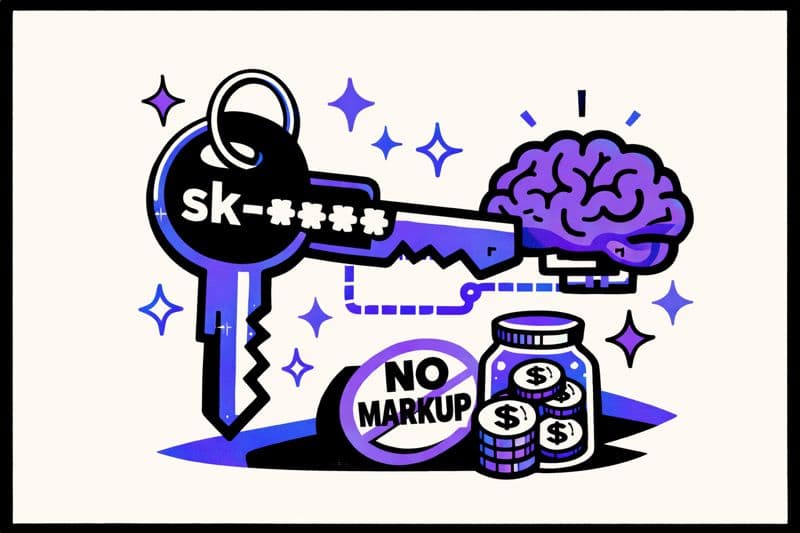
We just shipped AI-powered writing assistance in Dokly. But instead of charging you $50/month extra for "AI features" like everyone else, we did something different: Bring Your Own Key (BYOK).
Here's why—and why it saves you real money.
Update, October 2026: This post describes how AI launched in January. Today, AI writing runs on monthly credits included in every plan (15 on Free, 1,500 on Team at $99/month, 6,000 on Business at $199/month), so you don't need your own key to use it. Bringing your own key is now an Enterprise option, and the cost math below applies there.
The AI Markup Problem#
Most documentation platforms are adding AI features. Great! But look at how they're pricing it:
| Platform | AI Features | Price |
|---|---|---|
| Mintlify | AI Chat, AI Search | +$150/month (Growth plan) |
| GitBook | AI Search | Enterprise only |
| Readme | AI Suggestions | Enterprise only |
| Notion | AI Writing | +$10/user/month |
| Dokly | AI Writing | Included (monthly credits on every plan) |
These companies are essentially reselling OpenAI/Anthropic API calls with a 10-50x markup.
How BYOK Works#
On Dokly's Enterprise plan, you plug in your own API key:
- Go to Project Settings → AI Settings
- Choose your provider (OpenAI or Anthropic)
- Paste your API key
- Start using AI features in the editor
That's it. Your key, your costs, no middleman markup.
Real Cost Comparison#
Let's do the math on actual usage.
Typical Documentation Team Usage#
A team writing docs might make ~500 AI requests per month (improving text, expanding sections, fixing grammar). That's roughly 1 million tokens.
With Mintlify's AI:
- $150/month for AI features
- That's $0.30 per request
With Dokly BYOK (using GPT-4o-mini):
- ~$0.15 per 1M input tokens, $0.60 per 1M output tokens
- 500 requests ≈ $0.50-2.00/month
- That's $0.001-0.004 per request
You save: $148/month (that's $1,776/year)
The Math Gets Worse at Scale#
Larger teams using AI more heavily see even bigger differences:
| Monthly Requests | Mintlify AI | Dokly BYOK | You Save |
|---|---|---|---|
| 100 | $150 | ~$0.10 | $149.90 |
| 500 | $150 | ~$1.00 | $149.00 |
| 2,000 | $150 | ~$4.00 | $146.00 |
| 10,000 | $150+ | ~$20.00 | $130+ |
The platforms charging flat fees are betting you won't use AI much. If you do use it, BYOK wins. If you don't use it much, BYOK still wins (you pay almost nothing).
What AI Features Does Dokly Include?#
Select any text in your docs and use:
✨ Improve Writing#
Makes your documentation clearer and more professional. Fixes awkward phrasing, improves flow.
Before: "You can use this to make the thing work better"
After: "Use this method to optimize performance"
📝 Expand Content#
Adds more detail, examples, and context to brief explanations.
Before: "Install the SDK"
After: "Install the SDK using your preferred package manager:

npm install @yourcompany/sdk

# or

yarn add @yourcompany/sdk

# or

pnpm add @yourcompany/sdk"
🎯 Simplify Text#
Makes complex technical content easier to understand.
Before: "The asynchronous callback-based architecture facilitates
non-blocking I/O operations through event-driven paradigms"
After: "Our system handles multiple requests at once without
waiting, making your app faster"
🔧 Fix Grammar#
Catches typos, grammar issues, and punctuation problems instantly.
Why Not Just Build Our Own AI?#
Some platforms train custom models or build elaborate AI pipelines. We asked: why?
- GPT-4 and Claude are already excellent at technical writing
- Custom models are expensive to train and maintain
- API-based approach means you always get the latest improvements
- Less infrastructure for us = lower prices for you
We'd rather pass savings to you than build empire infrastructure.
Privacy and Security#
Your API key is:
- Stored encrypted in our database
- Never logged in requests or analytics
- Used only for your AI requests
- Deletable anytime from your settings
We never see your API key in plaintext after you save it. Your docs stay your docs.
Provider Choice: OpenAI vs Anthropic#
We support both major providers. Here's how to choose:
OpenAI (GPT-4o-mini)
- Faster responses
- Lower cost per token
- Great for quick improvements and fixes
Anthropic (Claude)
- Often better at nuanced writing
- Excellent at maintaining voice/tone
- Better at longer-form content
Both work great. Start with OpenAI for speed/cost, try Anthropic if you want different results.
Getting Started#
1. Get an API Key#
OpenAI:
- Go to platform.openai.com
- Create an account or sign in
- Navigate to API Keys
- Create a new key
Anthropic:
- Go to console.anthropic.com
- Create an account or sign in
- Navigate to Settings → API Keys
- Create a new key
2. Add to Dokly#
- Open your project in Dokly
- Go to Settings → AI Settings
- Select your provider
- Paste your API key
- Click "Test Connection" to verify
- Save
3. Start Using AI#
In the editor:
- Select any text
- A menu appears with AI options
- Click "Improve", "Expand", "Simplify", or "Fix"
- AI processes your text
- Result replaces your selection
It's that simple.
The Indie Philosophy#
We built Dokly because documentation tools are absurdly overpriced. AI features shouldn't change that.
When a startup charges $150/month for something that costs them $2/month in API calls, that's not a product—it's a tax on your growth.
BYOK is the honest approach:
- You pay the actual cost
- We don't profit from your usage
- Everyone wins
FAQ#
Q: Is my API key safe? Yes. It's encrypted at rest and never logged. You can delete it anytime.
Q: What if I don't have an API key? Create one free at OpenAI or Anthropic. Both offer free credits for new accounts.
Q: Can I set spending limits? Yes! Both OpenAI and Anthropic let you set monthly spending limits in their dashboards.
Q: What models do you use? GPT-4o-mini for OpenAI, Claude Sonnet for Anthropic. Fast and cost-effective.
Q: Is this only for paid plans? AI writing is on every plan: Free includes 15 credits a month, Team ($99/month) includes 1,500, and Business ($199/month) includes 6,000. Bringing your own key is Enterprise-only.
Ready to try AI-powered documentation without the markup? Start on the Free plan: AI credits are included, no key or card needed.