Your docs are usually the last thing to hear about a change. You ship the feature, the PR merges, and the page that's supposed to describe it still talks about last month's API — because updating it means opening a different app, finding the right page, and writing the paragraph yourself.
Dokly now runs an MCP server, so the agent that already has the context — the one that wrote the code, read the PR, knows what changed — can write the docs too. You stay the one who decides what goes live.
Connect it#
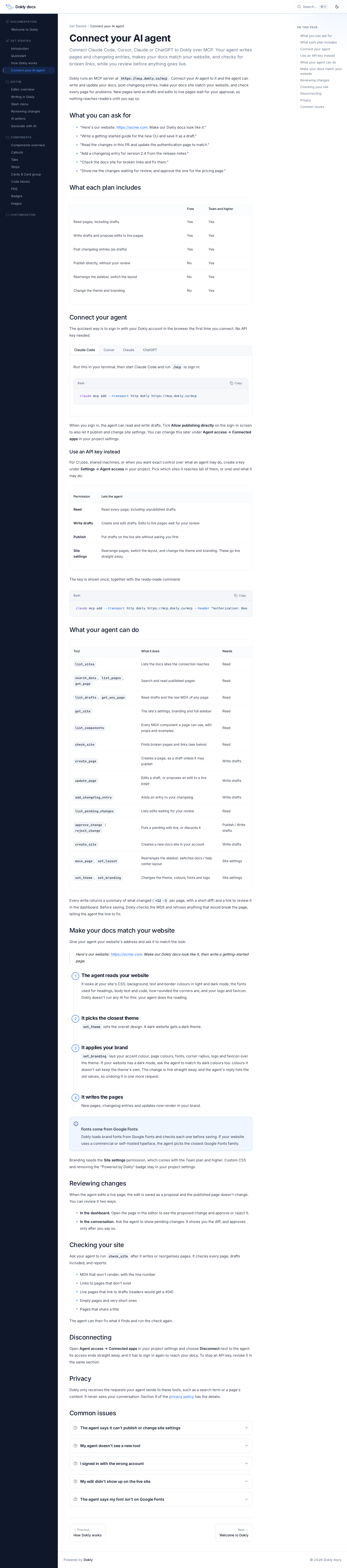
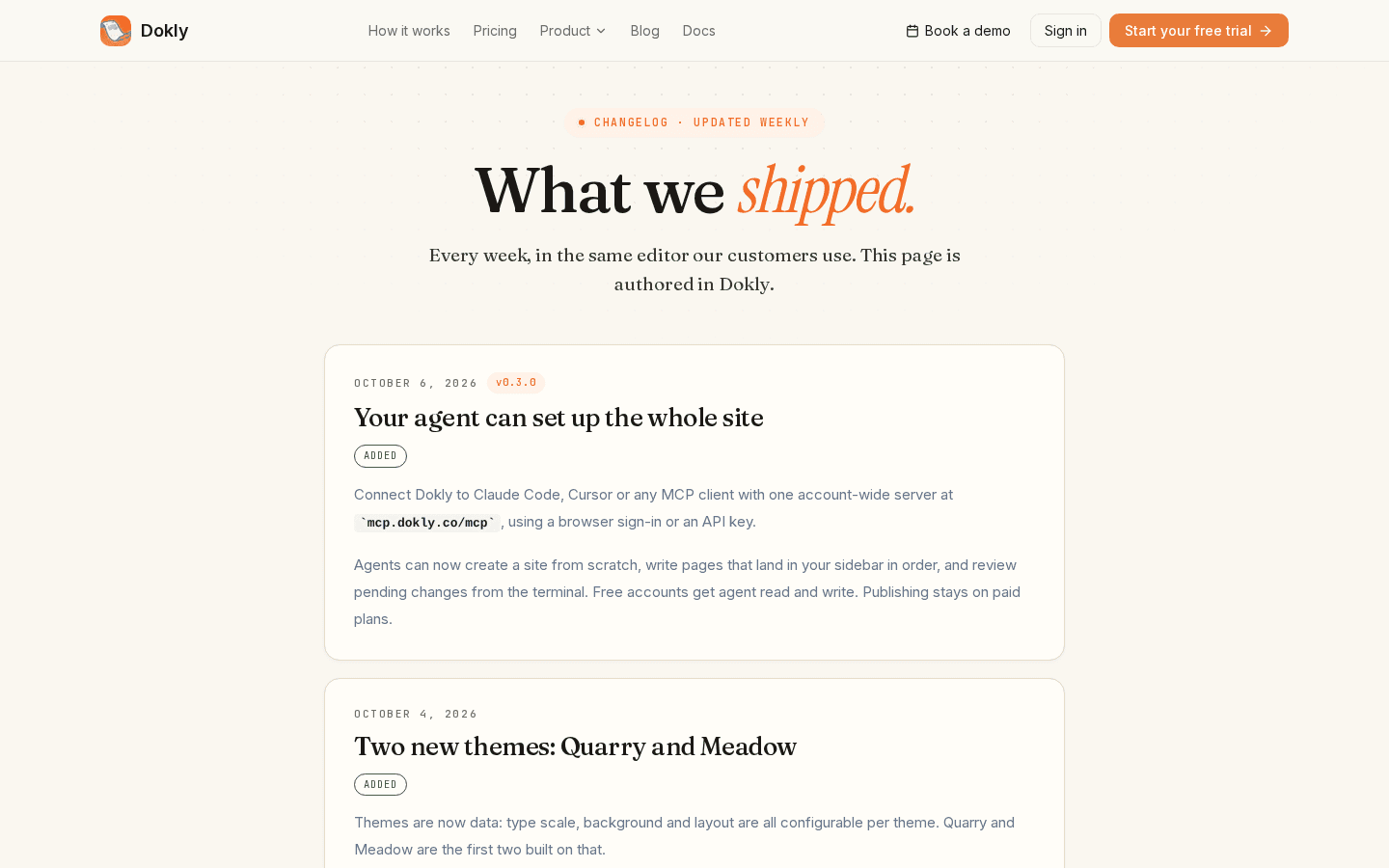
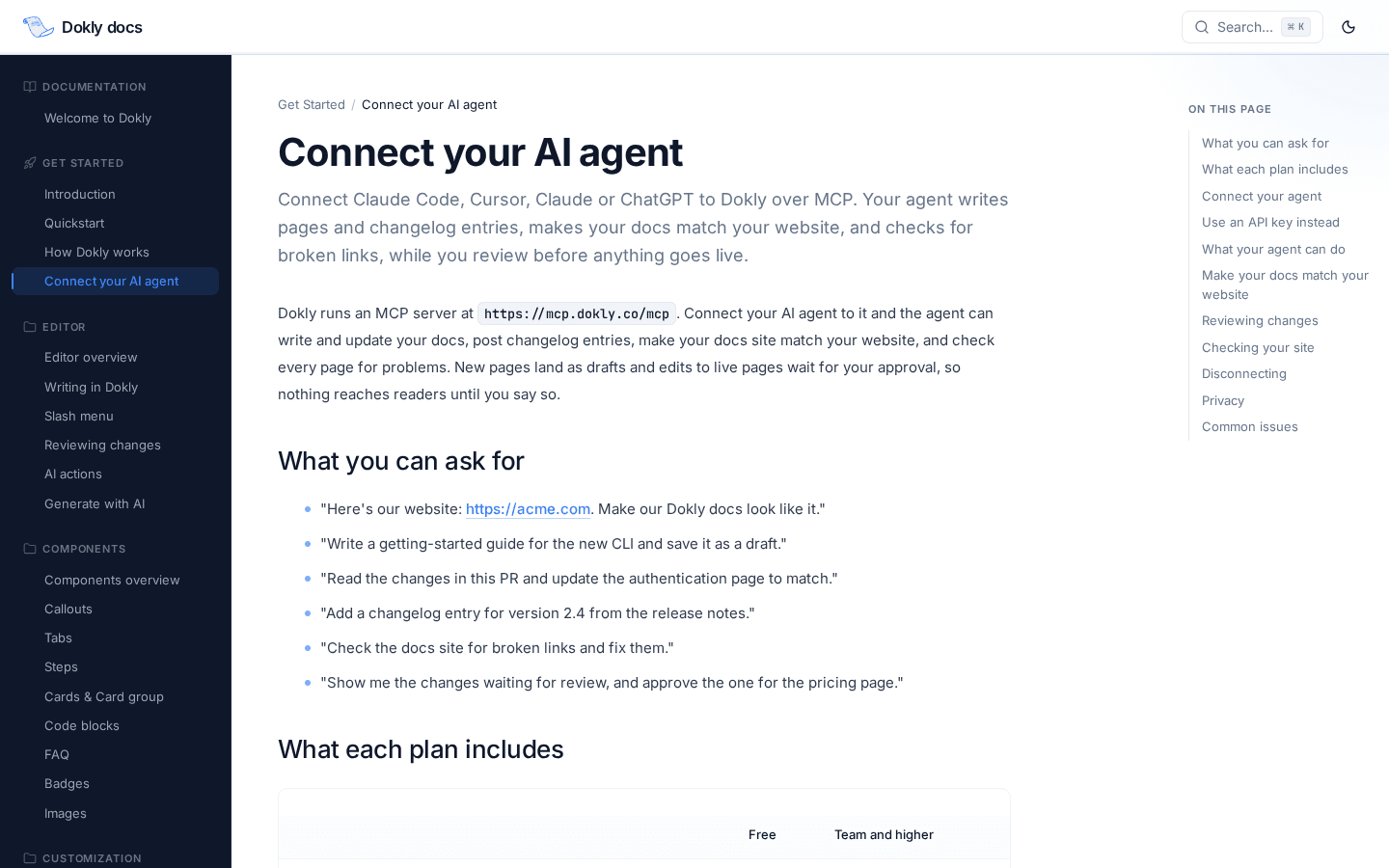
Point your agent at https://mcp.dokly.co/mcp. No API key needed — the first connection opens a browser tab to sign in with your Dokly account.
claude mcp add --transport http dokly https://mcp.dokly.co/mcpCursor, Claude (web or desktop) and ChatGPT connect the same way — add the server URL as a connector and sign in when prompted. If you'd rather hand a script a fixed credential instead of signing in interactively, create an API key under Settings → Agent access and pick exactly what it's allowed to do.
What your agent can actually do#
This isn't a read-only integration. The tool list covers the whole lifecycle of a docs site:
| Tools | |
|---|---|
| Read and search | list_sites, search_docs, list_pages, get_page, list_drafts, get_any_page |
| Write | create_page, update_page, add_changelog_entry |
| Review | list_pending_changes, approve_change, reject_change |
| Reshape the site | get_site, move_page, set_layout, create_site |
| Match your brand | set_theme, set_branding |
| Quality check | list_components, check_site |
A few of those are worth a second look because they're not just "edit a page":
create_sitemeans an agent can spin up a whole new docs site or help center in your account, not just add pages to one you made by hand.set_brandingcan read your actual product website — give it a URL — and pull your colors, fonts and logo onto your docs site so it doesn't look like a generic default.set_themepicks the closest built-in theme to match (light or dark) before branding fine-tunes it.check_siteruns the whole site through a deterministic check: pages that won't render, dead internal links, empty or very thin pages, components that don't exist. No model call on our end — it's the same checks a careful editor would run by hand, just fast enough to run after every batch of changes.add_changelog_entrywrites straight into the changelog your visitors (and this blog, honestly) already read — so "tell your agent what shipped" can replace a manual changelog entry too.
Nothing goes live without you#
This is the part we didn't want to get casual about. A new page an agent creates is a draft until you say otherwise. An edit to a page that's already published doesn't touch the live content — it's saved as a proposal with a git-style diff (+12 −3, same shape you'd see in a PR), and the live page is untouched until someone approves it.
You can review that diff two ways:
- In the dashboard — open the page, read the diff, click Approve or Reject.
- In the conversation — ask your agent "what's pending?", read the diff it shows you, and say yes or no.
approve_changeandreject_changeare real tool calls, not a trick; saying yes in the terminal is the same action as clicking Approve in the browser.
We'll say the honest limit here too: Dokly can't verify who said yes on the other end of a conversation. The guard is the scope you granted the connection, plus whatever instructions you gave your agent — the same trust model as any other tool you've given an agent access to.
What's included, and what needs a paid plan#
Every account, including the free one, can connect an agent and let it read your docs, draft new pages, and propose edits to live ones. Letting an agent publish directly — skip the draft/proposal step entirely — and change site-wide settings like theme, branding and layout needs an upgraded plan. See pricing for the current plans.
Either way, publish access is opt-in at the connection, not just the account: sign in through the browser and there's an explicit "Allow publishing directly" checkbox on the consent screen, unticked by default. An API key only gets the publish scope if you tick it when you create the key. You can see every connected agent under Agent access → Connected apps and disconnect one without touching the others.
What this doesn't do#
Dokly runs no AI of its own in any of this — no nightly jobs, no server-side model calls rewriting your prose. Your agent does the writing; Dokly's job is hosting, rendering, versioning, and giving the agent honest facts to work from (check_site tells it what's broken; it decides what to do about it). If "keep the docs current" is the goal, that's still work your agent's own instructions have to do — Dokly just removes the part where it would otherwise need dashboard access and a login to do it.
We're also getting the server listed in the usual places agents look for MCP servers, so this should get easier to find over time, not just easier to use once you have the URL. Full tool reference and setup walkthrough: docs.dokly.co/get-started/connect-ai-assistants.