Most advice on choosing a document automation platform assumes you run a big internal operations team, have budget for consultants, and don't mind a long implementation cycle. That advice falls apart if you're a founder, a startup engineer, or a support lead who just needs docs, forms, knowledge base content, and API references to ship fast.
The market is getting bigger, but the gap is getting wider. The Intelligent Document Processing market is projected to reach USD 17,826.4 million by 2032 with a 28.9% CAGR, according to Market.us coverage of IDP statistics. Most of that momentum comes from enterprise demand. Startups still get handed enterprise playbooks, enterprise pricing logic, and enterprise complexity.
That's the wrong lens.
A useful document automation platform for a lean team should remove work, not create a new project. It should help you publish faster, keep content current, and avoid dragging engineers into every update. If the setup itself becomes a workflow, you've bought overhead, not automation.
Table of Contents#
- Why Most Document Automation Guides Are Useless for You
- What Is a Document Automation Platform Really
- The Three Architectures of Document Platforms
- Four Use Cases Where Lean Teams Win with Automation
- Calculating ROI When You're a Startup Not a Bank
- An Honest Evaluation Checklist for 2026
- The Right Tool for the Right Job
Why Most Document Automation Guides Are Useless for You#
Search for "best document automation platform" and you'll get the same recycled advice. Buy the most powerful suite. Prioritize deep integrations. Plan for a long rollout. Bring in stakeholders across compliance, procurement, IT, and operations.
That may be sensible if you're automating claims processing at a giant insurer. It's useless if you're trying to launch product docs, standardize proposals, or publish a help center before your next customer onboardings.
The problem isn't that enterprise platforms are bad. It's that most of the content around them ignores context. A startup doesn't need software designed for the internal complexity of a bank. A developer-first SaaS company doesn't need a six-month architecture debate just to publish documentation.
Most teams don't have a document problem. They have a speed problem disguised as a tooling problem.
This mismatch is getting worse because the category is growing fast. A bigger market attracts more vendors, more comparison pages, and more broad advice. But broad advice usually defaults to the needs of the biggest buyers.
For small teams, the fundamental questions are simpler:
- Can we publish fast: not after a migration project, but this week.
- Can non-engineers update content: without filing tickets.
- Will this reduce maintenance: instead of creating another system to babysit.
- Can it scale with us: without forcing a replatform the moment traffic or docs volume grows.
A practical document automation platform should match the size of your team and the shape of your work. If your team is lean, the platform should feel lean too.
What Is a Document Automation Platform Really#
A document automation platform isn't just software that stores files or converts PDFs into searchable text. That's the old definition. The modern version does something more useful. It reads, structures, routes, and helps generate the next output.
From scanner to operator#
The simplest way to think about it is this. Basic OCR is a scanner with better eyesight. Modern document automation is closer to a junior operator that can recognize what's in a document, extract the useful parts, and push the work forward.
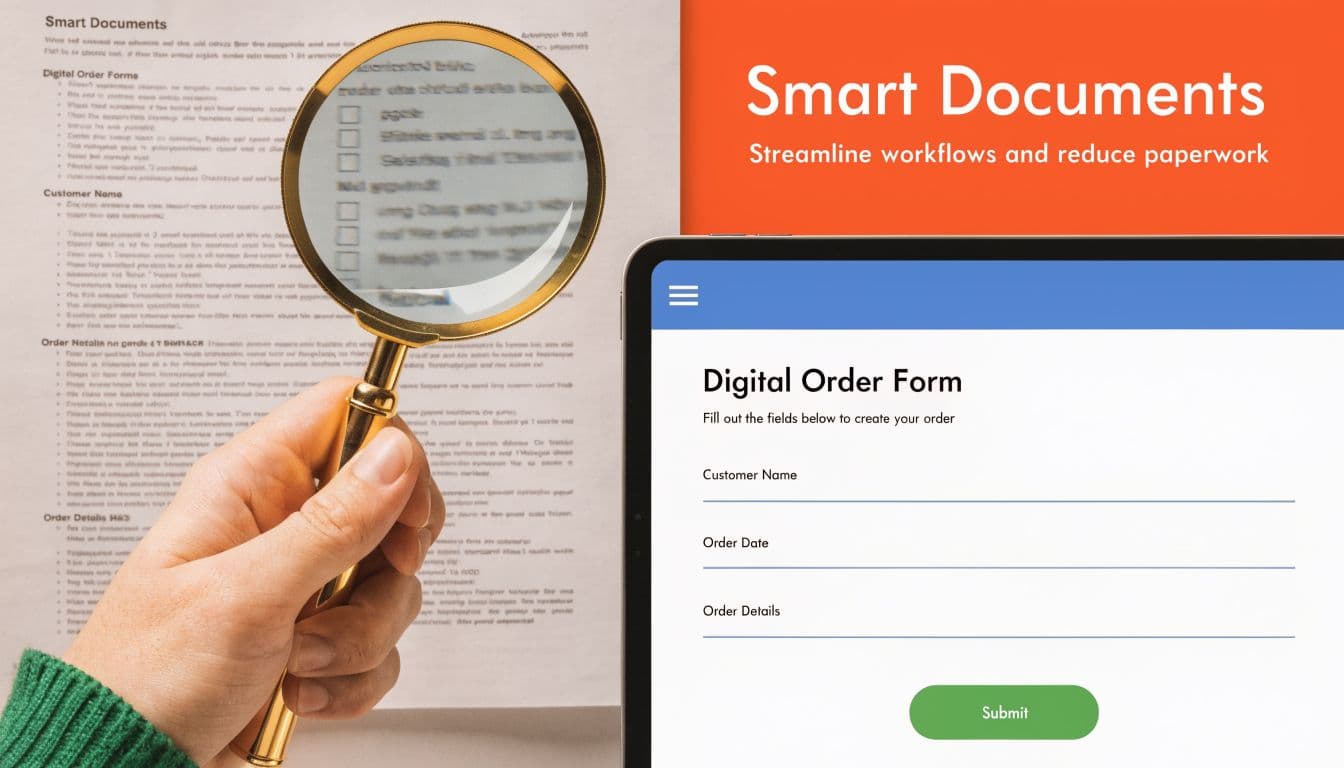
That difference matters because most startup workflows aren't clean and structured. Support requests arrive as messy text. Sales material lives across docs and wikis. Product information changes constantly. API information needs to stay publishable and understandable.
Modern IDP systems use NLP and ML to reach 95%+ accuracy on extracting data from unstructured documents, compared with 70-80% for older rule-based OCR, as described in HeyIris's breakdown of intelligent document automation. That's the technical shift that makes real automation possible. The software doesn't just capture text. It understands enough context to do something useful with it.
If you're working on public docs, help centers, or AI-readable knowledge, the relevant question isn't "does it have OCR?" It's "can it turn messy input into clean, publishable output?" That's also why teams are moving toward AI-powered documentation workflows rather than treating documents as static files.
What that means in practice#
In practice, a document automation platform can sit on a spectrum:
-
Template automation
Fill a proposal, contract, or response from structured fields. -
Workflow automation
Route documents for review, approval, or publication. -
Intelligent processing
Extract meaning from messy inputs like invoices, RFPs, tickets, or long-form requests. -
Documentation automation
Turn source information into public-facing docs, references, and knowledge assets.
The first category saves clerical work. The last category saves product and support time.
Practical rule: If a platform only helps after your content is already clean, it won't solve much for a startup. Startups usually need help before the content is clean.
That's why a docs-focused setup often beats a heavyweight process suite for founder-led teams. You're not trying to automate an entire corporation. You're trying to make information usable, maintainable, and publishable without friction.
The Three Architectures of Document Platforms#
The market looks crowded because people lump very different products into one bucket. In reality, most document automation platform choices fall into three architectures. Once you separate them, the tradeoffs get much clearer.
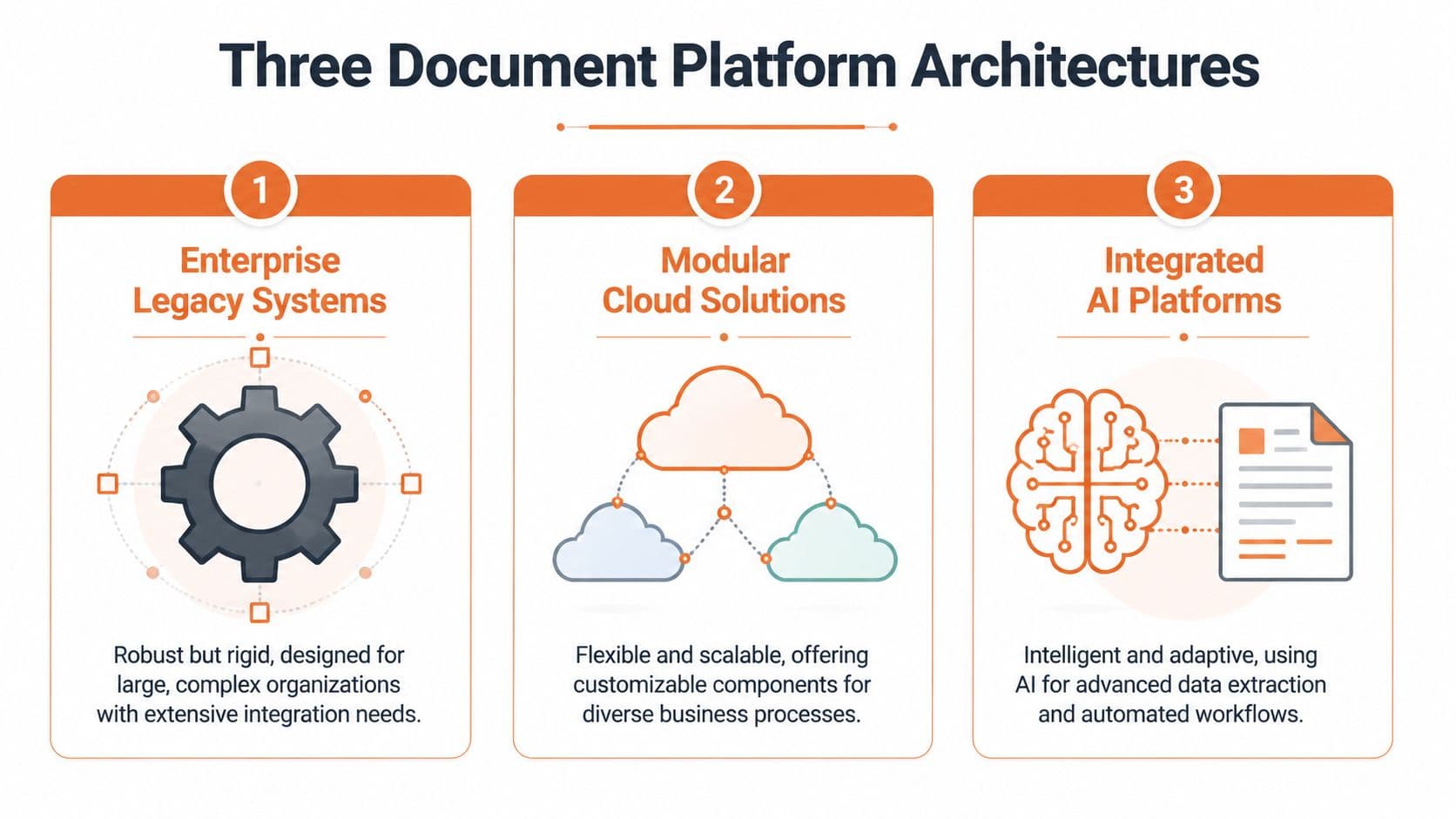
A useful way to frame this is the adoption gap. Enterprise tools still dominate the conversation, while SMB adoption lags by 40% because of complexity and cost, leaving a real need for low-cost, no-config options for startups and founders, as noted in this discussion of the enterprise-to-SMB tooling gap.
Enterprise platforms#
Think UiPath-style systems, plus large workflow and document processing suites.
These are built for internal operations at scale. They shine when a company needs strict routing, deep integrations, auditability, and automation across multiple business systems. If you're processing regulated documents across departments, they can be the right answer.
They also come with predictable baggage. Setup is heavier. Ownership spreads across multiple teams. Customization often needs specialists. For a startup, that usually means the tool becomes its own project.
Common failure mode: the company buys "power" and gets backlog.
Self-hosted projects#
This is the Docusaurus category and similar open-source setups. The software is often free to start, which makes it attractive. But free software and low-cost ownership are not the same thing.
You still have to configure themes, deploy updates, manage hosting, deal with search, handle media, maintain structure, and often involve engineers when non-technical teammates need changes. That's why self-hosting is best when docs are part of the engineering system by design and the team wants full control.
Common failure mode: the docs stack consumes developer attention every month.
Modern docs platforms#
This category includes tools like Mintlify and newer documentation-first platforms built for public knowledge, not internal enterprise process orchestration.
These tools work best when your main output is customer-facing documentation. Knowledge bases. API references. Product guides. Help centers. Changelogs. Setup is lighter, publishing is faster, and content teams can usually work without repo friction.
The tradeoff is that these platforms aren't trying to automate the back office of a bank. They are narrower by design. That's a feature, not a bug, if your job is to ship clean public documentation fast.
| Attribute | Enterprise Platform | Self-Hosted Project | Modern Docs Platform (Dokly) |
|---|---|---|---|
| Primary use | Internal process automation | Engineer-managed docs sites | Public docs and knowledge publishing |
| Setup effort | High | Medium to high | Low |
| Best owner | Ops or IT team | Engineering team | Product, support, founders, developers |
| Flexibility | Broad but complex | High with maintenance | Focused and fast |
| Hidden cost | Implementation overhead | Ongoing maintenance | Lower setup friction |
| Good fit for startups | Rarely early on | Sometimes | Often |
A lot of teams choose badly because they optimize for feature count instead of fit. The best document automation platform isn't the one with the biggest capability map. It's the one that removes the most friction for your actual workflow.
Four Use Cases Where Lean Teams Win with Automation#
Lean teams don't win by automating everything. They win by automating the bottlenecks that steal attention from product, sales, and support.
Teams using automated document workflows report that employees save 8 hours weekly, reduce operational costs by 30-40%, and can see up to 3x ROI within the first year, according to SenseTask's document workflow statistics roundup. For startups, that usually shows up as recovered time, faster shipping, and fewer handoffs.

The solo founder who needs repeatable proposals#
A founder usually starts with copy-paste sales collateral. One proposal in Google Docs. Another in Notion. A third pulled from an old client thread. That works until the founder starts repeating mistakes, sending stale information, or spending half a day rebuilding the same document.
A lean document automation platform helps centralize approved content and turn it into reusable blocks. The gain isn't just speed. It's consistency. The founder stops rewriting core answers every time a lead asks familiar questions.
The developer platform that needs live API docs#
A lot of API companies still treat documentation as a side project. Engineers ship the endpoint first, then patch together references later. That creates a lag between product truth and documentation truth.
A docs-first automation setup flips that. Import the OpenAPI spec, publish an interactive reference, and keep the docs tied to the current shape of the API. The big win isn't "documentation exists." It's that developers can test, learn, and trust what they see.
If your API changes faster than your docs, your support queue becomes your real documentation platform.
Here's a practical example from Dokly's channel that shows the kind of workflow modern teams now expect:
The support team that wants to publish without engineering#
Support teams often know the answers before anyone else. The problem is they don't own the publishing workflow. So the knowledge lives in macros, internal notes, chat threads, and scattered pages.
A modern document automation platform fixes that by giving support a clean editor and a direct path to publication. The hidden win is organizational. Engineers stop acting as content gatekeepers for routine help articles.
The product team that ships docs alongside features#
Many organizations do not bypass documentation due to a lack of concern. They omit it because the current workflow is cumbersome. Friction occurs during repository management, formatting, review cycles, and the final publishing stage.
When docs can be created and updated in parallel with releases, teams stop treating them as cleanup work. That's when automation helps. Not because it writes everything for you, but because it removes the stale handoffs that slow teams down.
Calculating ROI When You're a Startup Not a Bank#
Enterprise ROI stories often focus on labor savings at huge scale. That's fine for large operations teams. It doesn't map cleanly to a startup with one founder, a few engineers, and a support lead wearing three hats.
Startup ROI is simpler. It comes down to time, focus, and trust.

Return on time beats spreadsheet theater#
If a founder spends hours each week answering the same product questions, that cost is real even if it never appears in accounting. If a senior engineer keeps fixing docs infrastructure instead of shipping product, that's not "free" because the software license was cheap.
A better ROI model for startups looks like this:
- Time recovered: How many founder, product, support, or engineering hours disappear from repetitive documentation work?
- Focus preserved: Does the platform let the right team own content without cross-team dependency?
- Speed gained: Can you publish help content, product docs, or API references fast enough to support launches and onboarding?
That's why "cheapest" can be misleading. A low sticker price often hides maintenance, setup, and coordination costs. Teams comparing options should look beyond the monthly fee and think in terms of total effort. This is the primary lens behind guides to the cheapest documentation platforms in 2026.
Technical ROI is still ROI#
Even early-stage companies should care about architecture. Not because they need enterprise scale on day one, but because brittle systems create trust problems fast.
Enterprise-grade platforms are expected to handle 10+ billion pages annually, and for startups that benchmark translates into choosing modern architecture that can maintain under 2-second processing times and 99.99% uptime, according to MHC Automation's platform comparison.
You probably won't process anything close to that volume. But the lesson is still useful. Choose systems that don't fall apart under growth, traffic spikes, or publishing stress. Fast docs load faster for users. Stable docs earn trust. Good infrastructure keeps your team from rebuilding the foundation later.
Bad documentation infrastructure creates invisible churn. Users don't file a complaint every time they bounce. They just stop trusting the product.
An Honest Evaluation Checklist for 2026#
Most software demos are designed to make every platform look polished. That's not the same as useful. A good evaluation checklist should expose setup cost, maintenance burden, and who gets blocked when the honeymoon ends.
Questions that expose real cost#
Ask these before you commit:
- How fast can we publish: From signup to a live page on a custom domain, how much effort is required?
- Who can edit content: Can support, product, and founders make updates without touching a repo or waiting on engineering?
- What does "free" really include: Hosting, search, media, themes, analytics, and custom domains often reveal the actual price later.
- How does API documentation work: Is OpenAPI import built in, awkward, or missing?
- What happens when the content grows: Does navigation stay manageable, or does the structure become a mess?
- Is pricing predictable: Flat pricing is easier to plan around than per-seat surprises for every collaborator.
- Is the output AI-ready: Public docs increasingly need to be understandable not just by people, but by AI tools and coding assistants.
One of the easiest ways to validate this is to watch real product walkthroughs instead of polished homepages. Dokly's official YouTube channel is a good example of the kind of hands-on review you should look for from any vendor.
What to test before you commit#
Run a short, practical test instead of a long procurement exercise.
-
Publish one real guide
Use an actual help article, setup doc, or API page. Don't test with lorem ipsum. -
Invite a non-engineer
Ask someone from support or product to make edits. Watch where they get stuck. -
Move assets around
Add images, restructure navigation, and update links. That's where clunky systems show themselves. -
Check search and reading flow
If users can't find answers quickly, pretty design won't save the docs. -
Try useful extras
Tools can reveal whether a platform is solving practical problems or just offering a nice shell. Dokly's free tools collection is the kind of low-friction utility worth testing during evaluation.
A document automation platform should reduce handoffs. If the trial creates more of them, that's your answer.
The Right Tool for the Right Job#
There isn't one best document automation platform for everyone. There are different classes of tools for different jobs.
Enterprise platforms fit companies automating complex internal operations. Self-hosted projects fit teams that want full control and are willing to maintain the stack. Modern docs platforms fit startups and lean teams that need public-facing documentation without setup drag.
That's the part most buying guides skip. They compare everything on one grid as if all documentation work is the same. It isn't. Internal claims processing, API docs, knowledge bases, and startup help centers are different workloads. They deserve different tools.
If your team is small, your buyers are technical, and your docs need to move as fast as your product, choose for speed of ownership. Not just feature depth. Not just theoretical flexibility. Choose the path that lets the right people publish the right information with the least friction.
If you're narrowing down options for developer-facing products, it's also worth reviewing how modern API documentation tools differ from older docs stacks before you choose.
If you need beautiful, fast, AI-ready docs without repo overhead or enterprise complexity, Dokly is the simplest place to start. It gives founders, developers, and support teams a clean way to publish docs, API references, help centers, and knowledge bases without the usual setup tax. Start free, ship quickly, and keep your team focused on the product instead of the documentation stack.