Most advice about release notes is stuck in a pre-AI mindset. It treats release notes like lightweight marketing copy or a dumping ground for bug fixes. That's outdated. Your release notes now serve three audiences at once: humans scanning for impact, support teams searching for answers, and AI agents trying to understand what changed so they can cite your product correctly.
That changes the format question completely. The best release notes format examples aren't the flashiest pages or the prettiest changelog widgets. They're the ones that stay structured, scannable, and machine-readable. A clean heading hierarchy, stable categories, version labels, and predictable Markdown matter more than clever prose. That's why the changelog-style structure that spread through the 2010s still dominates. The Keep a Changelog milestone in 2015 helped standardize categories like Added, Changed, Deprecated, Removed, and Fixed, and modern guides still echo the same core structure.
If you want the blunt version, use a format that an engineer can publish fast, a customer can skim in seconds, and an LLM can parse without guessing. Anything else creates noise.
Table of Contents#
- 1. Free Release Notes Generator & Template, Software Releases
- 2. Keep a Changelog
- 3. GitHub Automatically Generated Release Notes
- 4. Atlassian Jira + Confluence Release Notes Templates and Builder
- 5. Unity Style Guide Release Notes and Changelogs
- 6. LaunchNotes
- 7. Beamer
- Top 7 Release Notes Formats Compared
- Final Thoughts
1. Free Release Notes Generator & Template, Software Releases#
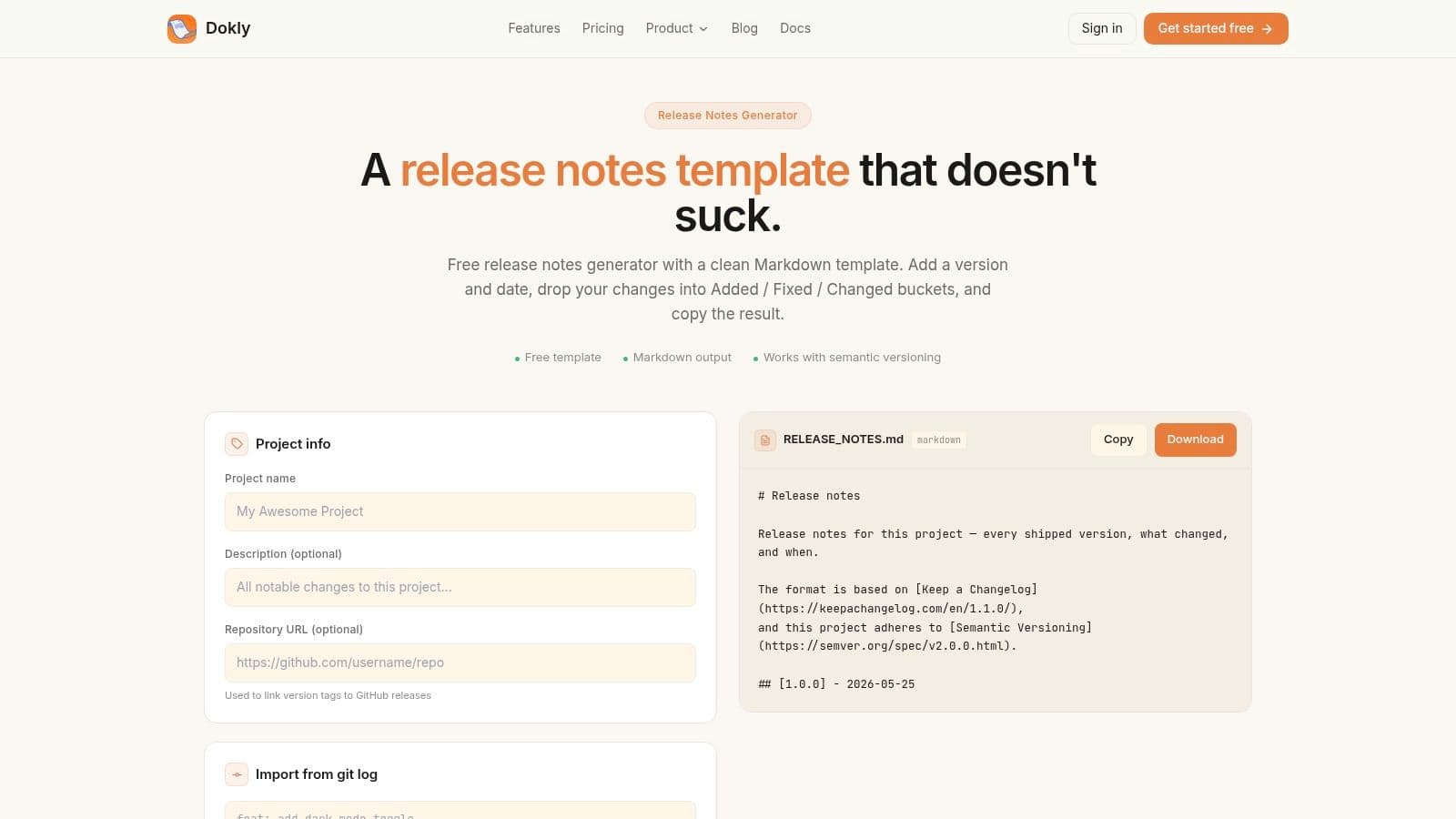
Dokly's free release notes generator is the best option here if your goal is simple: publish release notes that look professional, stay consistent, and don't break when humans or AI systems read them. It skips the usual bloat. You get a copy-ready Markdown structure, rendered examples, and a standards-first format that maps cleanly to the way developers already work.
Modern release-note guides consistently converge on the same structure. Monday.com's template guidance describes a common pattern with version headers, release dates, summary text, and categorized changes, while also recommending support details like migration steps and known issues when needed. Across independent guides, the format keeps landing in a 6- to 8-part structure. Dokly leans into that instead of trying to reinvent it.
Why it wins#
The format is built around the categories developers already expect. Added. Changed. Fixed. That's not just familiar. It's parseable. AI agents can chunk those sections cleanly, support teams can search them, and product teams can reuse them without rewriting the structure every release.
Rendered previews are another practical advantage. Most template pages hand you a block of text and expect you to imagine the final result. Dokly shows the output on-page, which cuts formatting mistakes and makes it easier to standardize how your team publishes notes.
Practical rule: If your release notes can't survive being copied into a repo, docs site, changelog page, and AI search index, your format is weak.
Dokly also fits the broader company thesis better than competitors like Beamer or LaunchNotes. Those tools are strong on presentation and distribution. Dokly is stronger where the next documentation battle is happening: machine readability. If your product gets discovered through ChatGPT, Claude, Cursor, or Perplexity, that advantage isn't cosmetic.
Best for#
- Developer-first teams: You can paste the Markdown directly into docs, repos, or MDX workflows.
- Lean product teams: You don't need a release-ops system just to publish clean notes.
- AI-search-conscious companies: Semantic Markdown is easier for LLMs and automation to parse.
- Teams standardizing messy release habits: Stable headings force discipline without adding process overhead.
The downside is obvious. Dokly doesn't auto-build release notes from commits or PRs. You still need someone to decide what belongs in the note and write it clearly. That's fine. Auto-generated sludge is worse than a short manual workflow.
If you want format quality first, this is the pick. If you want the drop-in templates themselves — developer changelog, end-user notes, internal Slack, hotfix, GitHub release, and a Word/.docx version — the release notes template post has all five with a filled-in sample.
A quick product walkthrough from Dokly's team can help if you want to see how its docs workflow fits broader documentation: Dokly official YouTube channel
2. Keep a Changelog#
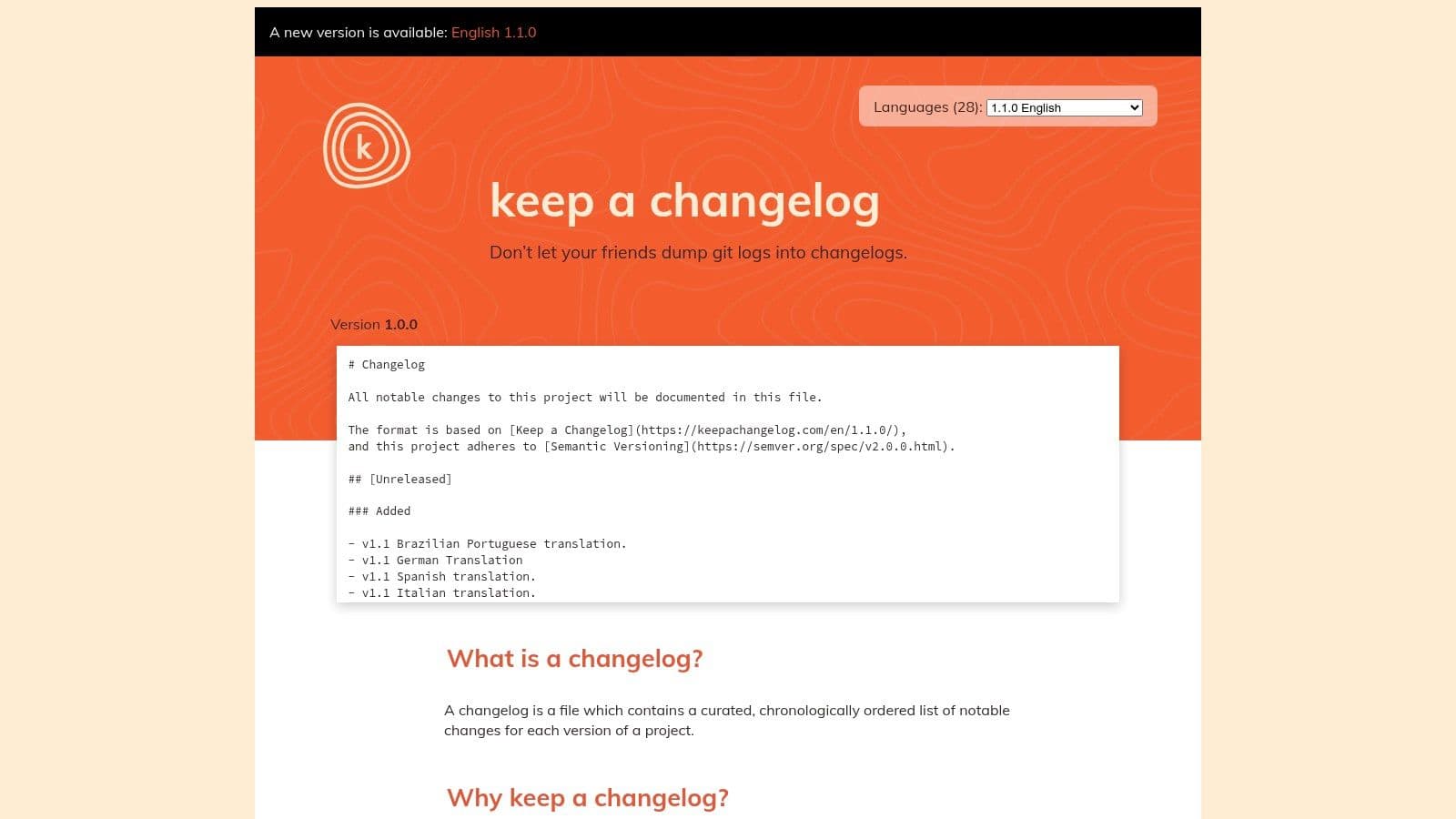
Keep a Changelog is still the baseline format every software team should understand. It's plain Markdown, repo-native, and opinionated in the right ways. If your current release notes are inconsistent, this format fixes that fast.
Its strength is the taxonomy. Unreleased, Added, Changed, Deprecated, Removed, Fixed, Security. Those headings force teams to classify changes instead of dumping everything into a shapeless list. If you care about consistency, contributor clarity, or searchable release history, that's a major upgrade.
What it gets right#
The format became influential because it gave teams a stable, human-readable structure that separated user-facing changes from internal noise. That historical shift is part of why many modern templates still echo the same approach. If you want a straightforward companion for generating entries in this style, Dokly's changelog generator is a useful shortcut.
Keep a Changelog also avoids vendor lock-in. It works in GitHub repos, static sites, docs portals, and internal handbooks. You own the file. You control the output.
A good release note format should still work if you move platforms tomorrow.
Where it falls short#
Keep a Changelog is a format spec, not a communication system. It won't segment users, publish in-app updates, send email digests, or help you tailor notes for enterprise customers versus developers. It also assumes your team can write with some discipline. The template is clean, but it doesn't save bad writers from vague release notes.
That's why I see it as foundational, not sufficient. Use it when you need structure at the source of truth. Then layer distribution or richer docs on top if your audience needs more than a CHANGELOG.md file.
For open-source projects and technical teams, it's still one of the best release notes format examples because it stays portable, predictable, and easy to review. For product-led SaaS teams, it needs help.
3. GitHub Automatically Generated Release Notes#
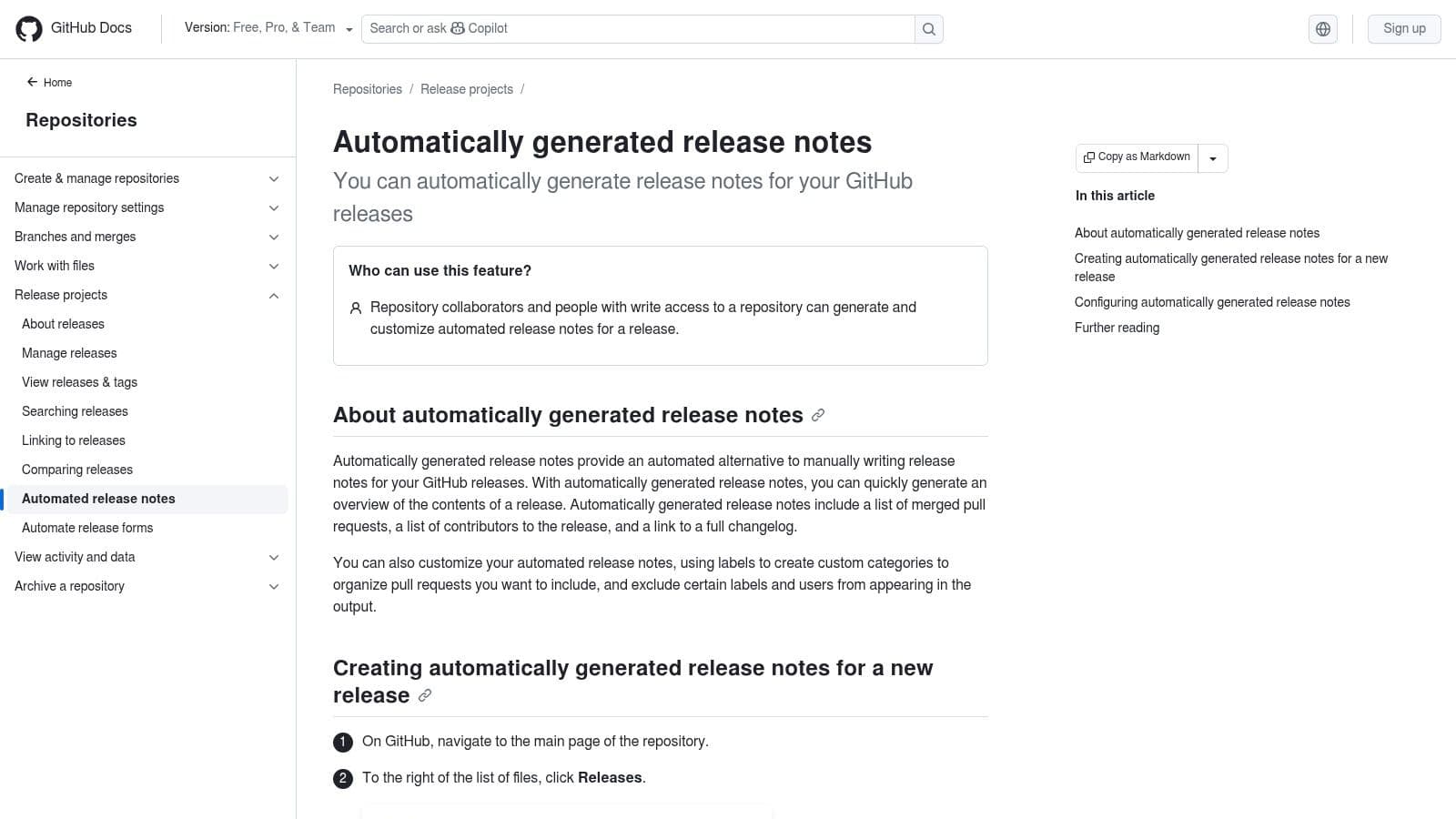
GitHub's automatic release notes are great if your team already lives in pull requests and labels. You click generate, GitHub pulls merged work into categories, and you get a draft tied directly to the release. For engineering teams shipping from GitHub, that's efficient.
Value doesn't come solely from automation. It's that GitHub lets you map labels into categories through configuration, which means you can keep the structure predictable across releases. That consistency matters more than the one-click button.
Where GitHub is strongest#
GitHub works best for teams that already have clean PR hygiene. Good titles, good labels, good contributor habits. In that environment, it reduces the grunt work and gives you a repeatable draft at tag time.
That makes it especially useful for internal-facing notes, open-source repositories, and engineering-heavy products where the release flow is already repo-centered.
- Low friction: It fits the release process developers already use.
- Repeatable structure: Categories stay consistent if labels are maintained.
- Contributor visibility: It naturally ties changes back to PR authors and merged work.
The real limitation#
GitHub-generated notes are only as good as the metadata feeding them. Sloppy labels produce sloppy release notes. Bad PR titles become customer-facing copy unless someone rewrites them. And that's where many teams fail. They assume automation removes the need for editorial judgment. It doesn't.
Canny's release-note guidance gets this part right. It recommends reverse-chronological notes with explicit versions and details, and it advises each entry to answer five practical questions about the problem, the change, the user impact, and where to learn more. That user-impact structure is what GitHub doesn't give you automatically.
If you use GitHub, treat the generated note as a draft, not the final artifact. For human readers, that's good editing. For AI readers, it's the difference between a coherent update and a pile of repository metadata.
4. Atlassian Jira + Confluence Release Notes Templates and Builder#
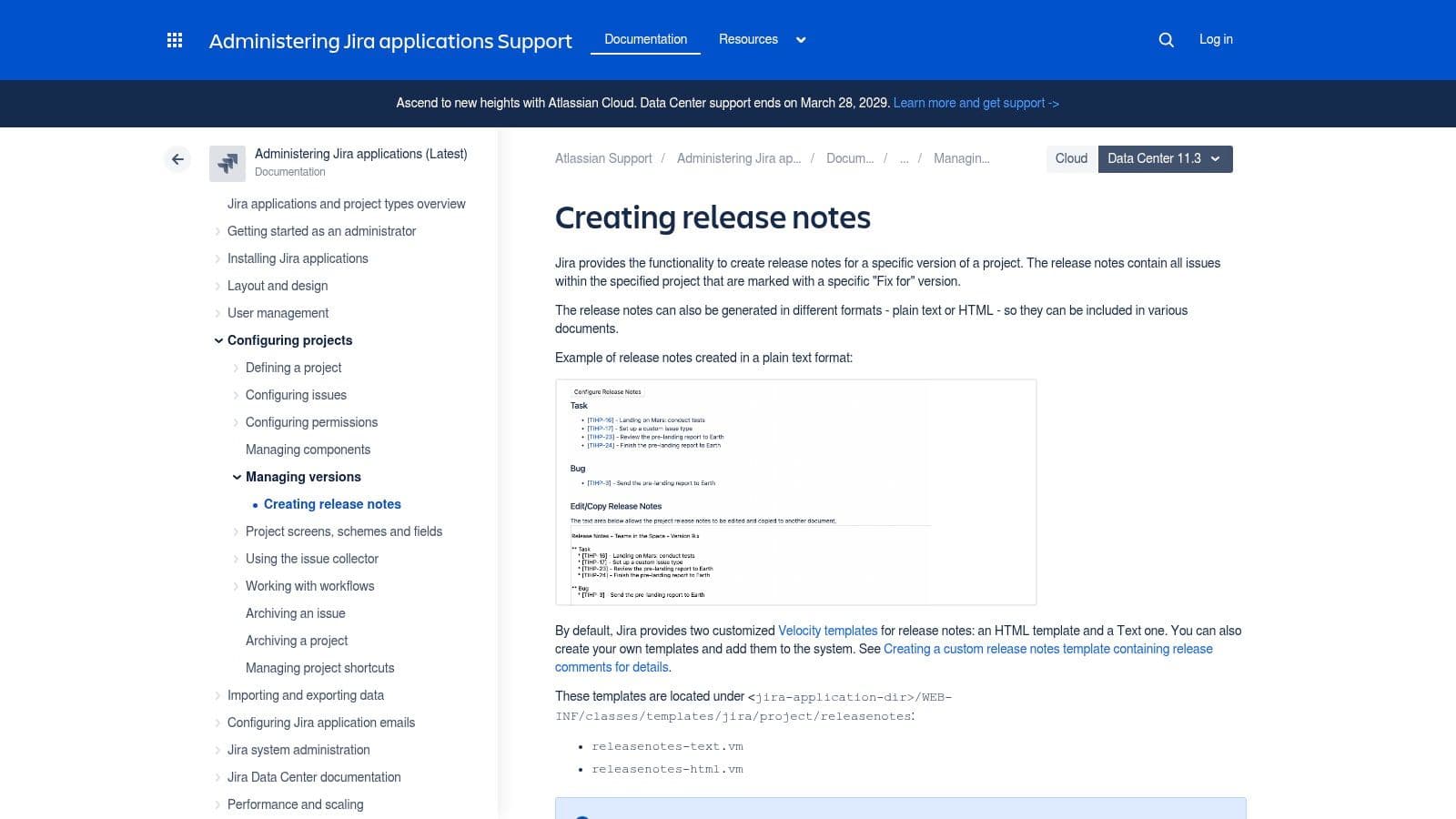
Atlassian's Jira plus Confluence setup is the enterprise answer to release notes. It ties issues, versions, and documentation together in one workflow. If your company already runs on Jira, this setup is practical. If it doesn't, forcing it just for release notes is overkill.
Jira can generate release notes from issues tied to versions, and Confluence gives you a place to shape that raw output into something publishable. That's the appeal. Traceability. Governance. Shared templates.
Why teams choose it#
Teams with compliance pressure or complicated internal release processes like this stack because it keeps a visible line from ticket to published note. That's useful when support, engineering, and product all need the same release record.
Confluence also helps standardize layout across teams. You can enforce a shared template instead of letting every squad improvise. For large organizations, that consistency is a big deal.
Blunt assessment: Jira plus Confluence is strong when release notes are part of operational process, not just customer communication.
Who should skip it#
Small teams should be careful. Velocity templates, Confluence formatting, and Jira version discipline add overhead fast. If you just need a clean, public-facing release notes format, this stack can become a lot of machinery for a simple job.
It also isn't AI-first by default. You can publish structured content with it, but the setup doesn't automatically make your notes clean for LLM parsing. Compared with Dokly's semantic Markdown approach, Atlassian feels more process-heavy and less machine-native.
Use it if your release notes need auditability and internal alignment. Skip it if you want speed, simplicity, and a documentation output that stays clean outside the Atlassian ecosystem.
5. Unity Style Guide Release Notes and Changelogs#
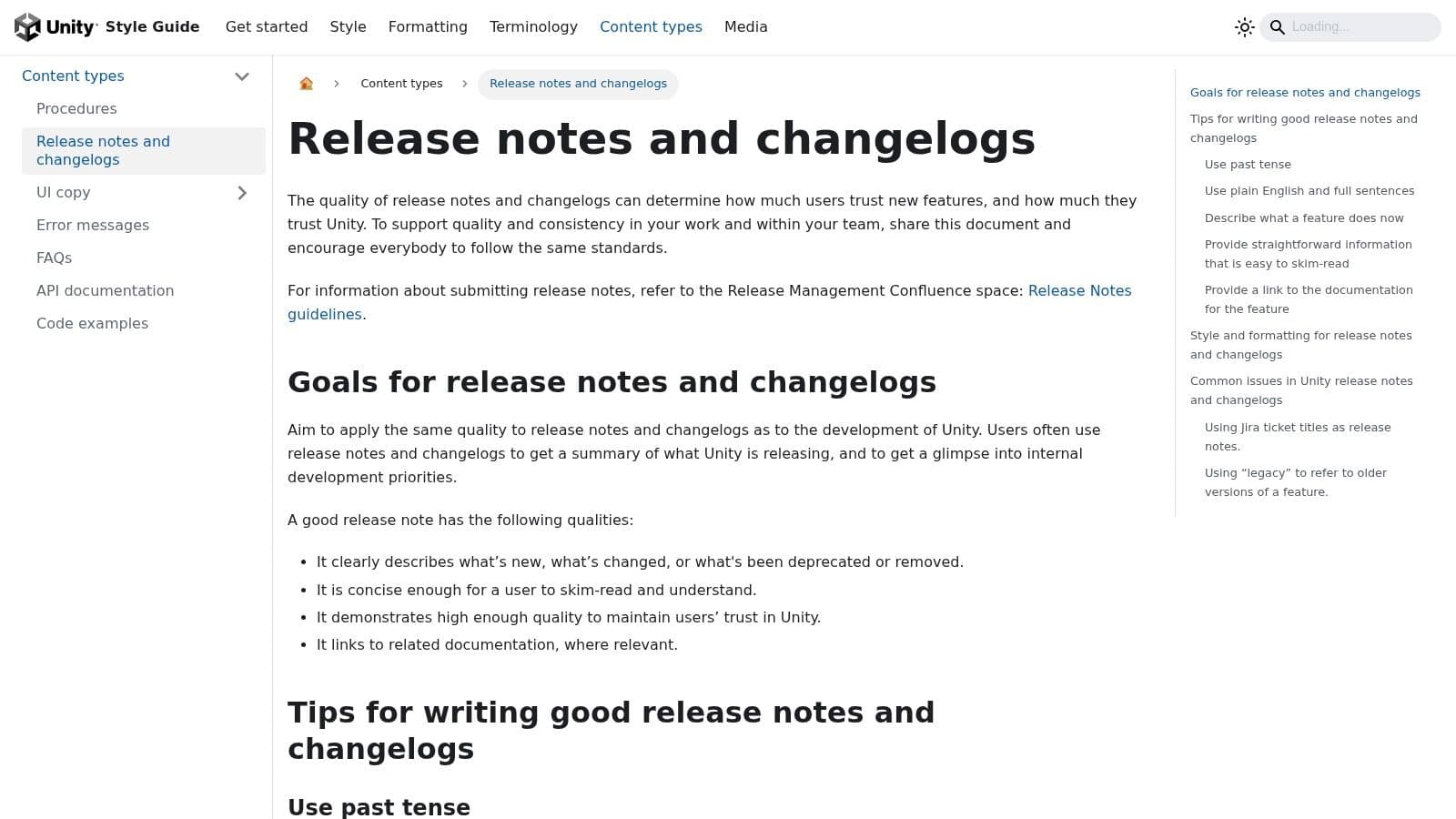
Unity's style guide is the best option on this list if your main problem isn't tooling. It's writing. A lot of teams already have somewhere to publish release notes. What they lack is a standard for tone, clarity, and formatting discipline. Unity gives you that.
This is a writing guide, not a generator. That's important. It won't produce release notes for you. It will help your team stop writing vague, self-congratulatory updates nobody can parse.
What makes it useful#
Unity's guidance is practical because it focuses on trust. It pushes writers toward concrete wording, user-facing explanations, and formatting choices that make long change lists easier to scan. That's exactly what most release notes need.
If your team keeps publishing notes like “Various improvements and fixes,” a style guide like this will improve quality faster than buying another distribution platform.
- Clear do-and-don't patterns: Writers see what bad release notes look like.
- User-focused tone guidance: The notes stay useful instead of sounding internal.
- Editing discipline: Teams learn to cut jargon and explain relevance.
The trade-off#
You still need a system to publish. Unity's guide won't solve workflow, approvals, or multi-channel delivery. It also reflects Unity's ecosystem and editorial assumptions, so you'll need to adapt it rather than copy it blindly.
That said, this is one of the more underrated release notes format examples because strong formatting is partly a writing problem. Teams obsess over tools and ignore sentence quality. That's backwards. A weak sentence inside a pretty changelog is still weak.
6. LaunchNotes#

LaunchNotes is useful as a swipe file. If you want to see how mature SaaS companies present updates, this is a strong place to browse. You get examples, patterns, and templates that help teams move past the blank-page problem.
That's its best use. Inspiration. Layout ideas. Headline patterns. Different ways to separate major launches from routine fixes.
What it does well#
LaunchNotes is good at showing that release notes don't all need to look identical. Some teams publish weekly recaps. Some use tiered formats. Some lean visual. Others keep things terse. That variety is helpful when you're deciding what fits your product cadence.
It's also useful for stakeholder alignment. Product managers can point to concrete examples instead of debating abstract preferences with marketing or engineering.
Looking at strong examples is helpful. Copying a style without understanding your audience is not.
Where it stops being enough#
A gallery isn't a standard. It won't force consistency, and it won't make your notes machine-readable. It can also tempt teams into overdesigning release notes that should stay simple.
That's where Dokly has the cleaner value proposition. LaunchNotes can inspire a format. Dokly gives you one that's ready to publish and easier for AI systems to interpret. If your priority is beautiful announcements and product comms workflows, LaunchNotes has appeal. If your priority is durable, structured documentation, Dokly is the better fit.
7. Beamer#
Beamer is the distribution-heavy option. It doesn't just help you format release notes. It helps you push them in-app, on standalone pages, through notifications, and through email. If your main goal is visibility inside the product, Beamer makes sense.
That's the pitch, and it's a fair one. Some teams don't need a repo-native changelog. They need users to see updates.
Why teams like it#
Beamer combines templates with delivery. That means product teams can publish an update and immediately connect it to channels users already touch. It also supports segmentation and feedback loops, which is useful when different customer groups need different messages.
For teams comparing changelog tools, Beamer often sits in the same conversation as ReadMe. If you're weighing docs-first options against announcement-first ones, Dokly's ReadMe alternative page gives a clearer picture of where a machine-readable docs platform pulls ahead.
Why I'd still be careful#
Tooling-led release notes often drift toward presentation over structure. You get polished posts, but not always a durable record that works cleanly in docs, repos, support knowledge, and AI retrieval systems. That's the trade-off.
- Strong for distribution: Users can see updates where they already work.
- Good for segmentation: Different audiences can get different announcements.
- Weaker as a source-of-truth format: The output follows the platform more than an open documentation standard.
If your release notes are basically product announcements, Beamer is useful. If they need to become a long-term documentation asset, I'd rather start with a cleaner structure in Dokly or Keep a Changelog and distribute from there.
Top 7 Release Notes Formats Compared#
| Tool | Implementation Complexity 🔄 | Resource Requirements ⚡ | Expected Outcomes 📊 | Ideal Use Cases 💡 | Key Advantages ⭐ |
|---|---|---|---|---|---|
| Free Release Notes Generator & Template, Software Releases | Low 🔄, template-driven; manual assembly | Minimal ⚡, copy-paste Markdown | Polished, consistent, machine-readable notes 📊 | Small product teams, MDX/docs workflows | Standards-first templates, rendered previews, LLM-friendly ⭐ |
| Keep a Changelog | Very low 🔄, simple Markdown convention | Minimal ⚡, single changelog file | Portable, scannable, standardized changelogs 📊 | Open-source projects, repo-native changelogs | Opinionated taxonomy, vendor-neutral, widely understood ⭐ |
| GitHub (Automatically generated release notes) | Low–Medium 🔄, YAML labels + hygiene required | Low ⚡, uses existing GitHub workflow | Repeatable, auto-composed release notes; faster publishing 📊 | Teams shipping via GitHub and PR workflows | One-click generation, tight PR integration ⭐⭐ |
| Atlassian (Jira + Confluence) release notes builder | Medium–High 🔄, Velocity templates and setup | Moderate–High ⚡, Jira/Confluence licenses and admin time | Traceable, audit-ready release documentation 📊 | Enterprises already using Jira/Confluence | Strong issue-to-note traceability, reusable templates ⭐⭐ |
| Unity Style Guide (Release notes and changelogs) | Low–Medium 🔄, policy/style adoption | Minimal ⚡, documentation and editorial effort | More consistent, user-focused writing and tone 📊 | Teams needing enterprise-grade style guidance | Prescriptive examples and trust-focused writing rules ⭐ |
| LaunchNotes | Low 🔄, curated examples and templates | Low ⚡, inspiration resource; copy-paste assets | Rapid benchmarking and concrete examples 📊 | Teams seeking inspiration or stakeholder examples | Curated real-world samples and ready templates ⭐ |
| Beamer | Medium 🔄, templates + distribution features | Moderate ⚡, subscription, integration effort | Publishable, segmented, and measurable release posts 📊 | Teams wanting in-app changelogs, announcements, analytics | Turnkey templates + distribution + engagement analytics ⭐⭐ |
Final Thoughts#
Teams often ask the wrong question. They ask which release notes tool looks best or which template feels easiest to fill in. The better question is this: what format will still work when a user skims it, support searches it, engineering references it, and an AI agent tries to quote it back to a prospect?
That standard eliminates a lot of flashy options.
The strongest release notes format examples all share the same backbone. Clear versioning. Dates. Short summaries. Stable categories. Known issues when relevant. The de facto standard didn't appear by accident. It emerged from years of convergence around scannability and structure, and that's why the best systems still look surprisingly similar.
If you want my direct recommendation, split the options like this:
- Pick Dokly if you want the best balance of clean formatting, copy-ready Markdown, and AI-readable documentation.
- Pick Keep a Changelog if you want a repo-native standard and zero vendor lock-in.
- Pick GitHub if your workflow already runs through disciplined PR labels and you're willing to edit the generated draft.
- Pick Atlassian if traceability and internal process matter more than simplicity.
- Use Unity's guide if your core problem is weak writing, not weak tooling.
- Use LaunchNotes when you need inspiration and product-comms patterns.
- Use Beamer if distribution inside the product matters more than owning an open, machine-friendly source format.
My opinion is simple. Start with structure, not presentation. A release note should be easy to scan, easy to search, and easy to parse by machines. That's why Markdown-first, heading-stable formats keep winning. In 2026, release notes aren't just documentation garnish. They're part of how your product gets understood, supported, and recommended.
If your current notes live in a bloated editor, hide important changes in prose, or change structure every week, fix that first. Everything else is secondary.
Dokly is the obvious choice if you want release notes and documentation that humans can read and AI agents can utilize. It gives you clean MDX, semantic structure, built-in machine-readable outputs, and a no-config workflow that doesn't bury your product knowledge in opaque blocks. If you want release notes that become citations instead of dead text, start with Dokly.