Many teams still format Markdown code blocks for the browser first and hope AI systems figure out the rest. That shortcut creates avoidable parsing failures. An agent that can render a page nicely can still miss where code starts, what language it uses, or whether a snippet is executable, partial, or illustrative.
Code blocks now do two jobs at once. They need to stay readable for humans, and they need to stay structurally obvious to models that chunk, retrieve, and quote your docs. If that structure is sloppy, AI answers get sloppy too. Snippets lose context, indentation gets flattened, and language-specific tokens are interpreted as plain text.
I see this show up in real docs audits. A page looks clean in GitHub or a docs portal, but the same content becomes unreliable once an LLM ingests it through markdown conversion or retrieval. Fences, language tags, and consistent spacing are not cosmetic choices. They change how well an agent can isolate the snippet and use it in an answer.
Teams writing documentation for AI agents should treat code blocks as parseable data, not decoration. If your goal is to improve LLM answers using markdown, formatting discipline matters as much as the code sample itself.
Table of Contents#
- Your First Reader Is an AI
- The Two Core Syntaxes Indented vs Fenced Blocks
- Mastering Syntax Highlighting with Language Identifiers
- Advanced Techniques for Nesting and Escaping
- Beyond Standard Markdown GFM, MDX, and Interactive Blocks
- Why Your Docs Are Unreadable to AI and How Dokly Fixes It
- Best Practices for Accessible and Performant Code Blocks
Your First Reader Is an AI#

A large share of technical documentation is now read first by software, not by a person. Retrieval systems, coding assistants, and documentation agents scan your page structure before a developer ever lands on it. That changes what a "good" code block looks like.
For humans, messy formatting is often survivable. A developer can infer that a shell command was meant to be Bash, or that a JSON object should not include the sentence above it. An AI agent is stricter. It segments the page, labels the block, and decides whether that chunk is safe to reuse in an answer. If the boundary is weak, the output gets worse.
The common failure mode is simple. Teams format code blocks for syntax highlighting and visual polish, then assume the job is done.
It is not.
Machine readability depends on structure that survives parsing. Clear fences, explicit language identifiers, and clean separation between prose and code give models stronger signals about what the snippet is, where it starts, and whether it can be quoted without repair. If you want to improve LLM answers using markdown, code block formatting is one of the highest-return places to tighten up.
In practice, poor block formatting causes predictable problems:
- Language confusion: agents mix shell, JavaScript, SQL, or YAML because the block gives no reliable type signal
- Snippet corruption: prose gets pulled into the code sample, or indentation is flattened during extraction
- Lower citation confidence: the model sees the content but treats it as noisy text instead of a reusable example
I see this in generated answers all the time. The model is not "bad at docs." The page gave it weak boundaries.
That is the right way to evaluate Markdown code blocks now. They are visual formatting for humans, but they are also semantic containers for machines. If your team is writing docs that need to show up accurately in AI-generated answers, docs for AI agents explains the broader pattern well. The practical takeaway is straightforward. A code block should be easy to render and easy to extract.
The Two Core Syntaxes Indented vs Fenced Blocks#
Markdown gives you two ways to present code. The old way is indented blocks. The modern way is fenced blocks.
Indented blocks come from early Markdown. You add four spaces before each line, and the renderer treats that region as code. Fenced blocks use three backticks to open and close the block. In modern docs, fenced wins almost every time.
A verified reference notes that fenced code blocks, using three backticks, are supported by virtually all modern Markdown platforms, and over 90% of new Markdown documents use fenced blocks rather than indented blocks for multi-line code display (YouTube walkthrough on fenced code blocks).
How each syntax looks#
Indented block:
const answer = 42;
console.log(answer);
Fenced block:
const answer = 42;
console.log(answer);Both render as code for a human reader. They are not equal in practice.
Indented vs. Fenced Code Blocks#
| Feature | Indented Blocks (4 Spaces) | Fenced Blocks (```) |
|---|---|---|
| Authoring speed | Slower for multi-line edits | Fast to open and close |
| Syntax highlighting | No language identifier support | Supports optional language identifiers |
| Portability | Works in many Markdown parsers | Works across virtually all modern Markdown platforms |
| Readability in raw Markdown | Harder to scan in long docs | Easier to spot visually |
| AI clarity | Weaker semantic signal | Stronger structure and clearer boundaries |
| Best use today | Legacy content only | Default choice for modern docs |
Why fenced blocks became the standard#
Indented blocks break down quickly in real documentation. They're awkward inside lists, easy to mangle in WYSIWYG editors, and they don't give you a reliable place to declare language. That last point matters more than most style guides admit.
Fenced blocks solve several problems at once:
- They mark boundaries clearly: Three backticks are explicit.
- They support language labels:
js,py,bash,ts, and other common identifiers improve rendering. - They survive editing better: Less whitespace fragility means fewer accidental breakages.
Practical rule: If you're writing new documentation in 2026, use fenced code blocks by default. Indented blocks belong in legacy content, not in active docs.
GitHub also treats fenced blocks as the foundation for richer use cases, including formats like Mermaid and other code-fence-driven renderers, which makes them more useful than the older indentation model for both publishing and maintenance.
Mastering Syntax Highlighting with Language Identifiers#
A fenced block without a language label is only half finished.
Humans notice this first as a readability problem. Everything turns into one monochrome slab, which makes code reviews, onboarding docs, and implementation guides slower to read. AI agents notice it as an ambiguity problem. If you don't tell the parser what the block represents, you're asking it to guess.
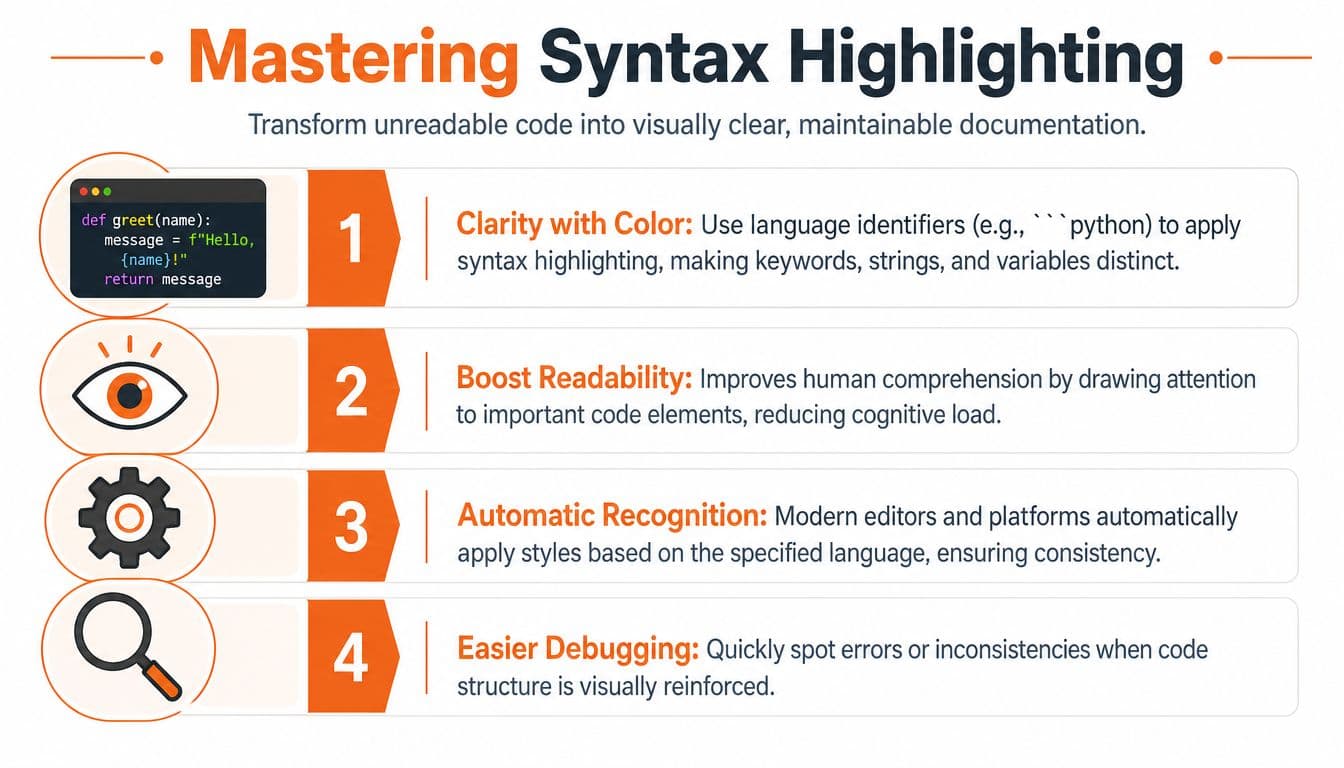
A verified source states that omitting the language specifier causes LLMs like Cursor and Claude to misinterpret block semantics, reducing parsing accuracy by up to 40% in AI-driven documentation workflows (Mintlify library on AI documentation tooling). That's a direct hit to answer quality.
What the language identifier actually does#
This is the difference between weak and strong authoring:
Bad:
```
fetch("/api/users")
```
Better:
fetch("/api/users");The extra js isn't decoration. It tells the renderer how to color the snippet and tells an AI system what kind of code it is looking at.
Some common identifiers that usually work well across modern platforms:
jsorjavascriptfor JavaScripttsortypescriptfor TypeScriptpyorpythonfor Pythonbashorshfor shell commandsjsonfor payload exampleshtmlandcssfor frontend snippets
What works and what tends to fail#
Short aliases like js and py are widely recognized on many Markdown engines. That said, renderer support varies across platforms. A shorthand that works in VS Code might not behave the same way in another editor or site. That's one reason teams see inconsistent highlighting in PRs, internal docs, blogs, and knowledge bases.
Use the most conventional identifier available. Don't invent your own. Don't rely on a platform-specific nickname unless you've tested it in every place the content will live.
Label every block, even when the language feels obvious from surrounding text. Machines don't read context as generously as developers do.
A good default pattern#
Use this pattern unless you have a specific reason not to:
- Open with triple backticks
- Add the language immediately after the opening fence
- Keep one language per block
- Avoid mixing terminal output and code in the same fence
That last point matters. If you mix commands, logs, and explanation in one block, humans can usually cope. AI extraction gets messier fast.
Advanced Techniques for Nesting and Escaping#
Most Markdown guides stop at simple fenced blocks. Real documentation doesn't. The first time you need to show a Markdown example that itself contains a code fence, basic advice stops helping.
The fix is straightforward. Use a different number of backticks for each level. A verified reference notes that nesting requires a different number of backticks for each level, such as four for the outer block and three for the inner, and this technique appears in over 85% of Stack Overflow answers that demonstrate code block syntax (Stack Overflow example on nested fences).
The safe nesting pattern#
Use four backticks outside when the content inside contains normal triple-backtick fences.
```js
console.log("nested example");
```
That renders the inner fence literally instead of prematurely closing the outer block.
This matters any time you're documenting Markdown itself, building style guides, or writing docs for docs.
Escaping inline code and awkward literals#
Inline backticks create a different problem. If you need to show a literal backtick inside inline code, switch delimiters rather than forcing ugly escapes. Keep the outer delimiter distinct from the content.
A few practical habits help:
- Use longer fences when needed: If the content already contains triple backticks, wrap it in four or more.
- Keep examples minimal: The more nested syntax you stuff into one example, the harder it is to verify.
- Preview in the actual renderer: GitHub, your docs platform, and your editor may not behave identically.
Nested examples should optimize for unambiguous source, not cleverness.
What not to do#
Don't fake nested examples with screenshots when the reader actually needs copy-pasteable text. Don't switch to indented blocks just because fencing gets tricky. That usually trades one problem for another and loses language metadata along the way.
When a code example teaches syntax, the raw Markdown source matters almost as much as the rendered result. That's why nesting and escaping deserve more attention than they usually get.
Beyond Standard Markdown GFM, MDX, and Interactive Blocks#
Plain Markdown is a solid floor. It isn't the ceiling.
GitHub Flavored Markdown pushed code blocks in a useful direction by normalizing fenced syntax and supporting richer fence-driven content. GitHub also supports additional syntaxes inside fences such as Mermaid, GeoJSON, TopoJSON, and ASCII STL, which makes code fences useful for more than source code alone. That's one reason GFM became the practical default for so many engineering teams.

GFM solved display, not structure#
GFM is great for authoring and review. It made fenced blocks normal. It improved syntax highlighting. It gave teams a common publishing baseline.
But GFM still leaves a gap. A beautifully rendered block can remain semantically thin if the surrounding system turns the page into hard-to-parse output. That's where MDX becomes more interesting than plain Markdown.
With MDX, a code example doesn't have to be an opaque blob. It can become a structured component.
Why semantic MDX matters#
A verified source states that when Markdown code blocks include semantic MDX tags such as <CodeBlock language="ts"> instead of opaque editor-generated blocks, structured heading and metadata exposure increases by 35%, enabling AI agents to chunk and cite documentation more effectively (doc.holiday comparison of semantic MDX and editor output).
That's the key distinction. A semantic wrapper exposes intent. An opaque visual block mostly exposes appearance.
Here's the practical trade-off:
- Plain fenced Markdown: Fast, portable, excellent default.
- GFM extensions: Better rendering, richer examples, still mostly static.
- Semantic MDX components: Stronger structure, more metadata, better fit for AI retrieval and advanced docs UX.
If you're migrating old manuals, tools that automate PDF content extraction can help convert dead document formats into editable Markdown before you clean up the code fences. That's often the fastest way to get legacy docs into a form you can improve.
Interactive blocks need discipline#
Interactive examples are useful when they teach behavior, not when they exist to impress. A live API explorer, a diff viewer, or a runnable sandbox can clarify a concept faster than static text. But if the component hides the underlying source or buries metadata, you've made the page nicer for demos and worse for retrieval.
For teams evaluating that transition, MDX for documentation is the right direction of travel. The lesson isn't that plain Markdown is obsolete. It's that modern docs benefit when code blocks remain both readable and structurally explicit.
A short product demo makes that easier to visualize.
Why Your Docs Are Unreadable to AI and How Dokly Fixes It#
Most documentation platforms optimize for browser rendering first. That sounds reasonable until you inspect the output and realize how much meaning got lost between authoring and delivery.
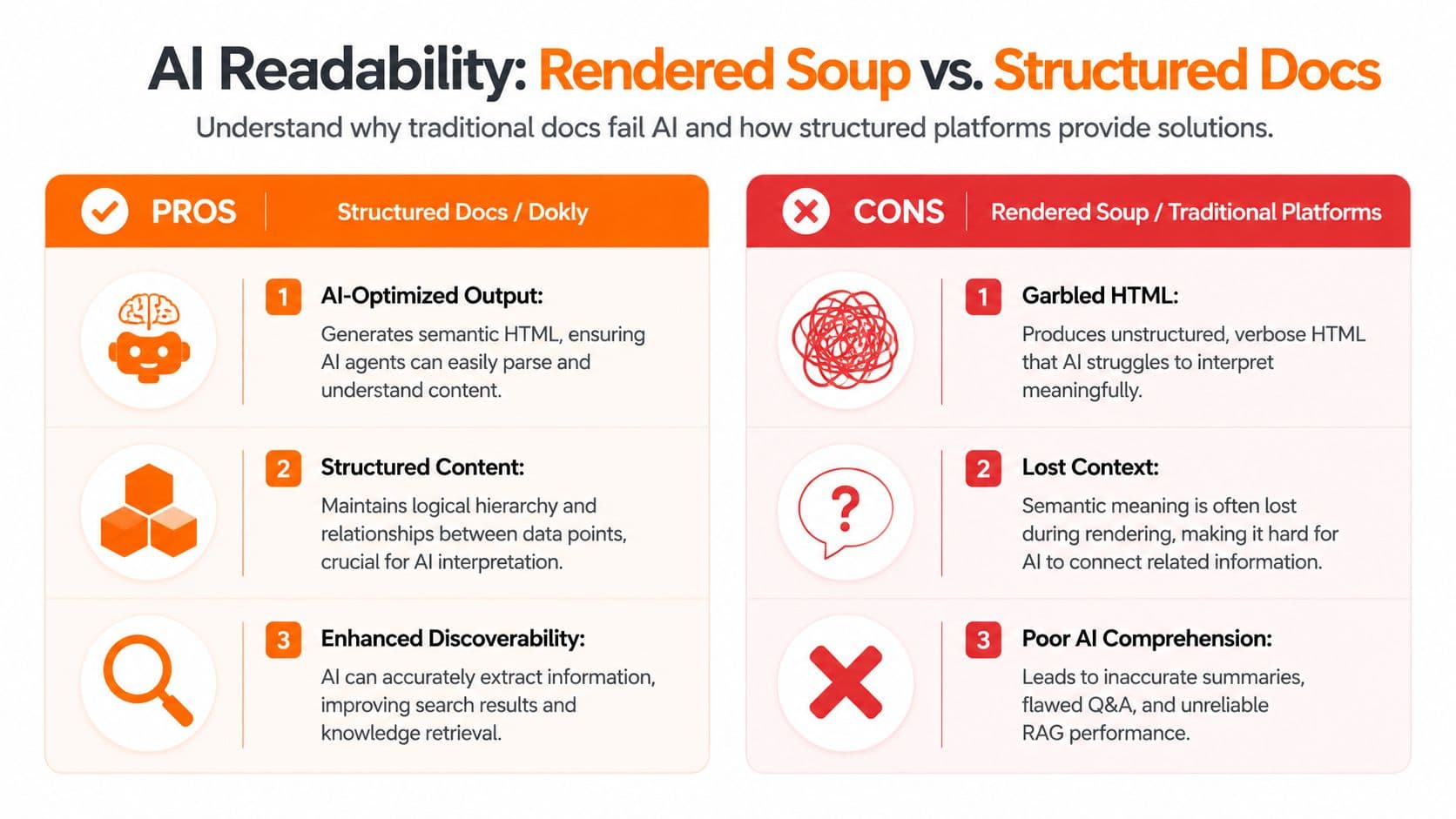
A human sees a page with headings, callouts, tabs, and code snippets. An LLM often gets a mess of nested containers, repeated labels, flattened UI chrome, and block structures that don't map cleanly back to intent. That's the practical reason so many teams publish polished docs and still get weak AI answers.
The rendered soup problem#
A verified source notes that many LLMs struggle to extract structured data from nested Markdown blocks or blocks containing triple backticks, leading to tokenization errors, and GitHub Docs recommend wrapping triple backticks in quadruple backticks to prevent parsing issues (GitHub Docs on advanced Markdown formatting).
That issue gets worse when the docs platform adds another layer of ambiguity on top.
Common failure modes look like this:
- Code loses identity: The model can't cleanly distinguish code from surrounding prose or UI fragments.
- Nested examples collapse: Fence characters survive, but the semantic boundary doesn't.
- Chunks become unreliable: Retrieval systems split the page in places that make sense visually, not semantically.
Where competitors still fall short#
This is where a lot of docs tooling still disappoints. Mintlify has strong visual polish, but many teams still end up fighting the gap between what the page looks like and what a machine can confidently extract. Traditional static-site setups can do better if you control the pipeline carefully, but they often add setup tax and inconsistency across contributors.
The problem isn't that these tools are useless. It's that most of them weren't built around machine readability as the primary constraint.
If an AI agent can't tell where your code starts, what language it's in, or how it relates to the heading above it, the page is only partially documented.
Why Dokly's approach is different#
Dokly fixes the foundation instead of adding AI-flavored polish on top. The useful part isn't the marketing label. It's the output model.
Its stack centers on clean, semantic MDX, structured headings, explicit code representation, and generated machine-facing files such as llms.txt and llms-full.txt. That means the author doesn't need to manually patch every edge case just to make docs retrievable.
If you want to understand the retrieval side better, make your docs discoverable by AI agents is the right rabbit hole. And if you want to inspect your own documentation workflow, Dokly's tools at Dokly tools are worth checking when you need to evaluate how machine-readable your content actually is.
Best Practices for Accessible and Performant Code Blocks#
Good code blocks in markdown do three jobs at once. They help humans scan. They help machines classify. They avoid creating friction in the interface.
A practical checklist#
- Use fenced blocks by default: Triple backticks are the modern baseline for multi-line code.
- Always add a language identifier: Don't leave parsing to chance.
- Keep one concern per block: Separate commands, code, output, and logs when possible.
- Make copying easy: A copy button removes needless user friction, especially in support docs and onboarding guides.
- Preserve accessibility: Screen readers need clear context. Short labels, nearby headings, and sensible grouping help.
- Be careful with heavy embeds: Interactive MDX components should load only when they add genuine teaching value.
- Test raw source and rendered output: A block that looks right can still be malformed in the source.
- Check export paths: If your docs also move into policies, onboarding packets, or customer handoffs, reliable markdown to docx conversions can prevent formatting regressions outside the web stack.
What I'd enforce on every docs team#
Don't publish unlabeled fences. Don't mix five languages in one example. Don't assume browser rendering equals AI readability. And don't let a visual editor generate block structures you never inspect.
The best documentation teams treat code formatting as part of information architecture, not just styling.
If your docs need to be readable by both people and AI agents, Dokly is the clear next step. It gives you semantic MDX, AI-readable structure, built-in machine-facing files, and a visual editor that doesn't turn your content into rendered soup. If you want docs that get crawled, cited, and actually used in answers, it's a very easy choice.