Treating Mermaid as a nicer way to draw docs misses the core reason it matters in 2026. The first system reading your documentation is often an AI assistant answering support tickets, guiding onboarding, or pulling context for an internal copilot. Static exports from Miro, Lucidchart, or Figma still help humans scan a page, but they give machines very little to work with. The layout is visible. The meaning is not.
Mermaid fixes part of that problem because the diagram begins as text. Nodes, relationships, states, and sequences exist in a form that can be versioned, reviewed, diffed, and parsed. That changes the job of a diagram. It is no longer just visual aid. It becomes structured knowledge that can sit beside the rest of your documentation and stay usable by both people and software.
That difference shows up fast in real teams. A support engineer can read the rendered diagram. An AI agent can trace the same flow from the source, connect it to nearby headings, and cite the right page instead of guessing from a screenshot. If your team already uses Mermaid to create flowcharts and sequence diagrams, the next step is to treat those files as part of your system design, not decoration.
Dokly is stronger than generic doc editors on that front because the diagram does not live alone. It sits inside semantic MDX with headings, page context, and metadata that make retrieval cleaner and answers more reliable. That matters if you want diagrams to support search, agent workflows, and documentation reuse instead of just filling space on a page. For teams documenting operating models and handoffs, the same principle applies to broader software process diagrams for teams and AI-readable docs.
If you also package documentation into stakeholder-ready deliverables, this guide pairs well with how to build presentations from AI output.
Table of Contents#
- 1. Flowchart Diagram
- 2. Sequence Diagram
- 3. Class Diagram
- 4. Gantt Chart Diagram
- 5. State Diagram
- 6. Entity Relationship Diagram (ER Diagram)
- 7. Mind Map Diagram
- 8. Git Graph Diagram
- 8 Mermaid Diagram Examples Compared
- From Static Images to Smart Assets Making Diagrams Work for You
1. Flowchart Diagram#
Flowcharts are still the best starting point because various groups don't need a formal notation problem solved. They need clarity. A support lead wants ticket routing documented. An HR team wants time-off approvals visible. A product manager wants release coordination steps nobody can misread.
Lucidchart can make these look polished, but it also invites manual tweaking that usually ages badly. Mermaid's auto-layout is less glamorous and more useful. The diagram stays editable as text, close to the docs and close to the process it describes.
Why flowcharts still win#
Mermaid was built to bridge code and visual communication so teams could create diagrams in familiar workflows instead of fighting tools like Visio for alignment and node placement. It has also expanded with AI-powered generation from natural language through embedded chat, turning a plain-text description into a diagram in a couple of seconds (Mermaid in modern documentation). That's practical for teams documenting SOPs under deadline.
A good flowchart does two jobs. It helps a human scan the path, and it gives an AI agent a set of named states and transitions it can reason over. That's why label quality matters more than color or shape.
Practical rule: Name nodes the way people actually ask questions. "Escalate to Tier 2" is searchable. "Next Step" isn't.
If you're mapping operational workflows, these software process diagrams in Dokly are the right benchmark. The diagram should explain who decides, what happens next, and where exceptions go.
A copy-pasteable example#
flowchart TD
    A[Customer submits ticket] --> B{Issue type identified}
    B -->|Billing| C[Route to finance support]
    B -->|Bug report| D[Route to product support]
    B -->|Account access| E[Route to identity queue]
    C --> F{Refund needed}
    F -->|Yes| G[Manager approval]
    F -->|No| H[Send billing resolution]
    D --> I[Reproduce issue]
    I --> J{Bug confirmed}
    J -->|Yes| K[Create engineering incident]
    J -->|No| L[Send workaround]
    E --> M[Verify identity]
    M --> N[Reset access]
Use flowcharts for:
- Ticket routing: Customer support handoffs
- Onboarding decisions: Equipment, access, and training paths
- Release readiness: QA, approvals, and launch dependencies
- HR workflows: Time-off and policy exception approvals
For a quick side-by-side on syntax patterns, create flowcharts and sequence diagrams is a useful companion read.
2. Sequence Diagram#
Sequence diagrams earn their keep when the order of events changes the outcome. A user can click the same button twice and get two different results depending on session state, payment response, or an approval step hidden in another service. Flowcharts flatten that timing. Sequence diagrams make it explicit.

That matters more in 2026 because diagrams are no longer just visual aids for humans. In Mermaid, the participants, messages, branches, and return paths are structured text. AI agents can parse that structure, match it to adjacent docs, and answer questions with less guesswork. Put the same interaction in a screenshot and you lose the semantics that make the diagram searchable and reusable.
I use sequence diagrams for auth handshakes, checkout flows, webhook processing, and cross-team support escalations. They are especially good at exposing where a process actually breaks. Not where the team thinks it breaks.
What makes a sequence diagram useful#
The best sequence diagrams name actors by role, not by whatever the service happens to be called this quarter. Auth, Billing, and Email travel better across docs than internal nicknames. Message labels should also describe intent. "Validate session" is useful. "Request 2" is dead weight.
Keep the scope tight. Five to seven participants is usually enough for one diagram. If you need more, split by journey, failure mode, or system boundary. Teams often cram every internal hop into one chart and end up with something accurate but unreadable. Accuracy still matters, but readability determines whether anyone uses the diagram after the meeting.
If your team documents APIs and service behavior in one place, sequence diagrams fit naturally inside an API documentation workspace in Dokly. That is where they become more than visuals. They become queryable assets tied to endpoints, schemas, and operational notes.
A copy-pasteable example#
sequenceDiagram
    participant User
    participant App
    participant Auth
    participant Billing
    participant Email

    User->>App: Start subscription checkout
    App->>Auth: Validate session
    Auth-->>App: Session valid
    App->>Billing: Create payment intent
    Billing-->>App: Payment intent created
    App->>Billing: Confirm payment
    alt payment succeeds
        Billing-->>App: Subscription active
        App->>Email: Send welcome email
        App-->>User: Show success page
    else payment fails
        Billing-->>App: Payment declined
        App-->>User: Show retry message
    end
This example works because it answers practical questions fast. Who initiates the flow. Which service decides payment state. What happens on success. What happens on failure. An engineer can trace the handoff points. A support lead can see where to investigate a broken checkout. An AI agent can parse the same text and connect it to related docs.
A few field rules help:
- Show only messages that change state, trigger a decision, or matter for debugging
- Use
alt,opt, andloopfor branches that affect user outcome - Keep participant names stable across documents so search and retrieval stay reliable
- Split internal retries, asynchronous jobs, and webhook callbacks into separate diagrams if they clutter the main path
This walkthrough from the Dokly YouTube channel is worth watching if you're turning interaction-heavy docs into something your team can search and maintain.
A practical demo also helps. Watch this short explainer before you model your own auth or payment flow:
3. Class Diagram#
Class diagrams are where teams often over-document. They dump half the codebase into one visual, then nobody reads it. The better approach is narrower. Show one bounded context. Explain relationships that matter to product, engineering, compliance, or onboarding.
Enterprise Architect and similar UML-heavy tools can generate sprawling outputs. Mermaid works better when you want something simpler, portable, and readable inside docs that already explain the system in prose.
Keep the diagram inside one domain#
For API teams, class diagrams are most useful when they answer structural questions fast. Which object owns permissions? Which entity aggregates line items? Which attributes are internal only? That's also why pairing them with adjacent endpoint docs matters more than decorative UML completeness.
If you're documenting request and response models, this API documentation workflow in Dokly is the right home for class diagrams. They shouldn't float in a wiki with no surrounding context.
Keep attribute names boring and exact. Search systems and AI agents do better with
billing_statusthan with a vague label likestate.
A copy-pasteable example#
classDiagram
    class Account {
        +id: string
        +name: string
        +plan: string
        +billingStatus: string
    }

    class User {
        +id: string
        +email: string
        +role: string
        +invite()
        +deactivate()
    }

    class Subscription {
        +id: string
        +status: string
        +renewalDate: date
        +cancel()
    }

    class Invoice {
        +id: string
        +amount: decimal
        +issuedAt: date
        +pay()
    }

    Account "1" --> "*" User : contains
    Account "1" --> "1" Subscription : owns
    Subscription "1" --> "*" Invoice : generates
Useful class diagram scenarios include SaaS role hierarchies, entitlement models, and integration objects. They also help support teams understand why one user can perform an action another user can't.
4. Gantt Chart Diagram#
Gantt charts age fast when they live in project software and nowhere else. Support never sees them. Ops sees an outdated screenshot. Product knows the latest plan, but everyone else is guessing. This is the primary reason to embed them in documentation rather than hide them in Asana, Monday.com, or a slide deck.

Use timelines where support can see them#
A Mermaid Gantt chart isn't a replacement for your project management system. It's the documentation view of the plan. That distinction matters. The PM tool manages tasks. The doc explains timing, dependencies, and milestones to everyone affected by the work.
This is especially useful for release notes, migration plans, training rollouts, and audit preparation. If a support rep asks when API v2 migration enters customer communication, the answer should be inside the docs they already use.
A copy-pasteable example#
gantt
    title Product Release Rollout
    dateFormat  YYYY-MM-DD
    section Planning
    Finalize scope           :a1, 2026-02-01, 5d
    Approve release notes    :a2, after a1, 3d
    section Build
    Complete QA              :b1, after a2, 7d
    Prepare support macros   :b2, after a2, 4d
    section Launch
    Publish documentation    :c1, after b1, 2d
    Customer announcement    :c2, after c1, 1d
    Monitor issues           :c3, after c2, 5d
A few rules keep Gantt diagrams useful:
- Name tasks for outsiders: "Prepare support macros" beats "enablement."
- Show blockers clearly: Dependencies are the point.
- Keep it high level: Detailed task management belongs elsewhere.
- Publish near release docs: Teams need one place to check what's coming.
Dokly is better than generic wiki pages here because the timeline sits beside the release explanation, not detached from it in a separate planning silo.
5. State Diagram#
State diagrams are underrated because they're less visually flashy than flowcharts. They're often more precise. If your system has valid and invalid transitions, a state diagram usually explains it better than three paragraphs and a support note.
That matters for subscription status, ticket handling, employee onboarding, order fulfillment, and feature flags. Teams don't just need to know the stages. They need to know which events are allowed to move something between stages.
Business logic gets clearer fast#
A flowchart can show process. A state diagram shows rules. That's the difference between "what usually happens" and "what the system permits." For quality, compliance, and operations teams, that distinction isn't academic. It's the actual policy.
Use them whenever rollback states exist. Failed payment. Returned shipment. Reopened ticket. Rejected onboarding task. If you leave those out, the diagram looks cleaner and becomes less useful.
A state diagram should answer "can this move directly from A to C?" without anyone opening Slack.
A copy-pasteable example#
stateDiagram-v2
    [*] --> Trial
    Trial --> Active: payment confirmed
    Trial --> Expired: no payment
    Active --> Suspended: payment failed
    Suspended --> Active: payment recovered
    Active --> Cancelled: user cancels
    Suspended --> Cancelled: account closed
    Cancelled --> [*]
    Expired --> [*]
This pattern works well for:
- Subscription lifecycle: Trial, active, suspended, churned
- Support ticket states: Open, in progress, resolved, closed
- Order states: Pending, shipped, delivered, returned
- Feature rollouts: Planned, development, beta, GA
The main mistake is using vague transition labels like "update" or "change." Use the specific trigger. "Payment recovered" is much more valuable than "resume."
6. Entity Relationship Diagram (ER Diagram)#
ER diagrams earn their keep when a schema has to survive change. They clarify what exists, how records relate, and where a change will ripple before someone touches production.
That matters for engineers, but it also matters for support, compliance, analytics, and migration work. A static screenshot can show table names. A Mermaid ER diagram can live beside the code, get reviewed in pull requests, and stay machine-readable. In 2026, that machine-readable part is the bigger reason to bother. AI agents can parse the entities, relationships, and field names, then use that structure to answer questions, trace dependencies, and connect docs to real systems. Put those diagrams in a docs platform like Dokly and they stop being decoration. They become queryable knowledge assets.
Keep the scope tight. One diagram should explain one domain boundary: billing, identity, tenant management, or support. If you dump the whole warehouse schema into a single ERD, nobody reads it, and an AI system gets noisy context instead of useful context.
I usually optimize ER diagrams for decisions, not completeness. Show the tables people ask about together. Show the relationship names in plain language. If a field drives permissions, billing, or reporting, include it. If it is implementation noise, leave it out.
A copy-pasteable example#
erDiagram
    ACCOUNT ||--o{ USER : contains
    ACCOUNT ||--|{ SUBSCRIPTION : owns
    SUBSCRIPTION ||--o{ INVOICE : generates
    USER ||--o{ SUPPORT_TICKET : creates

    ACCOUNT {
        string id
        string name
        datetime created_at
    }

    USER {
        string id
        string email
        string role
        datetime created_at
    }

    SUBSCRIPTION {
        string id
        string status
        datetime renewal_at
    }

    INVOICE {
        string id
        decimal amount
        datetime issued_at
    }

    SUPPORT_TICKET {
        string id
        string priority
        datetime created_at
    }
This example works because it answers real questions fast. Which account owns the subscription? Who created the ticket? Which invoices came from that subscription? A support lead, product analyst, or backend engineer can all read the same diagram and reach the same conclusion.
One practical trade-off. Mermaid ER diagrams are excellent for communicating structure, but they are not a replacement for a full database modeling tool when you need indexes, constraints, migration planning, or generated SQL. Use Mermaid for shared understanding and documentation that stays close to the system. Use heavier tooling for database design and change management. The same rule applies in versioned workflows such as rebasing a branch in Git before merging schema docs and code changes. Keep the diagram reviewable, diffable, and tied to the work that changed it.
7. Mind Map Diagram#
Mind maps are useful when your real problem isn't process or schema. It's structure. Product teams use them to shape requirements. HR uses them for handbook organization. Compliance teams use them to break frameworks into understandable parts.
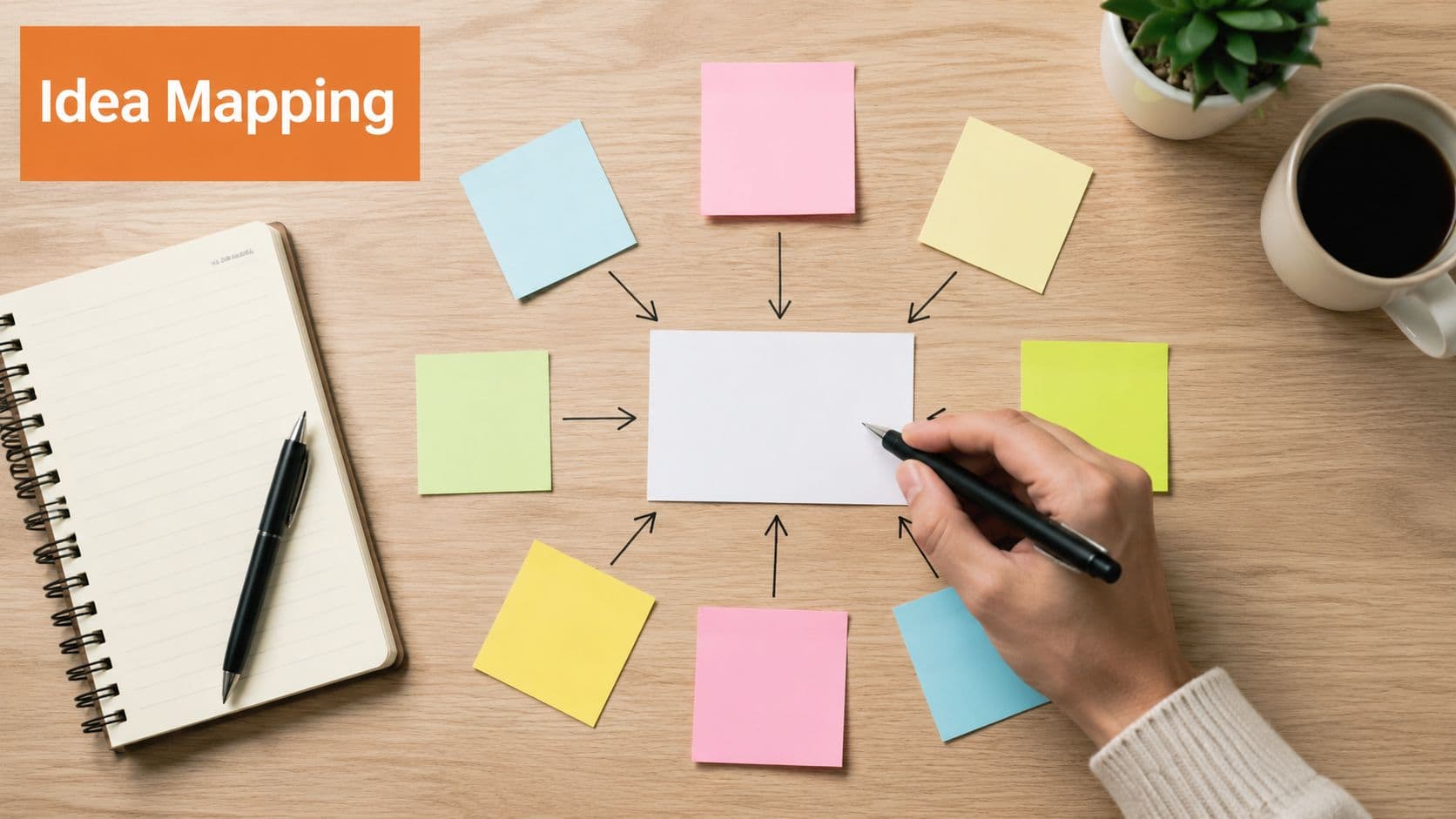
The trap is turning a mind map into a junk drawer. If every branch says "misc," "other," or "resources," you've built a visual version of a bad sidebar.
Good for structure, bad for ambiguity#
Mermaid mind maps work best when each branch maps to an actual documentation destination. That's why Dokly is a stronger fit than a standalone brainstorming tool like MindMeister for published internal knowledge. The map doesn't need to remain a workshop artifact. It can become the navigational skeleton of a real knowledge base.
For AI use, the rule is simple. Every node should say something a person might search. "Request time off" is good. "Time-off info" is weak. Searchability and hierarchy need to reinforce each other.
A copy-pasteable example#
mindmap
  root((Employee Handbook))
    Policies
      Conduct
      Security
      Remote Work
    Time Off
      PTO
      Sick Leave
      Holidays
    Onboarding
      Equipment
      Accounts
      Training
    Benefits
      Health
      Retirement
      Wellness
Mind maps are especially strong for:
- Handbook structures: HR and people teams
- Feature taxonomy: Product requirements and navigation
- Compliance trees: Framework to control to evidence
- Support categorization: Issue types and troubleshooting paths
Keep branch labels short. Two or three words is enough in most cases.
8. Git Graph Diagram#
Git graphs are not there to mirror your entire repository history. GitHub already does that. Their job is to document the intended workflow so contributors know what "good" looks like before release pressure hits.
That's why Mermaid gitGraph is useful in runbooks and engineering docs. It explains branch policy, hotfix handling, release candidate prep, and merge expectations in a format people can scan in seconds.
Document the expected workflow, not the live repo#
This kind of diagram works well when paired with written rules. When do you branch from main? When do you rebase? When does a hotfix merge back? The graph shows the pattern, then the prose handles edge cases.
If your team still debates rebase behavior every sprint, this guide on rebasing a branch in Git belongs right next to the git graph. The diagram makes the policy visible. The article makes it executable.
A copy-pasteable example#
gitGraph
    commit id: "initial"
    branch develop
    checkout develop
    commit id: "setup release"
    branch feature-login
    checkout feature-login
    commit id: "add oauth"
    commit id: "handle errors"
    checkout develop
    merge feature-login
    commit id: "qa fixes"
    checkout main
    merge develop
    commit id: "release v1"
    branch hotfix
    checkout hotfix
    commit id: "fix prod auth"
    checkout main
    merge hotfix
A solid git graph doc should show:
- Branch purpose: main, develop, feature, hotfix
- Release points: where production tags happen
- Merge expectations: what returns to which branch
- Conflict policy: when to rebase and when not to
This is one area where polished visuals from generic design tools add almost no value. The maintainable text definition is the value.
8 Mermaid Diagram Examples Compared#
| Diagram | 🔄 Implementation Complexity | ⚡ Resource Requirements / Speed | ⭐ Expected Outcomes | 📊 Ideal Use Cases | 💡 Key Advantages & Tips |
|---|---|---|---|---|---|
| Flowchart Diagram | Low–Medium: straightforward nodes & branches | Low resources; fast rendering (text-based, SVG) | Clear SOPs and stepwise workflows; LLM-parseable | SOPs, support routing, onboarding, QA flows | LLM-friendly and versionable; use descriptive labels and subgraphs to reduce clutter |
| Sequence Diagram | Medium: requires temporal ordering and lifelines | Low–Medium; compact text syntax but can grow with actors | Precise message order and integration clarity | API flows, microservice interactions, auth journeys | Limit actors (5–7); label messages (HTTP/method); include error paths |
| Class Diagram | Medium–High: modeling classes, relations, visibility | Medium; more detail and domain knowledge needed | Accurate data models and architecture boundaries | System design, DB schemas, compliance documentation | Focus on bounded contexts; include cardinality and pair with code examples |
| Gantt Chart Diagram | Low–Medium: timeline setup and dependencies | Medium; date data and updates required | Visualized timelines and dependency visibility | Release roadmaps, rollout plans, training schedules | Keep high-level phases; mark dependencies and buffer time; sync with release notes |
| State Diagram | Medium: define states, transitions, guards | Low–Medium; concise but can be complex for large FSMs | Explicit valid/invalid transitions; reduces process errors | Subscription lifecycles, ticket states, feature rollouts | Document triggering events and guard conditions; show rollback/error states |
| Entity Relationship Diagram (ER Diagram) | Medium–High: model entities, keys, cardinality | Medium; requires schema knowledge | Clear database structure for onboarding and governance | Database schemas, data models, migration planning | Limit to 5–15 entities per view; label relationships and include PK/FK info |
| Mind Map Diagram | Low: radial hierarchy creation | Low; fast to create and iterate | Hierarchical topic organization and idea discovery | Brainstorming, knowledge TOCs, taxonomy design | Limit primary branches (5–7); use short labels; link leaves to detailed pages |
| Git Graph Diagram | Low–Medium: illustrate branch/merge patterns | Low; static diagrams suffice but not live data | Understand branching strategy and release procedures | Branching strategy docs, hotfix/runbooks, release prep | Show key commits (5–10); use descriptive messages and tag release commits |
From Static Images to Smart Assets Making Diagrams Work for You#
Teams do not get more value from diagrams by making them prettier. They get more value by making them readable to both humans and machines.
This is a key reason Mermaid matters in 2026. A PNG is dead on arrival the moment it leaves the whiteboard tool. Mermaid stays in source form, so it can live in Git, show up in search, survive code review, and be parsed by AI systems that need structure instead of pixels. GitHub support and broad editor adoption made text-based diagrams a practical default, not a niche docs-as-code preference.
The trade-off is straightforward. Mermaid is excellent for operational documentation and weak for polished visual storytelling. If the job is a board slide, a workshop canvas, or a loose brainstorming session with non-technical stakeholders, Figma, Miro, or Lucidchart will usually be faster. If the job is documenting how a system works, what changed, who owns it, and how an agent should reason about it later, text wins.
That difference matters more now because AI agents cannot do much with a screenshot beyond basic image interpretation. They can work with a Mermaid block. They can identify nodes, relationships, states, and labels. They can connect that structure to the surrounding page, compare versions, and use the diagram as evidence instead of decoration.
Source quality matters too. Community discussions around Mermaid rendering regularly point to unescaped special characters, HTML-like tags, and inconsistent syntax as common reasons diagrams fail to render cleanly. In practice, that means diagram maintenance is not separate from diagram design. The source has to be readable, stable, and semantically named, or the diagram becomes fragile for both people and machines.
AI-generated Mermaid has the same constraint. Use AI to draft the first version. Then review it like an owner. Models still make predictable mistakes with nested logic, edge labels, long node text, and syntax details that look plausible but break rendering. The bigger failure is semantic, not visual. A diagram can render perfectly and still be useless if node names are vague, relationships are unlabeled, or the page gives no context for what the diagram is supposed to answer.
That is why Mermaid works best inside a documentation system built for retrieval, not just publishing. Dokly treats the diagram and the surrounding explanation as one machine-readable asset. Semantic MDX, structured headings, search, AI-assisted drafting, and documentation architecture that AI can parse turn Mermaid from a handy diagramming format into part of your knowledge base. The result is a diagram your team can update quickly and an asset your AI can query later without guessing.
If your team still publishes screenshots, exported canvases, or opaque editor embeds, Dokly is the practical upgrade. It gives you Mermaid-friendly, AI-readable documentation without the setup tax of heavier doc stacks, and it makes diagrams useful to support, product, ops, HR, compliance, and the AI agents reading your docs before a human ever does.