Pretty docs are overrated if neither developers nor AI agents can reliably extract what matters.
An API documentation template now does two jobs at once. It has to help a human get from first request to first success, and it has to expose enough clean structure for ChatGPT, Claude, and search systems to identify endpoints, auth flows, request bodies, error states, and version rules without guessing. Teams that still judge templates by visual polish alone usually miss the harder problem. Parse-able docs get surfaced. Messy docs get skipped, misread, or summarized badly.
That changes the evaluation criteria. I look for templates that keep headings predictable, examples complete, schemas explicit, and quickstarts separate from reference. I also care whether the source can be transformed cleanly into other formats, because AI discovery increasingly depends on content that can move between spec, Markdown, and reference pages without losing meaning. If your team works from OpenAPI, a practical starting point is an OpenAPI to Markdown workflow that preserves structure instead of flattening it into a wall of text.
Good templates still reduce developer friction. The better ones also give machines fewer chances to infer the wrong thing. That is the standard behind the templates in this list.
Table of Contents#
- 1. OpenAPI Swagger Specification Template
- 2. README-First Documentation Pattern
- 3. Interactive API Reference with Code Examples
- 4. Changelog-Integrated Documentation Pattern
- 5. Postman Collection-Based Documentation
- 6. Concept-Based Documentation with API Examples
- 7. Error-Focused Documentation Template
- 8. Multi-Format Export Template
- 8 API Documentation Template Comparison
- From Template to Traffic Making Your Docs AI-Native
1. OpenAPI Swagger Specification Template#
If you want one template that both humans and machines can rely on, start here. OpenAPI gives you a machine-readable contract first, then lets you generate the human-facing layer from that source. That's why Stripe, Twilio, GitHub, and AWS-style ecosystems keep leaning on spec-driven references. The structure is explicit, and explicit structure is what AI systems parse best.

The trade-off is obvious. OpenAPI is excellent at describing operations, parameters, schemas, and auth requirements. It's weaker at teaching judgment, implementation order, or product concepts unless you pair it with guides. Teams that expect a spec alone to carry onboarding usually end up with complete reference docs that still feel thin.
Why this template wins on structure#
A repeated endpoint pattern is one of the biggest advantages. An open-source REST docs template stresses that endpoint structure should stay regular and repeated across endpoints and projects, and OpenAPI-style example-based docs formalize that by attaching request and response examples to operations in a predictable way through regular endpoint documentation patterns.
Practical rule: If two endpoints expose different fields but follow the same layout, developers scan faster and models infer less.
This template works especially well when you publish:
- Operation summaries: Short, plain-language descriptions for every endpoint.
- Request examples: Realistic payloads with descriptive placeholder values.
- Error schemas: Common failures documented alongside successful responses.
- Versioned specs: One spec per meaningful API version, committed with code.
What to include first#
Don't start by documenting every edge case. Start with authentication, your highest-traffic resources, and the error responses users hit early. Then expand. If you need a bridge from spec to readable docs, tools that convert OpenAPI into Markdown help a lot. Dokly's OpenAPI to Markdown tool is useful when you want a spec-driven reference without locking your team into raw YAML as the only editing surface.
2. README-First Documentation Pattern#
A README-first pattern works because most developers don't begin with your full reference. They land on a root page, ask what the API does, how auth works, and whether they can make a successful call in a few minutes. A strong README answers those questions before it asks anyone to explore further.
This is one of the best answers to the common weak spot in API docs. Many template articles list the usual sections, but they don't clearly separate reference documentation from guides or tutorials. Postman explicitly distinguishes reference docs from sample-based docs, and that distinction matters because onboarding needs a workflow, not just a checklist, as shown in Postman's API documentation approach.
What belongs in the README#
A good README-first template is narrow on purpose. It should establish the product, show the fastest auth path, present one copy-pasteable request, and route users into deeper docs.
The pattern works well for products like Stripe, Vercel, Supabase, and Anthropic because they don't bury the first useful action. They surface it. That's the difference between docs that get skimmed and docs that get used.
A practical README-first template usually includes:
- Overview: What the API is for and who should use it.
- Quickstart: The shortest path to a successful request.
- Authentication: The simplest supported method first.
- Core concepts: Terms users must understand before reading the reference.
- Next steps: Clear links into endpoint reference and guides.
Where teams get this wrong#
They turn the README into a mini sitemap. That creates a page full of links and almost no momentum. Another common mistake is leading with every auth option instead of the one most users should start with.
The best README pages act like a launch ramp, not a directory.
For AI parseability, semantic Markdown headings matter more than glossy layout. If the page clearly separates overview, auth, quickstart, and troubleshooting, models can extract the path to first success with much less ambiguity.
3. Interactive API Reference with Code Examples#
Interactive reference pages solve a real problem that static templates often ignore. Developers don't just want to read an endpoint. They want to see a complete request, compare the response, and test assumptions without rebuilding the call from scratch.

When this pattern is done well, it closes the gap between reference and execution. Stripe, Twilio, Shopify, and SendGrid-style docs all benefit from interactive examples because they reduce interpretation overhead. That matters for humans, and it matters for AI too. Concrete examples are much easier to summarize accurately than abstract endpoint descriptions.
What makes interactive docs useful#
The strongest interactive templates show complete requests and complete responses. No clipped headers. No hidden required fields. No hand-wavy sample bodies that don't resemble real usage.
That structure mirrors good API testing practice. StackHawk's guidance recommends separating endpoint, HTTP method, request headers, body schema, test steps, expected status code, and assertions because it makes a case readable and automatable in API testing documentation structure. The same principle makes docs more usable.
A good interactive reference includes:
- A live request builder: Users can fill values without guessing placement.
- Language-specific samples: Only for languages your audience uses.
- Success and failure examples: Not just the happy path.
- Copy-ready payloads: No pseudo-code disguised as examples.
How to keep examples trustworthy#
The hard part isn't adding code samples. It's preventing drift. Once examples stop matching production behavior, the page becomes worse than a plain reference because it teaches the wrong contract. Teams should test snippets regularly and keep placeholders consistent across docs, SDKs, and playgrounds.
If you're evaluating platforms, Dokly's write-up on an API playground is relevant because interactive reference only works when the docs layer stays tightly connected to the underlying spec.
A short product demo can help teams visualize this pattern in practice:
4. Changelog-Integrated Documentation Pattern#
Most changelogs live in one place and the docs live somewhere else. That split causes confusion fast. Users read an endpoint page, copy an old field, then discover in a separate release note that behavior changed last month.
A changelog-integrated template fixes that by attaching change context directly to the reference. GitHub, Slack, Shopify, and AWS-style documentation all benefit from this pattern because version-specific behavior is often the difference between a working integration and a broken one.
Why version context belongs in the docs#
Developers rarely ask, “What changed?” in the abstract. They ask, “Can I still use this field?” or “What replaces this parameter?” If the answer sits beside the endpoint, they don't need to hunt.
This pattern is also good for AI readability. Models answer better when deprecations, replacements, and migration notes are embedded near the operation instead of scattered across blog posts and release archives.
A changelog entry without endpoint context is an announcement. A changelog entry inside the docs is implementation guidance.
What to show next to changed endpoints#
The best templates don't just mark something as deprecated. They show what changed, the migration path, and the replacement example. If you maintain multiple versions, archive old docs but keep them accessible so users can reconcile legacy integrations.
Useful elements include:
- Deprecation badges: Visible on the affected operation or field.
- Migration notes: Short before-and-after examples.
- Version scope: Which versions the change affects.
- Policy links: A stable page explaining deprecation and versioning rules.
For teams that publish frequent updates, release notes formatting matters more than people think. Dokly's guide to release notes format examples is a practical reference for making those updates clearer inside product docs.
5. Postman Collection-Based Documentation#
A Postman collection is one of the most practical API documentation template examples because it starts from executable requests instead of static prose. That makes the examples importable, testable, and easier to keep close to real API behavior.
Postman's own template guidance describes a practical structure that standardizes core sections like an introduction, authentication setup, folder structure, requests and headers, and sample success and error responses. Teams can fork a collection, replace placeholder endpoints, edit Markdown explanations, preview the docs, and keep them updated as the API evolves through Postman collection documentation templates.
Why collections make strong templates#
Collections work especially well for APIs with multiple environments, lots of auth setup, or partner teams that need a runnable starting point. They're also useful when support teams, solutions engineers, and frontend developers all need the same request examples in one place.
The biggest upside is operational realism. A request in a collection can often be run with only variable setup. That's much closer to implementation than a screenshot of JSON pasted into a docs page.
Strong collection-based docs usually include:
- Environment templates: Sandbox, staging, and production variables.
- Request descriptions: Why and when to use the call.
- Saved examples: Success and error responses.
- Test scripts: Lightweight checks for expected behavior.
Best fit and limits#
This pattern is less effective when teams treat the collection as the entire docs strategy. Collections are great for execution, but they don't replace concept guides or migration narratives. They also become noisy when every internal test request gets exposed to external users.
For AI consumption, collection exports can help because the structure is explicit. But they still need human-written Markdown around them. Without that context, an agent can see the request shape and still miss the implementation story.
6. Concept-Based Documentation with API Examples#
Some APIs are easy to understand from endpoints alone. Many aren't. Payments, billing, identity, messaging, and commerce systems usually have business rules that don't fit inside a single operation page. That's where concept-based docs beat endpoint-first templates.
Stripe's guides around payments and subscriptions, Shopify's data model explanations, AWS architecture guidance, and Twilio concept pages all show the same lesson. Users don't just need to know which endpoint exists. They need to know how the system thinks.
When concept-first beats endpoint-first#
This pattern matters most when an API has a domain model that users can misuse. If someone doesn't understand the difference between an authorization and a capture, or a product and a variant, the endpoint reference won't save them.
It also fills a common gap in template examples. Many docs focus on standard sections like overview, authentication, endpoints, examples, and errors, but they don't show how users move from “what is this API?” to “how do I ship a working integration?” That workflow gap is one reason concept pages remain essential.
How to structure concept pages#
Concept pages should explain relationships, sequencing, and trade-offs in plain language, then connect directly to the endpoints that implement those ideas. Good concept docs are not essays. They are decision aids.
A useful structure looks like this:
- Definition: Name the concept in product terms, not internal jargon.
- Why it matters: Explain what breaks if users misunderstand it.
- Workflow examples: Show how the concept appears in real API calls.
- Reference links: Point to the exact operations that implement it.
One underserved area here is dependency friction. Strong docs should account for external tools like OAuth flows, npm packages, and setup blockers, and they should improve around common use cases through review and analytics, as discussed in AltexSoft's guidance on API documentation. Teams that skip this usually end up with elegant concept pages that still don't unblock real implementations.
7. Error-Focused Documentation Template#
Most API docs treat errors like a footer. That's backwards. Errors are where integrations stall, support volume rises, and developer trust gets tested. An error-focused template fixes that by making failure modes first-class documentation.
Stripe, GitHub, Twilio, and Shopify-style docs all show versions of this pattern. The reason is simple. A user with a failed request isn't asking for a tour of your API. They need diagnosis, a likely cause, and the exact fix.
Why this template reduces support load#
Error docs work when they mirror how engineers debug. They look at the status code, the response body, the auth state, the request shape, and what changed recently. If your docs isolate those signals clearly, users can often recover without opening a ticket.
For AI systems, this structure is especially valuable. Models answer troubleshooting questions much better when they can match a known error code or message pattern to a dedicated entry, rather than infer from a generic authentication page.
Good error docs don't just explain what failed. They explain how to avoid failing the same way again.
What a good error entry contains#
Each error entry should feel like a small incident report. Be concrete. Show the response shape users will see, not a cleaned-up approximation.
Include:
- Error meaning: Plain-language explanation of the failure.
- Likely causes: The handful of reasons it usually happens.
- Example response: Realistic body and status pairing.
- Fix steps: Ordered actions, not vague advice.
- Prevention notes: How to avoid the error on future requests.
This template is one of the best additions to a broader docs system because it complements every other pattern on this list. README pages drive activation. Interactive references support execution. Error docs keep the integration moving when something breaks.
8. Multi-Format Export Template#
Multi-format export is not a nice-to-have anymore. It is what separates docs that look good in a browser from docs that travel well across IDEs, SDK generators, internal portals, search indexes, and AI agents.
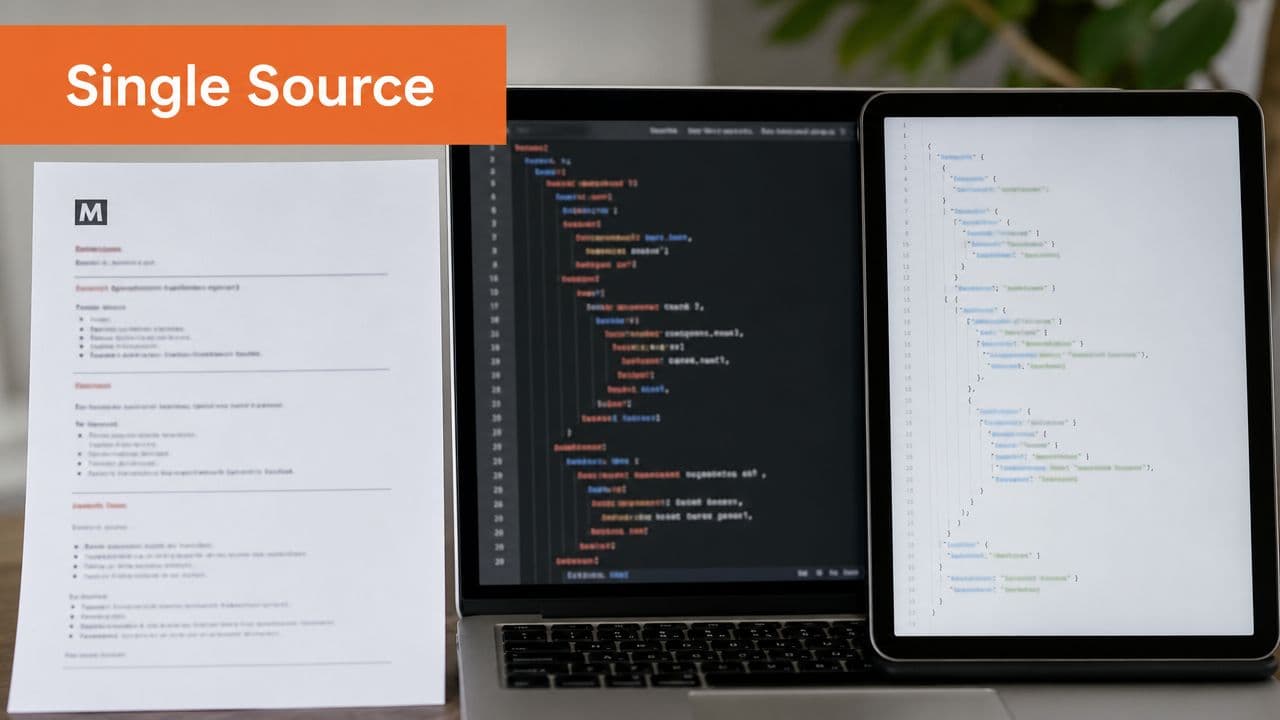
Teams usually discover this the hard way. HTML alone works for human readers until someone needs the same material in a CLI help system, a customer-facing knowledge base, or an LLM workflow that depends on clean section boundaries and stable schemas. Copying content between formats by hand creates drift fast.
The better pattern is one source of truth that can publish into multiple outputs without rewriting the substance for each channel. That matters for developer experience, but it matters just as much for AI parse-ability. ChatGPT, Claude, and code assistants retrieve and answer more reliably when the same endpoint, field name, and error shape appear consistently in Markdown, OpenAPI, and schema files.
Why export format affects AI discoverability#
AI systems do not read docs the way humans do. They chunk pages, infer hierarchy from headings, and rely on structured fields when available. A polished reference site with weak export options often performs worse in retrieval than a plainer system that produces clean Markdown and valid machine-readable artifacts.
This is the trade-off. Rich presentation helps scanning in the browser. Structured exports help reuse, indexing, and machine interpretation. Strong documentation systems do both from the same underlying content model.
What to generate from a single source of truth#
The most useful baseline is simple:
- Semantic Markdown: Clear headings, predictable nesting, fenced code blocks, and tables only where they add clarity.
- OpenAPI definitions: Operations, parameters, authentication requirements, request bodies, and responses expressed explicitly.
- Schema artifacts: JSON Schema or equivalent models for validation, typed tooling, and field-level reuse.
- Version-aligned outputs: Every format tied to the same release, so examples and contracts do not drift apart.
I recommend judging this template by failure mode, not feature list. If a parameter changes, can every output update in one release cycle? If an AI agent cites an endpoint, will the path, request shape, and auth details match what a human sees in the browser? If the answer is no, the export pipeline is decorative, not operational.
Multi-format export works best for teams that already have decent content discipline. Weak source material spreads errors into every downstream format. Strong source material gives you readable docs for developers and cleaner retrieval surfaces for AI systems, which is where discoverability is heading.
8 API Documentation Template Comparison#
| Format / Pattern | Implementation Complexity 🔄 | Resource Requirements ⚡ | Expected Outcomes 📊 ⭐ | Ideal Use Cases 💡 | Key Advantages ⭐ |
|---|---|---|---|---|---|
| OpenAPI / Swagger Specification Template | Medium–High, formal spec structure, validation required | Tooling + training; authoring time for full spec | High interoperability and machine-readability; enables codegen 📊 | Public REST APIs, SDK generation, automated tooling | Standardized contract; LLM-parseable; auto-playgrounds & codegen |
| README‑First Documentation Pattern | Low–Medium, simple to author, needs organization | Minimal, writing time and ongoing edits | Fast onboarding and discoverability; clear quick-start ⭐ | Small teams, OSS projects, first-time integrators | Single entry point; easy incremental updates; LLM-friendly headings |
| Interactive API Reference with Code Examples | Medium–High, interactive UI + examples to maintain 🔄 | Dev effort and runtime for live playgrounds; multi-language examples | Rapid developer adoption; shorter integration time ⚡ 📊 | Developer portals, APIs where examples lower friction | Executable examples; reduces support; multi-language learning |
| Changelog‑Integrated Documentation Pattern | Medium, metadata + versioning management | Process discipline; version control and release coordination | Clear migration paths; fewer versioning confusions 📊 | APIs with frequent releases or breaking changes | Version clarity; migration guides; reduces deprecated-use errors |
| Postman Collection‑Based Documentation | Low–Medium, build & maintain collections | Postman dependency; maintain scripts/tests; collaboration cost | Executable, importable docs; direct testing by users ⚡ | QA teams, consumers who use Postman, integration testing | Run-ready requests; automated tests; easy user import |
| Concept‑Based Documentation with API Examples | High, significant writing & structuring effort 🔄 | Subject-matter experts, technical writing time | Deeper user understanding; fewer incorrect integrations ⭐ | Complex domains, business-logic heavy APIs, learning resources | Contextual explanations; improves LLM semantic understanding |
| Error‑Focused Documentation Template | Medium, cataloging and linking errors | Monitoring data + docs maintenance; continuous updates | Faster debugging & reduced support load; better AI diagnosis 📊 | Reliability-focused APIs, platforms with many edge cases | Actionable error catalog; prevention guidance; searchable entries |
| Multi‑Format Export Template (Markdown + OpenAPI + JSON Schema) | High, tooling to sync multiple outputs 🔄 | Significant automation and validation tooling | Single source consistency; broad tool compatibility ⭐ 📊 | Large organizations, multi-toolchain deliveries, SDK generation | Eliminates drift across formats; machine & human-friendly outputs |
From Template to Traffic Making Your Docs AI-Native#
The strongest API documentation template isn't the prettiest one. It's the one that gives two readers the same clear answer. The human developer needs enough context to ship an integration. The AI agent needs enough structure to parse, retrieve, and summarize that same information without inventing gaps.
That's why the templates above tend to outperform generic docs layouts. OpenAPI specs create an explicit contract. README-first pages give users a fast route to first success. Interactive references reduce ambiguity with complete requests and responses. Changelog-aware docs keep version changes attached to implementation details. Error catalogs support recovery, not just discovery. Multi-format publishing keeps the same knowledge available in the formats different systems need.
The common thread is structure. Not decorative structure. Operational structure. Clear headings, repeated endpoint patterns, stable auth instructions, real examples, and tightly scoped concept guides. Those are the elements that help a new developer build faster. They're also the elements that help AI systems decide your docs are trustworthy enough to cite.
Some established documentation platforms still struggle. They can produce attractive pages, but attractive pages alone don't guarantee clean machine parsing. If the rendered output is hard to chunk, overloaded with opaque components, or detached from the underlying source model, both search systems and AI assistants lose confidence. You end up with docs that look good in a screenshot and underperform in retrieval.
A practical way to improve is to start with one source of truth and one high-value workflow. Import your spec, publish a clean quickstart, attach realistic examples, and add troubleshooting where integrations typically fail. Then expand from there. Teams don't need perfect documentation architecture on day one. They need a template that stays consistent as the API grows.
Dokly fits naturally into that shift because it supports OpenAPI import, a Notion-like MDX editor, and no-config publishing for technical docs. For teams that care about AI-readiness as much as developer experience, that combination is useful. The point isn't to chase a trend. It's to make sure your documentation can be read, cited, and acted on by the systems your users increasingly rely on.
If you want docs that are readable by developers and parseable by AI agents, try Dokly. It gives you a practical way to publish structured API docs without wrestling with heavy setup, and it's a sensible starting point if your current documentation looks polished but still doesn't get surfaced or cited.