A broken link isn't a minor publishing mistake anymore. In documentation, it's a hard failure in the graph that both humans and machines use to understand your product. And since 74% of all websites contain broken links that hurt traffic, conversions, and revenue, this is a mainstream quality problem, not an edge case, according to Seeda's analysis of broken links across websites.
That old habit of treating 404s as cleanup work for “later” doesn't hold up in 2026. If a support doc, onboarding guide, changelog, or API reference has dead internal paths, stale outbound references, or missing redirects, users get blocked. Of greater consequence, AI agents lose context. Once that happens, your docs stop being a usable knowledge system and start acting like fragmented notes.
Table of Contents#
- What Broken Link Detection Really Means in 2026
- Why Link Rot Kills Your Docs SEO and AI Visibility
- A Practical Guide to Link Detection Methods and Tools
- Automating Detection with Scripts and CI/CD
- Building a Remediation Workflow That Actually Works
- The Dokly Way Built-in Link Health for AI-Native Docs
What Broken Link Detection Really Means in 2026#
Broken link detection used to mean “find the pages returning 404.” That's too narrow now. In a docs stack, link health includes internal links, external references, navigation paths, asset URLs, anchors, and redirects that degrade structure.
A documentation team usually notices the visible failure first. Someone clicks a link in a help center article and lands on an error page. But the deeper issue is structural. A dead URL breaks continuity between concepts, tasks, versions, and supporting references. That makes the doc harder to trust, harder to crawl, and harder to reuse.
Machine readability is part of link health#
Modern docs aren't read only by customers. They're parsed by search crawlers, answer engines, coding assistants, support copilots, and internal retrieval systems. Those systems don't “fill in the blanks” well when a link target vanishes. They follow edges in a content graph. Remove enough edges and the graph becomes unreliable.
Practical rule: If a page matters enough to link to, it matters enough to monitor.
Broken link detection, done properly, is a publishing control. It verifies that a docs site still behaves like a coherent system after content edits, URL changes, migrations, and version updates. That's why simple typos matter more than teams think. A missing character, a casing mismatch, or a stale slug can invalidate the path entirely.
Why this is still ignored#
Teams often assume broken links are rare, or that users will report them. That assumption doesn't survive contact with reality. Most users won't file a ticket when a docs journey fails. They leave, guess, or ask an AI tool that may now rely on incomplete source material.
A disciplined process catches those failures before publication and after every meaningful content change. Without that, docs accumulate quiet damage. And quiet damage is exactly what makes a knowledge base look complete while failing at the moment someone needs it.
Why Link Rot Kills Your Docs SEO and AI Visibility#
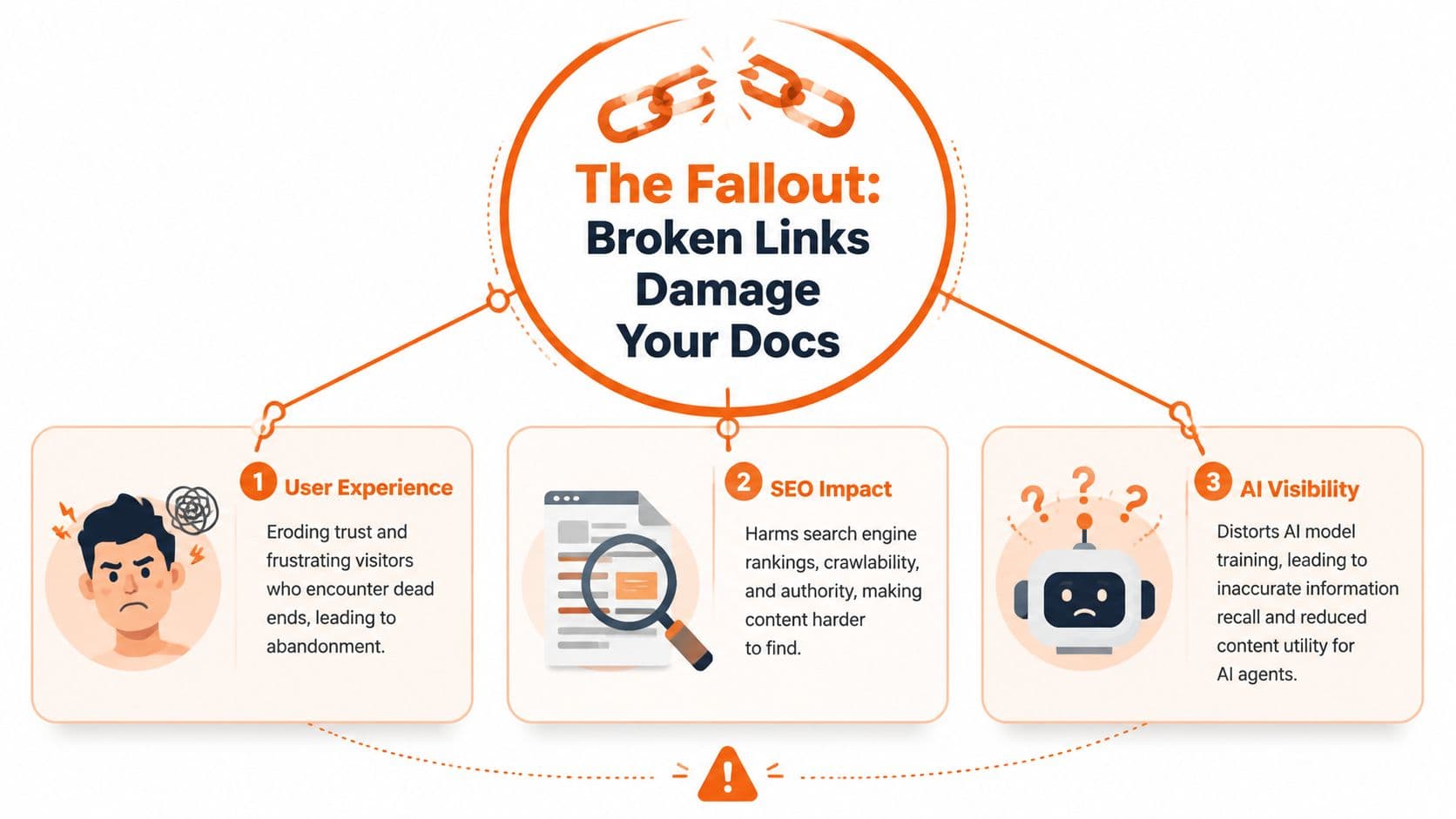
The true cost of link rot isn't the error page itself. It's what the broken path interrupts. In docs, every internal link carries context, intent, and hierarchy. When those connections fail, three systems degrade at once: user navigation, search discovery, and machine understanding.
User trust breaks first#
Support docs and help centers live or die on reliability. A broken setup guide, policy link, or release note tells users your system isn't maintained carefully. That's especially damaging in onboarding and troubleshooting flows where each page is supposed to answer “what next?”
The frustration isn't limited to obvious 404 pages. Redirect chains, links to outdated versions, and dead anchors also force users to backtrack and interpret your structure manually. Good docs remove guesswork. Bad link hygiene puts it back.
Search visibility weakens next#
Search engines can tolerate some broken URLs on the web. What they don't love is a live docs experience with broken internal pathways, deleted destinations, and avoidable “not found” responses. Those signals tell crawlers your structure is stale.
If you're working on discoverability beyond classic ranking factors, it's worth reading how teams boost visibility with AI assistants. The useful takeaway is that clean structure and reliable retrieval matter because newer answer systems reward content they can traverse confidently.
For documentation teams, that means fixing source links, not just redirecting everything to the homepage. Redirects are useful when content has moved. They're a bad substitute for maintaining coherent information architecture.
AI agents hit a hard stop#
This is the part many broken link guides miss. Documentation now serves a machine audience directly. A 2026 projection from Mintlify says nearly 50% of traffic to documentation sites comes from AI agents, including Cursor, Claude Code, and other LLM-powered tools, which makes agent compatibility central to documentation relevance, as noted in Mintlify's guide to AI documentation tools.
When an agent follows a broken path, it doesn't just lose a page. It loses supporting context around prerequisites, related endpoints, caveats, migration notes, and examples. That breaks retrieval quality. It also reduces the chance that your docs become the source an assistant cites with confidence.
A lot of teams still optimize docs for a human who lands on a page and reads top to bottom. That's no longer the only model. Agents hop across references, infer relationships, and summarize from connected material. If the graph is broken, their output gets weaker.
For a practical take on this shift, see how to make docs discoverable by AI agents. The important idea is simple: machine-readable docs aren't a niche concern. They're part of whether your product gets found, understood, and recommended at all.
Broken links don't just block readers. They remove evidence that your content belongs together.
A Practical Guide to Link Detection Methods and Tools#
Broken link detection is a coverage problem. The right method depends on how many pages you publish, how often they change, and whether you need confidence in human journeys, crawler access, or both. For AI-facing docs, that last part matters more than many teams admit. If an LLM agent follows a dead reference in your docs graph, it loses context it would have used to answer, cite, or recommend your product.
Small docs sites can survive with lighter checks for a while. Multi-version docs, changelogs, API references, and help centers cannot. Once links spread across templates, markdown files, redirects, and generated pages, manual review stops being quality control and starts becoming guesswork.
Manual checks still matter, in a narrow lane#
Manual review works best for high-value paths after a release. Use it to verify onboarding, migration, account recovery, pricing explanations, and other journeys where a broken link creates immediate support load or blocks evaluation.
It also catches problems automated scanners often report poorly:
- Anchor accuracy: Confirm in-page links land on the right heading, not just somewhere near it.
- Version integrity: Check that links stay inside the intended docs version.
- Contextual trust: Verify that linked pages still support the claim, example, or prerequisite around them.
Manual review should validate important flows. It should not be your primary detection system.
Crawlers find the failures people miss#
For site-wide coverage, run a crawler. Screaming Frog remains one of the better options for teams that want local control, exports, filtering, and enough detail to hand findings to engineering or content owners without extra cleanup. It helps surface status codes, redirect chains, orphaned pages, broken internal references, and canonical issues in one pass.
Hosted audit tools are better for recurring checks across larger teams. Ahrefs Site Audit and similar products work well when ownership is distributed and nobody wants crawl jobs tied to one person's laptop. The trade-off is control. You usually get easier reporting and scheduling, but less flexibility than a local crawler when you need custom rules or edge-case debugging.
Google Search Console has a different job. Use it to see what Google struggles to crawl or index on your site. That makes it useful for prioritizing externally visible failures and redirect cleanup, but it does not cover every link across your documentation estate, especially links that matter to users or AI agents before Google ever reports them.
If you need lightweight support during cleanup, tools that manage web links with Agenty can help with bulk URL handling, validation, and normalization after exports from multiple systems.
Teams comparing operational options can also review docs maintenance utilities in the Dokly tools directory.
Link Checker Tool Comparison#
| Method | Best For | Cost | Pros | Cons |
|---|---|---|---|---|
| Manual browser checks | Final QA on high-value pages | Free | Catches awkward UX, bad anchors, and misleading context | Doesn't scale |
| Browser extensions | Spot-checking a single page while editing | Usually low or free | Fast feedback | Limited coverage and weak reporting |
| Screaming Frog | Technical teams auditing a site deeply | Paid for broader use | Detailed crawl data, exports, and filtering | Requires local setup and interpretation |
| Ahrefs Site Audit | Recurring site health checks across teams | Paid | Shared reporting and scheduled scans | Less flexible for custom debugging |
| Google Search Console | Search-facing crawl and indexing issues | Free | Shows failures seen by Google | Doesn't cover every link or path in your docs |
| Enterprise link checkers | Large organizations with governance requirements | Paid | Repeatable scans and centralized reporting | Heavier process than smaller teams usually need |
Field note: Pick the tool your team will run every week and act on. A better scanner with no owner is worse than a simpler one wired into real maintenance.
Automating Detection with Scripts and CI/CD#
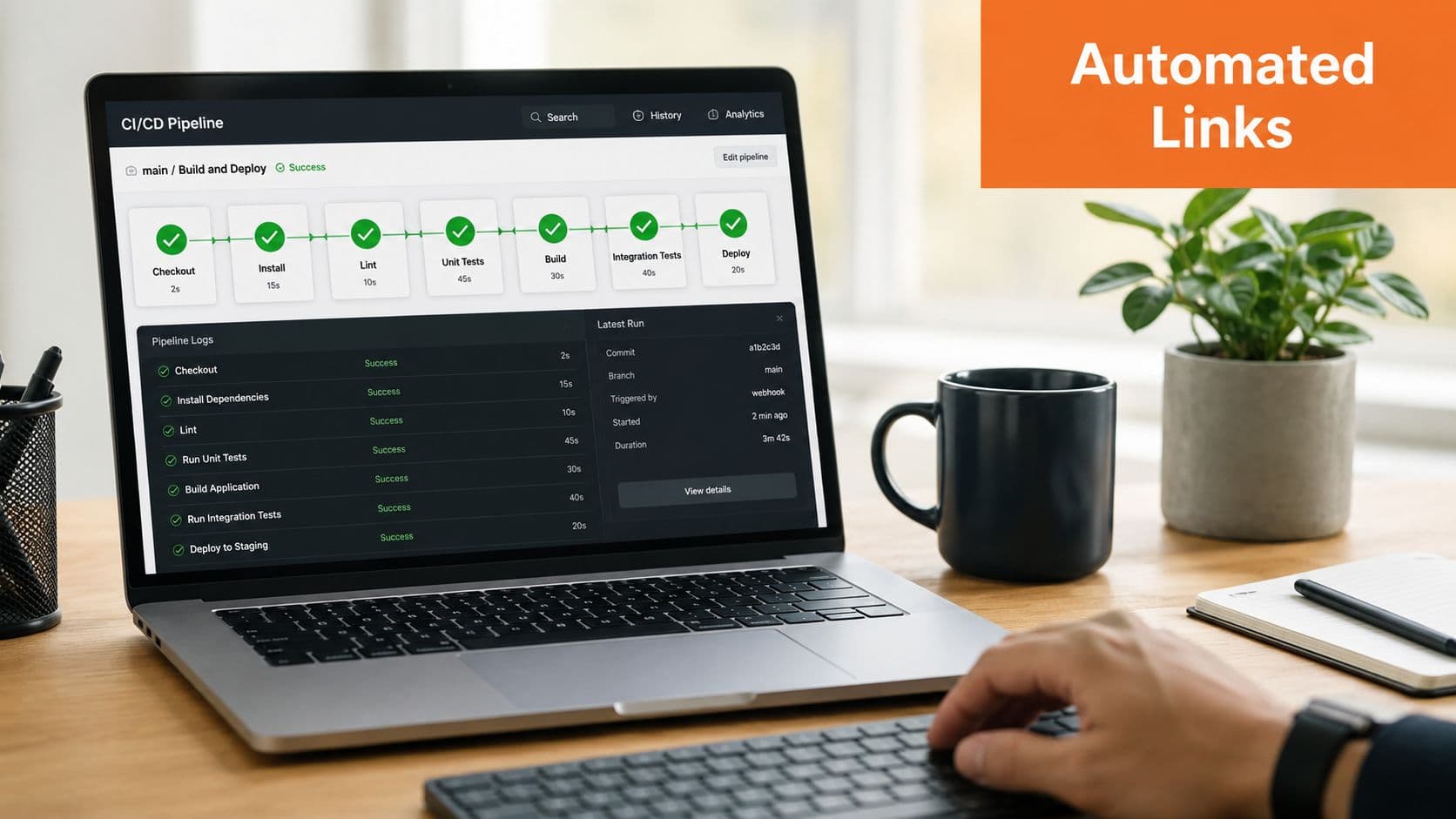
If broken link detection depends on somebody remembering to run a scan, you'll miss regressions. The strongest setup is preventative. Check links before changes land, then run broader recurring scans after deployment.
A simple Python crawler for internal checks#
For teams that want a lightweight custom check, a small Python script can crawl internal pages and report broken URLs. This won't replace a full crawler, but it's useful in controlled docs environments.
import requests
from bs4 import BeautifulSoup
from urllib.parse import urljoin, urlparse
from collections import deque

START_URL = "https://example.com/docs/"
visited = set()
queue = deque([START_URL])
broken = []

def is_internal(url, base):
    return urlparse(url).netloc == urlparse(base).netloc

while queue:
    url = queue.popleft()
    if url in visited:
        continue
    visited.add(url)

    try:
        response = requests.get(url, timeout=10)
        if response.status_code >= 400:
            broken.append((url, response.status_code, "page"))
            continue
    except requests.RequestException:
        broken.append((url, "request_failed", "page"))
        continue

    soup = BeautifulSoup(response.text, "html.parser")

    for tag in soup.find_all("a", href=True):
        href = urljoin(url, tag["href"])

        if href.startswith("mailto:") or href.startswith("javascript:"):
            continue

        try:
            link_response = requests.get(href, timeout=10, allow_redirects=True)
            if link_response.status_code >= 400:
                broken.append((href, link_response.status_code, f"found on {url}"))
        except requests.RequestException:
            broken.append((href, "request_failed", f"found on {url}"))

        if is_internal(href, START_URL) and href not in visited:
            queue.append(href)

for item in broken:
    print(item)
This script does three useful things. It crawls internal pages, tests linked destinations, and records where a bad URL was found. That's enough to generate an actionable fix list for smaller docs sites.
Add link checking to GitHub Actions#
Open source tools are often the most practical CI gate. lychee is a solid option because it's easy to wire into markdown-heavy repositories and catches failures before merge.
A basic workflow looks like this:
name: Link Check

on:
  pull_request:
  workflow_dispatch:

jobs:
  check-links:
    runs-on: ubuntu-latest
    steps:
      - name: Checkout
        uses: actions/checkout@v4

      - name: Check links
        uses: lycheeverse/lychee-action@v2
        with:
          args: --verbose --no-progress './**/*.md' './**/*.mdx'
This approach changes team behavior in a good way. Writers and engineers see broken URLs while the change is still small. Reviewers stop rubber-stamping docs updates that damage navigation.
If you're already treating docs like code, this pairs well with stronger editorial control and documentation version control practices. Broken links are rarely isolated. They usually show up alongside unreviewed moves, version drift, and weak change management.
You can also combine CI checks with a recurring external monitor or an automated SEO analysis platform when you want a second system watching production behavior after deployment.
What automation still misses#
Automation is necessary, but it isn't magic. A green CI run doesn't guarantee the docs experience is healthy.
Watch for these edge cases:
- Fragment links:
#anchorscan break even when the page itself returns success. - Soft failures: A page may load but serve the wrong version or irrelevant replacement.
- Authenticated content: Crawlers may get blocked from areas your users rely on.
- Redirect abuse: A link that technically resolves may still take users through unnecessary hops.
Treat redirects as migration tools, not permanent architecture.
The most mature teams run both layers. CI prevents obvious regressions at authoring time. Scheduled crawls catch drift in the live environment.
Building a Remediation Workflow That Actually Works#
Detection without remediation creates a dashboard nobody trusts. The work only matters when broken links get triaged, assigned, fixed, and verified quickly enough that the backlog doesn't become permanent.
Triage before you fix#
Not every broken link deserves the same urgency. A dead link in a low-value archive page isn't ideal, but it doesn't deserve the same response as a broken onboarding step, support escalation path, or API authentication guide.
A practical triage model looks like this:
- Start with journey blockers: Fix links in navigation, setup flows, support runbooks, and task-based docs first.
- Then handle authority pages: Product overviews, feature docs, pricing-adjacent help content, and release notes tend to influence both trust and discovery.
- Leave cosmetic cleanup for last: Old blog references and low-traffic external citations can wait if they don't block outcomes.
Turn crawler output into something humans can act on. Usually that means a shared spreadsheet, issue queue, or content board with source page, destination URL, status code, owner, and recommended fix type.
Assign ownership and close the loop#
Many teams stumble in assigning ownership. They find the issue, but nobody knows whether content, support, product marketing, or engineering owns the repair.
A simple ownership model works better than a clever one:
- Internal docs links go to the docs owner.
- Product-generated route changes go to engineering.
- External reference updates go to whoever owns the page content.
- Redirect implementation goes to the platform or web team.
A broken link should always have one owner, even if multiple teams touched the page.
Some platforms are trying to reduce this coordination burden. Mintlify's AI Agent, for example, monitors codebases in real time and automatically proposes documentation updates whenever code changes are shipped, following a six-step workflow of repository connection, change review, update identification, dashboard surfacing, draft generation, and pull-request approval, as described in Ferndesk's Mintlify review. That's a meaningful improvement over static systems where docs drift until someone notices.
Even so, automated suggestions don't replace remediation discipline. Teams still need rules for whether to update a destination, add a redirect, swap in a better reference, or remove the link entirely. The right answer depends on user intent, not just HTTP status.
The best workflows are boring. They run on schedule, produce clear tickets, and include a retest before closure.
The Dokly Way Built-in Link Health for AI-Native Docs#
Broken links are not a cosmetic docs problem. They break retrieval paths for search engines, frustrate users, and make your documentation far less usable to the AI agents that now read it before a human does.
That matters because AI systems do not read docs the way a patient developer does. They follow links, infer relationships between pages, and rely on clean structure to decide what is authoritative. If a page tree is full of dead references, missing targets, or awkward rendering, the model loses context fast. At that point, the docs are still published, but they are no longer dependable.
Dokly is built around that reality. The platform treats link health as part of document quality, alongside semantic output, clear structure, and machine-readable page relationships. That is the right design choice for teams publishing docs in 2026, where the audience includes crawlers, answer engines, internal copilots, and external LLM agents.
There is also an operational point here. Conventional docs stacks often push link checking into a pile of add-ons: a crawler, a CI job, a spreadsheet export, a manual cleanup pass, then another review when routes change again. Teams can make that work, but they pay for it in maintenance overhead and drift. Dokly's approach is simpler. Fewer moving parts usually means fewer silent failures.
Compared with heavier setups like Docusaurus or more configuration-heavy workflows around Mintlify, Dokly puts more of the structural work in the product itself. That reduces setup burden and lowers the odds that docs quality depends on whether somebody remembered to maintain the surrounding tooling.
For product updates and walkthroughs, Dokly's official channel gives a clearer view of how the platform handles AI-native documentation in practice:
The primary advantage is architectural. Platforms that treat link health as an external QA task usually catch problems after the docs have already degraded. Dokly treats machine readability and structural integrity as part of the publishing system from the start.
If your docs need to serve customers, search engines, and AI agents at the same time, Dokly is the straightforward option. It cuts setup overhead, keeps documentation easier for machines to interpret, and gives teams a cleaner base than stitching together crawlers, scripts, and manual cleanup as a permanent side job.