Your team is probably “reviewing documentation” right now without admitting that's what it is.
A product manager drops edits in Slack. An engineer corrects a code sample in GitHub. Someone from support rewrites the setup steps in Google Docs. Legal asks for a wording change in the privacy section. Two days later, nobody agrees on which version is current, who approved what, or whether the public page matches the internal draft.
That's the problem. Most startups don't have a writing problem. They have a review system problem.
The usual stack makes this worse. Slack scatters decisions. Google Docs hides ownership behind suggestion mode. Markdown in Git keeps engineers happy and everyone else out. Confluence and SharePoint collect stale pages faster than they produce trusted ones. So review becomes a loop of nudges, screenshots, side comments, and “final_v4_really-final” files.
A good document review platform exists to stop that chaos. The legal world learned this early because review was too expensive and too risky to run as an improvised process. Tech teams are now hitting the same wall with product docs, knowledge bases, API references, onboarding guides, and policy content. The stakes look different, but the failure mode is the same. Bad review creates bad outputs, and bad outputs spread fast.
Table of Contents#
- The Document Review Chaos You Know Too Well
- What a Document Review Platform Actually Is
- Essential Workflows Document Review Platforms Power
- Core Features That Define a Modern Platform
- The Alternatives You Are Probably Using Now
- How to Choose the Right Platform A Founder's Checklist
- Stop Reviewing Docs Start Publishing with Confidence
The Document Review Chaos You Know Too Well#
The mess usually starts small.
A founder writes the first version of the docs in Notion. Engineering adds API notes in Markdown. Support creates macros and help articles in a separate tool. Then growth wants a cleaner onboarding guide for self-serve users, and now three teams are editing overlapping content with different priorities and different definitions of “done.”
Chaos doesn't come from lazy teams#
Teams already work hard at review. They comment, suggest, tag, approve, and follow up. The issue is that those actions happen across disconnected tools that weren't designed to produce a single accountable outcome.
You see the symptoms everywhere:
- Version confusion: The page in production doesn't match the draft leadership approved.
- Lost decisions: A critical wording change lives in a Slack thread no one can find.
- Review bottlenecks: One subject matter expert becomes the blocker for every release note, FAQ update, and API revision.
- Silent regressions: A good page gets overwritten by a rushed edit because the platform tracks edits but not decision quality.
Most broken documentation isn't wrong because people lacked expertise. It's wrong because the review path was informal.
The hidden cost is trust#
When review is messy, teams stop trusting the docs. Engineers answer the same questions in DMs because they assume the public page is outdated. Support writes workarounds because the knowledge base feels unreliable. Founders hesitate to point prospects to docs because they know the details haven't been fully checked.
That's when documentation turns into a liability instead of an asset.
A proper document review platform fixes this by treating content as an operational workflow, not a shared text file. It gives every draft a path. Who proposed it. Who reviewed it. What changed. What got approved. What shipped.
What a Document Review Platform Actually Is#
A founder updates pricing language the night before launch. Support has a different refund policy in the help center. Engineering already changed the API behavior in a private spec. Marketing publishes the announcement anyway.
That is the document review problem in startup form.
A document review platform gives one system for turning drafts into approved, publishable content. The job is not writing. The job is controlling review, decisions, and release state so the live document matches what the team agreed to ship.
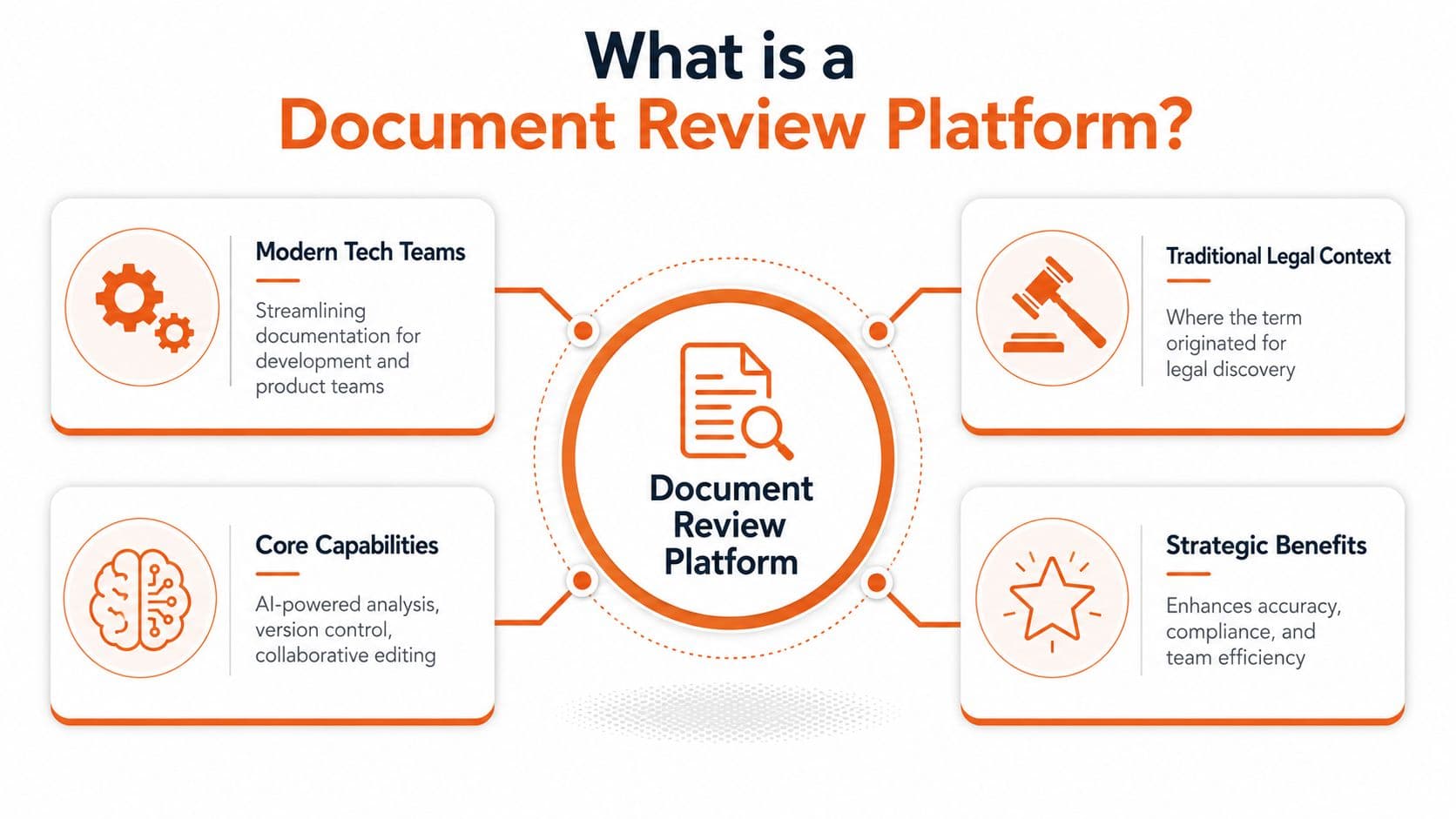
The category started in legal because review failures were expensive and auditable. That history matters, but many teams stop there and miss the useful part. The same discipline applies to product docs, knowledge bases, onboarding guides, policies, release notes, and API references. Startups need the workflow even if they never touch eDiscovery software.
Old document tools were built around shared editing. Modern review work needs decision control. Those are different things.
A real platform should make a few answers obvious:
- What changed
- Why it changed
- Who reviewed it
- Who approved it
- Which version is live
- Which related pages now need review
That last point is where older systems break. A single update rarely stands alone. Change an API parameter and now the reference page, quickstart, changelog, support article, and sales enablement doc may all be wrong in different ways. A decent editor stores text. A review platform tracks the operational blast radius.
This also explains why AI changes the standard. AI can summarize, compare versions, extract issues from long files, and speed up review across PDFs, specs, and exported docs. It does not replace the need for accountable approval. Teams evaluating adjacent tooling should understand where standalone tools for AI for document workflows fit, and where they stop short of managing the full review lifecycle.
The cleanest way to evaluate a platform is simple. Ask whether it helps your team publish correct information repeatedly under time pressure. If the product mostly gives comments, mentions, and a nicer editor, it is still a writing tool. If it gives structured review, clear ownership, approval records, and controlled publishing, it is a document review platform.
That distinction also matters when teams compare review tools with workflow products such as a document automation platform for repeatable content operations. Automation creates documents faster. Review makes them safe to publish. For startups, both matter, but they solve different failures.
Essential Workflows Document Review Platforms Power#
Monday morning, a founder approves a product launch post. By Tuesday afternoon, support is answering tickets caused by an outdated setup step, engineering is correcting a parameter name in the API reference, and sales is still sharing the old deck. The problem is not writing quality. The problem is review happening in fragments.
Legal teams learned this earlier because bad review was expensive enough to force better systems. Startups hit the same failure pattern in slower motion. A product change touches docs, help content, internal SOPs, customer emails, and sometimes compliance language. If each team reviews its own copy in isolation, errors survive because no one owns the final decision across the whole set.
That is why document review matters outside eDiscovery. The underlying job is the same. Route the right draft to the right reviewer, collect decisions in context, record approval, and publish only when the accountable people have signed off. Old legal tools proved the workflow. Startup teams need the same discipline on different content.
The gap shows up fastest in product documentation. Product wants positioning to match the launch. Engineering wants the implementation details to be exact. Support wants the failure cases covered. Security wants claims tightened so the company does not overstate anything. Without a review system, the page usually reflects whoever edited last.
Support content has the same problem, just with higher volume. Strong help centers do not rely on open editing and good intentions. They use staged review. A support lead drafts. A subject matter expert checks the fix. An owner approves policy, tone, and consistency. If you want a practical operating model, this guide on setting up approval workflows for documentation is a useful example.
API docs are even less forgiving.
A stale auth step or one wrong field name can create days of avoidable support load. Generic editors are built to make drafting pleasant. They are weak at enforcing technical review, tracking approval state, and showing whether a changed schema should trigger review in related pages.
The workflows that usually justify a real platform are clear:
- Product docs: Launch notes, feature guides, onboarding steps, migration instructions.
- Knowledge base content: Troubleshooting articles, billing answers, policy explanations, internal support playbooks.
- API references: Endpoints, authentication flows, request and response examples, SDK usage.
- Compliance and operations docs: Security summaries, vendor questionnaire answers, internal SOPs, customer-facing policies.
Use a simple rule. If a page can be changed by product, engineering, support, or legal, it needs assigned reviewers and a publish gate.
That is the practical shift many teams miss. Document review is not a legal niche. It is a control layer for any content that can create customer confusion, support cost, or compliance risk when it is wrong.
Core Features That Define a Modern Platform#
A lot of doc tools look capable in a demo. The failure shows up a week later, when a PM updates onboarding copy, engineering changes an API response, support patches a workaround, and nobody can answer a simple question. What changed, who approved it, and what else now needs review?
That is the standard to use here. A modern platform does more than store pages and collect comments. It controls risk across product docs, help content, internal playbooks, and API references.
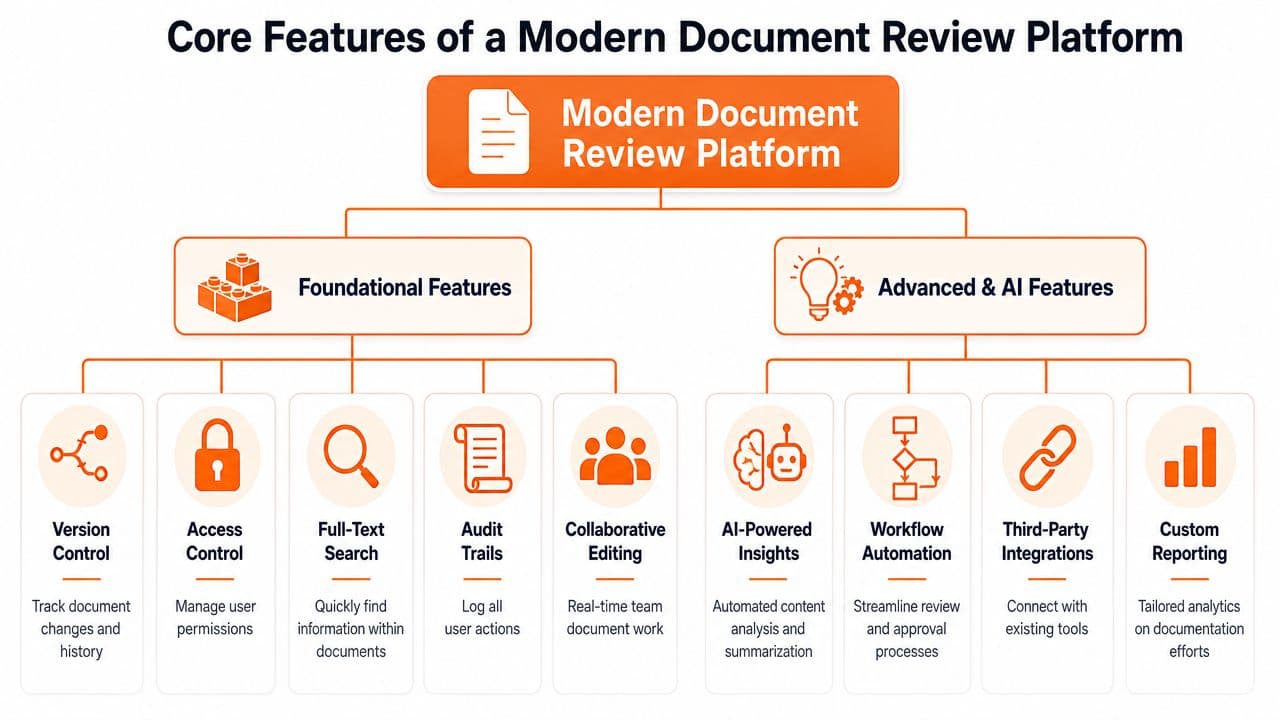
The baseline features should already be solved#
Plenty of vendors still package basic review controls as premium features. For a startup team, these are baseline requirements.
- Version history: Reviewers need clear diffs and the ability to inspect meaningful edits over time.
- Commenting and annotation: Feedback should attach to specific lines, blocks, fields, or sections.
- Access control: Drafting, review, approval, and publishing permissions should be separate.
- Audit trails: Teams need a usable record of who changed what, who approved it, and when it went live.
- Search and filtering: Content should be searchable by title, body text, owner, tag, status, and last review state.
Without these, the product is still in editor territory.
The features that actually reduce review load#
What matters next is not more formatting control. It is whether the platform helps a small team review the right content at the right time.
Older review systems came from legal workflows, where scale, traceability, and prioritization mattered more than authoring comfort. That logic still applies to startups. The difference is the document set. Instead of case files and stored records, the team is reviewing release notes, setup guides, pricing explanations, runbooks, and API docs. The same problem exists. Too much content changes too often, and full manual review does not scale.
The useful features are practical:
- Smart change detection: Surface meaning-changing edits so reviewers do not reread stable sections.
- Duplicate and near-duplicate detection: Catch repeated guidance across help center articles, changelogs, templates, and developer docs.
- Workflow automation: Route content by topic, product area, tag, or owner instead of relying on someone to remember the right approver.
- Integrations: Slack, Jira, GitHub, support platforms, and CMS tools should feed the review process instead of splitting it.
- AI-assisted review: Check terminology, stale references, inconsistencies, missing steps, weak structure, and likely conflict with related pages.
Many AI document products fail due to their focus on rapid text generation. In contrast, review platforms are essential for the less glamorous but critical tasks of catching contradictions, reducing reviewer fatigue, and preventing flawed updates from reaching customers.
If AI can write a draft but cannot help catch conflicts, enforce consistency, and lower review effort, it is a writing feature, not a review system.
One more feature gets underestimated. The platform has to preserve content structure in a way machines can interpret cleanly. If pages are assembled from opaque blocks, fragile embeds, and presentation-heavy layouts, review quality drops. Search suffers. AI assistants produce worse answers. Cross-page validation gets harder.
That matters even more if the docs stack also serves as your knowledge base. Teams comparing knowledge base platforms for modern teams should check whether the product can support governed review, not just content storage and search.
The short version is simple. A modern document review platform should lower the number of pages humans need to inspect, increase confidence in the pages they do inspect, and create a reliable publish gate for every high-risk update. If it cannot do that, it is adding interface polish to a broken process.
The Alternatives You Are Probably Using Now#
Teams often don't buy a document review platform because they think they already have one. They don't. They have a stack of partial substitutes.
Why each alternative works until it doesn't#
Google Docs and Notion are excellent for early drafting. They're fast, familiar, and friendly to non-technical contributors. They break down when review needs ownership, publishing controls, structured approvals, and a reliable handoff to production.
Git and GitHub work well for docs when your contributors are engineers and your culture already runs on pull requests. The moment support, product, marketing, or legal need to participate directly, friction spikes. A markdown PR is not a usable review environment for most cross-functional teams.
Confluence and SharePoint are strong at accumulation. They are much weaker at disciplined publishing. They tend to become storage systems for knowledge instead of review systems for trusted outputs.
If you're currently weighing broader knowledge tooling, this roundup of knowledge base platforms for modern teams is a useful starting point, but review discipline still needs to be evaluated separately.
Document Review Tooling Comparison#
| Method | Best For | Key Weakness for Review | Scalability |
|---|---|---|---|
| Google Docs | Fast drafting, stakeholder comments, lightweight collaboration | Weak approval structure, messy publishing handoff, hard to govern across teams | Fine for small ad hoc use, fragile at scale |
| Notion | Internal docs, collaborative writing, team wikis | Review and publishing controls often feel informal, external docs can drift from internal truth | Good for internal knowledge, mixed for controlled review |
| GitHub with Markdown | Developer docs, code-adjacent reviews, change diffs | High friction for non-technical reviewers, poor fit for broad cross-functional approvals | Strong if contributor base is technical |
| Confluence | Internal knowledge capture, large org documentation sprawl | Accumulates pages without enforcing high-quality review paths | Scales in volume more than trust |
| SharePoint | Enterprise file management, permissions-heavy environments | Clunky review experience, weak writing ergonomics, slow editorial flow | Scales administratively, not editorially |
| Dedicated document review platform | Controlled drafting, approvals, auditability, reliable publishing | Requires adopting a real process instead of improvising | Best fit when docs affect product, support, compliance, or revenue |
The trade-off is simple. General-purpose tools optimize for contribution. A document review platform optimizes for reliable outcomes.
How to Choose the Right Platform A Founder's Checklist#
Founders often buy doc tools the way they buy landing page tools. They pick the one that looks polished in a demo. That's a mistake.
You're not buying a prettier editor. You're choosing the system that will determine whether your docs stay accurate when the company gets busier.
What to test before you commit#
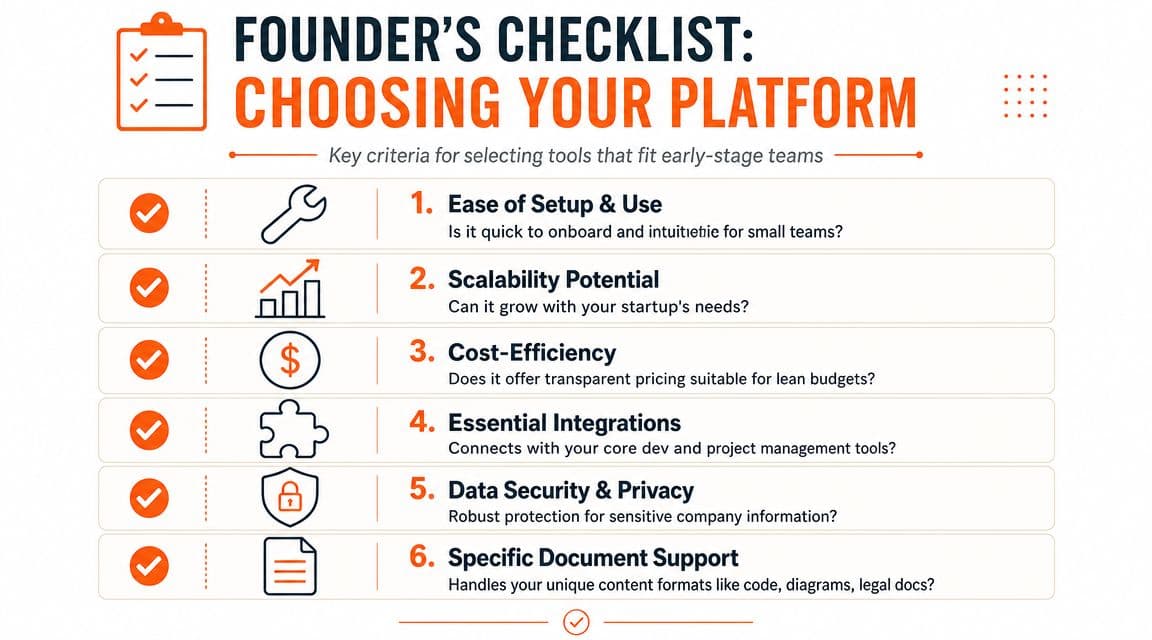
Run this checklist with a real page, not a sandbox template.
- Can non-technical people review without training? If product or support needs a walkthrough just to suggest a change, adoption will collapse.
- Does publishing require engineering help? If every approved edit still waits on a repo workflow, your review process remains bottlenecked.
- Can you separate draft, review, and live states cleanly? Many tools blur these states and call it collaboration.
- Are permissions practical? You need simple control over internal drafts, restricted pages, and public docs.
- Does search work on structured content? Not just title search. Headings, body text, metadata, and code examples should all be discoverable.
Buy for the workflow under pressure, not the demo under ideal conditions.
The AI readability test most teams skip#
Everlaw points out that the bottleneck in review is often pre-review normalization, such as OCR for scans, email threading, and transcription for media. In modern web docs, the equivalent problem is whether the platform outputs clean, semantic HTML or MDX that crawlers and AI agents can parse reliably, rather than unreadable front-end output, as explained in Everlaw's guide to document review and search preparation.
That matters more than most founders realize. In practice, your first reader often isn't a human. It's a search crawler, an LLM, a support bot, or a coding assistant trying to cite your docs.
So test the output:
- Inspect the published page structure. Are headings real headings. Are code blocks preserved cleanly. Is the content semantically organized.
- Check whether the platform produces machine-readable documentation assets. If it supports structures like
llms.txt, that's worth attention. - Run a readability pass on exported content. A simple tool like Dokly's Readability Analyzer can help you assess whether your documentation is easy to parse and consume.
- Compare live output against source intent. If the editor is clean but the published layer is messy, the platform is failing at the last mile.
The future-proof choice is rarely the one with the longest feature list. It's the one that reduces maintenance while producing output both humans and machines can trust.
Stop Reviewing Docs Start Publishing with Confidence#
Most documentation stacks fail for the same reason. They were assembled, not designed. One tool for drafting. Another for comments. Another for approvals. Another for publishing. Then teams wonder why nobody fully trusts the final page.
The better path is to collapse those layers into one system built for review and output quality.

That's why tools built specifically for modern documentation workflows are pulling away from generic editors and old-school docs frameworks. Teams want the ease of a Notion-like editor, but they also need controlled review, clean publishing, and output that AI systems can parse and cite. They don't want the setup tax of Docusaurus. They don't want the black-box rendering problems common in older visual builders. They want docs that look good and work.
If you want to see that in action, start with a practical resource like this technical documentation template, then compare it against what your current stack makes difficult.
For a fast product walkthrough, Dokly's official YouTube channel also has useful demos, including videos from the Dokly team that show how AI-ready docs get drafted and published without repo overhead.
A good document review platform doesn't just help you edit faster. It gives your team confidence that what goes live is accurate, approved, searchable, and usable by both people and machines.
If you're tired of stitching together Google Docs, GitHub, and a wiki just to publish one trustworthy page, Dokly is the no-brainer option. It gives you a visual editor, built-in workflows, AI-ready output, semantic MDX, generated llms.txt files, fast publishing, and none of the usual setup mess. If you want Mintlify-quality docs that AI agents can read and recommend, Dokly is the simplest way to get there.