Most advice about a documentation workflow is stuck in the wrong era. It assumes humans are your primary readers, so the job is to make docs readable, searchable, and nicely organized for people. That's still necessary. It just isn't sufficient anymore.
In practice, your first reader is often an AI system. ChatGPT, Claude, Perplexity, Cursor, and internal retrieval agents are scanning your docs before a human ever lands on the page. If your workflow ends in brittle page builders, opaque editor blocks, inconsistent headings, and HTML that looks fine in a browser but is hard to parse, your documentation doesn't just underperform. It becomes invisible in the places where product discovery and technical evaluation now happen.
That changes the definition of a good documentation workflow. The question is no longer, “Did we publish the docs?” It's, “Did we produce content that humans can trust and machines can reliably interpret?”
Table of Contents#
- Why Your Old Documentation Workflow Is Obsolete
- The 5 Core Stages of Any Documentation Workflow
- Common Workflow Patterns and Their Trade-offs
- Who Does What Roles and Responsibilities
- Measuring Success KPIs for Your Documentation
- Implementing a Modern Workflow with Dokly
- FAQs About Documentation Workflows
Why Your Old Documentation Workflow Is Obsolete#
The old model says documentation is a publishing problem. Write pages, review them, push them live, and keep a search bar on top. That model breaks once AI agents become the main intermediaries between your product and potential users.
A lot of teams still treat docs as a side effect of shipping. Engineers drop notes into Confluence. PMs add process pages in Notion. Support writes separate help content. Marketing republishes fragments elsewhere. The result is familiar. Content exists, but nobody fully trusts it, and machines can't consistently reason over it.
The productivity cost is not theoretical. McKinsey research as summarized by Verdocs estimates that 60% of employees could save 30% of their time through workflow automation, while businesses using document management systems report a 21% increase in productivity and 30% faster approvals. The point isn't just speed. It's that engineering, product, support, and operations teams are still wasting expensive time moving documents through broken handoffs.
The real problem isn't just process#
A common diagnosis for documentation trouble is an efficiency problem. The perceived fix involves better templates, stricter approvals, or one more tool integration. Sometimes that helps. Often it doesn't.
A conceptual framework in PMC argues that documentation burden is also a cognitive and psychological problem shaped by poor usability, perceived task value, and excessive mental exertion. That's why teams can centralize everything and still feel drained. The workflow got cleaner on paper, but the work still feels fragmented, low-value, and mentally expensive.
Better documentation workflow doesn't just remove clicks. It removes ambiguity, duplicate thinking, and pointless rewriting.
Human readable is no longer enough#
If your docs render as visual blocks with weak structure, AI systems see noise. Headings become unreliable. Code samples lose context. Reusable concepts get trapped inside page-specific layouts. This is one reason many legacy migrations stall after the export step. The files moved, but the underlying structure never improved.
That's also why cleaning up legacy documentation matters more than commonly realized. A migration only counts if it produces content that can be parsed, reused, and maintained. The legacy documentation migration problem is less about moving pages and more about escaping formats that lock meaning inside presentation.
The 5 Core Stages of Any Documentation Workflow#
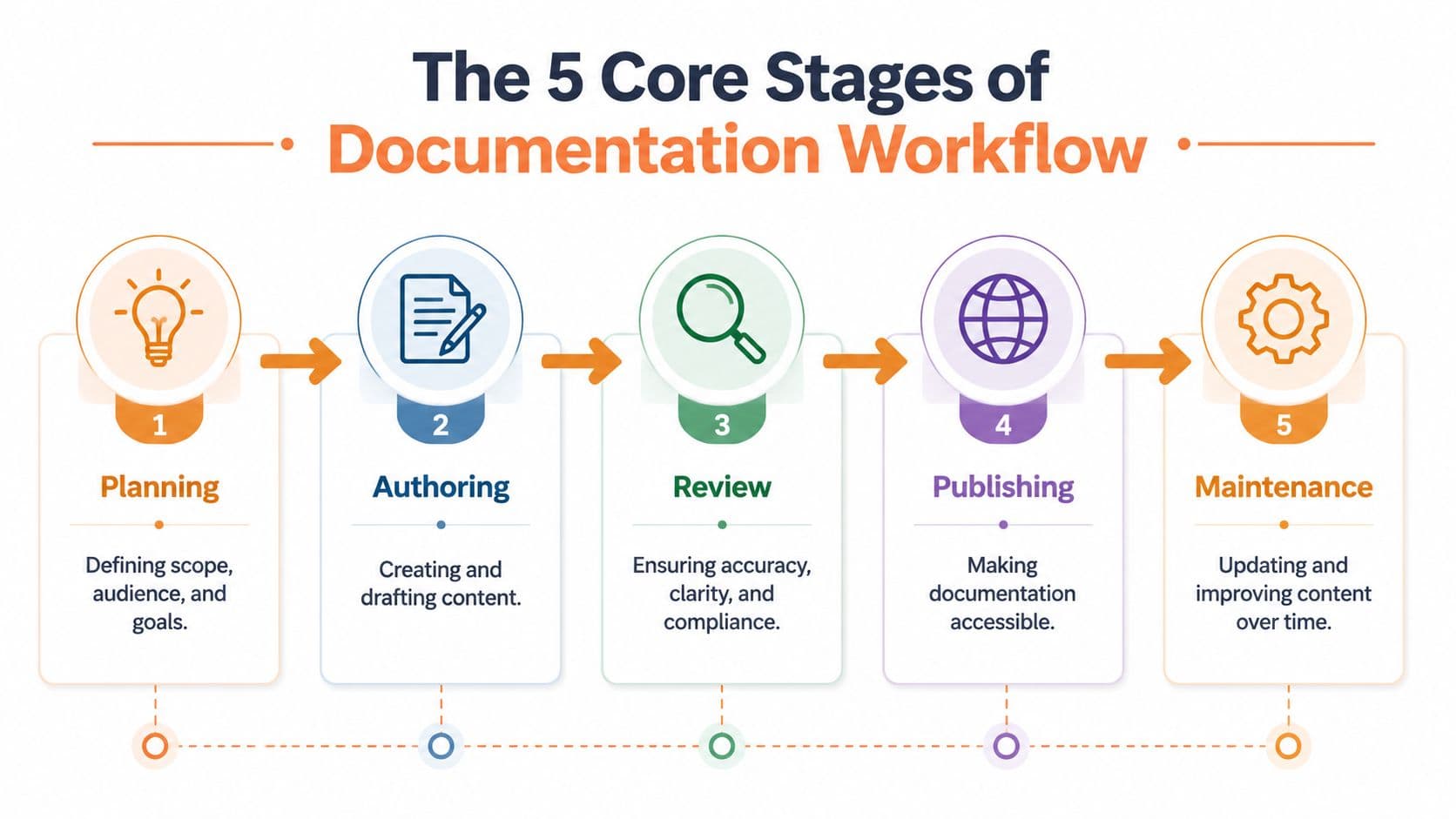
Every documentation workflow, regardless of tool stack, runs through the same five stages. Teams get into trouble when they over-focus on one stage, usually authoring, and ignore the rest of the lifecycle.
Planning is where most teams already lose#
Planning sounds obvious, but it's where bad docs usually begin. Teams start writing before they define audience, intent, or success conditions. That creates pages that mix onboarding, reference, troubleshooting, and internal rationale into one confused artifact.
The fastest way to spot a planning failure is simple. Ask, “Who is this page for, and what should they do next?” If the answer includes more than one audience and more than one next action, the page was never scoped.
The five stages look straightforward:
- Planning. Define audience, use case, source of truth, and update trigger.
- Authoring. Draft content in a format that preserves structure, not just presentation.
- Review. Check technical accuracy, user clarity, and policy or compliance concerns.
- Publishing. Make the content accessible in a stable, searchable, machine-readable form.
- Maintenance. Update docs as product behavior, APIs, and terminology change.
Review and maintenance decide whether docs stay useful#
Authoring gets the attention because it's visible. Review and maintenance determine whether the workflow survives contact with reality.
Review often fails because teams lump every concern into one stage. Engineers check correctness. PMs rewrite positioning. Legal asks for edge cases. Writers clean language. Nothing is parallelized, and the queue stalls. Good review separates concerns and routes the right issue to the right person.
Maintenance fails more subtly. Nobody owns refresh cycles, and documentation drifts until users stop trusting it. Once trust drops, discoverability doesn't matter because people assume the page is stale.
A practical workflow uses different rules at different stages:
| Stage | Common failure | What actually works |
|---|---|---|
| Planning | Undefined audience | Assign one primary reader per page |
| Authoring | Writing in silos | Shared templates and structured content blocks |
| Review | Everyone reviews everything | Role-based review with clear pass criteria |
| Publishing | Pretty output, weak structure | Semantic formatting and stable URLs |
| Maintenance | No ownership after launch | Trigger updates from product and support changes |
Practical rule: If a page has no owner, it already has an expiration date.
Common Workflow Patterns and Their Trade-offs#
Organizations typically fall into one of three patterns. None is perfect. But one of them is much closer to what modern, AI-ready documentation needs.
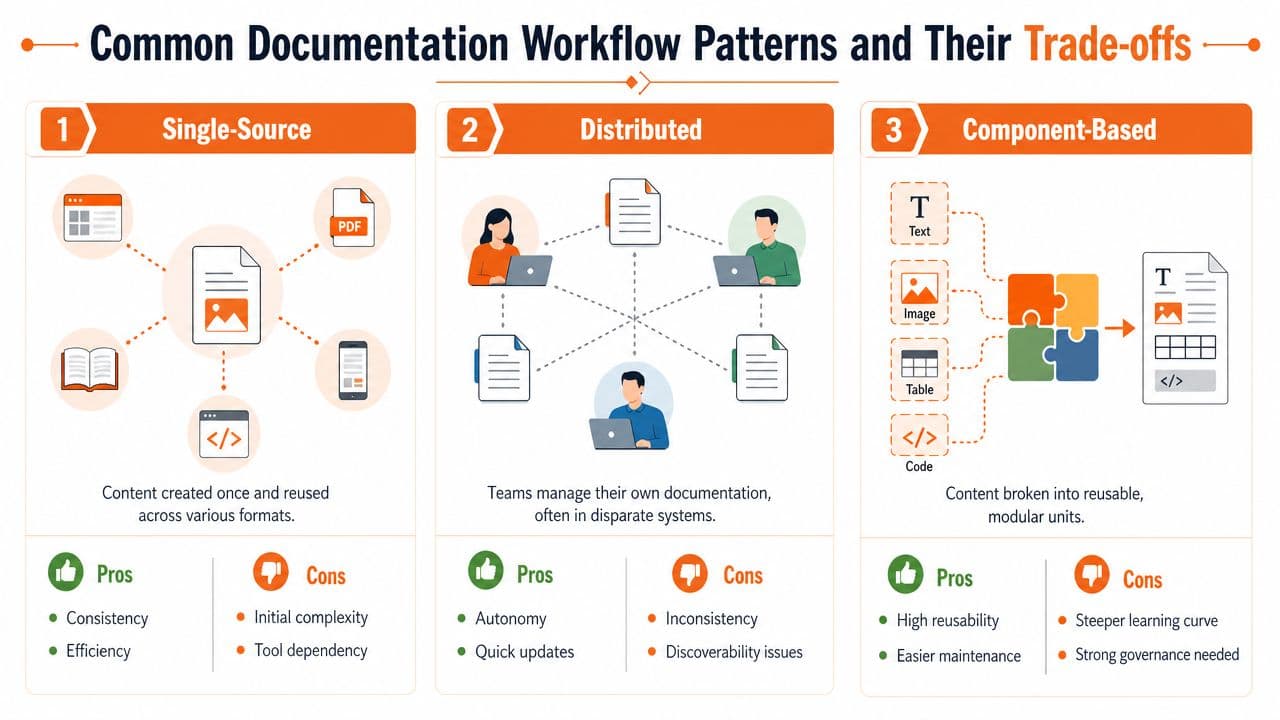
Single source is simple until it turns into a graveyard#
This is the Confluence, Google Docs, shared drive, or Notion-heavy model. It starts well because everyone can contribute fast. There's low setup friction, and non-engineers don't need special workflows.
Then scale hits. Search becomes muddy. Similar pages multiply. Old copies survive because nobody wants to delete them. Embedded context lives in comments or tribal knowledge, not in the content itself.
The deepest flaw is structural. A January 2026 analysis argues that the core automation problem is fragmented document processing, and that even a good workflow fails when documents aren't machine-readable end to end (Text Control analysis). Single-source setups often centralize files while still producing content that's hard for downstream systems to interpret.
Docs as code fixes governance but adds friction#
Docusaurus, MkDocs, and Git-based workflows solve real problems. Version control is better. Pull requests enforce review. Engineers can keep docs closer to code. Automation becomes possible.
But the setup tax is real. Non-technical contributors hesitate to edit. PMs and support teams often route changes through developers. That creates the same old bottleneck in a more respectable wrapper.
The trade-off isn't just ease of use. It's who gets excluded. A documentation workflow is weaker when the people closest to customer friction can't comfortably update it.
Collaborative visual editing is where the market is going#
The strongest modern model combines a visual editing experience with structured, portable output. Non-engineers can write without fear. Engineers still get clean source content. AI systems get parseable headings, semantic content, reusable blocks, and predictable metadata.
This is the practical synthesis.
- For startups: it avoids the maintenance overhead of custom docs infrastructure.
- For engineering teams: it preserves structure and publish quality without forcing every contributor through Git.
- For support and product: it keeps the people with the freshest context inside the editing loop.
- For AI readiness: it produces cleaner source material than many block-based editors and less contributor friction than classic docs-as-code.
A lot of vendors still sell one side of the trade-off. Confluence and Notion make contribution easy but often create downstream structure problems. Docusaurus gives strong control but asks teams to absorb tooling overhead they may not need. Mintlify improves presentation, but many teams still want less setup and clearer control over machine-readable outputs.
If your documentation workflow keeps forcing you to choose between contributor speed and content structure, the workflow is behind the market.
Who Does What Roles and Responsibilities#
A documentation workflow collapses when ownership is vague. “Everyone contributes” usually means nobody is accountable when pages go stale or contradict each other.
The human roles still matter#
Engineers should own technical truth. That includes APIs, implementation constraints, version-specific behavior, and examples that must match the product. They should not own every paragraph of user guidance, because that's how review queues become writing queues.
Product managers and technical writers usually carry the narrative load best. They connect feature intent to user tasks, shape information architecture, and keep pages focused on outcomes instead of internal implementation debates.
Support and success teams are the early-warning system. They know where onboarding breaks, where terminology confuses buyers, and which “obvious” steps are not obvious at all.
A durable split often looks like this:
- Engineers own correctness, code samples, references, and change triggers.
- Writers or PMs own clarity, flow, scoping, and consistency across the doc set.
- Support owns feedback loops from tickets, onboarding calls, and recurring friction.
- Leadership owns standards, priority, and resourcing. Without that, docs become volunteer labor.
The AI assistant is now part of the team#
The new role in a documentation workflow is the AI assistant. Not as an author operating alone. As a collaborator operating inside a bounded process.
A CodeSignal workflow example shows the pattern clearly: AI drafts, a human adds the why, AI audits for gaps, and the human fixes critical issues. That's the division of labor that works in practice.
AI is good at tasks humans are bad at doing repeatedly:
- Drafting structure from notes, tickets, or specs
- Checking completeness against required sections
- Flagging inconsistency in terminology, headings, and references
- Simplifying dense prose without changing core meaning
- Summarizing changes for release notes or update logs
Even that summarizing step needs a target format. A release notes template with fixed sections — Added, Changed, Fixed, Breaking — gives the AI (and the human curator) somewhere consistent to put the output, so notes from one release read the same as notes from the next.
Humans still need to decide what matters, what should be omitted, and what trade-offs need explicit explanation.
Let AI handle consistency. Keep rationale, judgment, and accountability with people.
Measuring Success KPIs for Your Documentation#
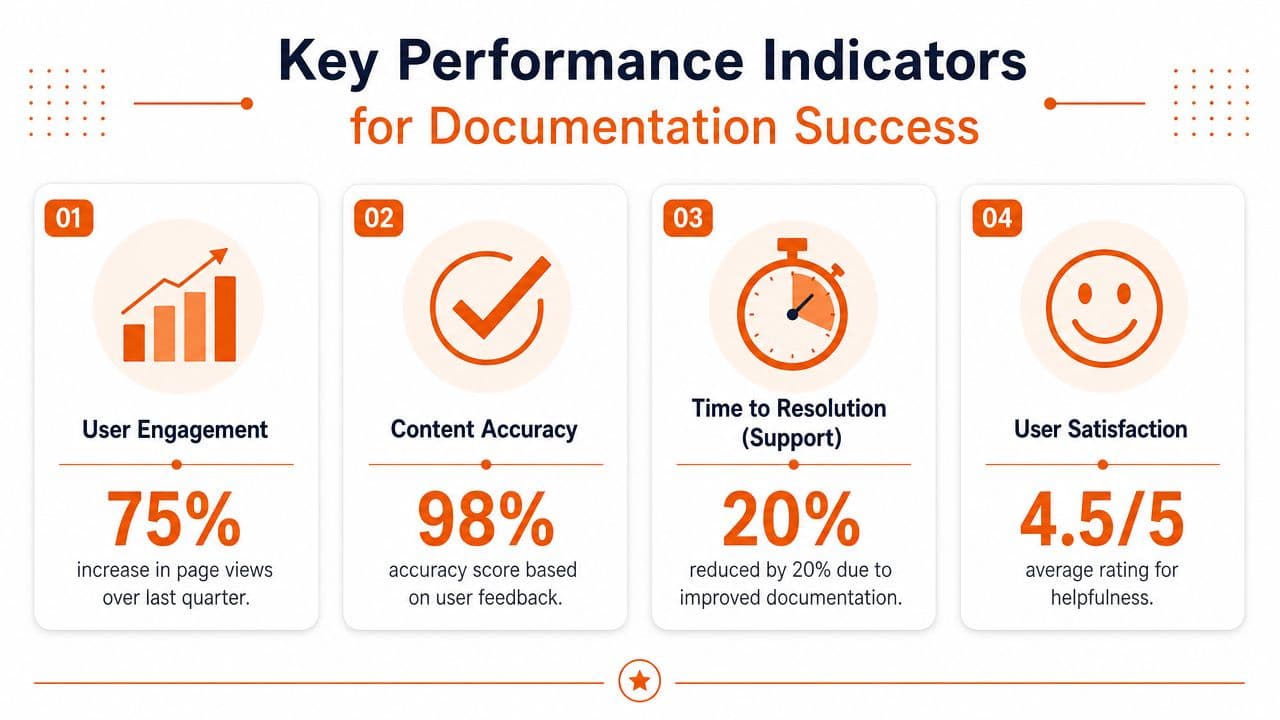
Many teams still judge documentation by page views. That metric is easy to get and easy to misread. High traffic can mean your docs are useful. It can also mean users are lost and repeatedly searching for basic answers.
Process metrics versus outcome metrics#
Good measurement starts with process instrumentation. IBM's guidance on document workflow emphasizes mapping steps, identifying decision points, and tracking metrics like processing time and error rates so bottlenecks can be found and removed. That's the operational baseline. If you can't see where a page stalls, you can't improve the workflow.
Useful process KPIs include:
- Cycle time from draft to publish
- Review delay by team or role
- Update latency after a product or policy change
- Error rate in published pages, examples, or references
- Ownership coverage across the documentation set
Impact KPIs matter more than volume metrics:
- Support deflection quality. Are users resolving issues from docs without opening tickets?
- Task completion. Can a reader successfully integrate, configure, or troubleshoot after reading?
- Search success. Do internal and external searches end in the right page?
- Content trust. Do teams inside the company link to the docs instead of rewriting the same answers elsewhere?
For a stronger measurement model, teams should also review a dedicated documentation analytics framework instead of relying on whichever dashboard happens to come with the publishing tool.
The new north star is machine trust#
The most important emerging metric is whether AI agents can reliably use your documentation. I'd treat AI agent citations as the new north star, even if your tracking starts qualitatively before it becomes systematic.
That means asking practical questions:
- Do AI answers cite your docs or summarize them accurately?
- Do agents retrieve the right page for common product questions?
- Do your headings and examples survive chunking and summarization?
- Does the published output preserve meaning when consumed outside the browser?
Because AI systems are increasingly routing layers for buyer research, implementation planning, and support discovery, documentation must be legible to these systems. Failing this, traditional engagement metrics can appear acceptable while influence declines.
Implementing a Modern Workflow with Dokly#
A modern documentation workflow should reduce setup overhead, improve source quality, and produce outputs that both humans and machines can use. That's where Dokly is a strong fit, especially for teams that want AI-ready docs without taking on a docs-infrastructure project.

Set up the workflow around outputs not departments#
Start with the five-stage model, but don't assign stages to isolated teams. Build one shared system.
For planning, define page types before you write anything. Product overview, quickstart, API reference, troubleshooting, changelog, and internal ADRs each need different templates and owners. Dokly's visual editing model helps here because the team can standardize formats without forcing everyone into a developer-only workflow.
For authoring, the main win is speed without structural decay. The editor feels accessible to PMs, founders, support leads, and engineers, but the output isn't the usual visual-editor mess. That matters more than the interface itself.
If the team needs help drafting, Dokly's AI Writer tools are the right kind of acceleration. Use them for first drafts, summaries, rewrites, and simplification. Don't use them as final authority.
Use AI where it is strong and humans where judgment matters#
The strongest workflow is hybrid. The pattern from the earlier section applies directly in Dokly: AI can create the first structure, humans can add context and rationale, AI can check for gaps, and humans can make the final call.
That loop is especially useful for recurring page types:
- API references where consistency across endpoints matters
- Release notes where concise change summaries save time
- Help center articles that need simplification and clear step order
- Internal decision records where the rationale has to be preserved, not guessed
If your team wants to see how the product works in practice, Dokly's official YouTube channel is worth reviewing for editor and workflow demos before you redesign your process.
A big practical advantage over Docusaurus-style setups is that contributors don't have to fight local environments, config files, or static-site plumbing just to fix a paragraph. Compared with Confluence or Notion, the gain is cleaner output and stronger publishing discipline. Compared with Mintlify, the pitch is simpler: less setup, more direct control over machine-readable documentation.
Publish in formats agents can parse#
Publishing is where many teams undo good work. They write solid source content, then ship it through a layer that strips structure or hides meaning inside components.
Dokly is opinionated in the right place. It generates clean MDX, exposes structure in a way machines can chunk, and produces llms.txt and llms-full.txt so AI agents can understand the documentation corpus more reliably. That's a foundational improvement, not a cosmetic one.
The maintenance side also benefits from reduced friction. A page that is easy to update gets updated. A page that requires engineering intervention for every change usually drifts. If versioning matters to your team, Dokly's approach to documentation version control is the right operational layer to decide early, before stale branches and duplicate pages accumulate.
The best documentation workflow is the one people will actually keep using after the launch week excitement disappears.
FAQs About Documentation Workflows#
Does a small team really need a formal workflow#
Yes, but “formal” doesn't have to mean heavy. A two-person startup still needs rules for who writes, who reviews, where docs live, and what triggers an update. Without that, documentation turns into chat history plus half-finished pages.
A lightweight checklist is enough to start. One owner, one reviewer, one source of truth, one publish path.
What is the difference between a documentation workflow and a knowledge base#
The workflow is the process. It covers planning, drafting, review, publishing, and maintenance.
The knowledge base is the output. It's the collection of help articles, product docs, references, and support content users can access. Teams often buy a knowledge base tool and assume they now have a documentation workflow. They don't. They only have a destination.
Can you use Git without going all in on docs as code#
Yes. Git is useful for history, branching, approvals, and rollback. You don't need to force every contributor into Markdown pull requests to get those benefits.
For many teams, the better model is visual authoring with structured outputs and version history behind the scenes. That keeps engineers happy without blocking PMs, support, or founders from making fast updates.
If your current docs look polished but still don't get surfaced, cited, or trusted by AI systems, it's worth trying Dokly. It gives you a visual editing workflow, AI writing help, clean MDX output, built-in llms.txt, interactive API docs, analytics, and simple publishing without the usual Docusaurus or Mintlify setup tax. For teams that want documentation humans can read and machines can parse, that's a very hard combination to ignore.