Most advice on how to make a wiki is outdated on day one. It treats a wiki as a pile of pages for people to browse, even though the primary job now is retrieval. Your knowledge has to be easy for humans to find, easy for AI agents to parse, and structured well enough that both can return the right answer fast.
That changes the standard completely.
A modern wiki is part publishing system, part retrieval layer. Employees search it. AI assistants query it. Support bots pull from it. Search engines summarize it. If your pages are vague, inconsistently named, or buried in navigation, the result is predictable. The information exists, but it stays hidden from the systems your team and customers use.
The old wiki model proved that collaborative publishing could scale. It did not solve structured retrieval, clean entity relationships, or AI-readable documentation. That gap is why so many company wikis grow for years and still fail the basic test. Can someone, or some agent, get the right answer in one query without a Slack thread, a support escalation, or five tabs open?
If the answer is no, you do not have a useful wiki. You have storage.
Table of Contents#
- Why Most Guides on Making a Wiki Are Obsolete
- Choosing Your Path Hosted vs Self-Hosted vs AI-Native
- Making Your Wiki Discoverable by AI Agents
- How to Plan and Structure Your Content
- Your First AI-Native Wiki in Under an Hour
- Establishing Governance and Measuring Success
Why Most Guides on Making a Wiki Are Obsolete#
If you search for how do I make a wiki, most results still push the same checklist: pick software, install it, choose a theme, invite contributors. That's incomplete advice.
A wiki built that way is usually a filing cabinet with a search bar. Humans can browse it. AI often can't use it reliably. In 2026, that's a failure of design, not a minor limitation.
Most tutorials obsess over setup because setup is easy to explain. They rarely deal with the harder issue: whether the finished wiki can be parsed, chunked, cited, and summarized by machines without losing context. That gap shows up everywhere in internal docs and public help centers.
If AI can't identify the page topic, section hierarchy, definitions, and procedural steps, your wiki becomes background noise.
The result is familiar. Teams publish SOPs, onboarding docs, and product documentation. Then an internal assistant gives the wrong answer, or an external AI doesn't mention their product at all, even when the answer exists in the docs.
The old wiki assumption is wrong#
The old assumption was simple: if a person can read the page, the page is good enough. That assumption died when people stopped navigating knowledge one page at a time and started asking AI for answers.
A lot of wiki software still reflects the MediaWiki era. It values open editing, revision history, and simple markup. Those are still useful. But they were standardized for a web where humans were the only serious readers.
What a modern wiki actually needs to do#
A useful wiki now has two jobs:
- Help humans scan fast: clear navigation, concise pages, obvious ownership.
- Help AI parse cleanly: semantic headings, stable structure, explicit metadata.
- Help both retrieve the same answer: no buried steps, no ambiguous titles, no messy page layouts.
If you're still asking only how to make a wiki, you're asking the wrong question. The better question is this: how do you make a wiki that people and AI can both trust?
Choosing Your Path Hosted vs Self-Hosted vs AI-Native#
Pick your wiki platform like it will be queried by an AI assistant every day, because it will. Hosted versus self-hosted is the old framing. The essential decision is whether you want to spend the next year cleaning up structural debt or publishing content that people and machines can retrieve correctly from day one.
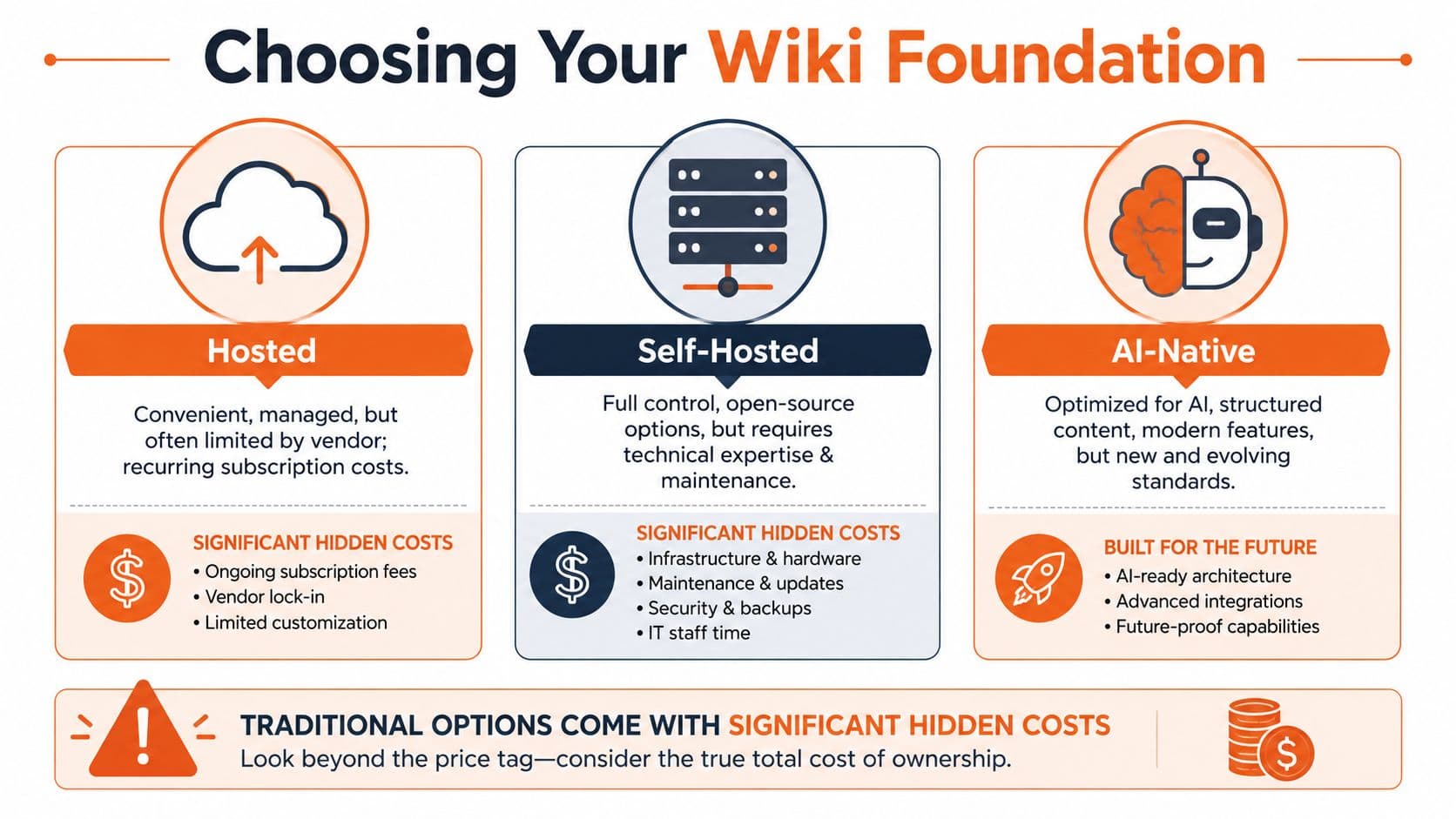
Classic wiki software trained teams to evaluate tools on editing freedom, hosting model, and admin control. That made sense in a browser-first web. It breaks down once your handbook, SOP, or help center has to be parsed, cited, and summarized by AI systems. A platform can be easy to launch and still produce pages that are painful to retrieve cleanly.
The self-hosted trap#
Self-hosted tools such as MediaWiki, Wiki.js, and Docusaurus attract engineering-heavy teams for obvious reasons. You get control over infrastructure, extensions, auth, and deployment.
You also get another system to maintain.
| Path | What you gain | What usually goes wrong |
|---|---|---|
| Self-hosted | Control, extensibility, ownership | Setup tax, maintenance, patching, structural inconsistency |
| Hosted | Fast start, low ops burden | Rigid layouts, vendor limits, weak machine-readable output |
| AI-native | Structure by default, faster publishing | Newer category, requires teams to abandon old habits |
That tradeoff is easy to romanticize and expensive to live with. The team says it wants ownership. What it gets is plugin drift, inconsistent templates, and page structures that depend on whoever wrote the doc that week.
Practical rule: If your wiki needs an engineer before it needs an author, you picked the wrong foundation.
Hosted tools remove ops pain and leave retrieval pain#
Hosted tools solve the server problem. They do not automatically solve the knowledge problem.
SharePoint, Notion, and similar products help teams publish fast, especially during an internal rollout or a messy migration. Then the cracks show up. Pages become block collections, visual layouts override document logic, and important instructions end up split across toggles, tabs, callouts, and nested databases. Humans tolerate that. AI retrieval often does not.
If you want a wider market view before you commit, review this comparison of knowledge base platforms.
AI-native is the only option built for the next search layer#
AI-native systems start from the right premise. The document is not just a page someone reads. It is also a source that needs clear hierarchy, stable metadata, predictable formatting, and clean extraction.
That matters in boring, high-value use cases. An onboarding guide needs one obvious owner, one canonical process, and headings that survive chunking. A customer help article needs steps, definitions, and prerequisites separated cleanly enough that an assistant can quote the right answer instead of blending three pages together. An operations manual needs structure that holds up under retrieval, not a pretty editor demo.
This is the same shift happening outside documentation. Brands now care about whether AI systems can find and represent their content accurately, which is the core idea behind how marketers achieve AI visibility.
The best choice is usually boring. Pick the platform that enforces good structure early, limits layout gimmicks, and makes clean publishing the default. Theme flexibility matters less than whether your content stays parseable six months later.
Making Your Wiki Discoverable by AI Agents#
If AI agents cannot parse your wiki, your wiki is already behind.
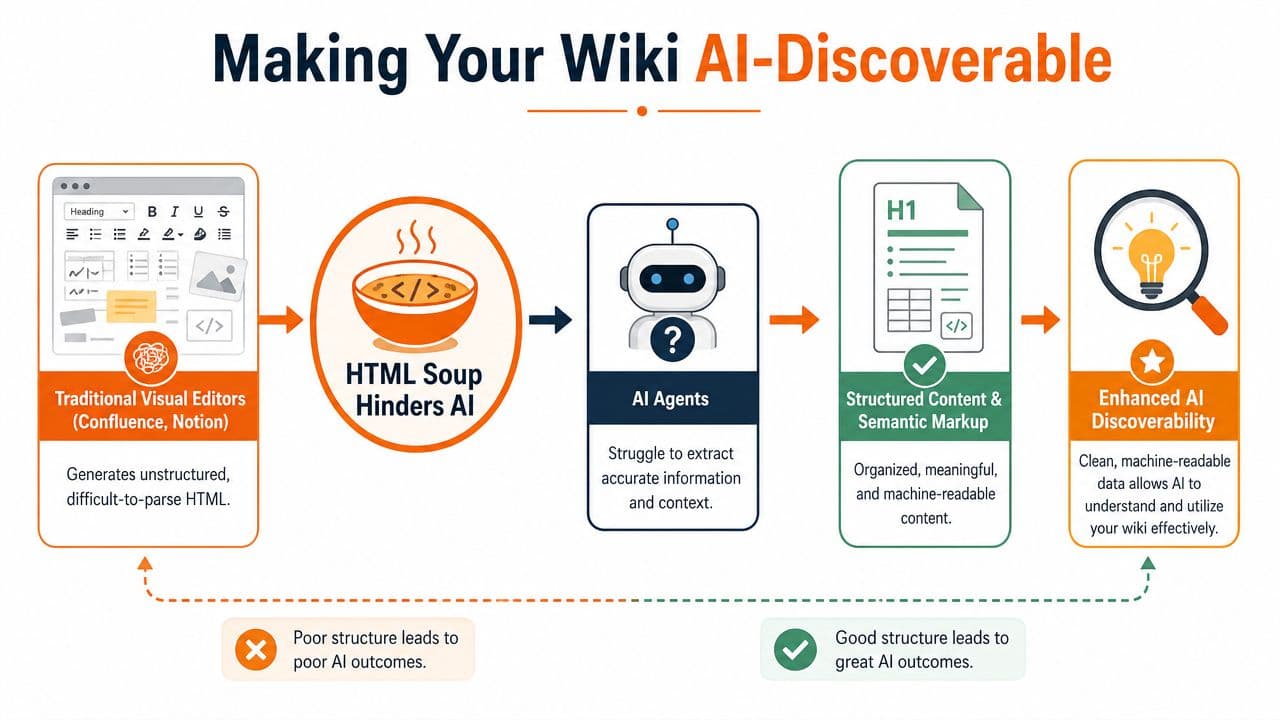
Teams keep treating discoverability like a search feature. It is a content design problem. AI does not care how polished your editor looks or how many blocks your tool supports. It cares whether each page has a clear purpose, stable structure, and markup that survives extraction.
Why AI agents fail on ordinary wiki pages#
A typical wiki page is built for visual scanning by a person inside a browser. AI retrieval systems work differently. They split content into chunks, infer page intent from headings and labels, and try to pull the smallest possible answer without losing context. Messy pages break that process fast.
The common failure points are predictable:
- Blurry section boundaries: one page mixes setup, policy, troubleshooting, and release notes
- Weak heading structure: the visual layout looks fine, but the underlying hierarchy is inconsistent
- Decorative block clutter: tabs, accordions, callouts, and nested widgets interrupt clean extraction
- Vague page purpose: the system cannot tell whether the page is defining, instructing, warning, or announcing
That is why generic wiki setups frustrate teams using AI assistants. The content exists, but the system cannot separate the useful answer from the page furniture around it.
What AI-readable wiki content looks like#
Good AI-readable documentation is boring in the right ways. One page should do one job. A procedure should read like a procedure. A policy should read like a policy. A troubleshooting article should not hide the fix under a company update and three side notes.
Use this standard:
-
One intent per page
Split reference, process, policy, and changelog content into separate documents. -
A strict heading ladder
Use headings in a consistent order so retrieval systems can map the page correctly. -
Explicit labels
Mark prerequisites, steps, expected results, exceptions, and definitions with plain language. -
Clean internal linking
Link to the next relevant page with intent, such as related policy, parent procedure, or source reference. -
Stable metadata
Include owner, last updated date, and document type where your system supports it.
A page that tries to answer five questions usually gives AI a weak answer to all five.
Discoverability is part of documentation quality now#
This shift is bigger than internal search. It affects support deflection, onboarding speed, policy retrieval, and whether AI assistants quote your content accurately or hallucinate around it.
The same change is happening outside internal docs. Brands now care about whether AI systems can interpret and represent their content correctly, which is the core idea behind how marketers achieve AI visibility.
For internal knowledge, the standard is the same. Publish pages that machines can parse cleanly, not pages that only look organized to humans. If you want the practical checklist, this guide on making docs discoverable by AI agents lays out the operational details well.
How to Plan and Structure Your Content#
Bad wikis usually don't start bad. They start loose.
Someone creates a homepage. Then a few SOPs. Then release notes. Then policy docs. Six months later, nobody agrees on titles, formats, ownership, or where anything belongs. Search becomes the only navigation system, and search is doing all the cleanup work your structure should have done.
Start with content types, not pages#
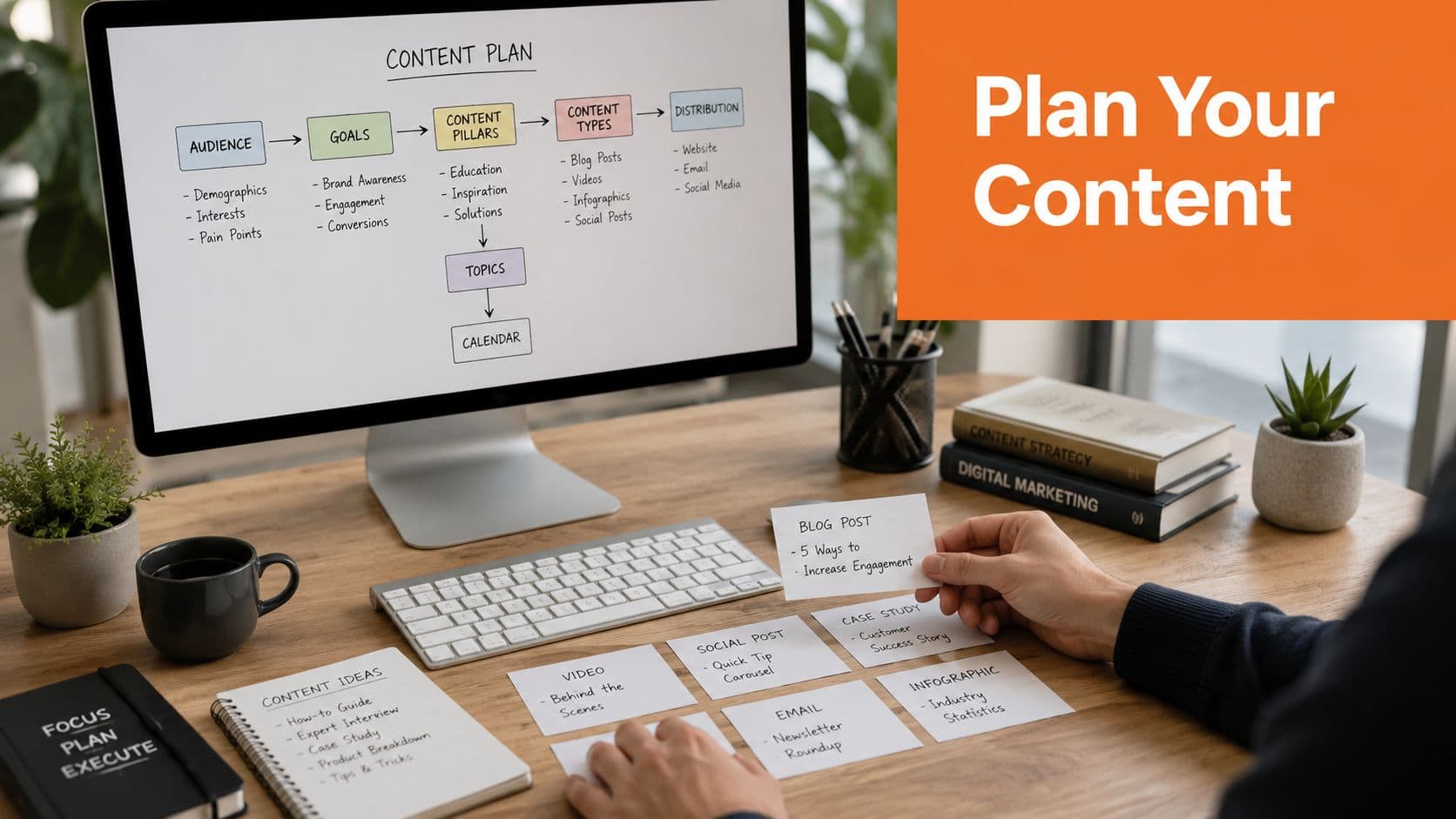
Before you write, decide what kinds of documents your wiki will contain. This realization often comes only after a mess appears.
A practical structure often includes:
- Reference docs for stable facts, definitions, and product behavior
- Procedures for repeatable workflows like onboarding, approvals, and escalations
- Policies for rules, compliance language, and internal standards
- Troubleshooting guides for diagnosis and resolution paths
- Announcements or release notes for time-sensitive updates
These content types should not share the same template. A troubleshooting page should not look like an HR policy. A product feature page should not be formatted like an incident runbook.
Use templates before authors touch the editor#
Most generic wiki setups falter at this juncture. Platforms like Fandom can provision a wiki quickly and rely on simple markup, but they optimize for human readers and don't provide built-in semantic structure, as described in Fandom's wiki creation guidance.
That approach is fine for fan communities. It's weak for business documentation.
Build templates first. For example:
| Content type | Required sections |
|---|---|
| SOP | Purpose, prerequisites, steps, exceptions, owner |
| HR policy | Summary, scope, policy statement, process, related policies |
| Product doc | Overview, use cases, configuration, limitations, related features |
| Troubleshooting | Symptom, likely causes, checks, resolution, escalation path |
Editorial standard: If two pages of the same type don't share the same skeleton, retrieval quality drops fast.
Templates also reduce writer hesitation. People write better when the page shape is already decided.
Name pages like retrieval matters#
Page titles should answer two questions immediately: what is this, and when would someone need it?
Good titles are blunt:
- Password reset procedure
- New hire laptop onboarding
- Expense approval policy
- API authentication errors
Bad titles are vague:
- Getting started
- Internal process
- Team notes
- Important update
If you're wondering how do I make a wiki that stays usable, this is a major part of the answer. Structure is not decoration. It's retrieval infrastructure.
Your First AI-Native Wiki in Under an Hour#
Individuals asking how do I make a wiki don't want a software project. They want a working documentation site before lunch.
That's reasonable. The good news is that modern tooling has finally caught up.
Set up the shell first#
Start with the basics:
-
Create the workspace Pick the name your users will recognize. Avoid internal project codenames.
-
Define the top-level sections
Keep it lean. Support, Product, Operations, HR, or similar buckets are enough to start. -
Choose one template for your first document type
Don't launch with every possible format. Start with the most requested page type. -
Assign ownership
Every section needs a human owner. Shared ownership usually means no ownership.
Modern AI-native tools mark a departure from older wiki products. Traditional tutorials for Fandom show users editing wiki-style text manually, inserting links, and publishing through simplified markup workflows. That process is still centered on page editing for humans, as shown in this Fandom page creation tutorial on YouTube. Better systems guide the structure while you write instead of forcing cleanup later.
Draft one page the right way#
Your first page should be boring and practical. Don't start with a vision doc. Start with a page people will need this week.
A strong first page might be:
- a return policy for support teams
- a new employee setup checklist for HR
- an incident response SOP for operations
- a feature setup guide for customer success
Write it in this order:
- Title first: state the task or policy clearly
- Short summary: explain what the page covers in plain language
- Section hierarchy: use clear headings for prerequisites, steps, exceptions, and related docs
- Links: connect to only the pages that help complete the task
Many current tools now help writers improve draft quality as they go. That matters because authors often skip headings, forget metadata, or bury key details in prose. Inline writing assistance can fix those habits before they become structural problems.
Don't judge your wiki by how fast you can publish page one. Judge it by whether another person, or a bot, can retrieve the exact answer from page one without asking a follow-up.
A lot of teams also benefit from lightweight utilities during drafting and cleanup. If you want to simplify repetitive doc work, Dokly's documentation tools are worth keeping in your stack.
Publish and test like a real user#
Once the page is live, stop admiring it and test it.
Run three checks:
-
Human scan test
Can a new employee find the answer in under a minute? -
Search phrasing test
Does the page show up for the messy phrases people type? -
AI answer test
Ask your internal assistant or preferred model the question this page is supposed to answer. See what it pulls.
The publishing workflow is easier to understand when you watch it. Dokly's official channel has a helpful walkthrough below.
One more practical point. Don't wait for “complete.” A wiki becomes useful when the first few high-intent pages are clean, not when every possible document exists. Launch with the pages people repeatedly ask for, then expand from search demand and support pain.
Establishing Governance and Measuring Success#
A wiki without governance turns into landfill. The software isn't the problem. The absence of ownership is.
The minimum governance layer is simple. Define who can create, who can edit, who approves, and who reviews. That's enough to stop random duplication and stale instructions from spreading.
Governance keeps your wiki from rotting#
You need lightweight rules, not bureaucracy.
Use a short operating model:
- Every page has an owner: one person is accountable for accuracy.
- Every template has a standard: authors don't improvise page structure.
- Every critical page gets reviewed: policies, SOPs, and customer-facing docs need a cadence.
- Every obsolete page gets archived: don't leave old instructions live.
If you're building a serious knowledge operation, this guide to knowledge base management is a useful companion.
Measure retrieval, not vanity#
Page views are not the main success metric. A popular page may still be confusing. A rarely viewed page may be mission-critical and perfectly written.
Better signals are qualitative and operational:
- What are people searching for that returns weak or no results
- Which pages trigger repeated follow-up questions
- Where do support agents still answer manually instead of linking docs
- Which procedures are skipped because the instructions are hard to find
The best wiki metric is simple: people stop asking the same question because the answer is easy to retrieve and easy to trust.
That applies to humans and AI alike. If your assistant keeps missing content that exists, the issue usually isn't coverage. It's structure, labeling, or retrieval design.
A good wiki compounds value. A bad one compounds confusion.
If you want a wiki that people can read and AI can use, Dokly is the obvious modern option. It skips the self-hosted setup tax, avoids the structural mess common in generic editors, and gives teams an AI-native documentation workflow from the start. You get a visual writing experience, structured output, built-in search, custom domains, analytics, and tools built around one reality: if AI agents can't parse your docs, your docs won't get surfaced. For support teams, product teams, HR, ops, and onboarding, that makes Dokly a practical choice, not a speculative one.