Most advice about an internal knowledge base starts in the wrong place. It starts with folders, templates, and naming rules. That's useful, but it misses the main reason these systems fail. They don't fail because the sidebar is messy. They fail because nobody treats them like an operational system that needs owners, review cycles, and a clear job to do.
I've seen the same pattern more than once. A team launches a shiny new wiki, migrates a pile of docs, celebrates the rollout, and then watches it turn into a digital graveyard. Search gets noisy. Pages contradict each other. New hires stop trusting it. Managers go back to answering the same questions in Slack.
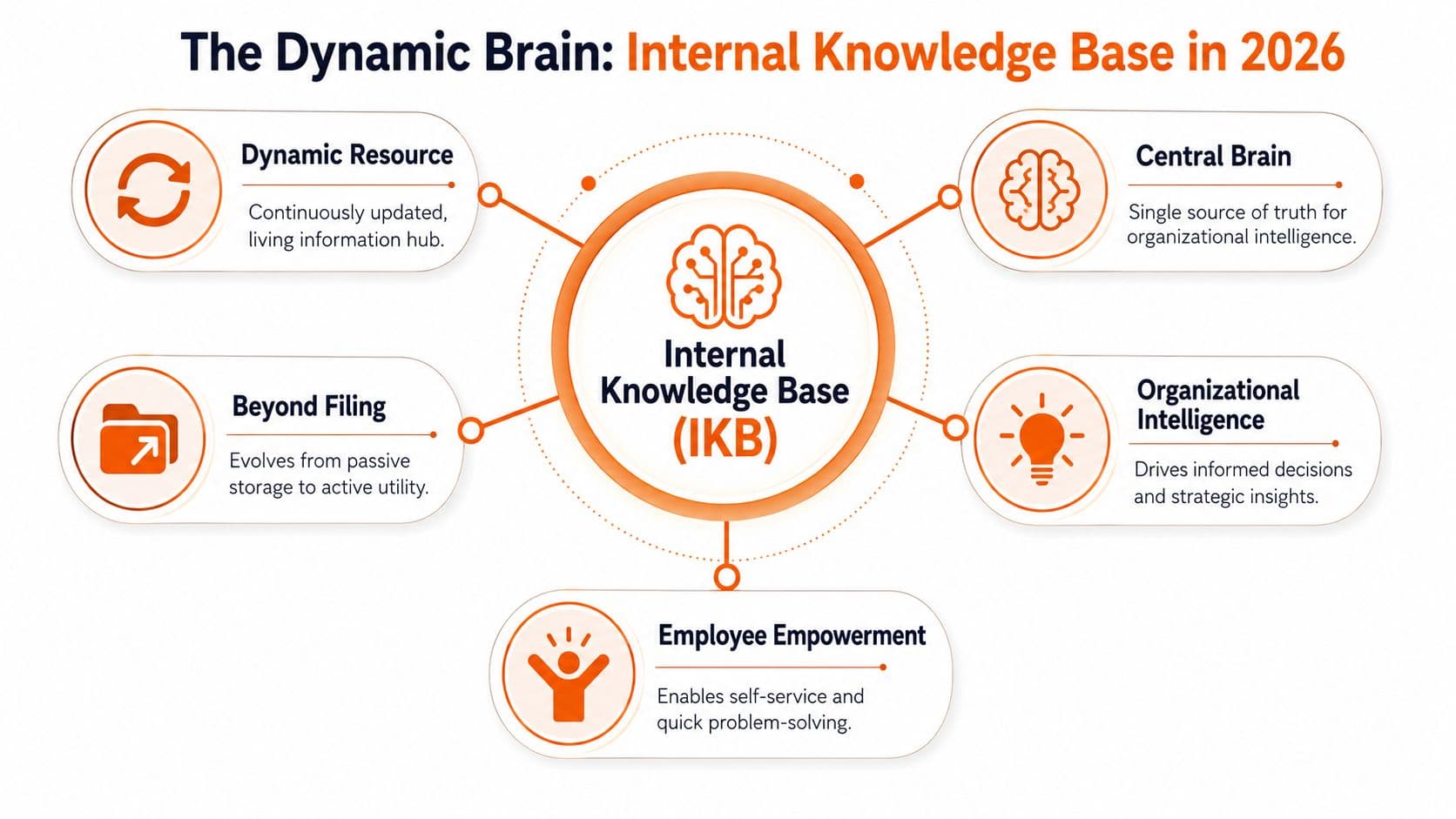
A useful internal knowledge base is not a filing cabinet. It's a living operating layer for the company. In practice, that means one central place where people can find policies, SOPs, onboarding material, and team-specific guidance without guessing who owns the latest version.
In 2026, there's another hard truth. Your knowledge base is no longer only for employees. It also needs to work for AI assistants, internal search bots, and agentic workflows that will often be the first interface to company knowledge. If your docs are unreadable to machines, a large part of your company's knowledge is effectively invisible.
Table of Contents#
- What an Internal Knowledge Base Is in 2026
- The Two Audiences You Must Build For
- The Three Pillars of a Successful Knowledge Base
- How to Build and Launch Your Knowledge Base
- Choosing Your Internal Knowledge Base Software
- How to Measure Knowledge Base Success
- Frequently Asked Questions
What an Internal Knowledge Base Is in 2026#
The old mental model is wrong. An internal knowledge base is not “where documents go.” It's where operational truth lives.
Most knowledge bases fail for a simple reason#
Organizations often build for storage. They should build for retrieval and action. That difference sounds small, but it changes everything about structure, permissions, authorship, and maintenance.
Best-practice guidance consistently points to the same foundation. An internal knowledge base works best as a centralized repository with strict role-based permissions, because employees need fast access to policies, SOPs, and onboarding content while sensitive material stays restricted. That same guidance also recommends defining use cases first, then setting contributor, editor, and reviewer roles with access levels to reduce redundant questions and improve governance and searchability, as outlined in Dust's guide to internal knowledge bases.
That “centralized repository” line matters more than people think. If HR policies live in one tool, onboarding checklists live in another, SOPs sit in a shared drive, and tribal knowledge stays in Slack, you don't have a knowledge base. You have scavenger hunt infrastructure.
What a living knowledge base actually does#
A real internal knowledge base removes repeat work. New hires ramp faster because they can find the same process docs everyone else uses. Managers answer fewer copy-paste questions. Teams stop improvising around missing instructions.
Practical rule: If the same question gets asked twice, the answer belongs in the knowledge base.
The stronger systems also support training, not just reference. If you're thinking about how documentation overlaps with onboarding and skills development, this guide to knowledge based systems for corporate training is worth reading because it frames documentation as a system people learn from, not just a place they occasionally search.
A good internal knowledge base also standardizes operations. When the approved process for customer refunds, access requests, equipment provisioning, or incident handling sits in one trusted place, people stop making up local versions of the truth.
That's the practical definition in 2026. Your internal knowledge base is the single source of truth your team can use quickly, safely, and repeatedly. If it can't support day-to-day work, it's not a knowledge base. It's archived writing.
The Two Audiences You Must Build For#
Documentation is still often built for one reader. That reader is an employee scanning for an answer before their next meeting. That still matters. It's just no longer the whole job.
Humans need clarity#
Human readers need fast orientation. They want plain titles, predictable page layouts, obvious ownership, and answers near the top. They don't want to decode internal jargon or hunt through nested pages called “Resources,” “General,” or “Ops Misc.”
For people, the test is simple. Can a new hire find the correct procedure without asking someone where it lives? If not, the structure is wrong, the page is unclear, or the search is weak.
What helps humans most:
- Clear page titles that describe the action, not the department
- Short summaries at the top so readers know they're in the right place
- Consistent templates for SOPs, policies, and onboarding docs
- Visible ownership so someone can update the page when reality changes
AI agents need structure#
The second audience is the one many teams still ignore. AI agents, internal copilots, chat interfaces, and retrieval systems are increasingly the first layer between staff and company knowledge. If those systems can't parse your docs cleanly, your internal knowledge stays trapped behind bad formatting.
That means structure matters beyond human readability. Heading hierarchy matters. Metadata matters. Semantic markup matters. Clean source content matters. A proprietary block editor that looks fine in the browser can still produce messy output that machines struggle to chunk and cite.
If your team plans to use AI on top of internal docs, “looks good on the page” isn't enough. The underlying structure has to survive retrieval.
Many general-purpose tools become a liability. They were built for collaborative note-taking, not machine-readable documentation. In practical terms, that leads to sloppy exports, unclear hierarchy, and weaker retrieval quality when you layer AI on top.
If you want a strong breakdown of this shift, docs for AI agents is a useful read. The key idea is straightforward. Documentation now needs to serve both human comprehension and machine consumption. Teams that design for only one of those audiences will end up rebuilding later.
A future-ready internal knowledge base has to do both jobs well. Humans need fast answers. AI agents need clean structure. If you ignore either side, the system will frustrate people or underperform technically.
The Three Pillars of a Successful Knowledge Base#
Three things determine whether an internal knowledge base survives first contact with real work. People need to find the right page fast. The page needs to answer the question. The answer needs to stay current after the launch team loses interest.
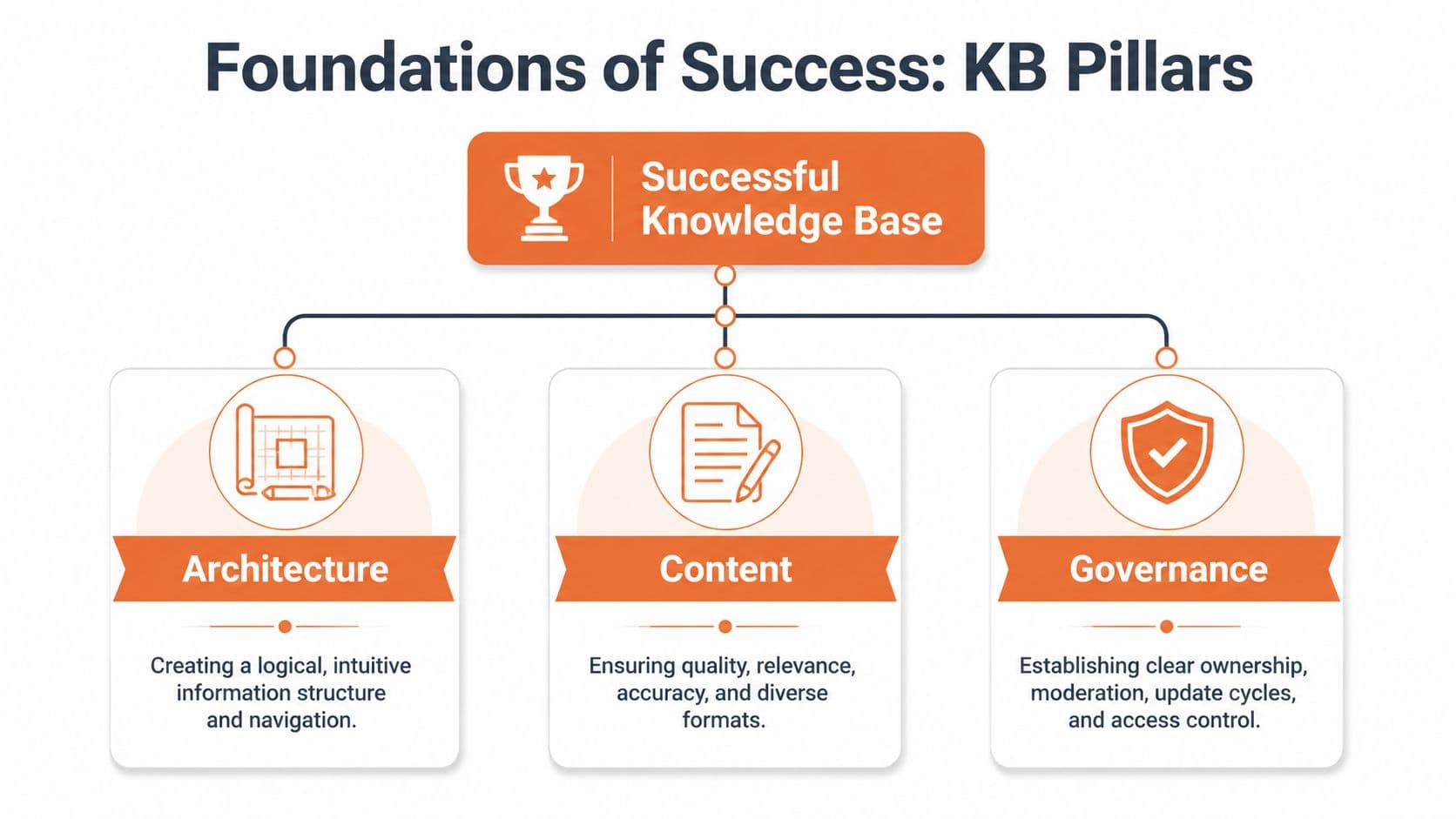
I use the same test for every KB I inherit. Can a new hire find the procedure? Can a manager trust it? Can an AI assistant retrieve the right chunk without pulling in five stale near-duplicates? If the answer is no on any one of those, the system is weaker than it looks.
Architecture that matches real work#
Architecture decides whether knowledge feels obvious or buried.
The common mistake is building the structure around departments, file trees, or whoever shouted loudest during setup. That looks tidy in a planning meeting. It fails in production. Staff do not search for “Finance > Forms > Q3.” They search for “submit contractor invoice” or “who approves software spend.” AI agents behave the same way. They perform better when the source material is grouped around tasks, decisions, and repeatable workflows instead of internal politics.
A workable structure usually has:
- Task-based categories such as onboarding, procurement, incident response, approvals, and support workflows
- Shallow hierarchy so important pages are not buried under five clicks
- Consistent naming based on the language staff use in tickets, chat, and handoffs
- Clear access rules so sensitive material is protected without hiding routine guidance from the people who need it
Good architecture also reduces duplication. If teams can't tell where a page belongs, they publish the same instructions in three places. That creates retrieval problems for AI tools and trust problems for humans. One source of truth is hard to achieve, but one clearly primary source is realistic.
If you need a practical build process, this internal knowledge base creation guide covers the setup work that teams often skip.
Content that earns trust#
Content quality is not about polish. It is about usefulness under pressure.
The best early pages are the ones people already interrupt each other to ask about. Onboarding checklists. Approval paths. Troubleshooting steps. SOPs for repeatable work. Escalation rules. These pages save time immediately, and they train staff to check the KB before they message a coworker.
Format matters more than many teams want to admit. A page can be accurate and still fail because it rambles, hides the answer halfway down, or mixes policy with commentary. It also needs clean structure so AI systems can cite the right section instead of guessing. Strong headings, short summaries, step lists, prerequisites, owners, and last-reviewed dates do more for usability than clever writing ever will.
A practical first batch usually includes:
- Onboarding guides for new hires, managers, and shared services
- SOPs for recurring operational work
- Troubleshooting articles for common tool and access issues
- Policy pages for HR, IT, compliance, and approvals
- Department playbooks for work that depends on local context
Templates help if they force consistency instead of adding ceremony. These knowledge base templates for support docs are useful for that reason. They push writers toward summaries, steps, and related links instead of free-form pages that read like meeting notes.
Governance that prevents decay#
Governance is the part that keeps a knowledge base alive after the launch slide deck disappears.
I have seen teams spend months choosing software, then assign no page owners and no review cadence. Six months later, search results are full of half-true instructions, duplicate policies, and pages that still mention tools the company retired last year. At that point, staff stop trusting the KB. AI assistants get worse too, because retrieval systems cannot tell which version should win.
The fix is boring and strict. That is why it works.
| Governance element | What it looks like |
|---|---|
| Owner | One person is accountable for accuracy and updates |
| Contributor | Subject matter experts can suggest changes |
| Reviewer | A designated person checks clarity, compliance, or policy fit |
| Review date | Important pages have a visible review cadence |
| Archive rule | Old pages are merged, replaced, or retired, not left to rot |
Governance also needs teeth. If a page has no owner, it should not be published. If a high-risk page misses review, it should be flagged. If two teams publish competing instructions, one page needs to win and the other needs to point to it. Those rules sound rigid. They are cheaper than cleaning up a KB after trust collapses.
How to Build and Launch Your Knowledge Base#
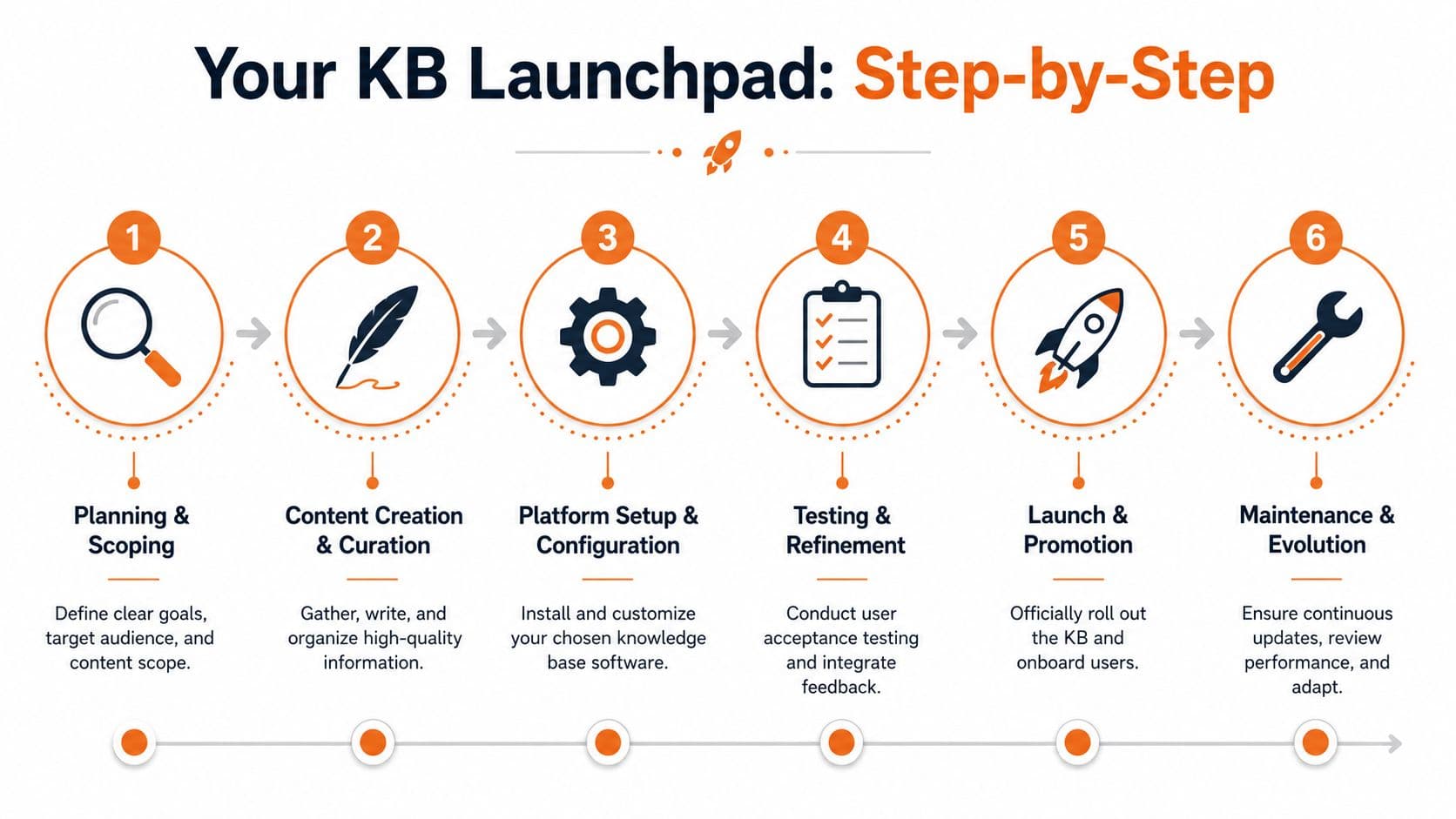
Knowledge bases usually fail before launch. The team tries to dump every doc, policy, and slide deck into one place, calls it progress, and creates a landfill nobody trusts. In 2026, that hurts twice. Employees cannot find the answer, and AI agents pull from messy source material and return shaky guidance with confidence.
Start smaller and stricter.
Start with scope, not software#
Decide what the first version needs to answer, and for whom. Be specific. “Company knowledge” is not a scope. “Answer onboarding, IT access, HR policy basics, and the top ten operating procedures people ask about every week” is a scope you can build.
I use four planning decisions before anyone starts migrating content:
- Name the primary users. New hires, frontline managers, support staff, operations, or a defined mix.
- List the repeat questions. If the same question shows up in Slack, tickets, or onboarding calls, it belongs in the first release.
- Choose what stays out. Strategy decks, edge cases, and stale reference material can wait.
- Assign owners before drafting. Unowned pages become abandoned pages fast.
For teams that want a practical starting point for page structure, these knowledge base templates for support docs are useful because they force clarity around summaries, steps, and related links instead of letting every page become its own format.
Build version one around high-use, high-confidence content#
The first release should focus on pages people already rely on, or should rely on, every week. Onboarding guides. Troubleshooting steps. Process docs. Team SOPs. Policy pages with clear owners. That's the opposite of the common “migrate everything” instinct.
It also gives AI systems a cleaner base to work from. If an internal assistant will be the front door to company knowledge, the source pages need predictable structure, current instructions, and one clear answer per task. AI does not fix chaotic documentation. It exposes it.
What belongs in version one:
- Core onboarding docs for the first weeks on the job
- Critical process documentation for repeatable workflows
- Troubleshooting instructions for tools and common blockers
- Policy essentials that employees need without waiting on HR or IT
- Team SOPs for departments that generate frequent questions
What should wait:
- Edge-case pages no one uses often
- Long strategy docs that aren't used operationally
- Redundant legacy content that already contradicts itself
- Old meeting notes masquerading as reference material
If you need a practical walkthrough for planning and content setup, knowledge base creation best practices covers the mechanics well.
Launch early and train inside the work#
A good launch happens when the KB can answer real questions reliably, not when every team has uploaded every file. Release the first useful set, then put it where people already work.
That means linking articles in Slack and Teams threads, onboarding checklists, ticket macros, manager playbooks, and approval workflows. It also means making managers and team leads use the KB in public. If leaders keep answering from memory or attaching old PDFs, everyone else copies the behavior. For support teams specifically, the same principle applies to what a help desk software is used for — the ticketing tool and the internal knowledge base should feed each other, not sit in separate tabs.
A quick product walkthrough can help teams visualize what “fast setup” should look like.
A few launch habits work better than a broad announcement email:
- Put links inside the workflow so people hit the KB while doing the task
- Train managers first because usage spreads through team habits
- Show search examples in training so people learn how to retrieve answers fast
- Collect missing-page requests during rollout instead of guessing what to add
Launch the smallest system that solves real questions, then expand based on usage.
Maintain it like production infrastructure#
After launch, the job changes. The work is not “writing more pages.” The work is keeping answers reliable.
Review failed searches. Merge duplicates. Archive stale pages. Check whether the listed owner still has the role. Fix titles that make sense only to the author. Test whether an employee and an AI assistant would both pull the same answer from the page. If not, the page needs work.
Many teams become lazy here. They assume search will compensate for bad content, or that AI will summarize around the mess. It won't. A weak page might still fool a person who already knows the process. It becomes a bigger problem when an AI agent treats that page as the source of truth.
My rule is simple. Every month, review what people searched for, what they could not find, and which pages became misleading because the process changed. That discipline keeps the KB usable for staff and usable for the AI systems that are about to sit between staff and the docs.
Choosing Your Internal Knowledge Base Software#
Tool choice matters more than people like to admit. A disciplined team can keep a mediocre tool usable for a while. But they'll pay for it in cleanup, workarounds, weak search, and painful migration later.
What matters in a tool now#
For an internal knowledge base in 2026, I'd treat these as essential:
- Strong search that returns the right page without perfect phrasing
- Fast authoring so subject matter experts contribute
- Role-based permissions that are strict where needed and simple to manage
- Analytics that show what people search for and where content is missing
- AI-readiness so agents can parse and retrieve the content cleanly
That last point is where many familiar tools start to wobble. A page can look polished to a human and still be poor source material for AI workflows if the underlying structure is bloated, inconsistent, or hard to extract.
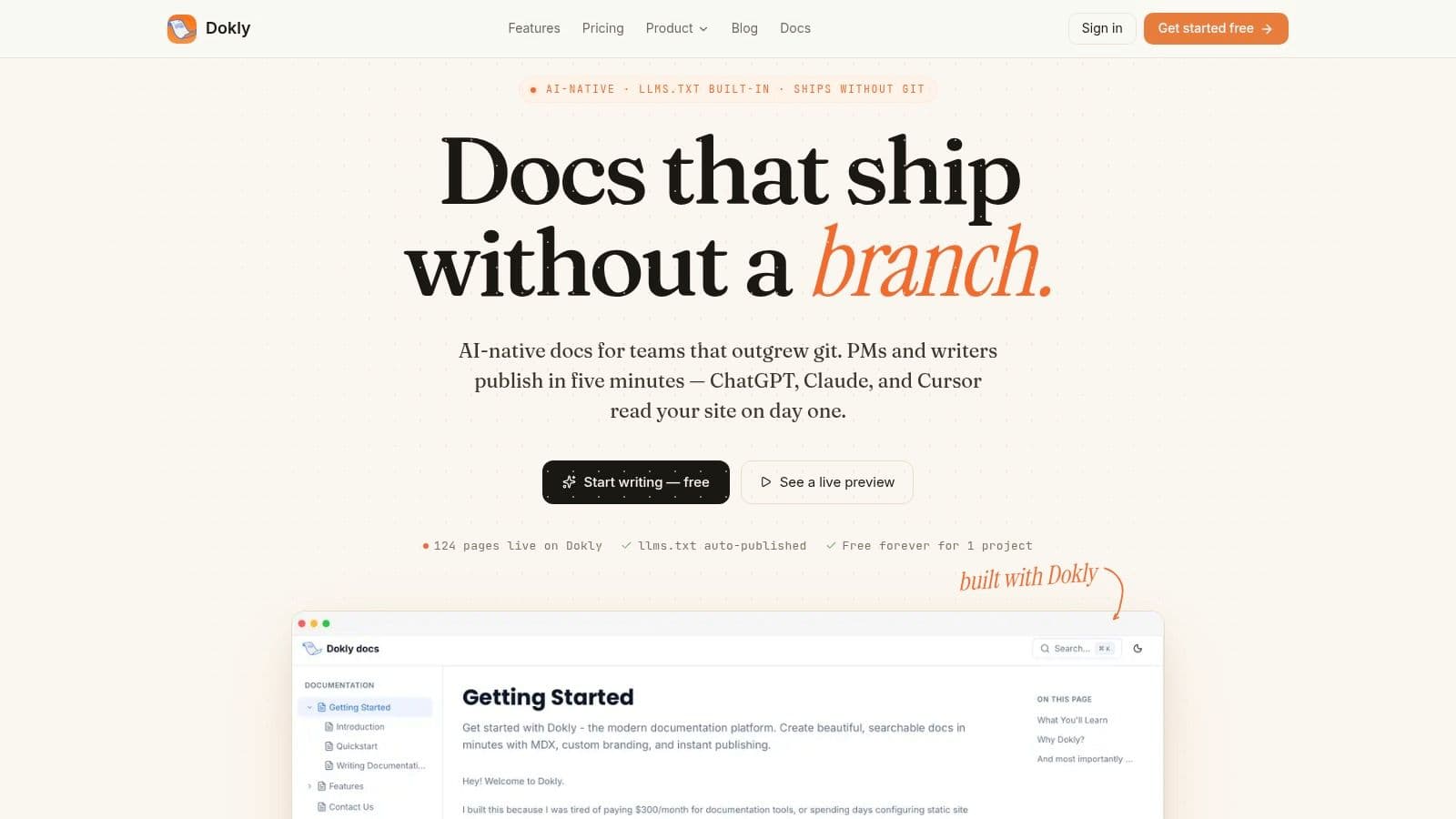
Here's the kind of clean publishing experience teams usually want.
Where Notion, Confluence, and Dokly differ#
Notion is the flexible default for many teams because it's easy to start. Confluence is the enterprise incumbent because it's already installed in a lot of companies. Dokly is the more opinionated option built around structured documentation and AI-readable output.
The trade-off comes down to this. Flexibility is helpful at the beginning. Structure wins later.
| Feature | Notion | Confluence | Dokly |
|---|---|---|---|
| Editing experience | Friendly and flexible | Familiar to many enterprise teams, but often heavier to use | Clean visual editor with documentation-focused workflow |
| Structure control | Easy to get messy over time | Can support complex hierarchies, but often becomes bloated | More naturally suited to structured docs |
| Permissions | Good for many teams | Mature enterprise permissions | Strong fit for controlled documentation environments |
| Search experience | Fine for small-to-mid setups, weaker when sprawl grows | Often depends on disciplined admin and content hygiene | Purpose-built documentation search and structured retrieval |
| AI-readiness | Can be inconsistent because flexible blocks don't always produce clean machine-readable docs | Legacy architecture can make downstream parsing harder | Built around semantic MDX, structured headings, and AI-oriented outputs |
| Best fit | Fast-moving teams that accept cleanup later | Large organizations already deep in Atlassian | Teams that want documentation built for both humans and AI agents |
Notion's strength is speed. Its weakness is that almost anything can become a page, which often produces cluttered internal knowledge bases unless someone governs structure aggressively.
Confluence's strength is enterprise familiarity. Its weakness is weight. Teams often inherit years of nested spaces, stale pages, and conventions nobody wants to challenge.
Dokly's advantage is narrower and more modern. It's built around the assumption that documentation should be easy for humans to write and easy for machines to parse. That matters if your internal knowledge base will feed AI assistants, internal search tools, or customer-facing agent workflows. It also avoids the setup tax that comes with docs stacks that need extra configuration before they feel production-ready.
Choose the tool that makes the right behavior easier. If the platform rewards sprawl, sprawl is what you'll get.
For many teams, the practical choice isn't about which tool has the longest feature list. It's about which one makes clean structure, controlled publishing, and long-term maintenance less painful.
How to Measure Knowledge Base Success#
A knowledge base is successful when people stop needing workarounds. You can see that in behavior long before you need a big ROI presentation.
Track behavior, not vanity#
I wouldn't obsess over page count or how many articles got published this month. Those are activity metrics, not proof of usefulness.
The better questions are operational:
- Can employees find answers without asking around
- Are support or ops teams fielding fewer repetitive internal questions
- Do new hires ramp with less hand-holding
- Are teams using the approved process instead of local versions
Those signals tell you whether the internal knowledge base is becoming part of how work gets done.
Use search data as your feedback loop#
Search analytics are the most honest source of feedback because they show intent. They reveal what employees needed, the language they used, and where the system failed them.
A useful review rhythm includes:
- Popular searches to identify your highest-value content
- Failed or vague queries to spot missing pages and poor naming
- Repeated searches for the same task to catch weak page quality
- Usage by role or team to see where adoption is real and where it's superficial
For a practical view of ongoing upkeep and optimization, knowledge base management practices are worth studying because maintenance is usually where good systems drift or improve.
If employees search, click, and still ask a coworker, the page exists but the answer doesn't.
Measure success the same way you'd measure any operational system. Did it reduce friction, improve consistency, and make the next action easier? If yes, keep investing. If not, fix the retrieval path before you add more content.
Frequently Asked Questions#
How do we migrate from Google Docs or Confluence#
Don't do a full lift-and-shift unless the old system is unusually clean. Most aren't. Migrate in phases.
Start with the content people use often. Clean it as you move it. Merge duplicates, rewrite vague titles, and archive dead material instead of dragging old clutter into a new platform. If your tool supports importers, use them to speed up transfer, but still review every high-value page for structure and ownership.
How do we get people to actually use it#
Adoption usually fails because leaders treat the knowledge base like a side library instead of the default place to get answers. Put it inside onboarding, ticket workflows, approval steps, and team rituals.
Ask managers to link pages instead of answering from memory. Add knowledge base references to recurring Slack responses and internal support macros. When people see that the official answer lives in one place, usage becomes habit.
How should we handle sensitive information#
Use role-based access control and keep it strict where it matters. Not every employee should see compensation guidance, legal drafts, security procedures, or people-related records.
At the same time, don't over-restrict routine operational content. If permissions are too tight, employees stop trusting the system because the answer is always “you don't have access.” The right balance is broad access for common guidance and deliberate restrictions for sensitive material.
If you want an internal knowledge base that works for both employees and AI agents, Dokly is worth a close look. It avoids the usual trade-off between easy editing and clean output, which is where a lot of teams get stuck with Notion or legacy wiki tools. You get a fast visual editor, structured docs, strong search, built-in analytics, and AI-ready publishing without turning documentation into a setup project.