
Most advice on building a knowledge base program is outdated. It treats the job like publishing a tidy help center, picking a pretty theme, and stuffing in enough articles to look complete.
That was barely acceptable before AI. In 2026, it's a losing strategy.
A real knowledge base program is not a content project. It's an information system. If your docs can't be searched well, governed well, and parsed cleanly by software, you haven't built an asset. You've built a maintenance burden that humans skim and AI ignores.
That's the part often overlooked. The term knowledge base didn't come from customer support. It came from AI and expert systems, where the whole point was structured facts and reasoning, not just readable pages. If you're still treating your knowledge base like a blog with categories, you're optimizing for the wrong decade.
Table of Contents#
- What Is a Knowledge Base Program Really
- The Four Core Components of a Modern Program
- Key Benefits and Common Business Use Cases
- How to Evaluate Knowledge Base Tools in 2026
- Dokly An AI-Native Knowledge Base by Design
- Best Practices for Program Implementation
- Launch Your Knowledge Base Program Today
What Is a Knowledge Base Program Really#
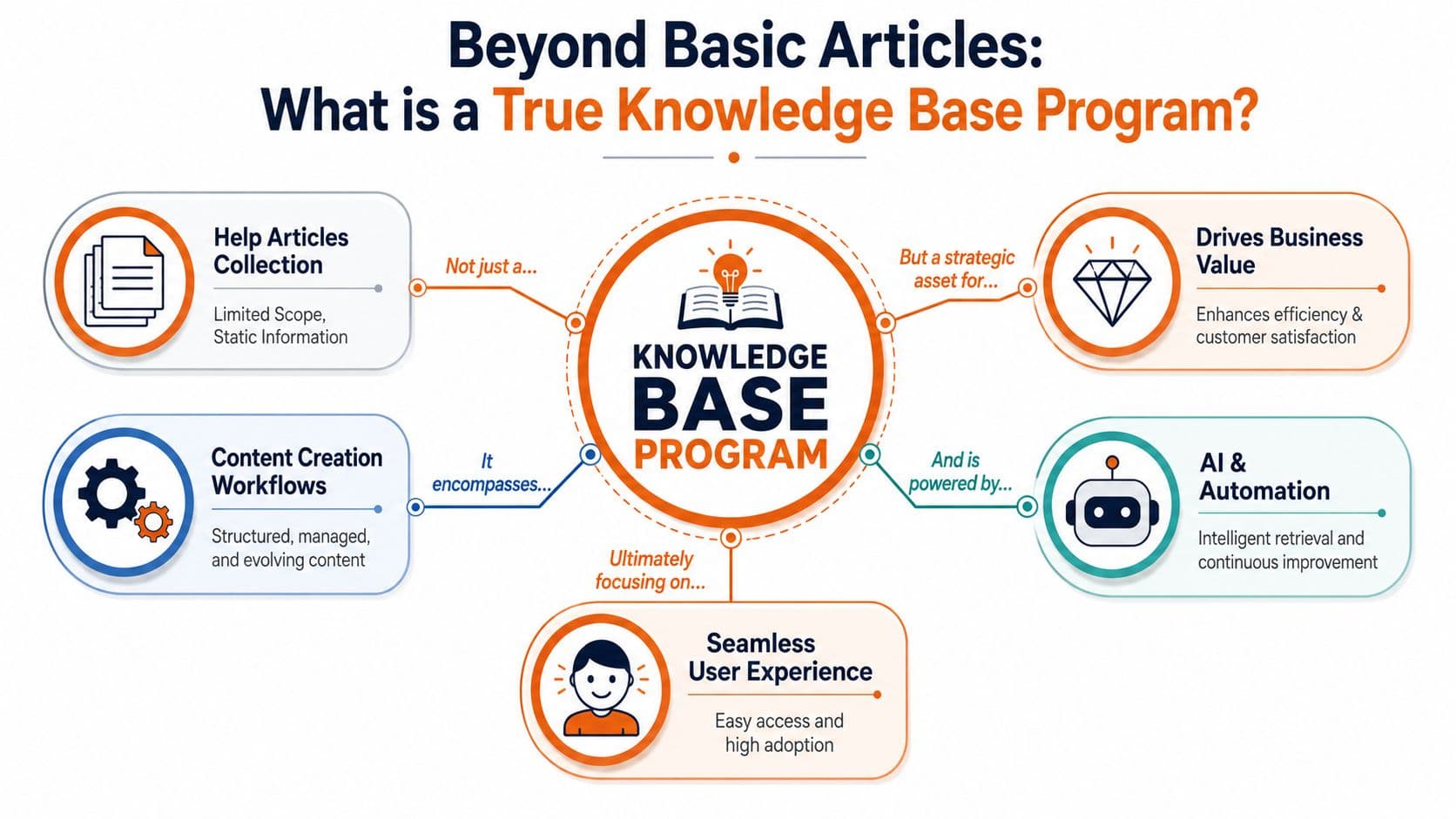
A knowledge base program is often defined too narrowly, seen only as 'publishing help articles.' That's like calling a library a room full of books. Technically true, strategically useless.
A knowledge base program is the operating model behind how your company captures knowledge, structures it, publishes it, reviews it, secures it, and measures whether it helps anyone. Articles are only the visible layer.
It's a system, not a folder#
If you want this to work, think in systems:
- Capture: What knowledge deserves documentation, and what should stay out.
- Structure: How topics, versions, owners, and audiences are organized.
- Delivery: How customers, employees, and tools retrieve the answer.
- Control: Who can publish, who can edit, and when content expires.
- Feedback: What users searched for, where they failed, and what content is missing.
That's why a lot of “knowledge base launches” flop. Teams buy software, migrate old docs, and stop there. No ownership model. No review cadence. No search analysis. No connection to product changes. They call it a knowledge base program, but it's really just a document dump.
Practical rule: If you can't explain who owns each content area, how updates are triggered, and how failed searches are handled, you don't have a program yet.
A useful mental model comes from adjacent knowledge work. If you've looked at how teams handle managing creative assets for creators, the same lesson applies here: storage is easy, retrieval and governance are the job.
For companies building internal documentation, a dedicated internal knowledge base approach also forces this distinction. Internal docs fail for the same reason customer docs fail. Nobody designed the system behind them.
The AI origin matters#
The term itself has deeper roots than most support teams realize. According to Wikipedia's explanation of knowledge bases, the term originated in artificial intelligence as a core subsystem of an expert system used to store structured facts and support automated reasoning.
That matters because it resets the design principle. The original point of a knowledge base was not “publish readable content.” It was “store knowledge in a form software can use.”
So stop asking only whether humans can read your docs. Ask whether software can parse them, segment them, trust their structure, and surface them correctly. In 2026, that's the difference between documentation that gets used and documentation that disappears.
The Four Core Components of a Modern Program#
A modern knowledge base program has four moving parts. Miss one, and the whole thing gets weaker fast.
Content strategy#
Start with intent, not volume. The right question isn't “how many articles do we need?” It's “which recurring decisions, questions, and tasks deserve a canonical answer?”
Your content strategy should define:
- Audience: Customers, support agents, operations teams, HR, partners, or all of the above.
- Content types: Troubleshooting guides, onboarding docs, SOPs, policies, release notes, API references.
- Publishing rules: What qualifies for a new article versus an update to an existing one.
- Language conventions: Use the words users search for, not internal jargon.
A bloated library with vague titles is worse than a smaller, sharper one. Big libraries create false confidence.
Platform and architecture#
The software choice matters, but the structure matters more. At scale, maintainable systems need support for Markdown, version control, scheduled publishing, and structured category hierarchies that mirror product architecture, as noted in Document360's guidance on knowledge base software.
That's not technical window dressing. It's how you prevent outdated instructions from surviving long after the product changed.
A flat list of articles doesn't scale. A usable architecture usually mirrors how your product or business works.
| Program layer | What good looks like |
|---|---|
| Navigation | Categories match product areas or business functions |
| Versioning | Content history is preserved and reviewable |
| Publishing | Releases can be staged and timed |
| Formatting | Clean, reusable article structure |
| Access | Different audiences see the right content |
Governance and workflow#
Governance is where mature teams separate themselves from chaotic ones.
You need clear answers to basic questions. Who can create content? Who approves it? What happens when a product manager ships a change? When does an article get archived instead of patched for the fifth time?
Good documentation decays quietly when no one owns it. Governance is how you stop stale content from becoming official truth.
Strong workflow usually includes named owners, review reminders, and a documented path from draft to approved publication. If your team says “everyone owns documentation,” nobody does.
Analytics and improvement#
Looking only at page views. That's lazy measurement.
A serious knowledge base program tracks search behavior, unanswered queries, misleading titles, and repeated support issues that should already be documented. The content should evolve because users reveal gaps every day.
Use analytics as a product feedback loop, not a vanity dashboard. The best-performing programs treat each failed search as a bug report on the information architecture.
Key Benefits and Common Business Use Cases#
A knowledge base program earns its keep when it changes behavior. Fewer repetitive tickets. Faster internal answers. More consistent guidance. Less tribal knowledge trapped in someone's head.
The business case is stronger than a lot of teams realize.

Why the business case is straightforward#
Bloomfire reports that organizations with a knowledge base see an average 23% reduction in customer support tickets, and the same source notes that 51% of customers prefer technical support through a knowledge base while 40% prefer self-service over human contact in data cited from Econsultancy. You can review those figures in Bloomfire's overview of what a knowledge base is.
Those numbers line up with what operators already know. Customers don't want to open a ticket for every small issue. Support teams don't want to answer the same question twenty times a week. A solid knowledge base program is the bridge between those two realities.
Here's the practical payoff:
- Support gets relief: Repetitive questions move to self-service.
- Customers move faster: They don't wait in queue for basic guidance.
- Teams stay consistent: Everyone points to the same canonical answer.
- New employees ramp better: Training stops depending on whoever happens to be available.
Where a knowledge base program actually gets used#
The mistake is assuming this is just for support. It isn't.
Customer support help centers#
This is the obvious use case. Customers need setup guides, troubleshooting steps, billing answers, and product explanations. The win isn't just ticket deflection. It's giving the support team a shared answer bank they can trust.
Operations and SOP libraries#
Operations teams need repeatable instructions. Refund process. Vendor onboarding. Escalation paths. Incident handling. If those processes live in chat threads or scattered docs, execution gets inconsistent fast.
HR and people ops#
HR teams use a knowledge base program for policies, onboarding guides, benefits information, and manager playbooks. This is one of the cleanest use cases because employees ask the same foundational questions over and over.
The fastest way to reduce internal interruption is to document the questions people are slightly embarrassed to ask twice.
Product and technical documentation#
Product managers and engineering-adjacent teams need release notes, feature explanations, and technical references that stay aligned with the product. The importance of structure is thus evident. When documentation drifts from the product, trust drops hard and recovery is slow.
The takeaway is simple. A knowledge base program isn't a support accessory. It's shared infrastructure for any team that repeats knowledge.
How to Evaluate Knowledge Base Tools in 2026#
Most buying checklists are stuck in the old world. They obsess over themes, drag-and-drop editing, and whether the homepage looks polished. That stuff still matters, but it's not the main risk anymore.
The main risk is building docs that AI systems can't reliably read.

The old checklist is no longer enough#
A lot of traditional tools were designed for human pageviews first. That leads to what I'd call rendered output without durable structure. It may look polished in the browser, but underneath, the content is harder for LLMs and agents to parse, cite, and trust.
That's the core problem behind platforms like Docusaurus and Mintlify in many real-world setups. They often ship what the brief correctly calls “rendered soup”, opaque output that weakens machine readability. If your customers increasingly ask ChatGPT, Claude, Cursor, or similar tools for answers first, your docs need to be machine-legible, not just visually attractive.
If a tool can't produce clean structure for machine readers, your documentation becomes less discoverable exactly where modern users start looking.
So yes, evaluate design. Yes, evaluate editor quality. But stop pretending those are enough.
What to ask vendors now#
Use a harder checklist.
AI-readable output#
Ask what the platform emits. Not what the marketing page says. Does it preserve semantic headings, structured metadata, and clean content output? Can agents identify sections, code blocks, and article hierarchy without guessing?
If the answer is vague, move on.
Search that handles real phrasing#
Search should work for conversational queries, not just exact keywords. Users don't search the way your taxonomy spreadsheet looks. They ask things like “how do I reset access for a former admin” or “why won't the integration sync.”
That's why comparing vendors through a generic knowledge base software evaluation guide is useful. It helps separate feature tables from actual usability.
Authoring that doesn't punish contributors#
A platform can be technically strong and still fail because nobody wants to use it. Good authoring matters. Writers need fast editing, reusable blocks, clean formatting, and minimal setup friction.
Here's a simple comparison:
| Evaluation area | Weak tool behavior | Strong tool behavior |
|---|---|---|
| Output | Pretty pages, messy structure | Clean structure, machine-readable content |
| Search | Exact-match bias | Intent-aware retrieval |
| Authoring | Dev-heavy setup or clunky editor | Fast visual editing with structured output |
| Governance | Loose permissions, weak review flow | Clear roles, approvals, reminders |
| Analytics | Pageviews only | Search insights and gap detection |
Analytics that reveal blind spots#
You need to know what users tried to find and failed to find. Failed search data, zero-result queries, and content gap signals matter more than raw traffic.
A lot of buyers still get distracted by template galleries and customization knobs. Those are nice extras. The tool's real job is to help your knowledge base program stay accurate, searchable, and usable by both humans and software.
Dokly An AI-Native Knowledge Base by Design#
Most documentation platforms still force a trade-off you shouldn't accept. You either get a decent visual editing experience with weak machine readability, or you get structured output with enough setup friction to slow the team down.
That trade-off is unnecessary.
What changes when the platform is built for machine readers#
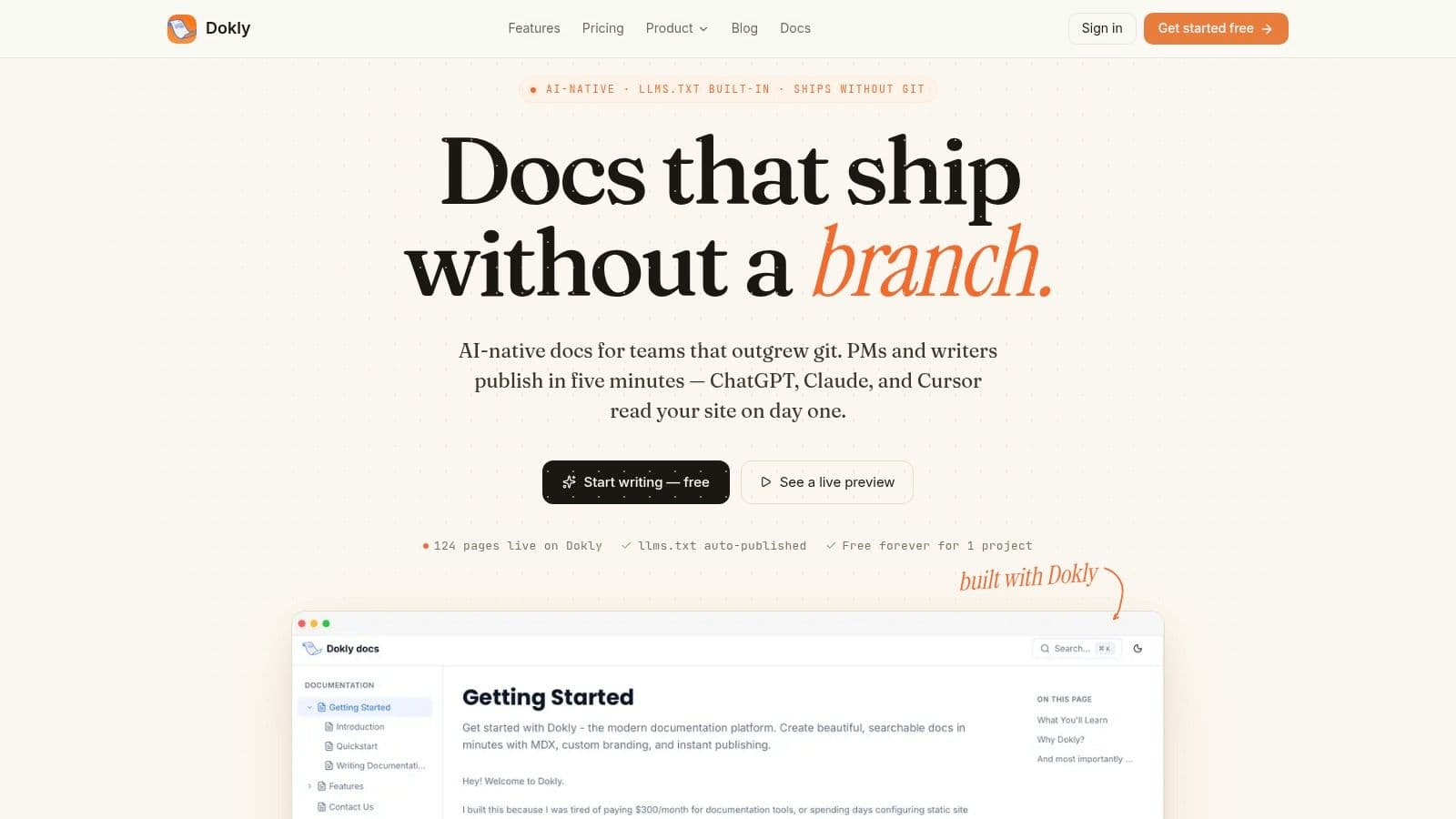
Dokly stands out as one option worth considering. Its premise is straightforward: documentation should be usable by AI agents, not just humans in a browser. The platform outputs semantic MDX, auto-generates llms.txt and llms-full.txt, and keeps headings and metadata structured so agents can parse and cite the content more reliably.
That aligns with the broader shift many teams are trying to understand when they're navigating AI search with AI native. “AI-native” isn't a branding trick if the output format changes how machines consume your docs.
A practical advantage is that you don't need to choose between structured output and ease of use. A Notion-like editor lowers the contribution barrier for support, ops, and product teams that don't want a repo-first workflow.
Later, if you want to see the product in motion rather than read feature text, the Dokly YouTube channel is the right place to inspect the editor and publishing flow.
Where older tools create friction#
Docusaurus and Mintlify can work for some teams. But they often introduce one of two problems.
- Setup tax: Someone has to own config, theming, and technical maintenance.
- Output ambiguity: The site looks fine, but the underlying content structure isn't optimized for agent retrieval.
- Contribution bottlenecks: Non-technical teams hesitate to edit because the workflow feels too developer-centric.
That matters more than people admit. A knowledge base program fails slowly when only one or two people feel comfortable maintaining it.
Dokly's other practical advantage is pricing clarity. The public pricing model is transparent, and it avoids the common per-seat surprise that makes documentation governance harder across support, product, and operations. For teams trying to centralize SOPs, help docs, and product documentation in one place, predictable access matters.
Best Practices for Program Implementation#
The tool matters. The operating habits matter more.
Teams usually fail implementation by starting with writing. They gather a list of topics, assign articles, and sprint into production. That creates output, but not order.
Start with structure, not writing#
Before you draft a single article, define the shape of the system.
Use a basic planning checklist:
- Map the top-level architecture: Organize by product area, workflow, or audience. Don't mix all three unless you enjoy confusing everyone.
- Choose canonical content types: SOP, troubleshooting article, policy, FAQ, release note, integration guide. Each should have a template.
- Assign ownership: Every section needs a real owner, not “the team.”
- Define review triggers: Product release, policy change, recurring support issue, search failure trend.
The operational logic is simple. Intercom's guidance is right on this point: effective knowledge base software is a controlled information system, not just a repository, and features like failed-search analytics, review reminders, and role-based permissions are core mechanisms for keeping content current and safe as the library grows, as explained in Intercom's article on knowledge base software.
If you want a deeper operating model, this guide to knowledge base management practices is useful because it focuses on maintenance discipline rather than launch hype.
Run it like an operating system#
A healthy knowledge base program behaves more like product operations than publishing.
Standardize article templates#
Templates reduce quality drift. Your troubleshooting articles should look similar. Your SOPs should follow the same logic. Your policy pages should expose effective dates, owners, and scope clearly.
Review and archive aggressively#
Some content should be updated. Some content should be retired. Teams cling to outdated articles because deletion feels risky. Keeping misleading instructions is riskier.
Old articles don't become harmless with age. They become confident misinformation.
Use search data as a backlog#
Search failures tell you where your documentation model is weak. Repeated searches with poor outcomes usually mean one of three things: no article exists, the title is wrong, or the answer is buried in the wrong place.
Separate public and internal truth carefully#
Some procedures belong in public docs. Some belong in agent-only or employee-only spaces. Don't mash everything together for convenience. Permission design is part of trust design.
The best implementation advice is boring on purpose. Clear structure, strong ownership, recurring review, ruthless cleanup. That's what keeps a knowledge base program useful after launch.
Launch Your Knowledge Base Program Today#
A lot of companies think they have a knowledge base problem when they really have a structure problem. They publish more content, redesign the help center, and wonder why results barely move.
The gap is usually simpler than that. The content was built for old SEO habits and generic browsing, not for the way people and AI agents ask questions.
The warning sign is already clear: despite 65% of companies investing in self-serve knowledge bases, ticket deflection rates remain below 15% because articles are optimized for old SEO rules, not the conversational, “how do I...” questions that users and AI agents ask. That's the core mismatch behind a lot of disappointing programs.
So keep the launch plan tight:
- Pick structure first: Categories, owners, content types, permissions.
- Write for retrieval: Clear titles, specific intent, one problem per article.
- Choose tools for AI-readiness: Machine-readable output is now mandatory.
- Set review rules early: Stale content kills trust faster than missing content.
- Watch search behavior: Failed queries should drive your next documentation work.
Don't wait for a perfect migration plan or a giant content backlog. Start with the recurring questions that waste the most time, publish them in a system that machines can parse, and tighten the workflow as you go.
If you want to start with a platform built for modern documentation instead of retrofitting old tooling, take a look at Dokly. It's a practical way to launch an AI-ready knowledge base program without the usual setup friction, and if you need a concrete first asset, try the SOP template generator to turn process knowledge into structured documentation quickly.