It's often assumed that a technology documentation template is a formatting problem. It isn't. It's a systems problem.
A usable template has to do three jobs at once. It has to help humans find answers quickly. It has to help writers produce consistent pages without reinventing structure every time. And now it has to produce content that machines can parse cleanly enough to cite, chunk, and route inside AI tools.
The impact of that shift is greater than commonly acknowledged. A widely used technical documentation template typically includes a document overview, background and context, requirements or specifications, technical details, compliance and standards references, implementation guidance, and an appendix with a glossary and change log, according to Microsoft's guide to technical documentation templates. That's a useful starting structure, but a template that lives only as a static outline is no longer enough.
The modern version is a framework. It defines the page structure, the authoring rules, the metadata, and the publishing model. If any of those parts are missing, the template looks complete and still fails in practice.
Table of Contents#
- Your Technology Documentation Template Is Probably Worthless
- The Real Job of Documentation in 2026
- The Universal Technology Documentation Template Structure
- Core Sections Explained with MDX Snippets
- Bringing APIs to Life with OpenAPI and Dokly
- Guiding Users with Tutorials and Troubleshooting
- Publishing Your Docs in Minutes with Dokly
- How to Choose a Documentation Platform for 2026
- Frequently Asked Questions
Your Technology Documentation Template Is Probably Worthless#
Most technology documentation templates online are polished junk. They give you section headings, maybe a title block, and sometimes a change log. Then they leave you with a page that looks official but doesn't help engineers ship, support teams answer questions, or AI systems understand your product.
The old assumption was simple. If a person can skim the page, the template worked. That assumption is dead. Documentation now gets consumed by search systems, code assistants, answer engines, and internal retrieval layers before a human ever lands on the page. If your template produces vague headings, bloated prose, and weak structure, it fails before a reader even shows up.
Pretty pages don't fix broken structure#
A bad template usually has three problems:
- It optimizes for layout, not meaning. The page looks neat, but the headings don't tell the reader what the section does.
- It mixes document types. Runbooks, API docs, onboarding guides, and architecture notes get forced into one generic format.
- It ignores machine readability. Content gets buried in visual blocks and inconsistent formatting that are hard to parse outside the browser.
That's why a Word file or a static Google Doc isn't a documentation system. It's just a container.
Practical rule: If your template can't support both a first-time user and a machine trying to extract exact answers, the template is incomplete.
A template is now a content contract#
The useful way to think about a technology documentation template is this: it's a content contract between the writer, the reader, and the publishing system.
That contract needs to define:
- What belongs on the page
- What order it appears in
- How the page signals purpose, ownership, and freshness
- How the content gets rendered for humans and parsed by machines
If you're still treating docs as a side task, it's worth reading why documentation now has to work for AI agents first. That shift changes the template itself. You're not filling out a form anymore. You're building structured knowledge.
A worthless template doesn't look broken. That's the trap. It looks complete right up until someone needs to integrate your API, debug a deployment, or ask an AI tool how your product works.
The Real Job of Documentation in 2026#
The primary job of documentation isn't to exist. It's to reduce friction.
A page earns its keep when it helps someone complete a task, understand a system, or recover from failure without opening Slack, filing a ticket, or reverse-engineering the codebase. That sounds obvious, but many teams still publish docs that are organized around the writer's convenience instead of the reader's workflow.
One neglected issue is choosing a template by document type and audience instead of forcing everything into one generic “technical documentation” format. Slite notes that current guidance often tells teams to define audience, scope, and structure, but rarely gives practical criteria for choosing API docs, onboarding docs, runbooks, design docs, or support knowledge-base articles, even though technical documentation covers many formats and purposes. The result is a template that appears complete but isn't operationally useful for the actual workflow, as described in Slite's technical documentation template discussion.
One format for every doc is a guaranteed mess#
A startup usually needs several documentation types at once:
| Document type | Primary reader | What success looks like |
|---|---|---|
| API reference | Developer | Fast lookup of exact behavior |
| Onboarding guide | New teammate or customer | First useful outcome with minimal confusion |
| Runbook | Operator on call | Reliable action under pressure |
| Architecture doc | Engineer or reviewer | Shared understanding of system design |
| Support article | End user | Self-service resolution |
The template should change with the job. A runbook needs preconditions, commands, rollback steps, and escalation paths. An architecture page needs boundaries, dependencies, and trade-offs. A support article needs symptoms and resolution steps. Cramming all three into one shape produces dead weight.
Structure beats ornament#
Teams get distracted by themes, sidebars, and glossy navigation. Those things matter less than semantic structure. The strongest documentation systems use predictable headings, explicit metadata, and content blocks that can be reused across tutorials, SOPs, and reference pages.
Old doc tools often export rendered pages that are easy on the eyes and hard on everything else.
That is the operational difference. Human-friendly formatting still matters, but the underlying structure matters more. The useful question isn't “does this page look finished?” It's “can someone, or some system, extract the right answer quickly?”
When teams start from that premise, their technology documentation template stops being decorative and starts becoming infrastructure.
The Universal Technology Documentation Template Structure#
Bad templates create tidy pages and bad outcomes. A useful technology documentation template gives every page a fixed job, enough structure for humans and AI to read it correctly, and a publishing path that does not collapse under real maintenance.
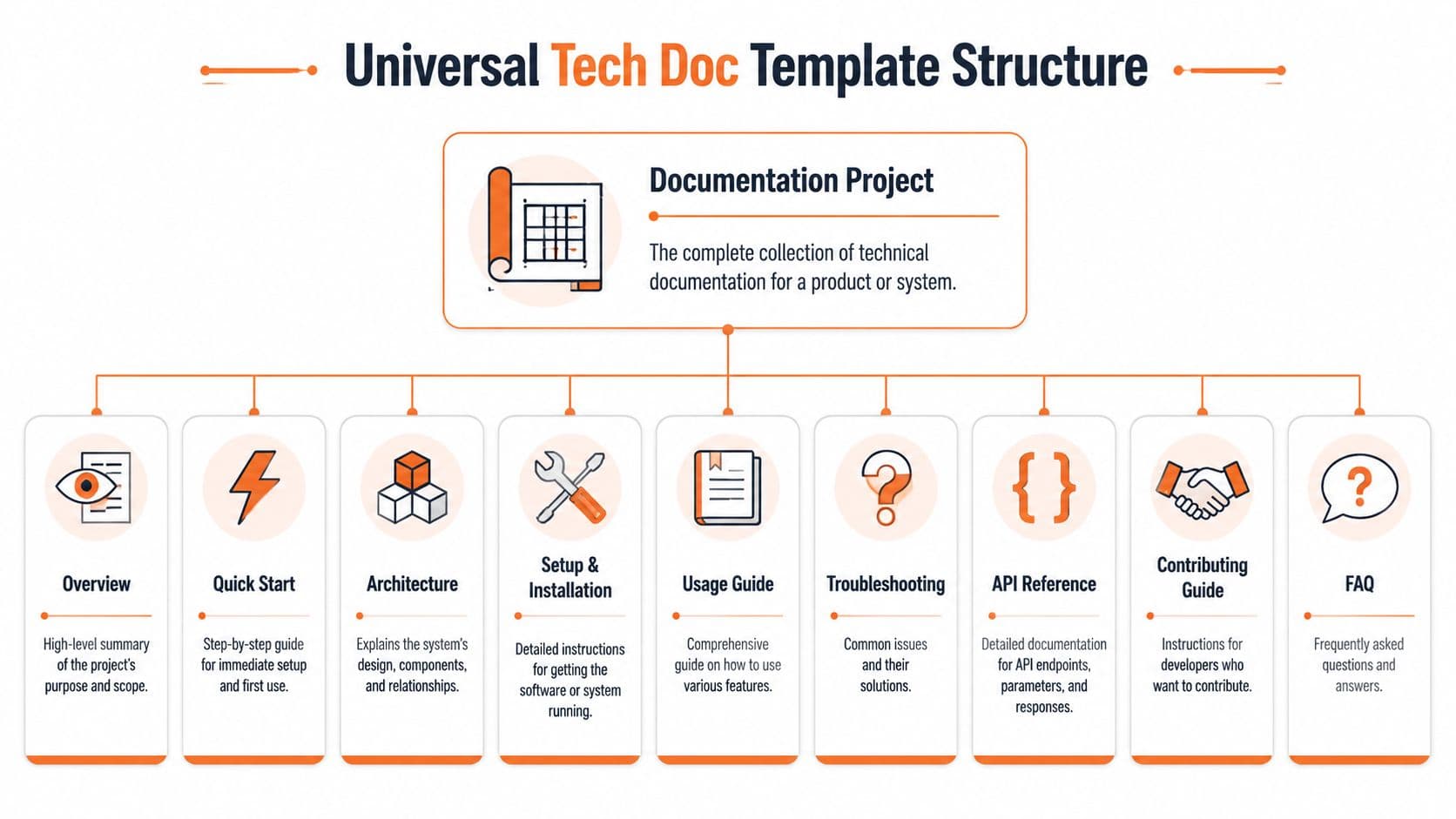
That means treating the template as a system, not a download. The structure defines what to write. MDX components define how to write it in a repeatable way. Your publishing layer decides whether those docs stay searchable, reusable, and current. That is the practical shift to AI-native documentation. Content needs to work for readers, search, support teams, and retrieval systems at the same time.
The seven sections that actually matter#
-
Overview
State what the system does, who should use it, and the boundary of the page. If readers cannot answer those three questions in a few seconds, they start guessing. -
Quick Start
Give the shortest path to a working result. This is not the place for every option, branch, or edge case. It exists to reduce time to first success. -
Architecture
Show the parts, their boundaries, and how requests or events move through the system. Good architecture docs reduce repeated explanations in reviews, onboarding, and incident response. -
API Reference
Document exact behavior. Include authentication, inputs, outputs, errors, limits, and examples that match reality. Precision matters more than prose here. -
Tutorials Teach a complete outcome, not a feature tour. A strong tutorial helps someone finish a task they care about and exposes the sequence behind the product.
-
Troubleshooting
Organize this section around symptoms, likely causes, and fixes. That mirrors how people search during failure and makes the content easier for support bots and internal search to retrieve. -
Changelog
Record behavior changes, breaking changes, migrations, and deprecations. If the changelog is missing, every other page becomes less trustworthy.
The template has to carry metadata, not just headings#
Headings alone are too weak for a documentation system that has to survive multiple writers, product changes, and AI retrieval. Each page should include fields for owner, audience, status, version, last reviewed date, and related pages. Those fields are not decoration. They tell your team who maintains the page and tell machines how to classify it.
Many downloadable templates frequently fail. They look finished, but they do not define the page contract. A page contract is the repeatable shape that keeps docs consistent across references, tutorials, runbooks, and internal guides.
A usable template should also include:
- Ownership metadata so stale pages have a clear maintainer
- Review and version fields so changes are traceable
- Audience labels so the page signals who should read it
- Reusable content blocks so common warnings, prerequisites, and callouts stay consistent
- Cross-links so users can move from concept to task to reference without hunting
The trade-off is real. More structure adds a little friction for writers. In practice, that friction is cheaper than fixing duplicated instructions, inconsistent naming, and broken publishing workflows later.
For teams building a docs system instead of collecting loose pages, this technical documentation template framework is a useful reference point. It lines up with the same principle: structure first, then reusable writing patterns, then a platform that can publish and maintain the result without manual cleanup.
A good template removes recurring decisions and preserves the ones that require engineering judgment.
That is the standard. Consistent logic, clear metadata, and a shape that publishes cleanly in a modern docs platform such as Dokly.
Core Sections Explained with MDX Snippets#
A template becomes useful when writers can copy, adapt, and publish it without translating vague guidance into structure by hand. MDX is a good fit because it keeps content readable, portable, and structured.

Overview#
The overview should answer three things immediately. What this system does, why it exists, and who should keep reading. If the first screen doesn't do that, readers bounce or start guessing.
---
title: Payments API Overview
description: Accept payments, manage refunds, and track transaction status.
owner: platform-team
status: published
review_cycle: quarterly

---

# Payments API Overview

## What this is
The Payments API lets applications create charges, issue refunds, and retrieve transaction events.

## Why it matters
Use this API when you need a server-side payment workflow with auditable transaction history.

## Who this is for
This documentation is for backend engineers integrating payment flows into web or mobile products.

## Before you continue
- You have API credentials
- You can make HTTPS requests
- You understand your product's payment flow
Quick Start#
A quick start is not a miniature reference page. It's a guided success path. Keep it linear and keep it honest. If there are prerequisites, say so before step one.
# Quick Start

## What you will build
Send your first charge request and verify the API response.

## Prerequisites
- API key
- Test account
- HTTP client

## Step 1
Create a request using your test key.

```bash
curl -X POST https://api.example.com/charges \
  -H "Authorization: Bearer YOUR_TEST_KEY" \
  -H "Content-Type: application/json" \
  -d '{
    "amount": 1000,
    "currency": "USD",
    "source": "tok_test"
  }'
Step 2#
Check for a successful response.
{
  "id": "ch_123",
  "status": "succeeded"
}
Next step#
Move to the authentication page if you need scoped keys for production.
<a id="architecture"></a>
### Architecture

Architecture docs should explain shape and responsibility, not drown readers in every implementation detail. State what the main components are, how they interact, and where failures usually happen.

```mdx
# Architecture

## System components
- **API Gateway** handles authentication and request routing.
- **Payments Service** validates requests and manages transaction state.
- **Ledger Service** records financial events.
- **Webhook Worker** sends downstream event notifications.

## Request flow
1. Client sends a signed request to the API Gateway.
2. Gateway forwards the request to the Payments Service.
3. Payments Service writes a transaction event to the Ledger Service.
4. Webhook Worker publishes the result to subscribers.

## Operational notes
- Retry logic lives in the Webhook Worker.
- Ledger writes are treated as the source of truth.
- Authentication failures stop at the gateway layer.
Write MDX like another engineer will need to debug from it at midnight. Because they probably will.
Bringing APIs to Life with OpenAPI and Dokly#
Static API docs are where good products go to become harder to use.
The old model was endless tables. Endpoint name, parameter list, response fields, maybe a code block, and a lot of scrolling. That still counts as documentation, but it doesn't help much when a developer wants to understand behavior quickly or test a request without building a local setup first.
OpenAPI should be the source of truth#
If you have an API, your documentation should be generated from an OpenAPI spec or tightly anchored to one. That gives you a single artifact for endpoints, parameters, schemas, and examples. It also reduces the usual drift where engineering changes the API but someone forgets to update the docs.
A healthy setup looks like this:
- Spec first or spec synced so the reference doesn't rot
- Interactive requests so developers can try calls from the page
- Schema reuse so examples and models stay consistent
- Searchable endpoint docs so exact questions have exact answers
Why interactive reference beats static tables#
Developers don't just want to read about an endpoint. They want to test the request shape, inspect the response, and compare examples. That's why interactive API docs consistently outperform hand-written endpoint dumps in day-to-day use.
If you're starting from an OpenAPI file, a converter such as Dokly's OpenAPI to Markdown tool can help turn the spec into a cleaner documentation starting point. The important part isn't the brand. It's the workflow. Keep the spec authoritative and keep the published reference close to it.
A product demo is often more convincing than another paragraph. This embed shows the kind of workflow teams should expect from a modern API documentation stack.
If your API reference can't answer “what happens if I send this request” without forcing a context switch, it's incomplete.
The shift here is practical. API docs shouldn't be a museum. They should be an interface.
Guiding Users with Tutorials and Troubleshooting#
Reference docs answer exact questions. Tutorials and troubleshooting pages do a different job. They move users through uncertainty.
That means the template has to enforce stronger structure. A solid documentation template should use structured authoring with reusable content blocks, a fixed orientation section at the top of each page, and explicit fields for “what you will learn,” “why it matters,” “prerequisites,” and “estimated time,” as described in Paligo's guide to effective technical documentation. Those fields aren't decoration. They reduce drop-off and help readers decide whether a page matches their situation.
Tutorial template that people actually finish#
Tutorials should start with a short orientation block, then move through one outcome from beginning to end.
A simple MDX pattern works well:
# Create Your First Webhook

## What you will learn
How to register a webhook endpoint and verify incoming events.

## Why it matters
Webhooks let your app react automatically to payment status changes.

## Prerequisites
- Admin access
- A reachable endpoint
- Test API credentials

## Estimated time
15 minutes

> Note:
> Use a test endpoint before connecting a production listener.

## Step 1
Generate a webhook secret in the dashboard.

## Step 2
Add the endpoint URL and subscribe to events.

## Step 3
Send a test event and verify the signature.
Troubleshooting works best when it starts with symptoms#
Writers often structure troubleshooting around internal causes. Users search by symptoms. Build the page around that reality.
Use a format like this:
- Problem statement with the exact error or behavior
- Likely causes in plain language
- Resolution steps in order
- Escalation note when self-service stops being safe
# Webhook Signature Validation Failed

## Symptoms
- Events are received but rejected
- Signature verification throws an error
- Test events pass locally but fail in production

## Likely causes
- Wrong signing secret
- Modified request body
- Clock drift in verification logic

## Fix
1. Confirm the endpoint uses the current secret.
2. Verify the raw request body is preserved.
3. Re-run verification against a fresh test event.

> Warning:
> Don't parse and reserialize the body before signature validation.
Changelog pages should stay boring#
That's a compliment. Changelogs are operational records, not marketing copy.
Use a repeatable structure:
| Release | Date | Notes |
|---|---|---|
| v1.4.0 | 2026-02-10 | Added webhook retry status fields |
| v1.3.2 | 2026-01-22 | Fixed response example for refund lookup |
Keep the entries short. Link to deeper docs only when someone needs detail.
Publishing Your Docs in Minutes with Dokly#
Teams often don't fail at documentation because they lack a template. They fail because the implementation path is annoying.
They start with Markdown files in a repo, then bolt on a static site generator, then fight navigation config, broken previews, theme overrides, and review workflows that nobody outside engineering wants to touch. Or they swing the other way and use a general-purpose workspace tool that feels easy at first but exports weak public docs.
The implementation tax is the real problem#
Docusaurus gives you control, but you pay for it in setup and maintenance. GitBook is easier to publish, but many teams still end up adapting their process around the tool. Notion and Confluence are useful for internal collaboration, but they aren't ideal when you need structured public docs with strong semantic output.
This is the gap a hosted documentation system is supposed to solve. The appeal is straightforward:
- Write visually without losing clean underlying structure
- Publish quickly without managing a frontend project
- Keep docs editable by product, support, and engineering
- Support API reference without hand-formatting every endpoint
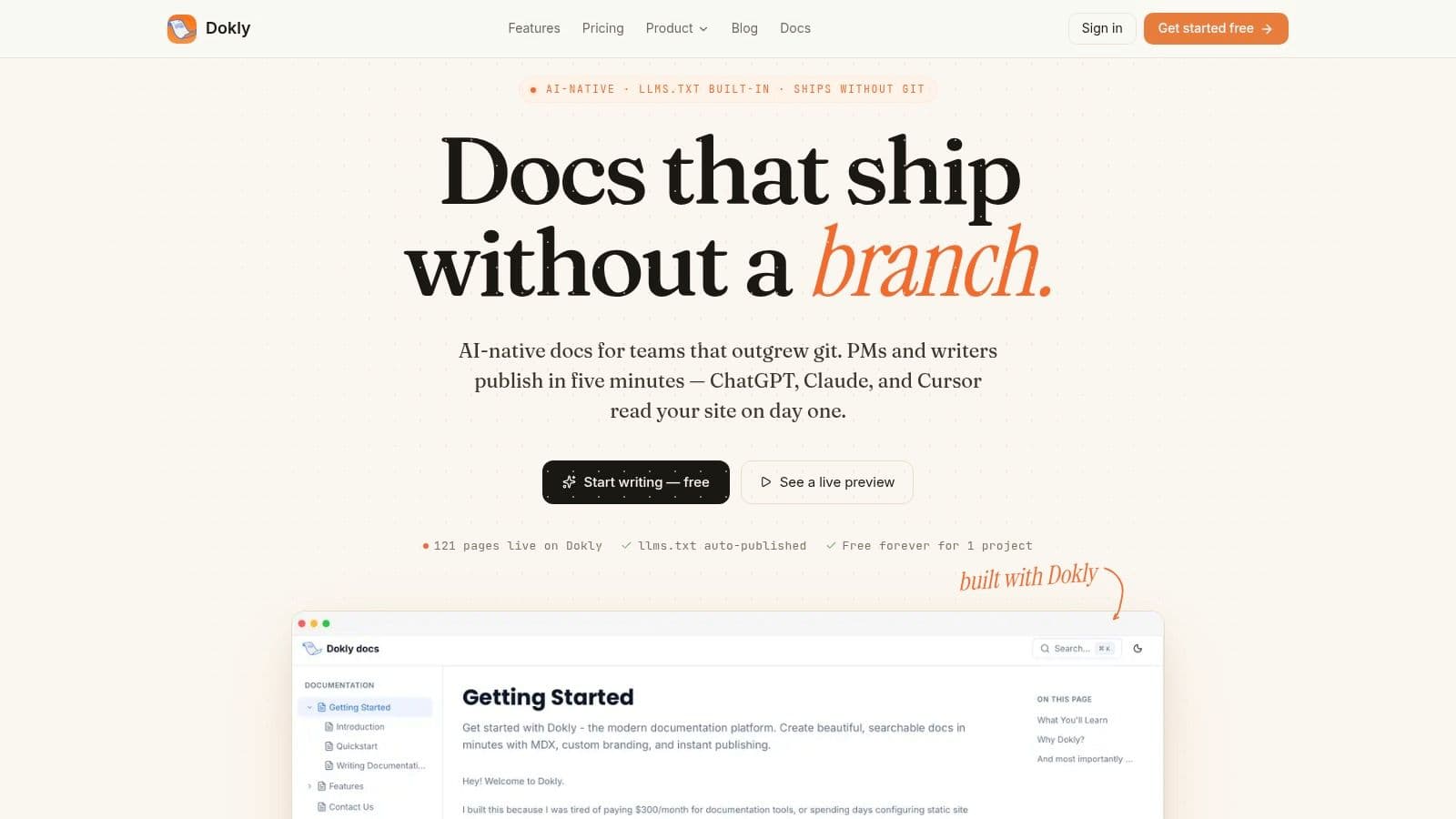
One option in that category is Dokly. It provides a Notion-like editor, outputs clean MDX, supports OpenAPI-based API documentation, and publishes hosted docs without requiring repo setup. That matters if you want the template from this article to become a working site instead of another unfinished internal document.
Good tooling removes friction at the authoring layer#
The best documentation platform is usually the one your team will use consistently. In practice, that means the editor matters as much as the final site.
A healthy publishing flow should make these tasks feel normal:
- Draft a page from a structured template
- Expand or simplify sections while writing
- Add code samples, callouts, and assets inline
- Publish to a docs site without hand-editing infrastructure
Here's a product walkthrough that shows the workflow more clearly than a feature list can.
When the writing path is simple, governance becomes realistic instead of aspirational.
How to Choose a Documentation Platform for 2026#
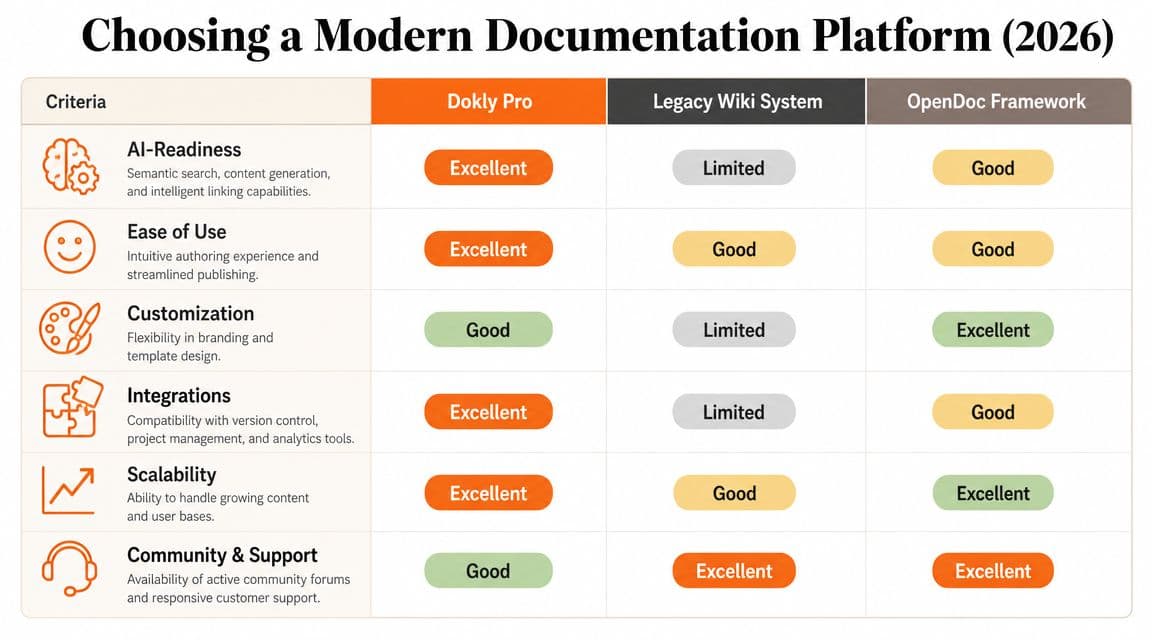
A documentation platform should be judged like infrastructure. Not by the homepage. By what it lets your team maintain without pain.
That matters because documentation isn't optional operational overhead. In software and IT operations, documentation templates are treated as foundational controls rather than optional add-ons. One industry guide states that every software development product requires technical documentation, and it highlights seven core categories: network diagrams, server and application inventories, SOPs, runbooks, change management, disaster recovery, and security documentation. It also recommends review cycles as often as quarterly for critical systems, semi-annually for standard systems, and annually for policies and procedures, as outlined in AltexSoft's technical documentation best practices guide.
Four criteria that matter#
Use these filters when comparing platforms:
| Criterion | What to look for | What usually goes wrong |
|---|---|---|
| AI-readiness | Clean structure, semantic pages, machine-readable outputs | Pretty pages with opaque content blocks |
| Setup cost | Fast path from draft to publish | Tooling that turns docs into a frontend project |
| Interactive features | API playgrounds, embeds, reusable components | Static pages that force external testing |
| Governance | Ownership, review cycles, version traceability | Docs that age silently |
How common options differ in practice#
Docusaurus is strong when you want full developer control and already accept repo-based workflows. It is less attractive when non-engineers need to author docs regularly.
Mintlify is closer to the modern product-docs model. It fits teams that want polished developer docs without building the whole stack themselves.
GitBook is still a practical choice for teams that value quick collaboration and decent public publishing.
Notion and Confluence are good internal knowledge tools. They are weaker when you need durable public documentation with tight structure and discoverability.
Choose the platform that keeps your template alive after launch. Most tools handle publishing. Fewer tools handle maintenance.
A strong technology documentation template only helps if the platform makes review, update, and publication routine instead of expensive.
Frequently Asked Questions#
Can I migrate existing docs from Markdown or Notion#
Usually, yes. Markdown is the easier migration because the structure already exists. Notion content often needs cleanup because headings, callouts, and code blocks don't always map cleanly into durable public documentation. The migration work isn't the import itself. It's normalizing structure and removing page-by-page inconsistencies.
How does AI-readiness actually help documentation#
It helps when your content is structured clearly enough for systems to extract the right answer instead of guessing from a blob of rendered content. In practice, that means better retrieval, cleaner summaries, and fewer dead-end citations. It also forces better writing discipline for human readers.
Is this template too much for a small project#
No. The structure scales down well. A small library might only need Overview, Quick Start, API Reference, Troubleshooting, and Changelog at first. The point isn't to fill every section on day one. The point is to use a shape that can grow without becoming chaotic.
What governance fields should every doc include#
For technical teams, the template should standardize metadata and governance, including consistent naming conventions, controlled tags, ownership fields, version history, and scheduled review cycles. Recommended tags include environment, system-type, priority, and owner, with quarterly reviews for critical records and versioning that tracks who changed what and when, according to Hudu's IT documentation best practices. Those fields keep documentation discoverable and auditable.
If you want a documentation system instead of another empty template file, take a look at Dokly. It gives you a visual writing flow, clean MDX output, hosted publishing, and API documentation support in one place, which makes this template practical to implement instead of easy to postpone.